> ## Documentation Index
> Fetch the complete documentation index at: https://docs.orq.ai/llms.txt
> Use this file to discover all available pages before exploring further.
# General Settings
> Configure the workspace display name, avatar, URL, and model enforcement, and delete a workspace or account from General Settings.
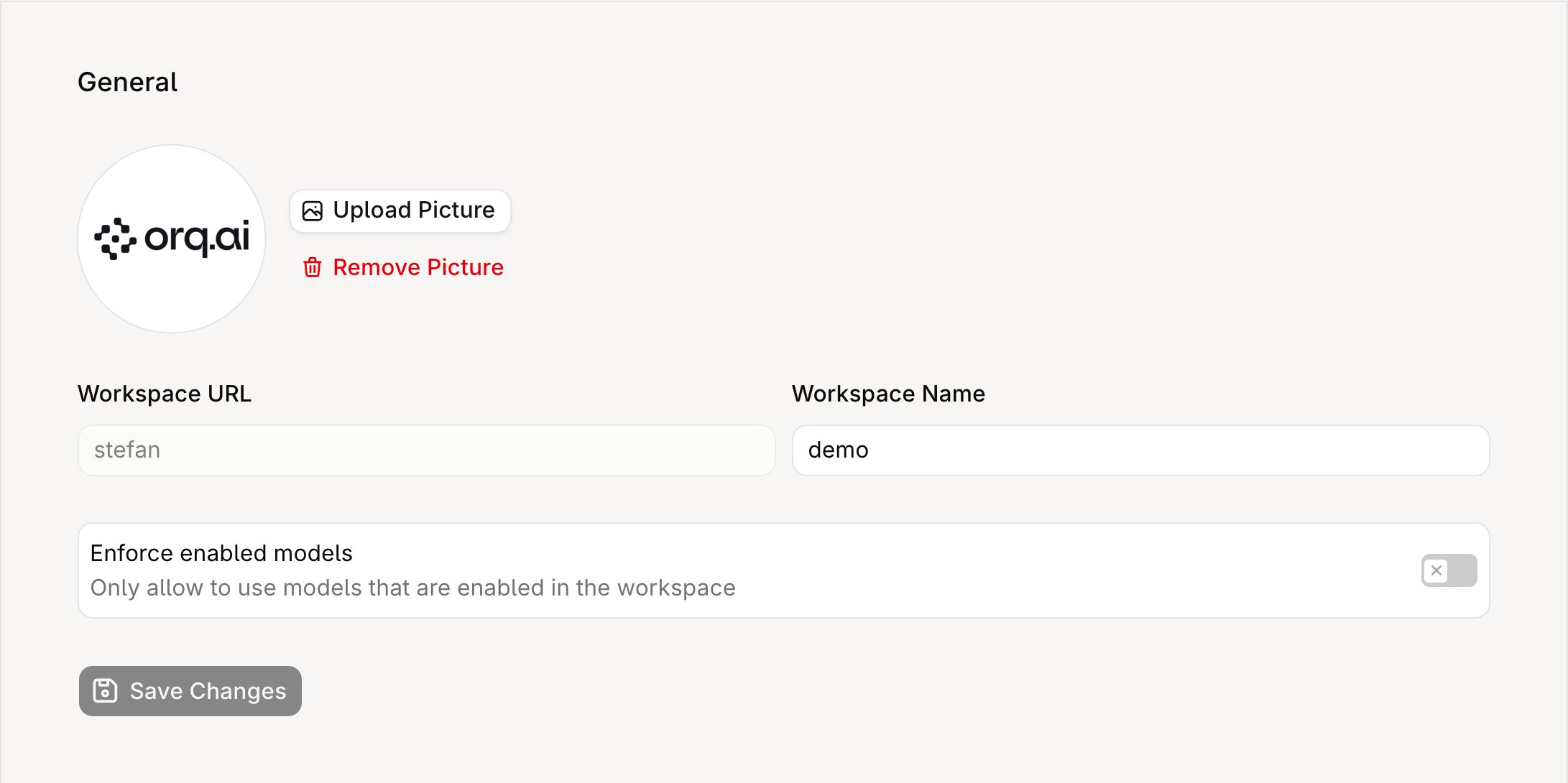
General Settings control workspace-level configuration that applies across all projects. Access them from **Settings** → **Organization** → **General**.
 Only **Admin** and **Owner** roles can modify these settings.
| Setting | Type | Default | Effect |
| ---------------------- | ------- | --------------- | ----------------------------------------------------------------------- |
| Workspace Name | string | Set at creation | Displayed in the dashboard header, invitation emails, and audit logs |
| Workspace Avatar | image | None | Displayed next to the workspace name |
| Enforce enabled models | boolean | Off | When on, only models enabled in the workspace are available for routing |
The workspace URL (slug) is read-only and cannot be changed through the UI or API, as it is embedded in resource URLs and API credentials.
## Enforce enabled models
When this toggle is **off** (the default), any model available through the **AI Gateway** can be used in **Deployments**, **Agents**, and **Experiments**, even if the model is not explicitly enabled for the workspace.
When toggled **on**, only models that have been explicitly enabled in the workspace model list are available. Requests that reference a non-enabled model are rejected.
## API access
Workspace settings can be read programmatically:
* [Retrieve workspace settings](/reference/workspace-settings/retrieve-workspace-settings): returns the current configuration including the read-only workspace key.
## Delete a workspace
To delete a workspace, archive it with [Update a workspace](/reference/workspaces/update-a-workspace). The workspace is permanently deleted 14 days later.
```bash cURL theme={"theme":{"light":"github-light","dark":"github-dark"}}
curl -X PATCH "https://my.orq.ai/v2/workspaces/{workspace_key}" \
-H "Authorization: Bearer $ORQ_API_KEY" \
-H "Content-Type: application/json" \
-d '{ "archived": true }'
```
The call requires write access to **Workspace Settings** ([Management Keys](/ai-studio/organization/management-keys)).
Requests to the workspace are rejected as soon as it is archived, and nothing is deleted at that point. An API key is rejected while the workspace is archived, so restore it from the dashboard: while a workspace is archived, **Settings** → **Organization** → **General** shows the deletion date and a **Restore workspace** button.
Once the 14 days elapse, the workspace and its data are permanently deleted and cannot be restored.
Workspace admins receive an email when the workspace is scheduled for deletion, a reminder shortly before it is deleted, and a confirmation once it is.
## Delete an account
To delete an account, contact [support@orq.ai](mailto:support@orq.ai).
Only **Admin** and **Owner** roles can modify these settings.
| Setting | Type | Default | Effect |
| ---------------------- | ------- | --------------- | ----------------------------------------------------------------------- |
| Workspace Name | string | Set at creation | Displayed in the dashboard header, invitation emails, and audit logs |
| Workspace Avatar | image | None | Displayed next to the workspace name |
| Enforce enabled models | boolean | Off | When on, only models enabled in the workspace are available for routing |
The workspace URL (slug) is read-only and cannot be changed through the UI or API, as it is embedded in resource URLs and API credentials.
## Enforce enabled models
When this toggle is **off** (the default), any model available through the **AI Gateway** can be used in **Deployments**, **Agents**, and **Experiments**, even if the model is not explicitly enabled for the workspace.
When toggled **on**, only models that have been explicitly enabled in the workspace model list are available. Requests that reference a non-enabled model are rejected.
## API access
Workspace settings can be read programmatically:
* [Retrieve workspace settings](/reference/workspace-settings/retrieve-workspace-settings): returns the current configuration including the read-only workspace key.
## Delete a workspace
To delete a workspace, archive it with [Update a workspace](/reference/workspaces/update-a-workspace). The workspace is permanently deleted 14 days later.
```bash cURL theme={"theme":{"light":"github-light","dark":"github-dark"}}
curl -X PATCH "https://my.orq.ai/v2/workspaces/{workspace_key}" \
-H "Authorization: Bearer $ORQ_API_KEY" \
-H "Content-Type: application/json" \
-d '{ "archived": true }'
```
The call requires write access to **Workspace Settings** ([Management Keys](/ai-studio/organization/management-keys)).
Requests to the workspace are rejected as soon as it is archived, and nothing is deleted at that point. An API key is rejected while the workspace is archived, so restore it from the dashboard: while a workspace is archived, **Settings** → **Organization** → **General** shows the deletion date and a **Restore workspace** button.
Once the 14 days elapse, the workspace and its data are permanently deleted and cannot be restored.
Workspace admins receive an email when the workspace is scheduled for deletion, a reminder shortly before it is deleted, and a confirmation once it is.
## Delete an account
To delete an account, contact [support@orq.ai](mailto:support@orq.ai).