> ## Documentation Index
> Fetch the complete documentation index at: https://docs.orq.ai/llms.txt
> Use this file to discover all available pages before exploring further.
# Audit Logs | AI Gateway
> Monitor AI Gateway workspace activity. Track who did what, when they did it, and what was affected for compliance and security.
Feature available with the [Enterprise Plan](https://orq.ai/solutions/enterprise)
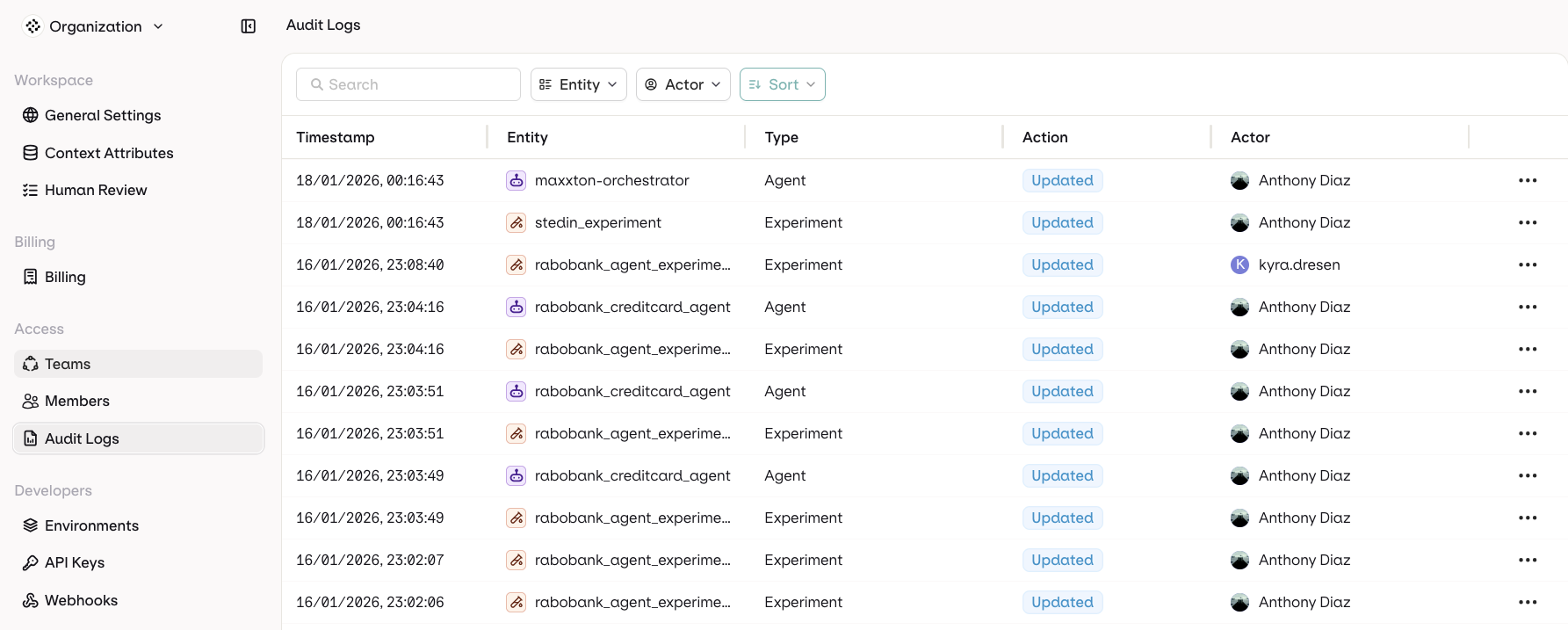
Audit Logs track all actions in the **AI Gateway** workspace. See who made changes, what was changed, and when.
## Use cases
* **Security**: Track API key creation and deletion, and user access patterns.
* **Compliance**: Maintain records of who changed what and when.
* **Troubleshooting**: Understand what changed and identify who made specific modifications.
* **Team management**: Monitor member activities and permission changes.
## Accessing audit logs
Navigate to **Settings** → **Audit Logs** in the **AI Gateway** sidebar.
 ## Log columns
| Column | Description |
| ------------- | --------------------------------------------------- |
| **Timestamp** | When the action occurred |
| **Entity** | What was affected (API Keys, Models, Members, etc.) |
| **Type** | Category of the resource |
| **Action** | What happened: Created, Updated, Deleted, Accessed |
| **Actor** | Who performed the action |
## Filters
Filter by **Entity Type** or **Actor**. Sort by Timestamp or Entity.
## Data retention
Audit log retention is configured per organization. Contact [support@orq.ai](mailto:support@orq.ai) to discuss retention requirements.
## Log columns
| Column | Description |
| ------------- | --------------------------------------------------- |
| **Timestamp** | When the action occurred |
| **Entity** | What was affected (API Keys, Models, Members, etc.) |
| **Type** | Category of the resource |
| **Action** | What happened: Created, Updated, Deleted, Accessed |
| **Actor** | Who performed the action |
## Filters
Filter by **Entity Type** or **Actor**. Sort by Timestamp or Entity.
## Data retention
Audit log retention is configured per organization. Contact [support@orq.ai](mailto:support@orq.ai) to discuss retention requirements.