> ## Documentation Index
> Fetch the complete documentation index at: https://docs.orq.ai/llms.txt
> Use this file to discover all available pages before exploring further.
# Warp | AI Gateway
> Route the Warp Agent through the Orq.ai AI Gateway to access the full model catalog, including Claude, from a single API key.
[**Warp**](https://www.warp.dev/) is a modern terminal with a built-in AI agent. Add the **Orq.ai AI Gateway** as a custom inference endpoint to access every model in the catalog, including Anthropic Claude models, from a single API key. The **AI Gateway** is OpenAI-compatible, which is exactly what Warp's custom inference support expects.
## Prerequisites
* [**Warp**](https://www.warp.dev/) installed
* Active **Orq.ai** account
* [**Orq.ai** API key](/docs/ai-gateway/configuration/api-keys)
## Setup
Open Warp Settings, then go to **Agents** → **Warp Agent**. Under **Custom inference**, click **+ Add custom model**.
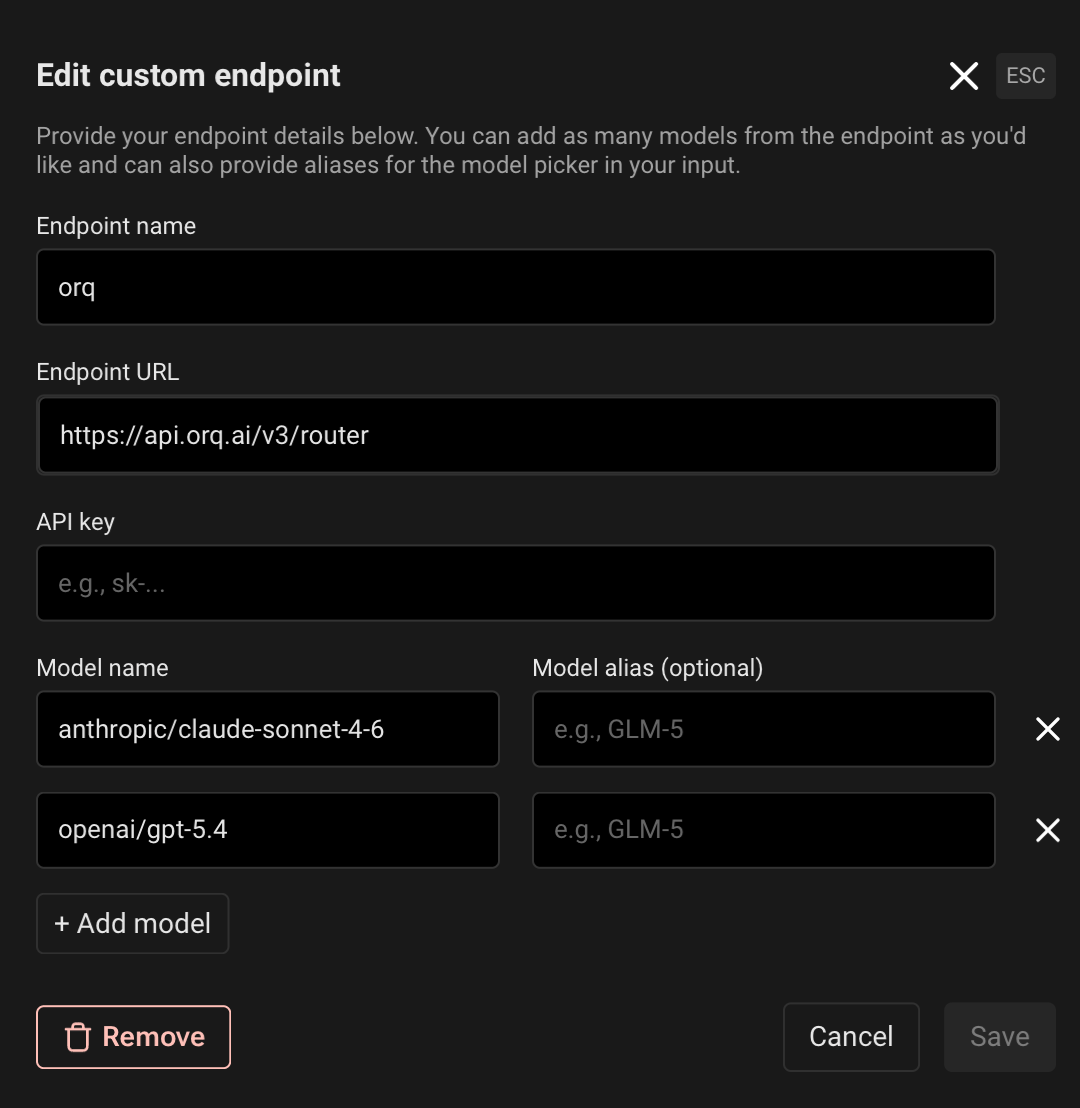
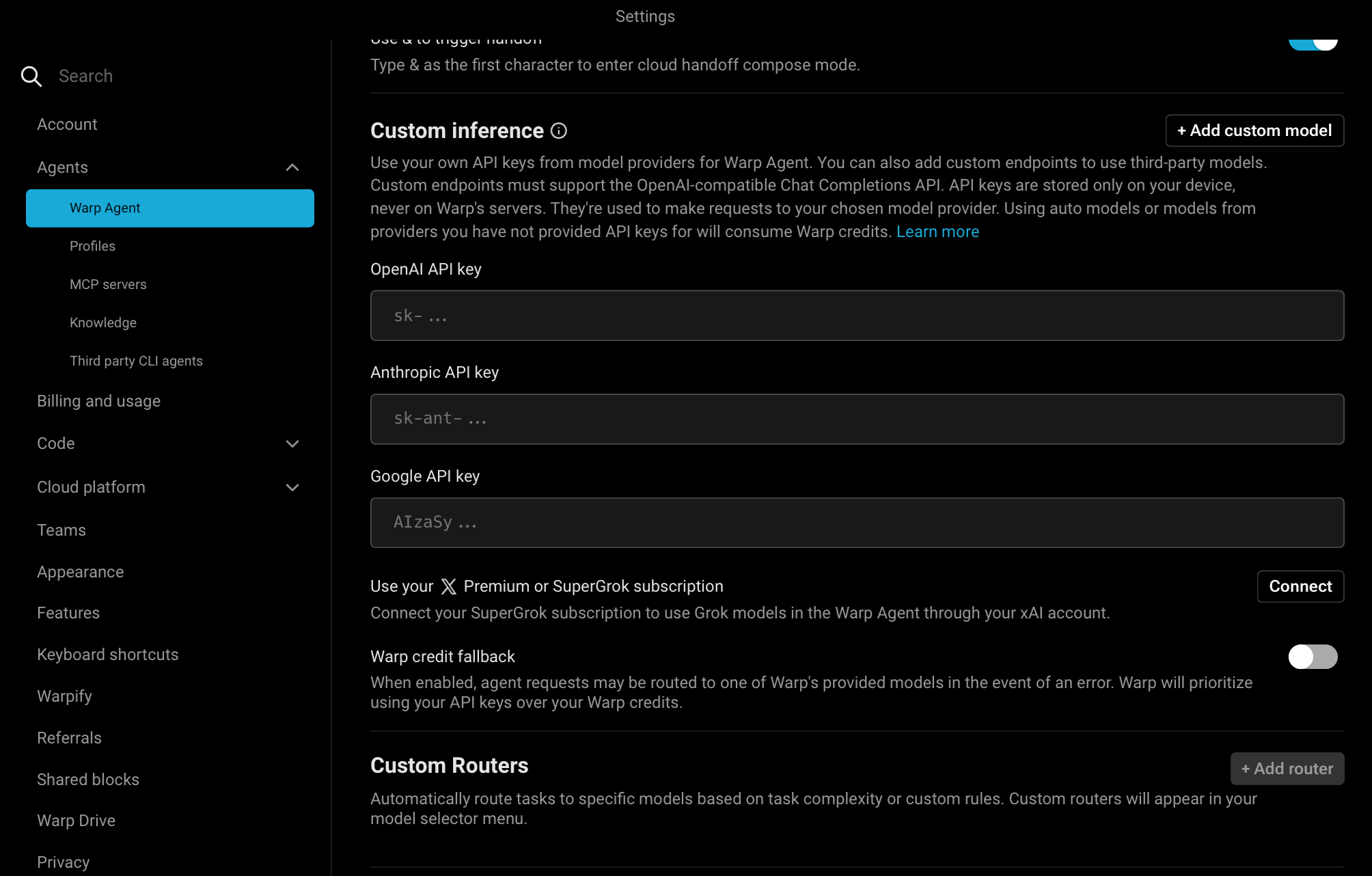 In the **Edit custom endpoint** dialog, fill the fields:
| Field | Value |
| ----------------- | ------------------------------ |
| **Endpoint name** | `orq` |
| **Endpoint URL** | `https://api.orq.ai/v3/router` |
| **API key** | `` |
| **Model name** | `anthropic/claude-sonnet-4-6` |
Replace `` with an [API key](/docs/ai-gateway/configuration/api-keys).
Click **+ Add model** for each additional model, set an optional **Model alias** for the picker, then **Save**.
In the **Edit custom endpoint** dialog, fill the fields:
| Field | Value |
| ----------------- | ------------------------------ |
| **Endpoint name** | `orq` |
| **Endpoint URL** | `https://api.orq.ai/v3/router` |
| **API key** | `` |
| **Model name** | `anthropic/claude-sonnet-4-6` |
Replace `` with an [API key](/docs/ai-gateway/configuration/api-keys).
Click **+ Add model** for each additional model, set an optional **Model alias** for the picker, then **Save**.
 Select the model from Warp's model picker and start using the Warp Agent.
Always use the `provider/model_id` format for model names (e.g. `anthropic/claude-sonnet-4-6`, not `claude-sonnet-4-6`). Bare IDs return a `400 invalid model format` error.
## Troubleshooting
The model name is missing the provider prefix. Change `claude-sonnet-4-6` to `anthropic/claude-sonnet-4-6`, `gpt-4o` to `openai/gpt-4o`, and so on.
Verify the **Endpoint URL** is set to `https://api.orq.ai/v3/router`. Requests sent to a provider's own endpoint bypass the **AI Gateway** and produce no **Traces**.
## Verification
Send a message in the Warp Agent. The response appears in the terminal and the request appears in [**Orq.ai** Traces](/docs/ai-gateway/traces) with the model identifier `anthropic/claude-sonnet-4-6` (or whichever model was selected).
Select the model from Warp's model picker and start using the Warp Agent.
Always use the `provider/model_id` format for model names (e.g. `anthropic/claude-sonnet-4-6`, not `claude-sonnet-4-6`). Bare IDs return a `400 invalid model format` error.
## Troubleshooting
The model name is missing the provider prefix. Change `claude-sonnet-4-6` to `anthropic/claude-sonnet-4-6`, `gpt-4o` to `openai/gpt-4o`, and so on.
Verify the **Endpoint URL** is set to `https://api.orq.ai/v3/router`. Requests sent to a provider's own endpoint bypass the **AI Gateway** and produce no **Traces**.
## Verification
Send a message in the Warp Agent. The response appears in the terminal and the request appears in [**Orq.ai** Traces](/docs/ai-gateway/traces) with the model identifier `anthropic/claude-sonnet-4-6` (or whichever model was selected).