> ## Documentation Index
> Fetch the complete documentation index at: https://docs.orq.ai/llms.txt
> Use this file to discover all available pages before exploring further.
# BYOK | Bring Your Own Key | AI Gateway
> Bring Your Own Key (BYOK) to the AI Gateway. Connect OpenAI, Anthropic, Google, AWS, and 20+ other providers using your own credentials for full cost control and rate limit ownership.
**BYOK** (Bring Your Own Key) connects provider API keys directly to the **AI Gateway**. Every request is routed through those credentials, keeping billing, rate limits, and data residency under the organization's control.
## Connecting a provider key
1. Go to **BYOK** in the **AI Gateway** sidebar.
2. Find the provider and click Connect.
3. Select Setup your own API key and paste the key.
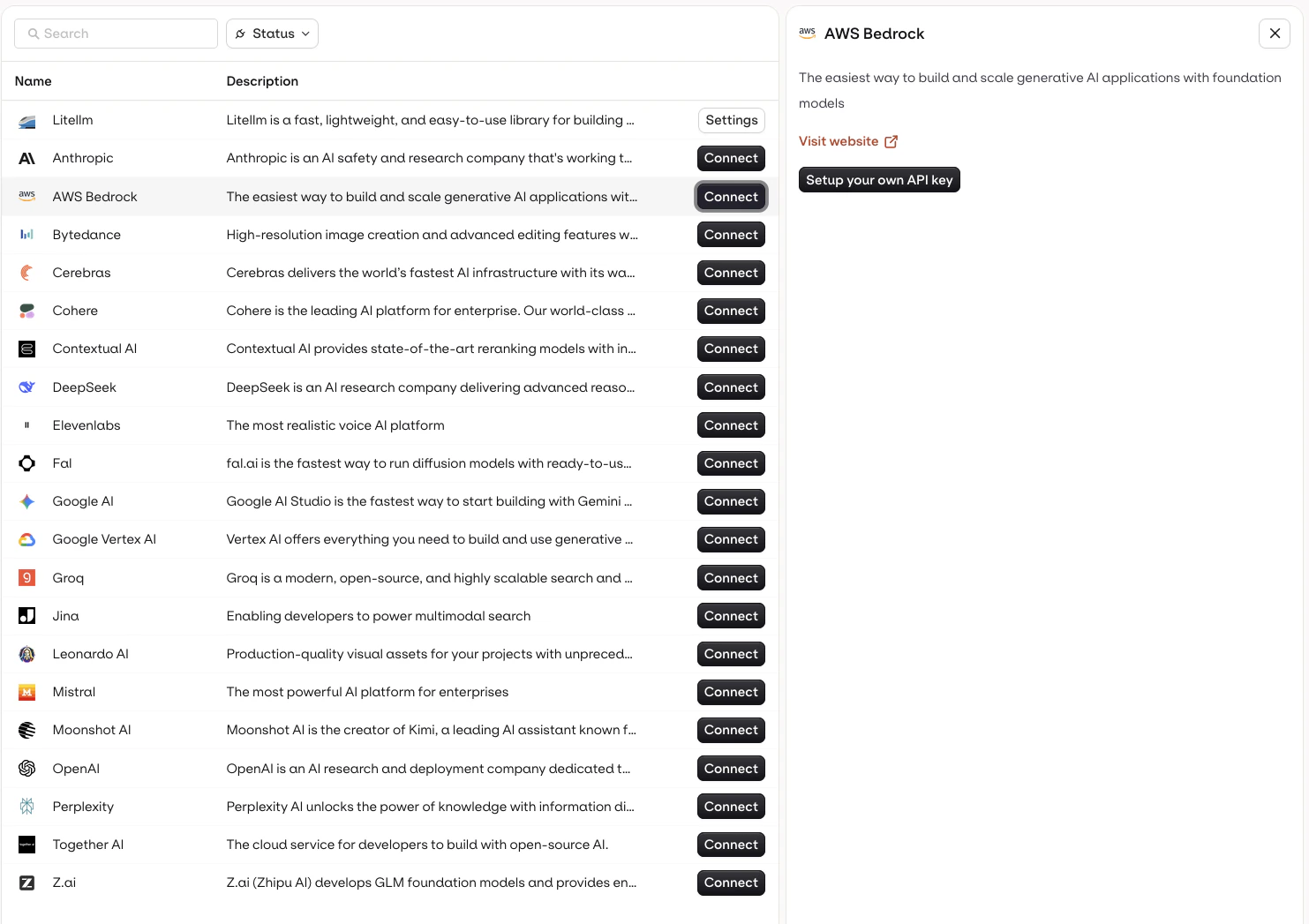 View the full list of providers available in the **AI Gateway**, including OpenAI, Anthropic, Google, AWS Bedrock, Azure, and more.
## Multiple keys per provider
Add more than one key per provider by selecting Add a new API key from the provider panel.
### Why use multiple keys
**Failover**: if one key is revoked or exhausted, a fallback model configured with a second key keeps requests flowing.
**Environment separation**: use different keys for production, staging, and development without mixing spend.
## Why use own keys
For production workloads, BYOK provides:
* **Rate limit ownership**: provider rate limits apply to the organization's account, not a shared pool
* **Direct billing**: spend is billed by the provider directly; configure limits and alerts independently
* **Data residency**: requests go from the **AI Gateway** to the provider account with no shared credential layer
View the full list of providers available in the **AI Gateway**, including OpenAI, Anthropic, Google, AWS Bedrock, Azure, and more.
## Multiple keys per provider
Add more than one key per provider by selecting Add a new API key from the provider panel.
### Why use multiple keys
**Failover**: if one key is revoked or exhausted, a fallback model configured with a second key keeps requests flowing.
**Environment separation**: use different keys for production, staging, and development without mixing spend.
## Why use own keys
For production workloads, BYOK provides:
* **Rate limit ownership**: provider rate limits apply to the organization's account, not a shared pool
* **Direct billing**: spend is billed by the provider directly; configure limits and alerts independently
* **Data residency**: requests go from the **AI Gateway** to the provider account with no shared credential layer