Use the following steps to add a LiteLLM integration to the AI Gateway and import custom models.

Setup your LiteLLM Instance

  • Open the AI Gateway and navigate to BYOK.
  • Select LiteLLM.
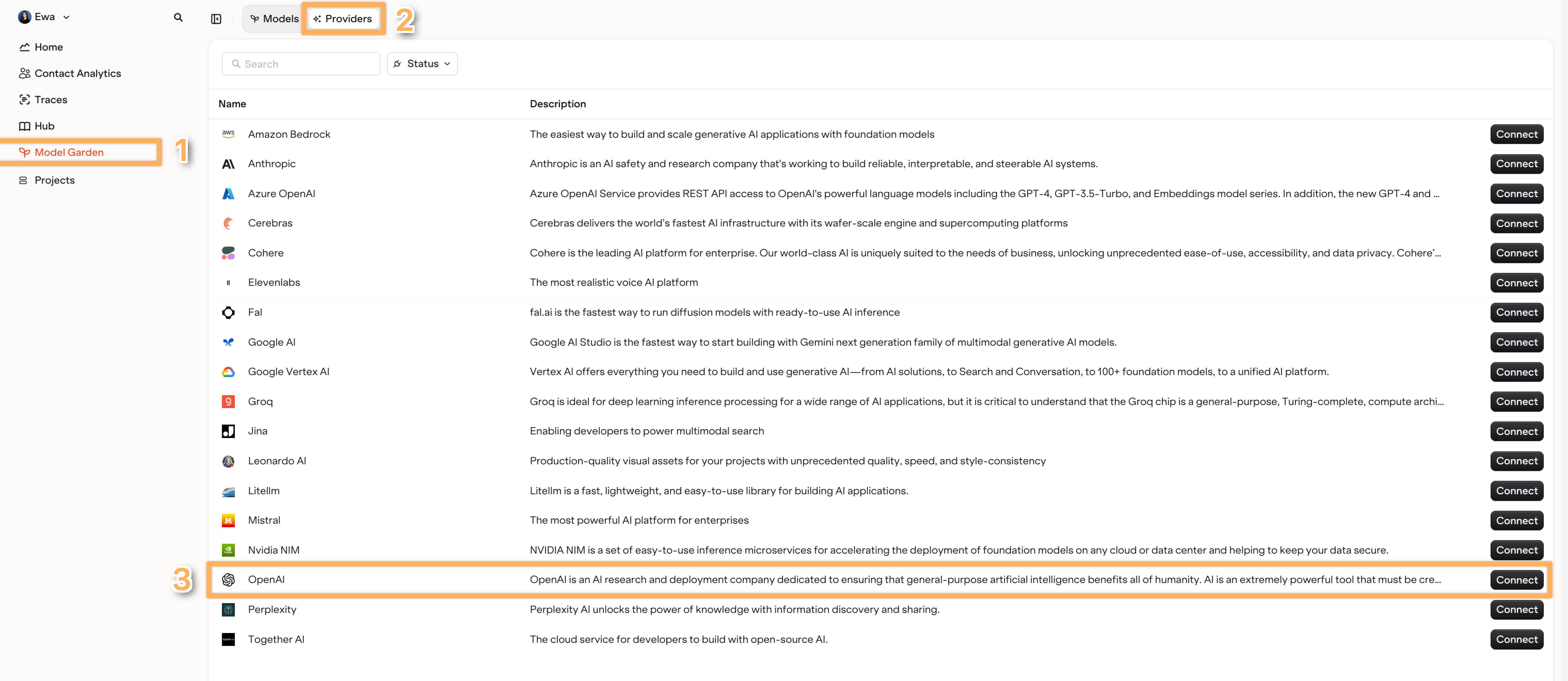
    Setup your LiteLLM InstanceFind the Litellm Provider within the Providers Tab.
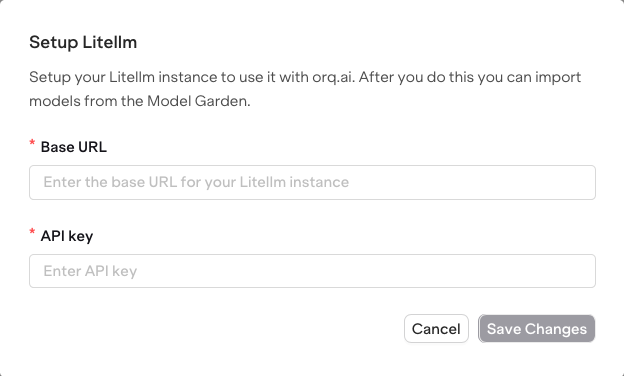
  • Choose Setup LiteLLM instance.
    Providers tab showing LiteLLM as a provider option with a Setup button.Enter the Base URL and API Key for your instance.

Import Models

  • Switch to the Models tab in the AI Gateway.
  • Select Add Models and choose Import from LiteLLM
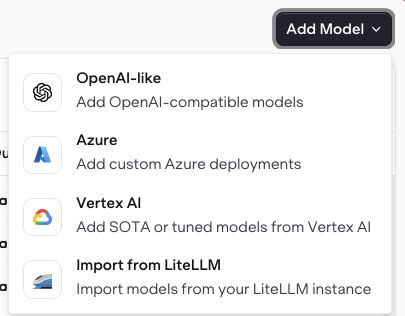
Import ModelsAdding Models using Import From LiteLLM.
  • Then select the models from the list of models imported from your LiteLLM provider.
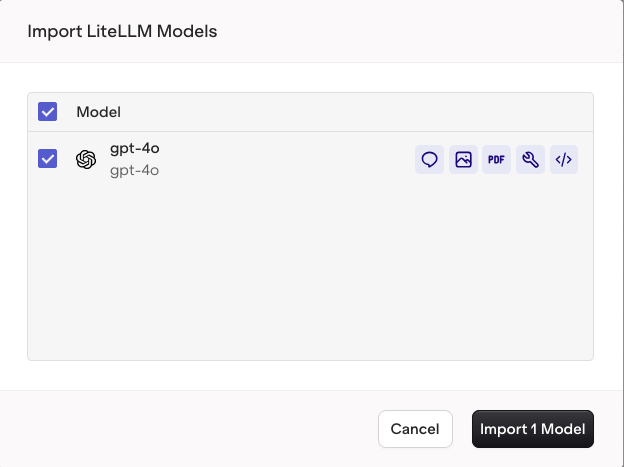
Model selection screen showing imported LiteLLM models with checkboxes and an Import button.Select Import to bring your LiteLLM model into the AI Gateway.

Model Imported

The model is now available in the AI Gateway.