

What are API Keys
API Keys are secure tokens required to authenticate and make requests to the AI Gateway. Multiple keys can be provisioned for different environments (production, staging, development), purposes, or team members, providing granular control and auditing of access. API Keys support:- Authenticating requests to the AI Gateway
- Controlling access by environment or team
- Setting optional budget limits to prevent unexpected costs
- Tracking usage and consumption per key
The Project scoped granular keys will be available for AI Gateway use cases from release 4.11.
Creating an API Key
To create an API key:- Navigate to the API Keys page in the AI Gateway
- Choose Create API Key, the following modal opens:
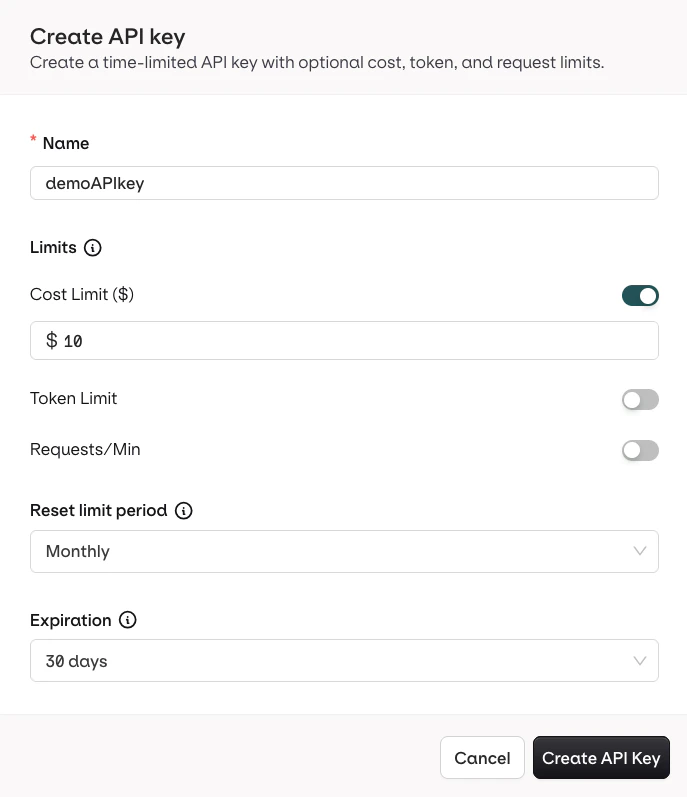
- Name: a unique label for the key
- Cost Limit (in USD): caps the total spend for requests made with this key. Optional toggle.
- Token Limit: caps the total number of tokens consumed. Optional toggle.
- Requests/Min: caps the number of requests within a rolling 60-second window. Optional toggle.
- Reset limit period: defines when the Cost and Token counters reset, allowing recurring budget allocations. Does not apply to Requests/Min, which always uses a 60-second window.
- Expiration: set a date after which the key becomes inactive. Defaults to no expiration.
Managing API Keys
API Keys can be created, viewed, and managed from the dedicated AI Gateway page to ensure secure access.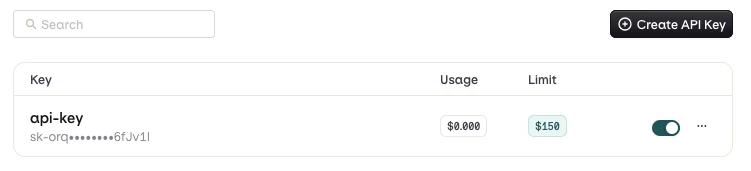
- To disable an API Key, use the Toggle, it can be re-enabled at any time.
- To delete an API Key, use the button and choose Delete.
- To view consumption details, use the button and choose Overview to see current usage and limits.
Legacy API Keys
Workspaces created before AI Gateway API keys were introduced may have legacy keys. Legacy keys continue to work but do not support the cost, token, and rate limits available on new keys.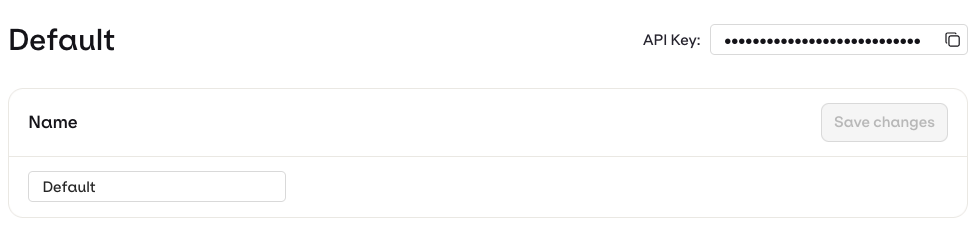
- Go to API Keys in the AI Gateway sidebar.
- Click Create API Key and configure the required limits.
- Update any integrations or environment variables to use the new key.
- Disable or delete the legacy key once all consumers have switched.