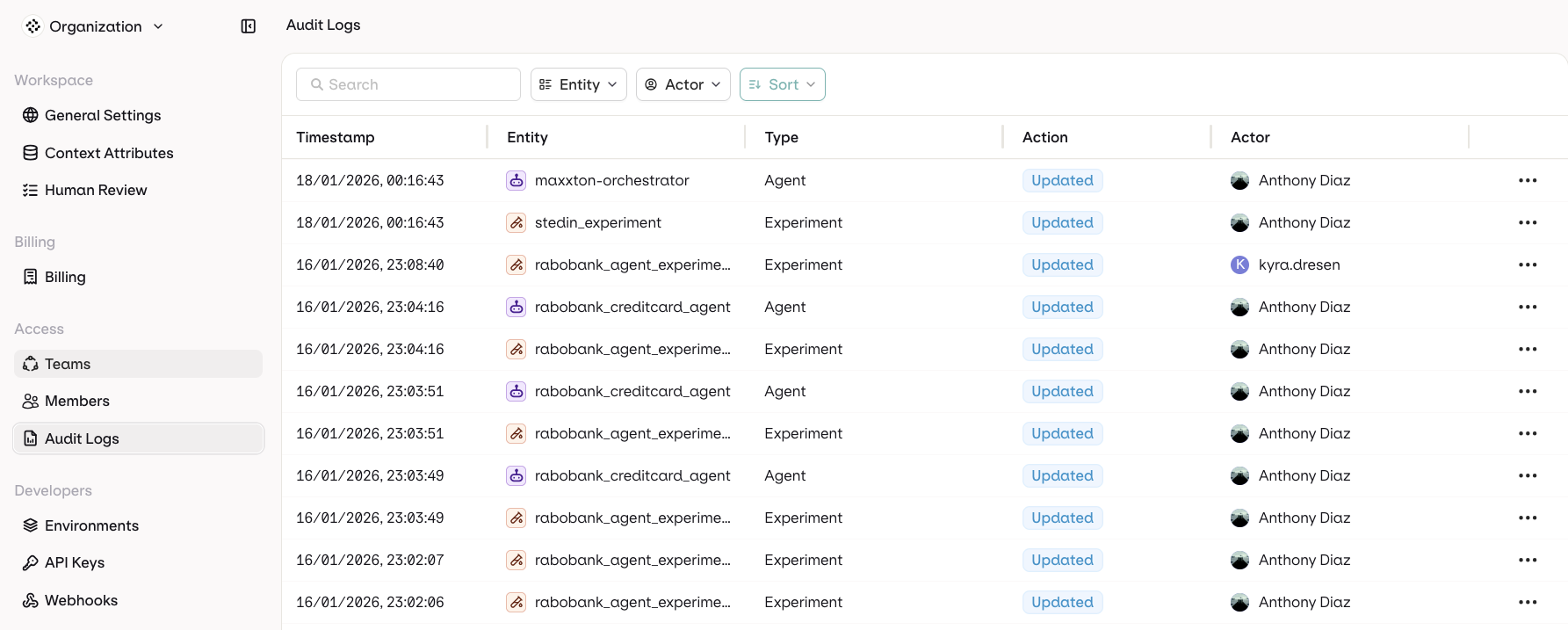
Feature available with the Enterprise Plan Audit Logs record changes made in the AI Gateway workspace: who made a change, what was affected, and when. Each entry captures the actor, the affected entity, the action, and a timestamp.

Use cases

  • Security: Track API key creation and deletion, and user access patterns.
  • Compliance: Maintain records of who changed what and when.
  • Troubleshooting: Understand what changed and identify who made specific modifications.
  • Team management: Monitor member activities and permission changes.

Accessing audit logs

Navigate to SettingsAudit Logs in the AI Gateway sidebar.
Audit Logs table showing rows with Timestamp, Entity, Type, Action, and Actor columns.

Audit Logs table with timestamps, entities, actions, and actors.

Log columns

Filters

Filter by Entity Type or Actor. Sort by Timestamp or Entity.

Data retention

Audit logs are retained for the retention period of the workspace subscription. Longer retention is available on higher plans. To adjust the retention window, contact support@orq.ai.