Installation

Install the @orq-ai/n8n-nodes-orq package through the n8n Community Nodes manager:
  1. Open n8n and go to Settings
  2. Select Community Nodes
  3. Click Install a community node
  4. Enter @orq-ai/n8n-nodes-orq and click Install
You may need to refresh your browser or restart n8n Desktop after installation.

Credentials

  1. In n8n, go to Credentials and click New
  2. Search for Orq API
  3. Paste your API key from Workspace Settings
  4. Name the credential and save

Quick Start

  1. Add a Manual Trigger node
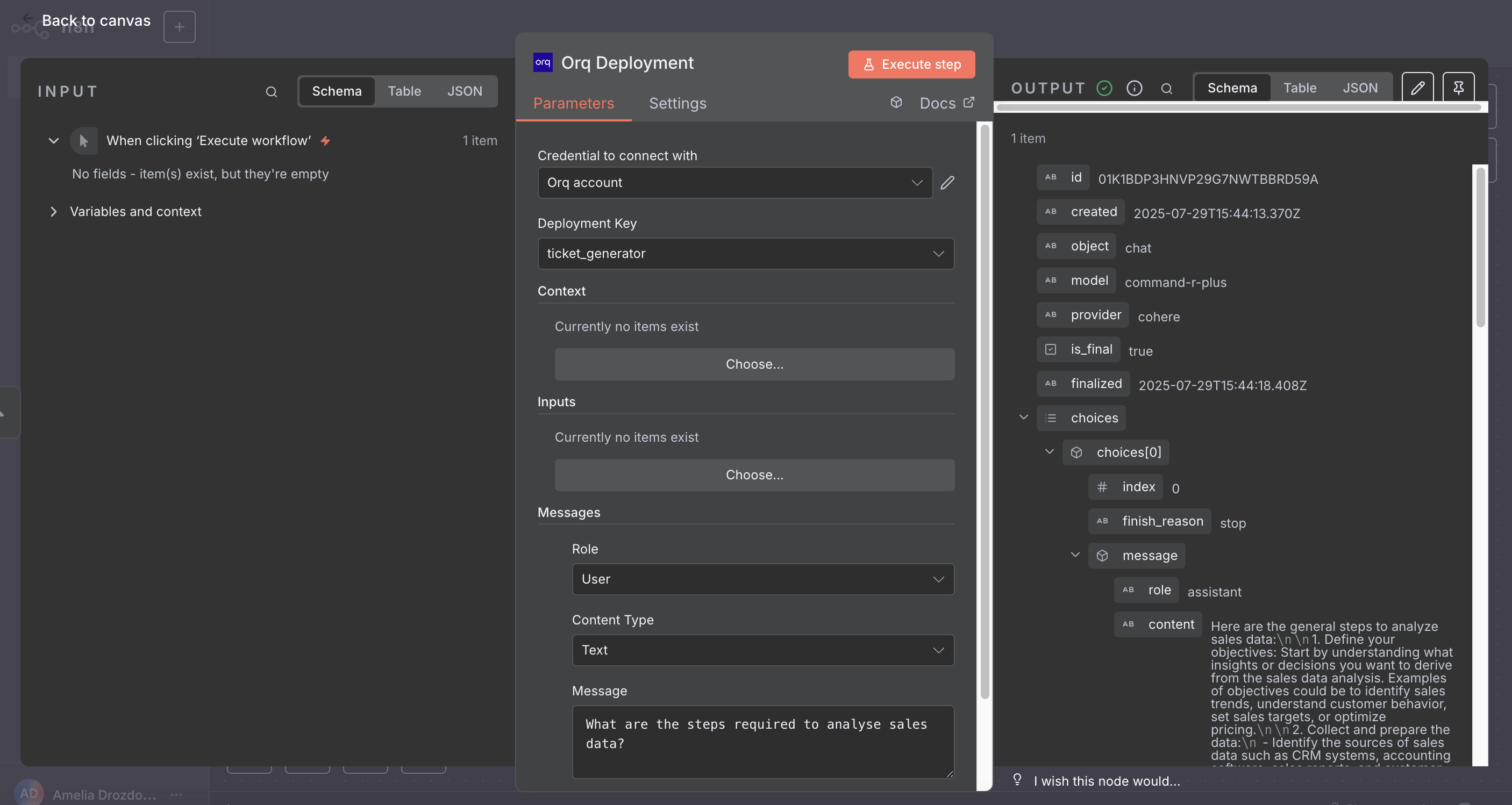
  2. Add an Orq Deployment node and connect it
  3. Select a deployment, add a message with role user and your prompt text
  4. Click Execute Workflow
n8n workflow with Manual Trigger connected to Orq Deployment node

Nodes Reference

Three nodes are available:
  • Orq Agent: Run an Agent for multi-step tasks with tools and autonomous reasoning.
  • Orq Deployment: Invoke a Deployment for direct, single LLM calls with prompt templates.
  • Orq Knowledge Base Search: Search an Orq.ai Knowledge Base for RAG and context retrieval.

Orq Agent

Run an Orq.ai Agent for complex, multi-step tasks. The node sends a message to the agent, waits for it to complete (including any tool calls), and returns the final response.
ParameterTypeDescription
AgentDropdownSelect from available agents in your workspace
MessageTextThe message to send to the agent
Timeout (seconds)NumberHTTP timeout in seconds. Defaults to 600 (10 min) to match server-side execution limits

Additional Fields

FieldDescription
Previous Response IDContinue from a prior response. Mutually exclusive with Conversation ID
Conversation IDThread this call into an existing long-lived conversation (conv_...). Mutually exclusive with Previous Response ID
Memory Entity IDAttach a persistent memory entity so the agent can recall facts across calls
Store ResponseWhether Orq persists this response server-side (default on). When off, the response cannot be referenced as a Previous Response ID by a downstream node
VariablesTemplate variables passed to the agent’s prompt. Each row has Name, Value, and a Secret toggle to redact the value from logs
MetadataKey-value tags attached to this call, queryable in the Orq.ai dashboard. Max 16 pairs

Output

The node branches on the agent’s final status: completed routes to the success branch, incomplete returns a partial response with incomplete: true, and failed throws with the server error message.

Orq Deployment

Invoke an Orq.ai Deployment with messages, routing context, and variable inputs.
ParameterTypeDescription
Deployment KeyDropdownSelect from available deployments in your workspace
ContextKey-value pairsRouting context for the deployment (e.g. environment: production). Learn more
InputsKey-value pairsValues for {{variable}} placeholders defined in the deployment prompt. Add one entry per variable
MessagesCollectionConversation messages to pass to the deployment

Messages

Each message has a Role (User, System, or Assistant). System and Assistant messages take plain text. User messages support two content types:
Content TypeFields
TextMessage text
ImageImage Source (URL or Base64 Data URI) and an optional text description
Some models require text alongside images. Check your model’s documentation if image-only messages return errors.

Output


Run semantic, keyword, or hybrid search over an Orq.ai Knowledge Base.
ParameterTypeDescription
Knowledge BaseDropdownSelect from available knowledge bases in your workspace
QueryTextThe search query
Metadata Filter TypeOptionsNone, AND (all conditions must match), OR (any condition must match), or Custom JSON (advanced recursive filter)
When AND or OR is selected, add one or more conditions. Each condition takes:
FieldDescription
FieldThe metadata field to filter on
Operatoreq, ne, gt, gte, lt, lte, in, nin
ValueThe value to compare against. For in and nin, use comma-separated values
When Custom JSON is selected, provide a recursive filter structure directly:
{
  "$and": [
    { "field1": { "eq": "value1" } },
    { "$or": [
      { "field2": { "gt": 100 } },
      { "field3": { "in": ["a", "b"] } }
    ]}
  ]
}

Additional Options

OptionDescription
Chunk LimitNumber of results to return (1 to 20). Defaults to the knowledge base setting
ThresholdMinimum similarity score (0 to 1). Defaults to the knowledge base setting
Search TypeVector Search, Keyword Search, or Hybrid Search (default)

Output

matches
array
Array of matching chunks. Use {{ $json.matches[0].text }} in downstream nodes to get the top result.