

- Name: Can be anything. Example:
orq_bedrock - Access key id: Retrieve this from your IAM in AWS. See the image below as an example.
- Secret access key: Also retrieve this from your IAM in AWS. See the image below as an example.
- Region: Make sure that you select the right region. Example: us-east-1
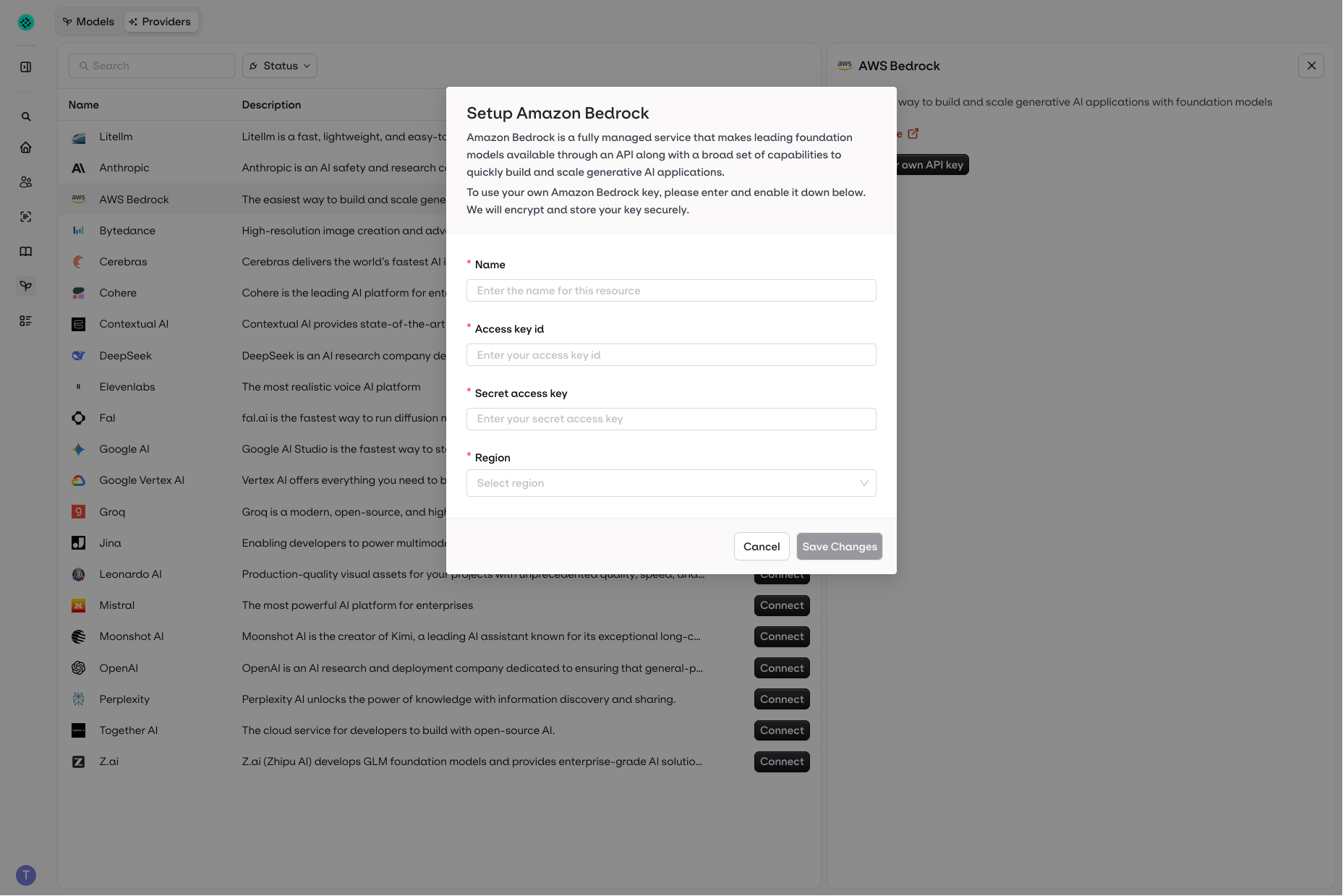
Integrate AWS Bedrock into Orq.ai
Retrieve access keys in AWS
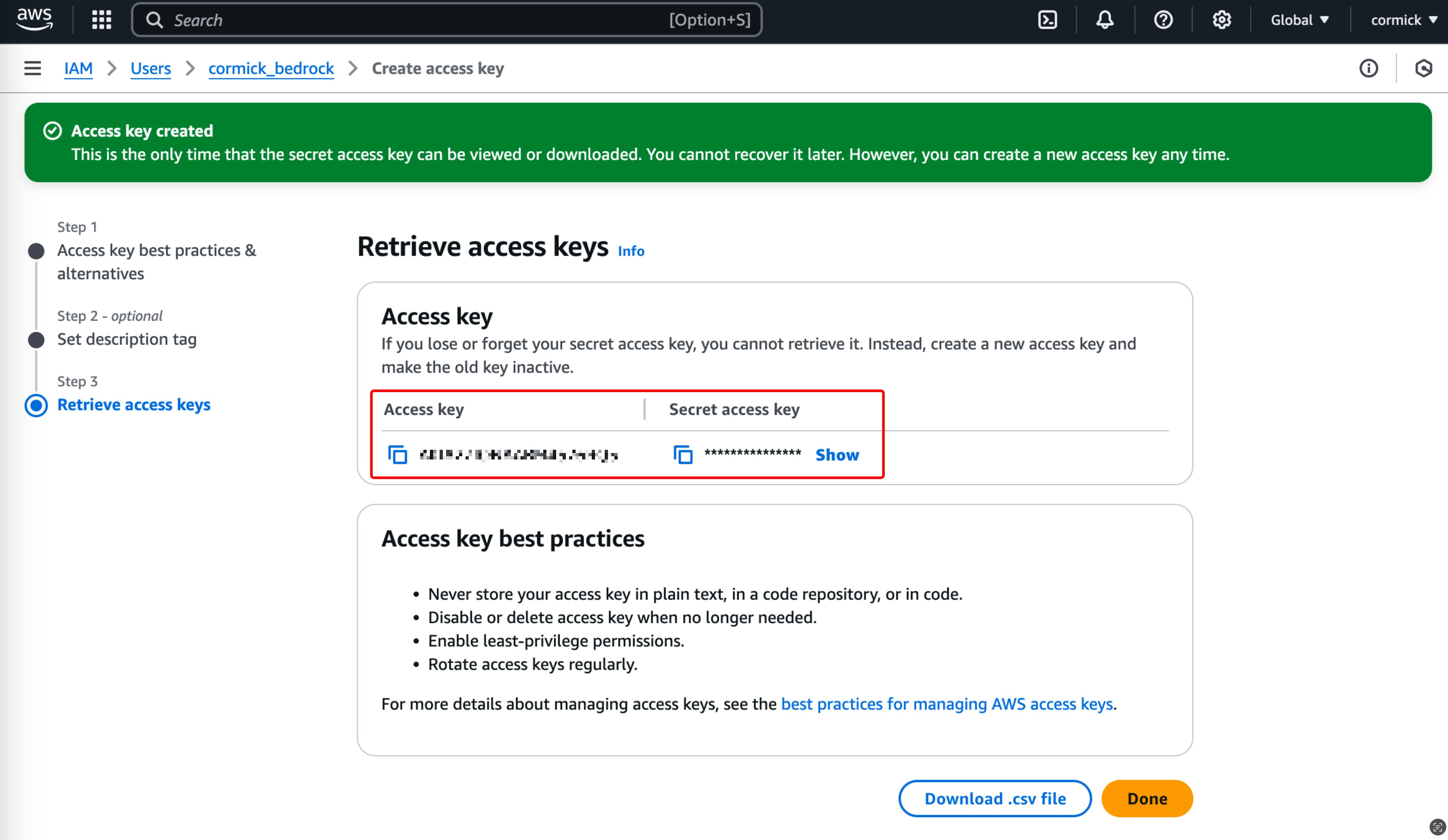
Retrieve the access keys in AWS Bedrock
Policies / Permissions in AWS
In order for the model to work, make sure that the following two permissions are included in the policy which is attached to the user in AWS.- Bedrock: InvokeModel
- Bedrock: InvokeModelWithResponseStream
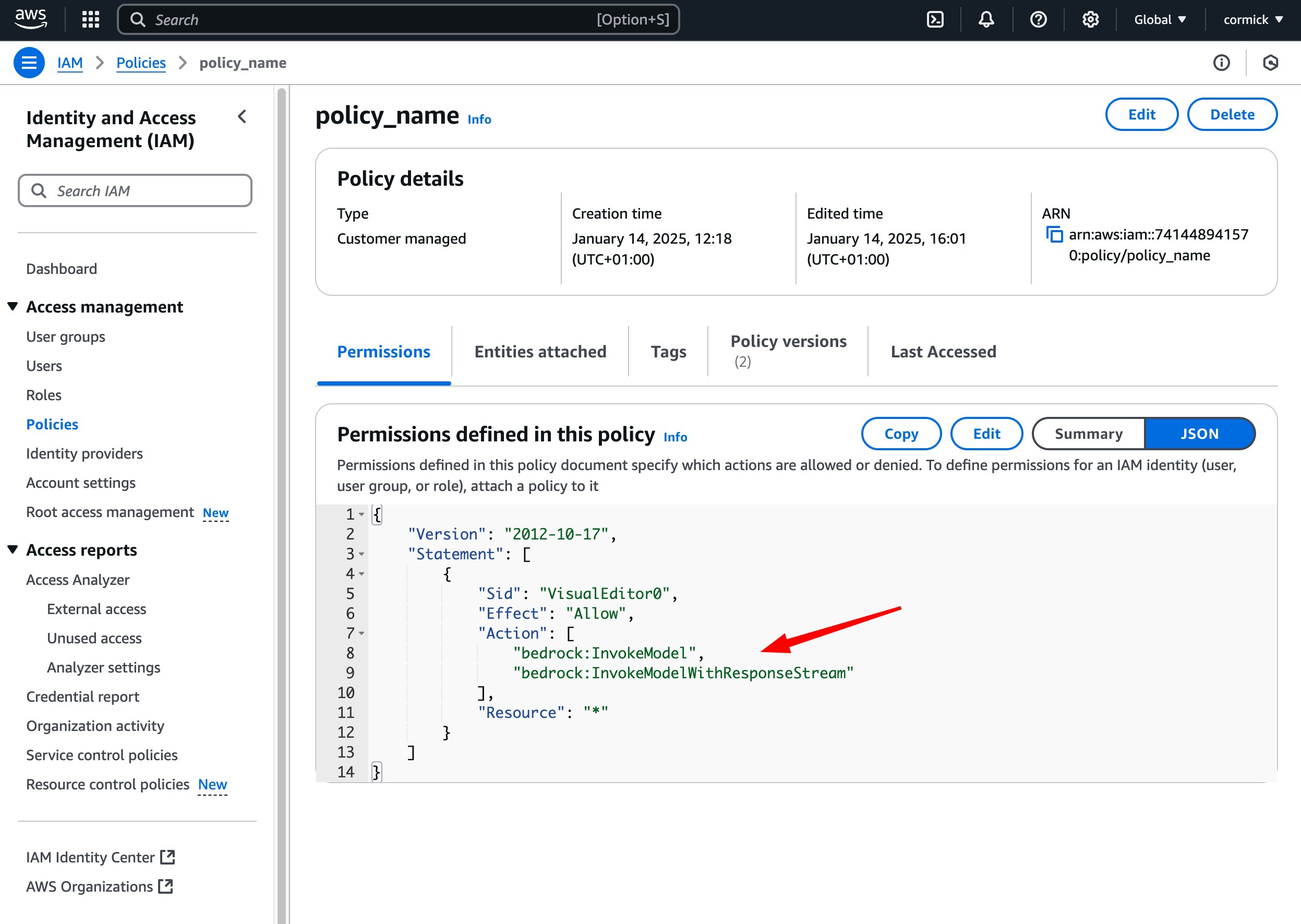
Make sure that the right permissions are linked to the policy
IAM role
The AI Studio exposes the Pod Identity (On-Premise) auth mode on on-premise deployments only. A Bedrock model on such a deployment can authenticate with an IAM role instead of an access key and secret, so no long-lived AWS credentials are stored with the model. In the AI Gateway sidebar, open Models, select Model, and choose AWS Bedrock. Set Auth Mode to Pod Identity (On-Premise), which sendsauth_mode: "pod-identity" in the API.
Credentials then come from the AWS default credential chain of the deployment: the role attached to the gateway through EKS Pod Identity or IAM Roles for Service Accounts (IRSA), or the instance metadata service.
Assume a role in another account
Set Assume Role ARN to have Orq.ai assume a role in a different AWS account. The optional External ID acts as a shared secret that the target role’s trust policy requires before it grants access.
The assumed role needs the Bedrock permissions listed above. Without an Assume Role ARN, requests sign with the credentials the deployment resolves from its environment.
Trust policy on the target role
The target role’s trust policy must allow the identity the deployment runs as, and that identity needssts:AssumeRole permission on the target role.
JSON
<deployment_account_id> and <deployment_role_name> with that identity, which aws sts get-caller-identity reports from inside the deployment. When an External ID is set, add "Condition": { "StringEquals": { "sts:ExternalId": "<external_id>" } } to the statement.