

AI Gateway
Route your LLM calls through the AI Gateway with a single base URL change. Zero vendor lock-in: always run on the best model at the lowest cost for your use case.
Observability
Attach the native Orq callback handler to your LangGraph to capture traces for every LLM call, graph node, tool use, and retrieval.
AI Gateway
Overview
LangChain is a framework for building LLM-powered applications through composable chains, agents, and integrations with external data sources. By connecting LangChain to Orq.ai’s AI Gateway, you access 500+ models through a single base URL change.Key Benefits
Orq.ai’s AI Gateway enhances your LangChain applications with:Complete Observability
Track every chain step, tool use, and LLM call with detailed traces
Built-in Reliability
Automatic fallbacks, retries, and load balancing for production resilience
Cost Optimization
Real-time cost tracking and spend management across all your AI operations
Multi-Provider Access
Access 500+ LLMs and 30+ providers through a single, unified integration
Prerequisites
Before integrating LangChain with Orq.ai, ensure you have:- An Orq.ai account and API Key
- Python 3.8 or higher
To set up your API key, see API keys & Endpoints.
Installation
Configuration
Configure LangChain to use Orq.ai’s AI Gateway viaChatOpenAI with a custom base_url:
Python
base_url: https://my.orq.ai/v3/router
Basic Example
Python
Chains
Build composable chains using LangChain’s pipe operator:Python
Streaming
Python
Model Selection
With Orq.ai, you can use any supported model from 30+ providers:Python
Observability
orq_ai_sdk.langchain provides a global setup() function that automatically instruments all LangChain and LangGraph components. Call it once at the top of your application and every LLM call, graph node, tool execution, and retrieval is traced automatically, no callback wiring needed.
Zero configuration
One
setup() call and tracing is live, no callbacks, no OpenTelemetry exporters, no extra wiring.Full graph visibility
Traces preserve the parent-child structure of your LangGraph so you see exactly which node triggered each LLM call or tool use.
Token usage and costs
Input and output token counts are captured on every LLM call and synced to Orq.ai for cost tracking.
Retrieval tracking
Retrieval events include the query and all returned documents, making RAG pipelines fully inspectable.
Installation
orq-ai-sdk is the Orq.ai Python SDK. @orq-ai/node is the Orq.ai Node.js SDK.Environment Variables
Basic Example
Call
setup() at the top of your entry point, before invoking any graphs or chains. It globally instruments LangChain so that all subsequent executions are traced automatically.Async Example
Viewing Traces
Traces appear in the Orq.ai Studio under the Traces tab. Each run is captured as a tree reflecting your graph structure: top-level chain spans for each node, with LLM calls, tool executions, and retrievals nested underneath.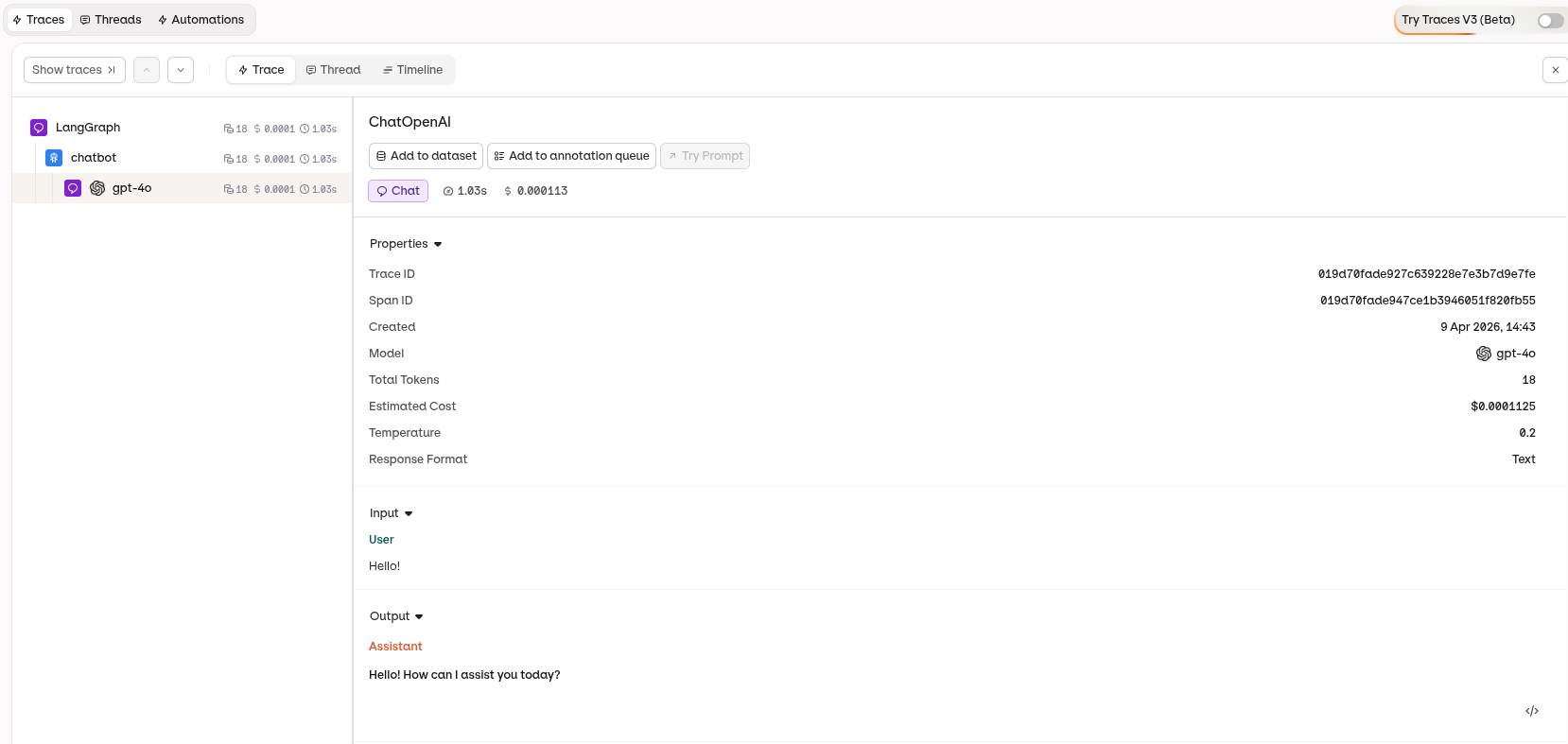
LangChain trace in the AI Studio showing the full graph execution hierarchy
What Gets Traced
Evaluations & Experiments
Once your agents are running, use Evaluatorq to score outputs across a dataset and Experiments to compare configurations side-by-side.Run Evaluations with Evaluatorq
Run parallel evaluations across your agents and compare results.
Run Experiments via the API
Compare agent configurations and view results in the AI Studio.