Orq MCP is live: Use natural language to interrogate traces, spot regressions, and experiment your way to optimal AI configurations. Available in Claude Desktop, Claude Code, Cursor, and more. Start now →
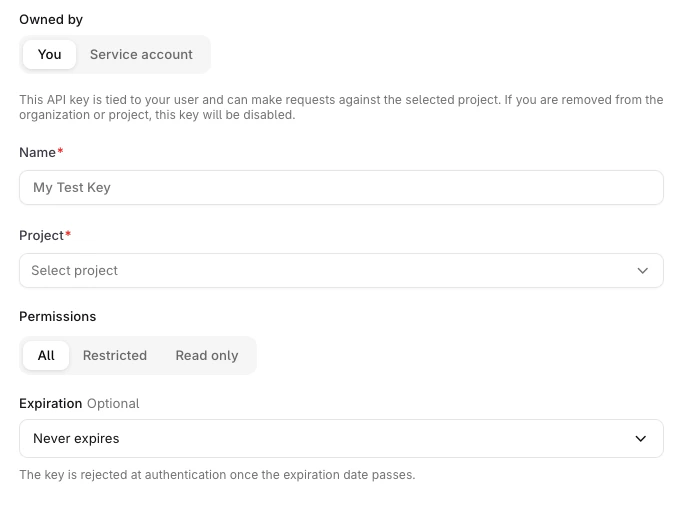
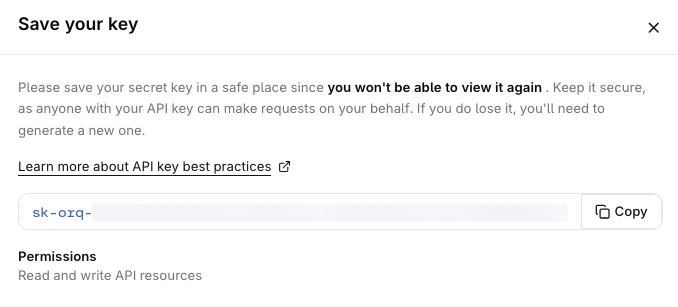
API Keys are secure tokens used to authenticate requests to Orq.ai. Each key is scoped to a single project and carries a set of permissions that control what it can do.Two key types are available, chosen by the key’s owner.
Tied to a specific user account and project. Automatically revoked if the user is removed from the organization or project. Use user keys for personal use and local development.
Not tied to any individual user, with a lifecycle independent of user membership. Only workspace admins can create service account keys. Use service account keys for production systems, so access does not break when a team member leaves.
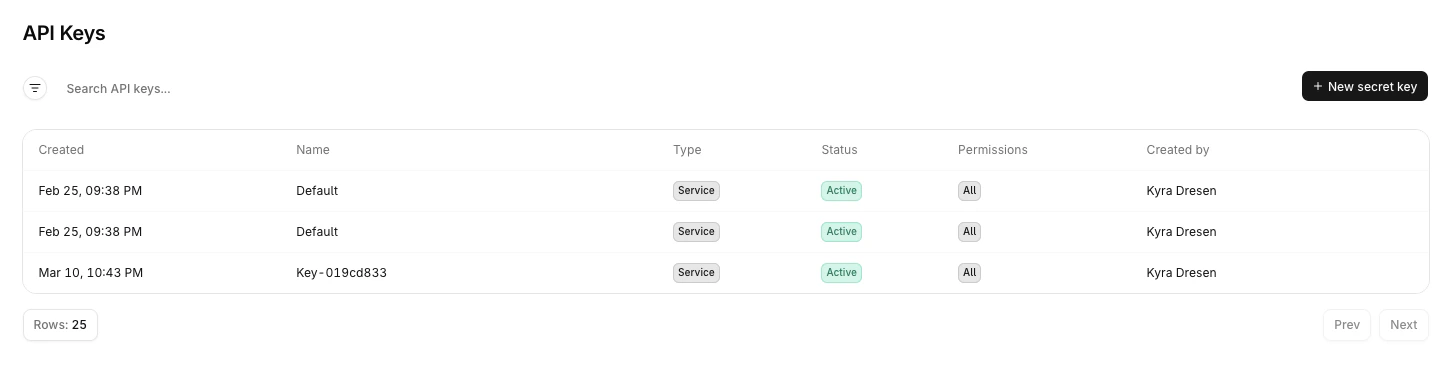
The API Keys management table showing all keys, their type, status, permissions, and actions.
Select the menu on any key to access the following actions:
Edit: update the name, permissions, or expiration date. The owner type cannot be changed after creation.
Duplicate: opens the creation panel pre-filled with the key’s current settings.
Delete: permanently removes the key. This cannot be undone.
A Revoked status means the key belonged to a user who was removed from the organization or project, or it has been revoked manually. Revocation is permanent.
Legacy API keys remain functional but cannot be transferred to the new format. To use granular per-resource permissions, create a new key and replace the legacy one.