

Use Cases
- Security: Track API key creation/deletion and user access patterns.
- Compliance: Maintain records of who changed what and when.
- Troubleshooting: Understand what changed and identify who made specific modifications.
- Team Management: Monitor member activities and permission changes.
Accessing Audit Logs
Go to Organization > Audit Logs to view activity history.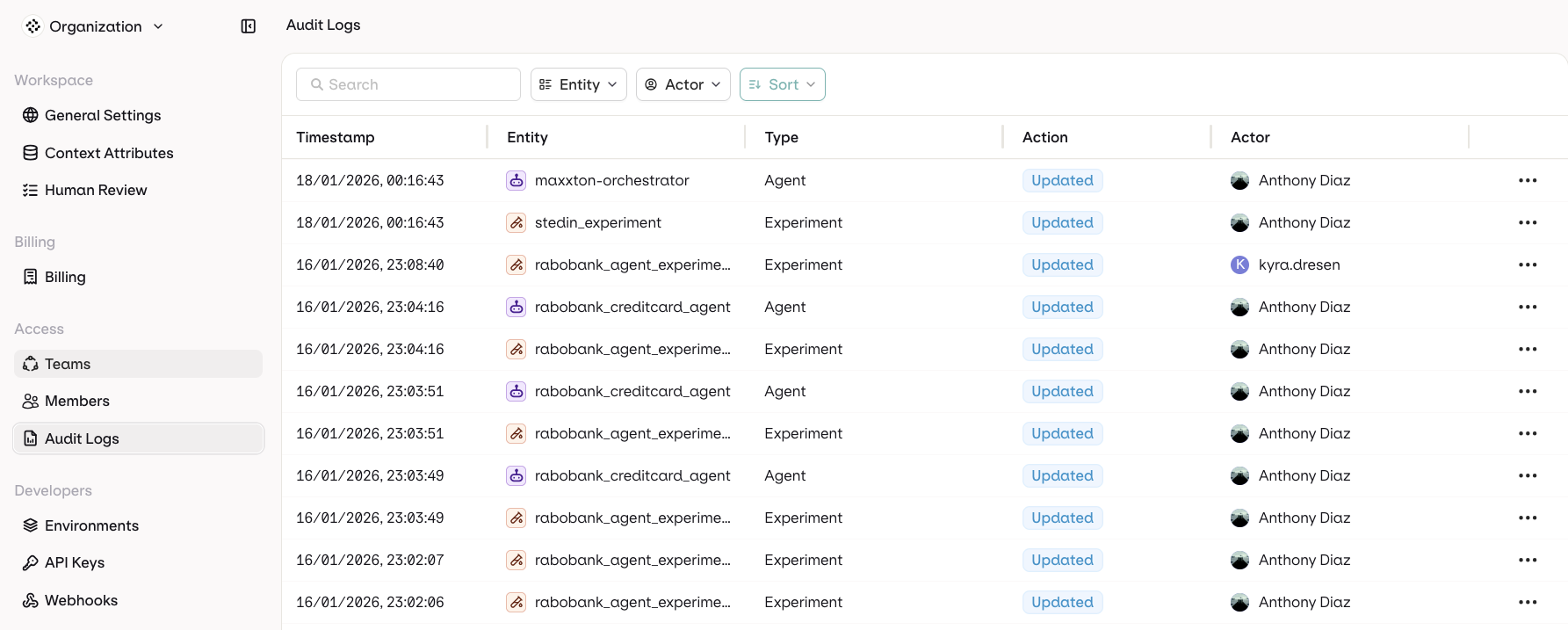
Log Columns
- Timestamp: When the action occurred
- Entity: What was affected (API Keys, Datasets, Deployments, Team Members, etc.)
- Type: Category of the resource
- Action: What happened (Created, Updated, Deleted, Accessed)
- Actor: Who performed the action
Filter Options
Use the following filters to find audit logs:- Entity Type
- Actor who performed the action