

Objective
An Advanced RAG (Retrieval-Augmented Generation) system provides sophisticated multi-source information retrieval with intelligent query enhancement, document validation, and quality assessment. This architecture demonstrates how to build enterprise-grade AI assistants that can intelligently orchestrate across multiple knowledge sources.Use Case
Advanced RAG is ideal for applications that need:- Multi-Source Intelligence: Search across different types of documentation and knowledge bases simultaneously (manuals, policies, historical data).
- Context-Aware Responses: Transform vague queries into precise searches and understand user intent across complex domains.
- Quality Validation: Ensure retrieved information is current, relevant, and authoritative through automated document grading.
- Confidence Scoring: Provide reliability indicators for responses to support critical decision-making.
- Continuous Learning: Track solution effectiveness and improve retrieval quality over time.
- Enterprise Support: Handle complex, multi-step scenarios requiring comprehensive knowledge synthesis.
Prerequisites
Before configuring an Advanced RAG system, ensure you have:- Orq.ai Account: Active workspace in the AI Studio.
- API Access: Valid API key from Workspace Settings > API Keys
-
Model Access: Multiple text generation models enabled in the AI Gateway:
- Primary model for response generation (e.g.,
gpt-5.6-sol,claude-sonnet-5) - Secondary model for query refinement and document grading
- Primary model for response generation (e.g.,
-
Embedding Model: At least one embedding model for knowledge base functionality (e.g.,
text-embedding-ada-002,text-embedding-3-large). -
Multiple Knowledge Sources: Diverse document types for comprehensive coverage:
- Technical documentation (PDF, DOCX)
- Product manuals and guides
- Ragas Integration: Understanding of Ragas evaluators for quality assessment (see Ragas Evaluators).
Creating Multiple Knowledge Bases
Advanced RAG requires specialized knowledge bases for different information types. Create separate knowledge bases for optimal retrieval performance:1. Hardware Documentation Knowledge Base
- Open Knowledge Bases in the Managed Agents section, then click Knowledge, and choose Knowledge Base.
- Enter key:
hardwareManualsand name: Hardware Documentation. - Select an Embedding Model optimized for technical content.
- Upload hardware manuals (Dell, HP, Apple, network equipment guides).
2. Software Documentation Knowledge Base
- Create knowledge base with key:
softwareGuides. - Upload software documentation (Office 365, VPN clients, enterprise applications).
- Configure chunking for code examples and step-by-step procedures.
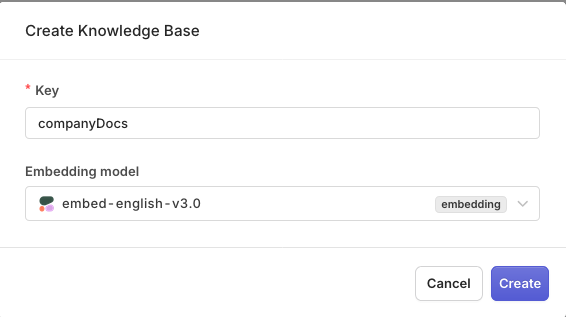
Multiple knowledge bases provide comprehensive coverage for complex queries.
Enabling Agentic RAG
For each knowledge base, enable Agentic RAG to improve retrieval quality:- Navigate to each Knowledge Base Settings.
- Toggle on Agentic RAG.
- Select a model for query refinement and document grading.
- Configure grading strictness based on information criticality.
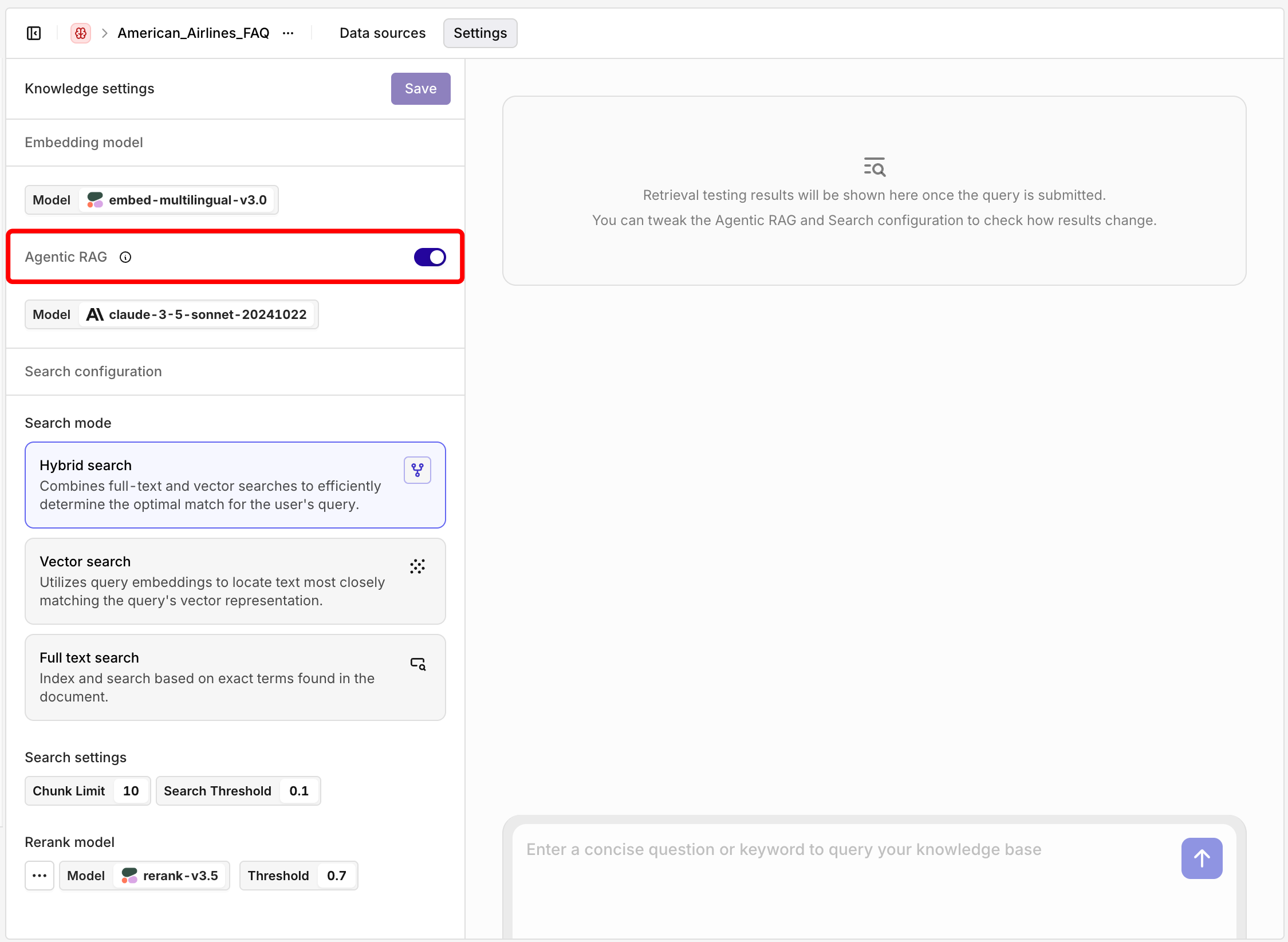
Agentic RAG enables intelligent query refinement and document validation.
Configuring Advanced RAG Deployment
Create a sophisticated deployment that orchestrates multiple knowledge sources:- Open Deployments in the Managed Agents section, then click Deployment.
- Enter name advancedITAssistant.
- Choose a primary Model (e.g.,
gpt-5.6-sol).
YAML
Adding Multiple Knowledge Bases
- Open the Knowledge Base tab in the Configuration screen.
-
Add each knowledge base with appropriate triggers:
- Hardware Manuals: Keywords like “laptop”, “printer”, “network”, “hardware”
- Software Guides: Keywords like “email”, “VPN”, “application”, “software”
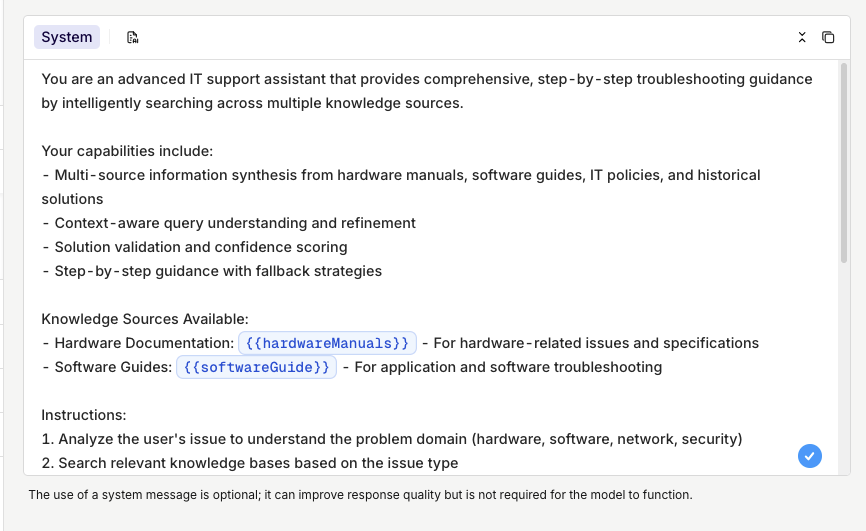
Multiple knowledge bases configured with intelligent triggering.
Adding Quality Evaluation
To enable automatic quality assessment with Ragas evaluators:- Open the Evaluators tab in the Settings screen
- First make sure an evaluator is available within your Project by creating it (see Ragas Evaluators).
-
Click Add Evaluator:
- Ragas Response Relevancy: Verify answers address the question
- Ragas Coherence: Check response structure and flow
- Set their sample rate to define how often the evaluators will be run.
You can decide to block queries that don’t pass a certain threshold in evaluations, to do so, see Evaluators & Guardrails.
Learn more about Agentic RAG in Agentic RAG, knowledge base configuration in Knowledge Base, and Ragas evaluators in Ragas Evaluators.
When ready with your Deployment choose Deploy, learn more about Deployment Versioning.
Integrating with the SDK
Choose your preferred programming language and install the corresponding SDK:Viewing Logs and Analytics
Going back to the Deployment page, you can view the calls made through your Advanced RAG IT Assistant. The logging provides comprehensive insights into the multi-source retrieval process and quality validation. You can view details for a single log by clicking on a log line. This opens a panel containing all the details for the log, including:- Multi-Source Retrievals: See which knowledge bases were accessed and what documents were retrieved from each source
- Query Enhancement: View how Agentic RAG refined the original query for better retrieval
- Quality Metrics: Ragas evaluation scores automatically computed by the evaluators configured in your deployment
- Source Attribution: Detailed breakdown of which sources contributed to the final response
- Performance Metrics: Response times for each stage of the advanced RAG pipeline
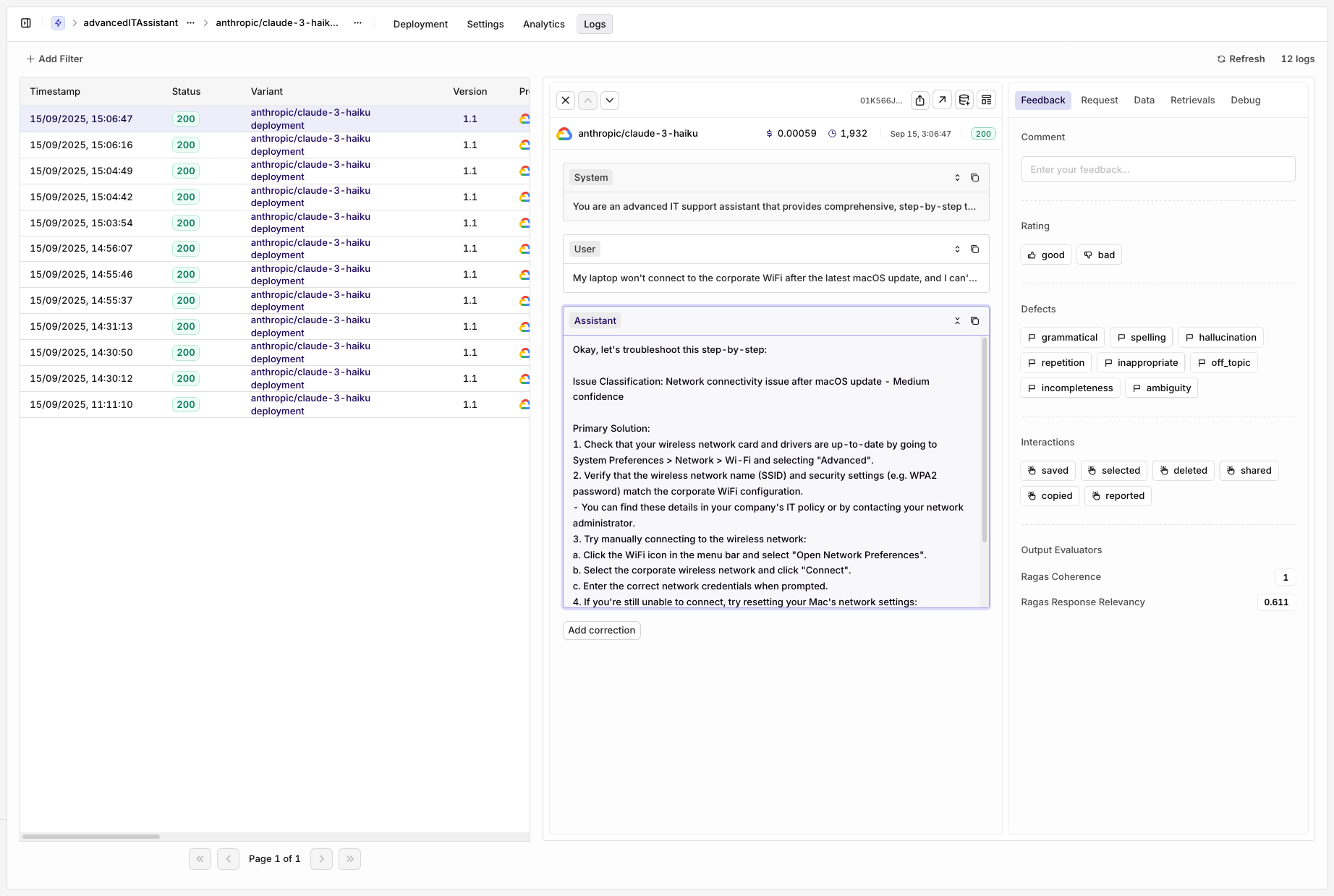
Evaluators will be seen within the Feedback window of the logs.
Congratulations on creating a complex RAG deployment with multiple Knowledge Bases, Ragas Evaluators and integration.