

v4.18.0
Decide which tools reach agents before they can call them. The MCP Gateway now holds back newly discovered tools until they are approved, supports per-user OAuth, creates servers from OpenAPI specifications, and runs Guardrails on tool traffic.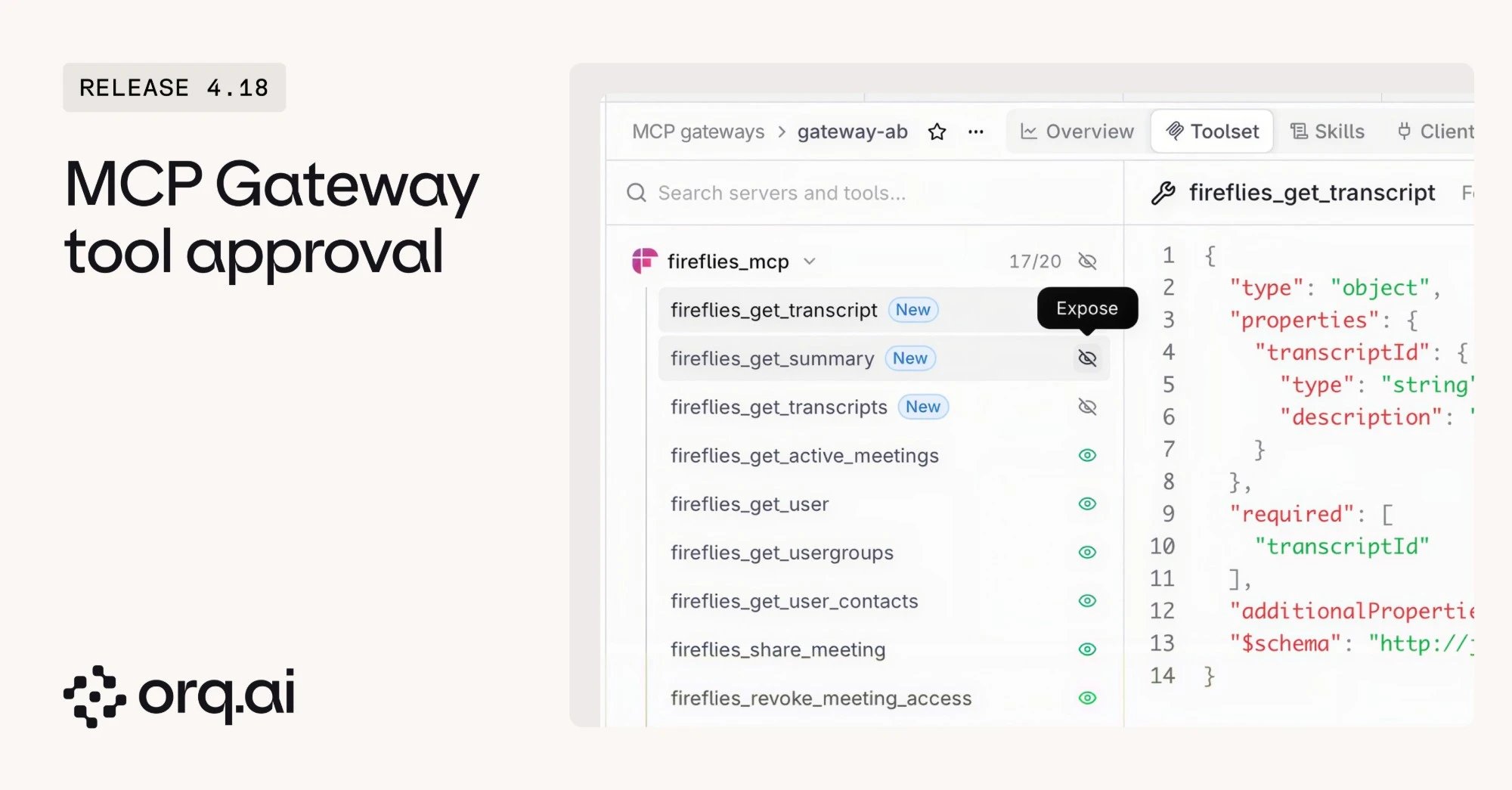
- New tools need approval: Syncing an MCP server marks newly discovered tools as New and keeps them off every gateway until they are exposed. A sync summary lists new and removed tools, with one-click expose per gateway.
- Per-user OAuth: Each user connects their own account to an MCP server, and tool calls from Agents and MCP Gateways use the token of the user who made the call. A user without a connection is asked to connect on first use.
- OpenAPI as an MCP server: Point the MCP Portal at an OpenAPI specification and each operation becomes a tool, with its schema constraints kept.
- Guardrails on tool calls: Run a gateway’s Guardrails on tool arguments before the upstream call, on tool results before they reach the agent, or on both.
Set up a gateway from the MCP Gateway guide.
v4.18.0
See how the workspace uses LLMs the moment it opens. Activity replaces the old Home dashboard and shows spend, requests, tokens, and caching across models, users, and coding harnesses.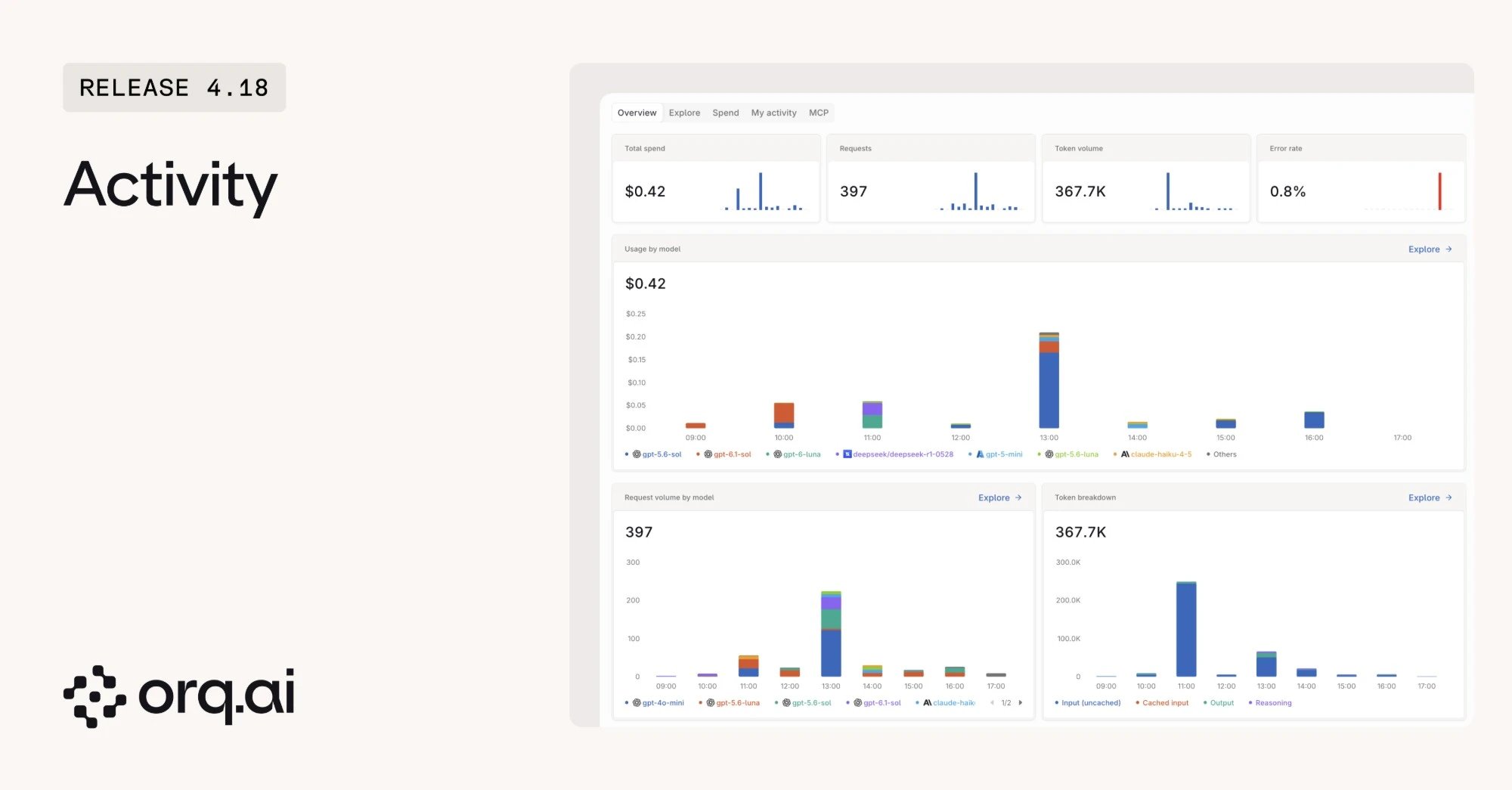
- Overview and Explore: Follow spend and request trends, then break them down by model, user, or harness.
- My activity: Each member sees their own usage, including requests sent with their own API keys.
- MCP usage: Track calls across MCP Gateways in the same place.
Learn what each view shows in Activity.
v4.18.0
Bring agents built anywhere into Orq.ai. Connect an external agent that speaks the A2A protocol, and call it like any other Agent.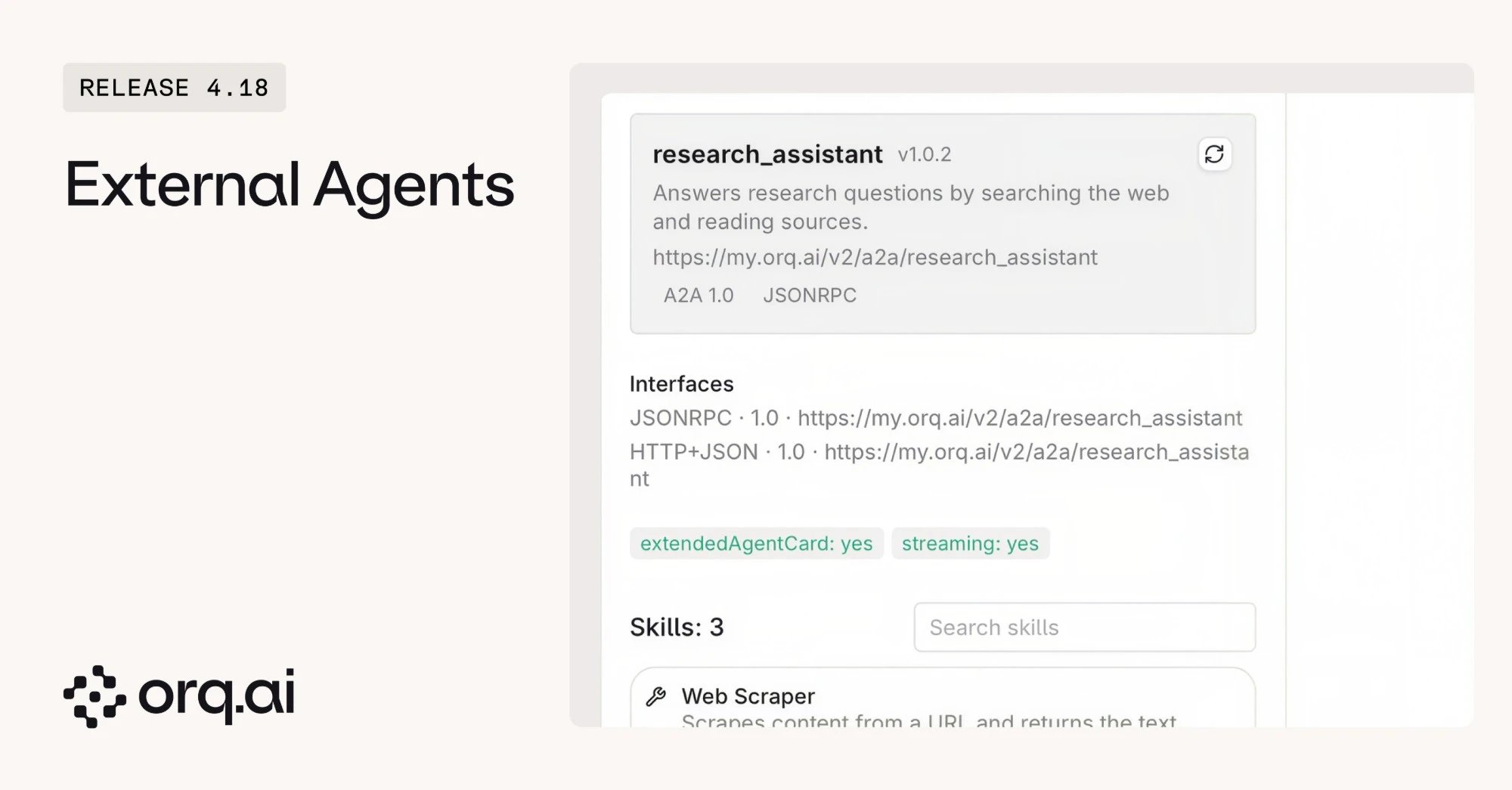
- Connect external agents: Register an A2A agent by its URL and invoke it through the Responses API with
model: "agent/<key>", or add it to an Agent’s team. - Built-in safety: Calls to external agents are checked for unsafe network targets and protected against an agent calling itself without limit.
Connect a first agent with the external agents guide.
v4.18.0
- Custom roles: Define workspace roles with exactly the permissions a team needs, beyond the preset roles.
- SCIM provisioning: Let the identity provider create members and teams and remove people automatically, instead of inviting them by hand.
- Enterprise-managed MCP authorization: MCP Gateways call enterprise-managed MCP servers on behalf of each SSO user, with the identity provider deciding who can access which app (ID-JAG). Trusted enterprise identity providers can also sign clients in to a gateway.
v4.18.0
- Files: Upload files once and reuse them in model requests, Knowledge Bases, batches, and code interpreter tools. Batch files show a ready-to-use Batch API example.
- Evaluator timeout: Set a timeout from 1 to 120 seconds on an Evaluator used as a Guardrail. A request can shorten it but not extend it.
- Machine-to-machine access to MCP Gateways: Services can sign in to a gateway with OAuth client credentials or
private_key_jwt, and clients such as VS Code connect through client metadata documents.
v4.18.0
- Total cost for filtered Traces: One total shows the cost of every trace that matches the current time range, filters, and search, not just the loaded page.
- Traces on Playgrounds: Each Playground has its own Traces tab.
- Studio navigation: Pin and reorder tabs, follow breadcrumbs on every page, and collapse the sidebar with a smooth animation.
- Small Budget spend: Spend below one cent shows in Budgets, with the exact amount on hover.
- Sonnet 5.5 thinking between tools:
thinking: {"type": "between_tools"}works on Chat Completions and can be saved on an Agent.
v4.18.0
- Prompts: Prompts reach end of life in the coming months. Creating and importing Prompts is no longer possible, and existing users are pointed to Agents.
- Deployments in new workspaces: New workspaces no longer show Deployments in the sidebar, command bar, or search.
v4.18.0
New additions to the Model Garden. Browse details on the Supported Models page.
v4.18.0
- Deployments: Gemini Deployments keep
extra_paramstools andtool_choice. - Traces: Pydantic AI agent spans show their input and usage, the Thread view opens when an input guardrail fires, and Agent trace costs include guardrail Evaluator costs.
- Settings: API keys record when they were last used, editing a fired budget alert keeps it firing, and Notifier webhooks with secret headers can be updated.
- Agents and Datasets: Tool errors show a readable message, moving a Dataset to another Project persists, and Mustache list variables work in Experiments.