

Use Cases
Programmatic ratings
Programmatic ratings
Record thumbs up/down or categorical ratings programmatically as users interact with responses, without opening AI Studio.
Defect logging
Defect logging
Log structured defect tags such as hallucination, off-topic, or incomplete at scale for systematic quality analysis.
Response corrections
Response corrections
Store a corrected response alongside the original to build gold-standard pairs for evaluation datasets.
Evaluator overrides
Evaluator overrides
Correct an LLM-as-a-judge result with a human review, attaching an explanation to the corrected output.
Attach Annotations to a Span
Each annotation must be defined before it can be applied. The definition sets the key, title, and value type; every annotation submitted through the API has to match one of these definitions, and a key that does not exist in the workspace is rejected with a 404. Create definitions under Optimization > Annotations in AI Studio, or under Settings > Annotations in AI Gateway, as described on the Annotations page.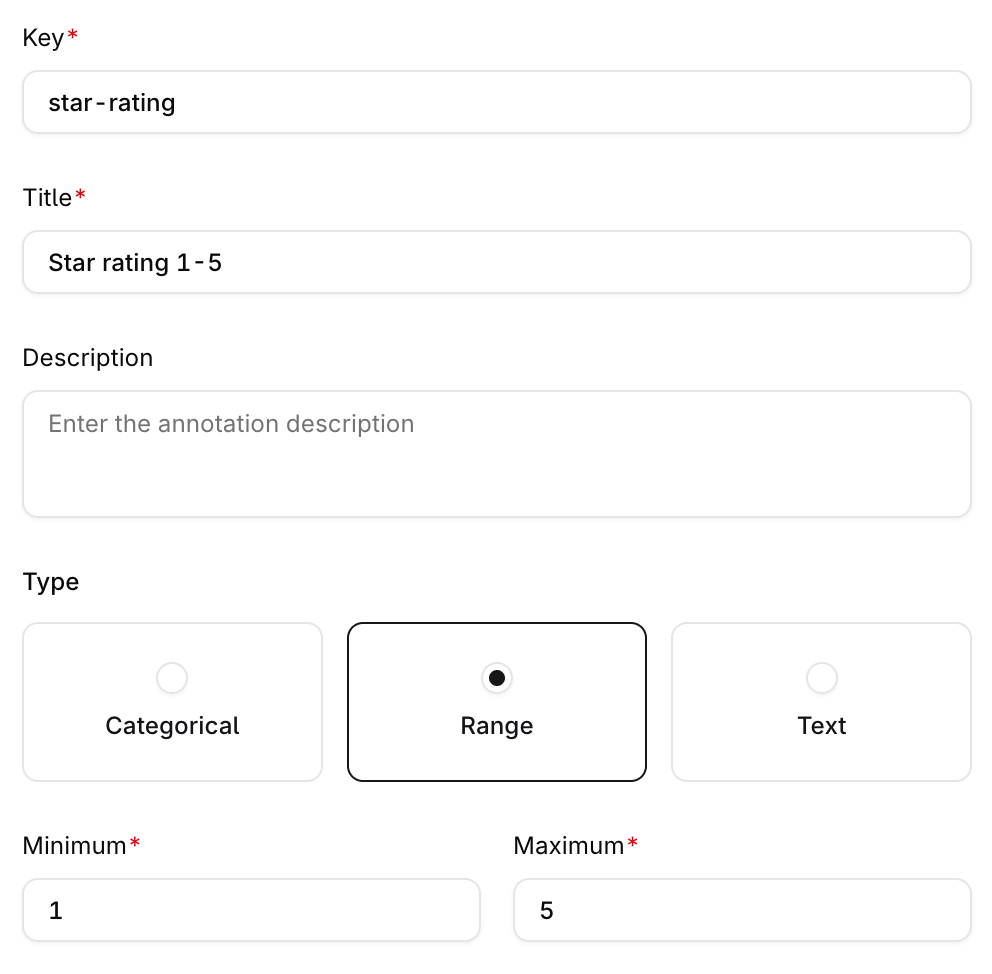
Defining a range annotation with the key star-rating.
- Capture the
trace_idandspan_idof the run to annotate. Both are required, and where they come from depends on the endpoint; see Where the identifiers come from. - Submit the annotations with the Annotate a Span API, using the
keyof an existing annotation definition.
Some API error messages still refer to annotations as human reviews. The two names describe the same object: annotations were previously called human reviews, and a message such as
The human review with key "star-rating" ... was not found. refers to the annotation definition with that key.Annotations are available on chat completion and Responses API spans. When annotating a deployment span, the associated log is automatically annotated with the same values.
Where the identifiers come from
Every run returns both ids. Where the response body contains atelemetry object, take them from there; otherwise take them from the response headers:
The
telemetry object sits at the top level of the response:
Both ids are matched as opaque strings: the Annotations API performs an exact string match against the stored ids and applies no format validation. Their format is an implementation detail that can differ between runs, so do not validate their shape or assume a fixed length.
Annotations Fields
Fields marked with* are always required. key and parent_annotation_id are conditionally required: each entry carries exactly one of them.
An annotation entry is either a standard annotation with
key and value, or a correction with parent_annotation_id, value, and optionally explanation. The two shapes are mutually exclusive.
Annotation Values
Thevalue type must match the annotation’s definition:
- Categorical, single-select: a string or a single-element array, for example
"good"or["good"] - Categorical, multi-select: an array of strings, for example
["grammatical", "hallucination"] - Range: a number within the annotation’s configured min/max, for example
4on a 1-5 range - Boolean:
trueorfalse - Text or correction: a string, up to 3000 characters
Corrections
A correction replaces an existing evaluator output with a human-reviewed value:The corrected
value must match the evaluator annotation’s own output type. See Correct an Evaluator Result for the UI equivalent.Batch Annotations
Send up to 10 annotation entries in a single request:Remove Annotations
Submitkeys to the Remove an Annotation from a Span API to delete standard annotations, or parent_annotation_ids to delete corrections by the eval ids of their parent annotations. Up to 10 of each per request.
The examples below show keys; to delete a correction, replace the body with {"parent_annotation_ids": ["<evaluator_annotation_id>"]}.
Where Annotations Surface
Annotations applied through the API appear in the Annotations panel of the span and log detail views in Traces and Logs.Error Handling
See a complete feedback loop implemented from scratch. Read our cookbook Capturing User Feedback.
Constraints
- Batch limits: up to 10 annotations per create request, up to 10 keys and 10
parent_annotation_idsper delete request - Value length: string values are limited to 3000 characters; annotation definitions do not impose a tighter limit
- Metadata fields: the optional
metadataobject supportsidentity_id(identityIdin the Node SDK) for reviewer attribution
See Also
- Annotations: the AI Studio review workflows
- Annotation Queues: bulk review workflows
- Annotations SDK Reference: SDK method signatures
- CLI Reference: annotate with
orq traces createandorq traces delete