

Knowledge Bases
External Knowledge Bases
Memory Stores
Connect Knowledge Bases to Agents
Connect Memory Stores to Agents
Use-cases
All three solutions store information that an agent can retrieve, but they serve different purposes depending on where the data lives and how it changes. Knowledge Bases index documents you upload into Orq.ai. The platform handles embeddings, chunking, and retrieval. Use them when you have documents to ingest and want a fully managed RAG pipeline. External Knowledge Bases connect to a vector database you already operate. Orq.ai calls your API at query time and passes the results to the model. Use them when your data cannot leave your infrastructure, or when you already have an embedding pipeline. Memory Stores store arbitrary text per entity, such as a user or session. Documents accumulate over time and are retrieved semantically on each interaction. Use them when your agent needs to remember what a specific person said or did in a previous conversation.Knowledge Bases
A Knowledge Base is a database that provides relevant, specific information for an LLM to retrieve at query time. Knowledge can include domain-specific or business-specific information, ensuring the details surfaced to models are both correct and accurate.Create a Knowledge Base
- AI Studio
- API & SDK
 AI Studio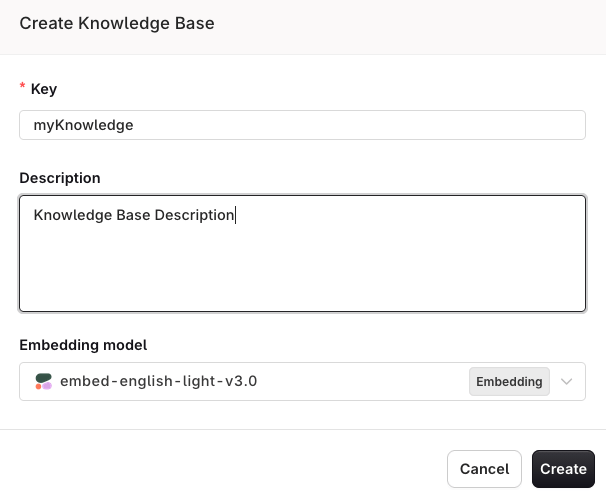
Enter a unique Key used to reference your Knowledge Base within Prompts and Deployments. Choose an Embedding Model for knowledge search.
Datasource and Chunking
A source represents a document loaded within the Knowledge Base. Documents are parsed and split into chunks that models search and retrieve at query time.Create a Datasource
- AI Studio
- API & SDK
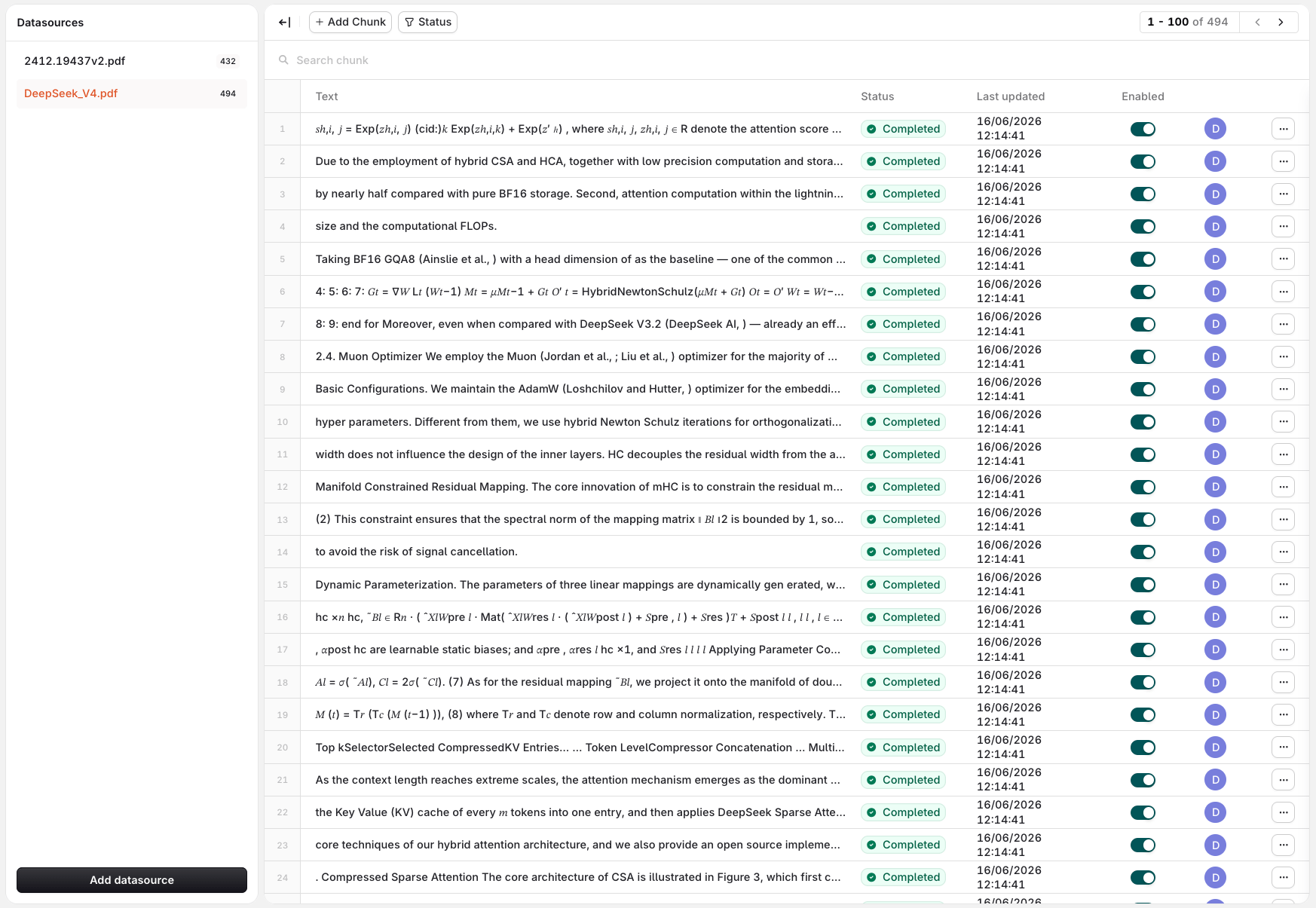
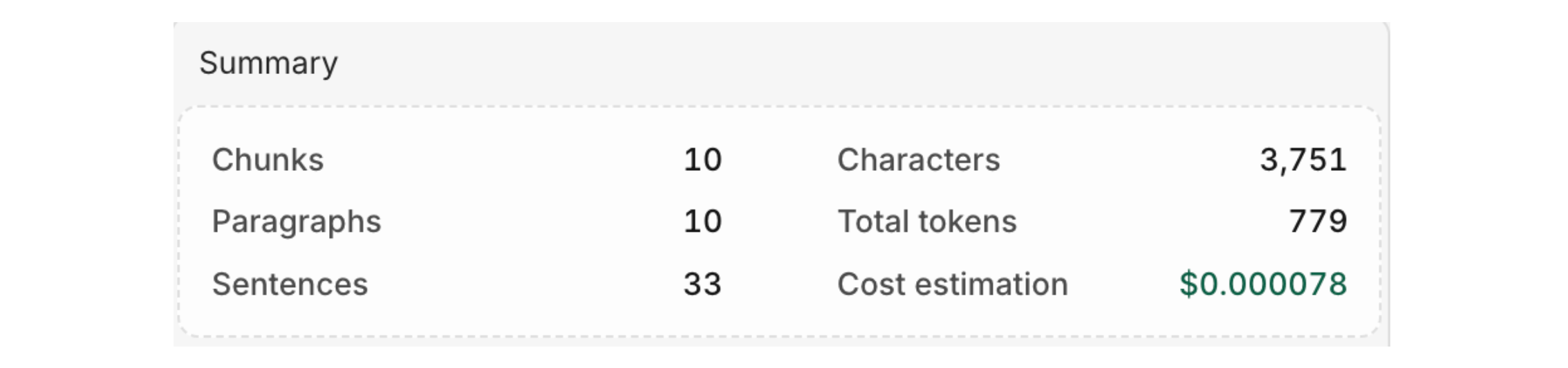
See details of the data parsed into your Knowledge Base and estimate the cost of retrieval.
Add Chunks to a Datasource
- API & SDK
View Datasource Chunks
- API & SDK
Chunk Strategy
- AI Studio
- API & SDK
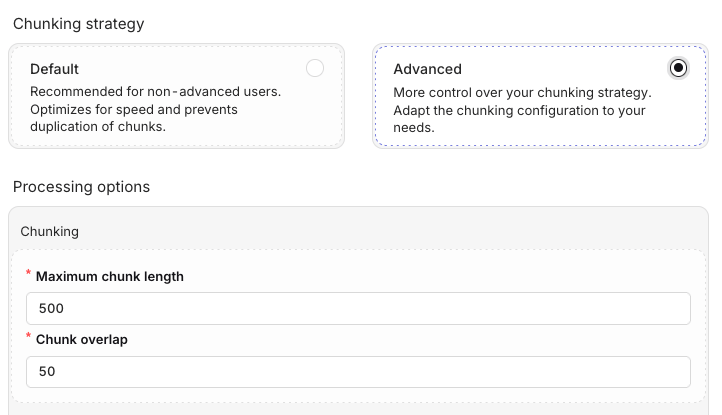
Choose a chunking option when uploading a file in the Knowledge Base
Default
Default
Advanced
Advanced
Chunk Metadata
Each chunk in a Knowledge Base can carry a metadata object: a set of key-value pairs that describe the chunk’s origin, topic, or any custom attribute relevant to your use case. Metadata lets you store all your content in a single Knowledge Base while still scoping retrieval to exactly the right subset of chunks at query time. Common use cases:- Multi-tenant RAG: tag chunks by
client_idto isolate results per customer. - Source filtering: filter by
filetypeorsourceto restrict results to PDFs, support tickets, or a specific data feed. - Topic scoping: tag chunks by
topicorcategoryand filter queries to stay on a single subject.
- AI Studio
- API & SDK
- Text: the chunk content.
- Metadata: a JSON editor pre-filled with the current metadata, or
{}if none has been set. - Enabled: toggle to enable or disable the chunk.
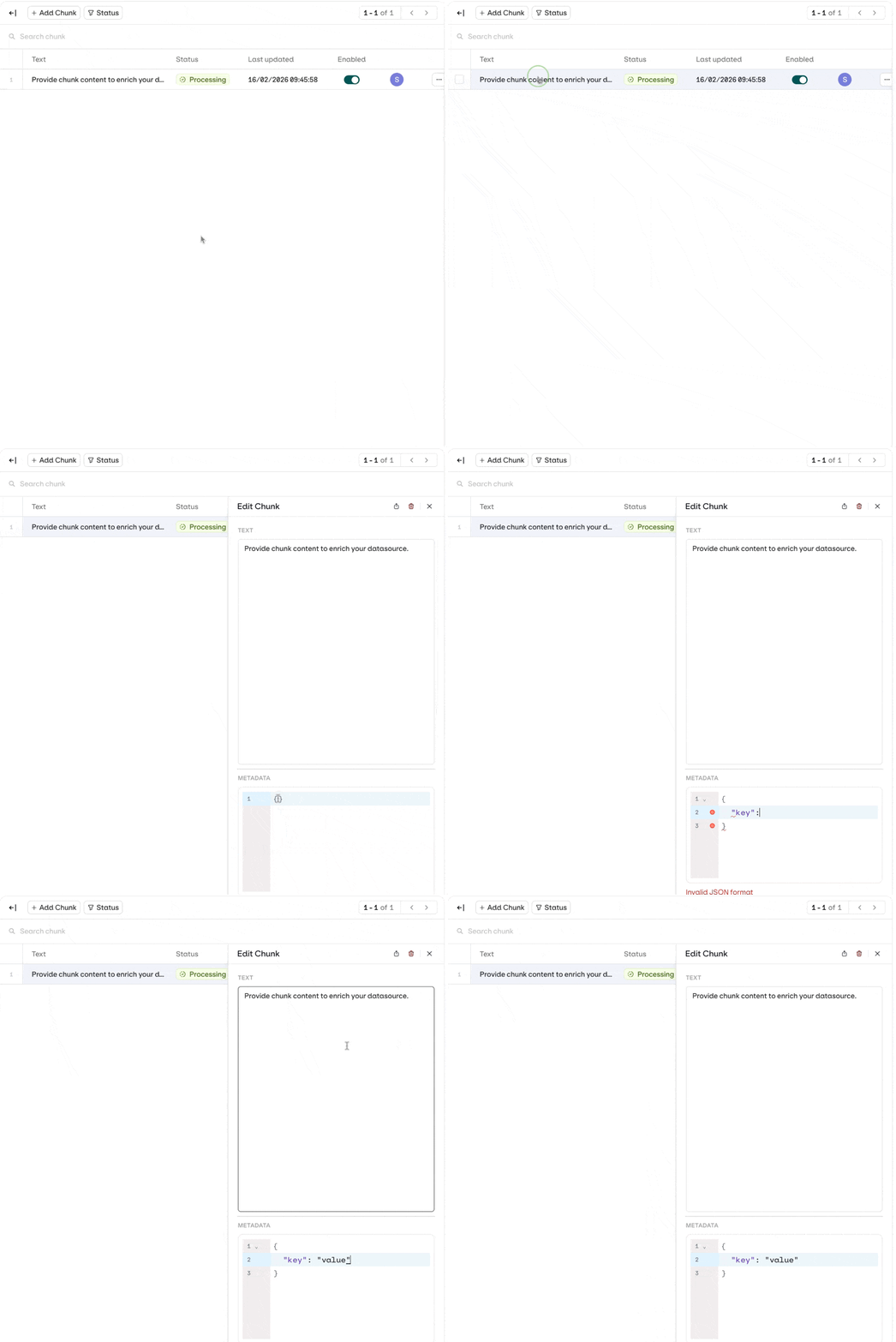
Metadata needs to be Valid JSON
Data and PII Cleanup
- AI Studio
- API & SDK
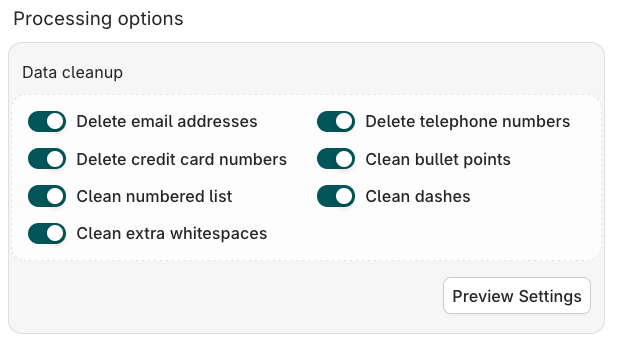
Embedding Models
An embedding model is a machine learning tool that transforms complex, high-dimensional data into simpler, numerical values that machines can understand, enabling semantic search. Configure which embedding model to use to query the Knowledge Base from the Knowledge Settings panel.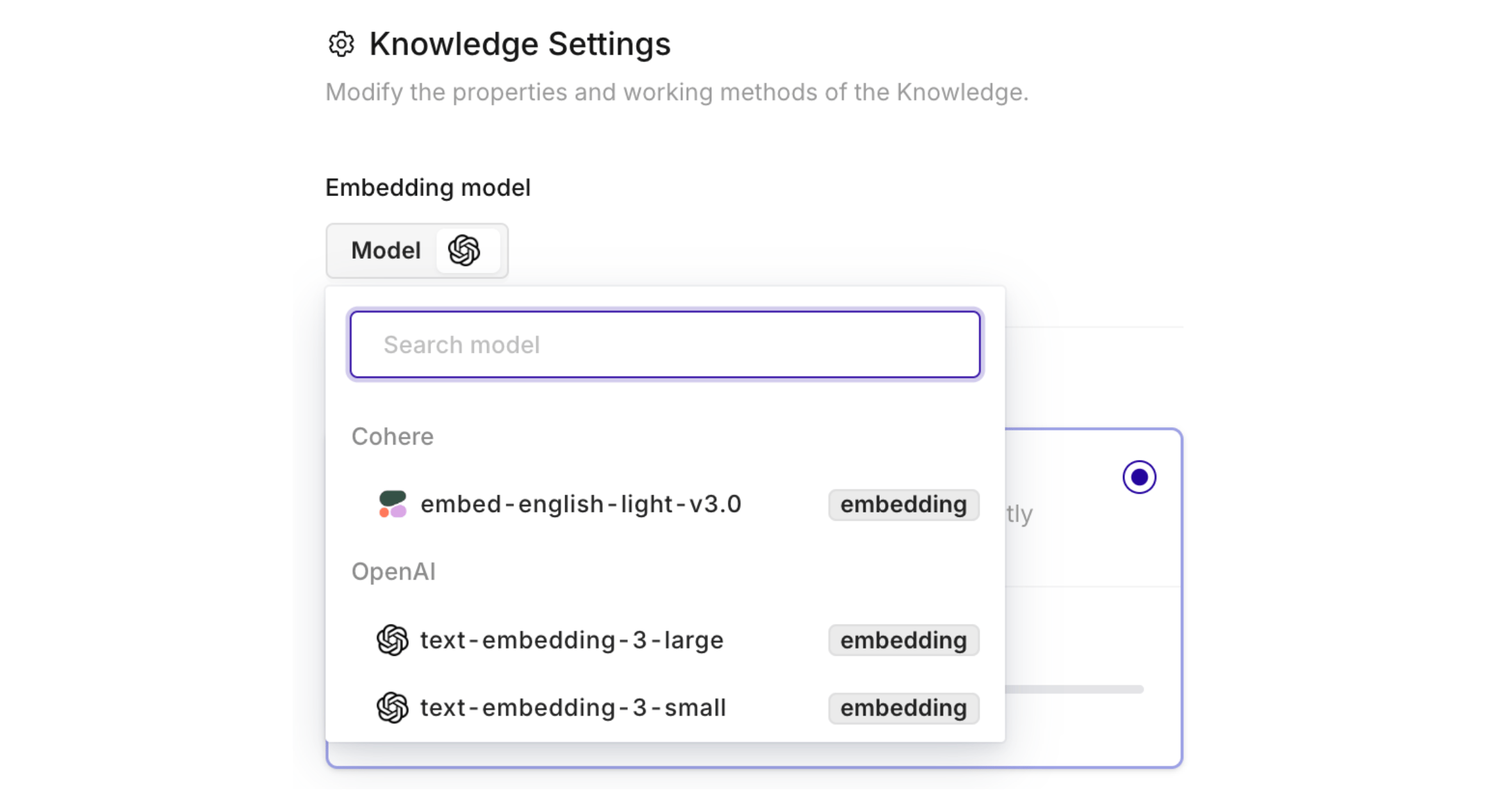
You need to have activated Embedding models within the AI Gateway.
Agentic RAG
Incorporates AI agents into the RAG pipeline to orchestrate its components and perform additional actions beyond simple information retrieval, overcoming the limitations of a non-agentic pipeline. Enable the Agentic RAG toggle in Knowledge Settings, then select a Model to use. The chosen model drives two actions:- Document Grading: ensures only relevant chunks are retrieved.
- Query Refinement: rewrites the query if needed to improve retrieval quality.
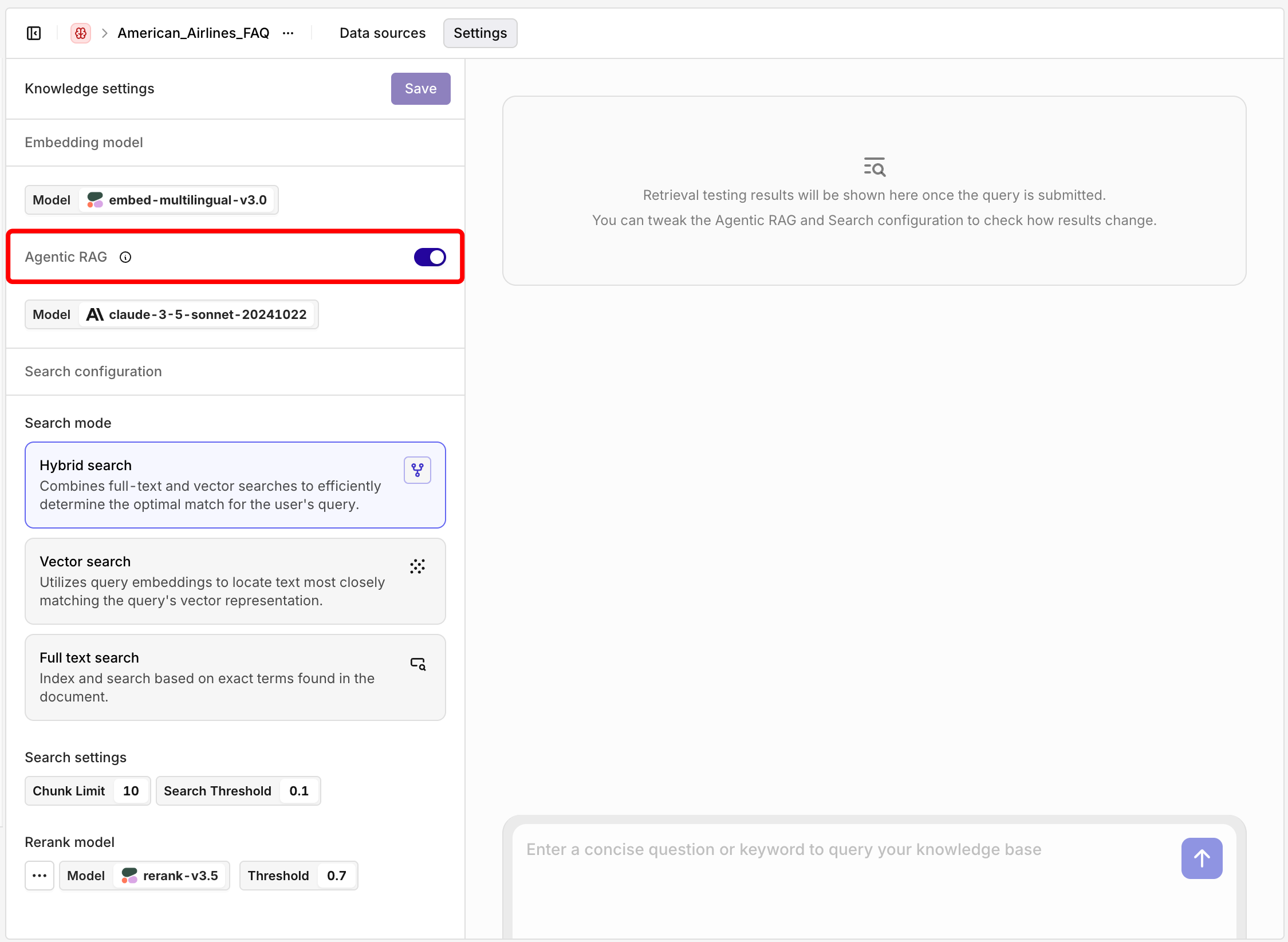
Enable Agentic RAG in Knowledge Base Settings. Configure the related model after enabling.
Example: Query Refinement
Example: Query Refinement
is my suitcase too big? is reformulated to luggage size requirements and restrictions for carry-on and checked baggage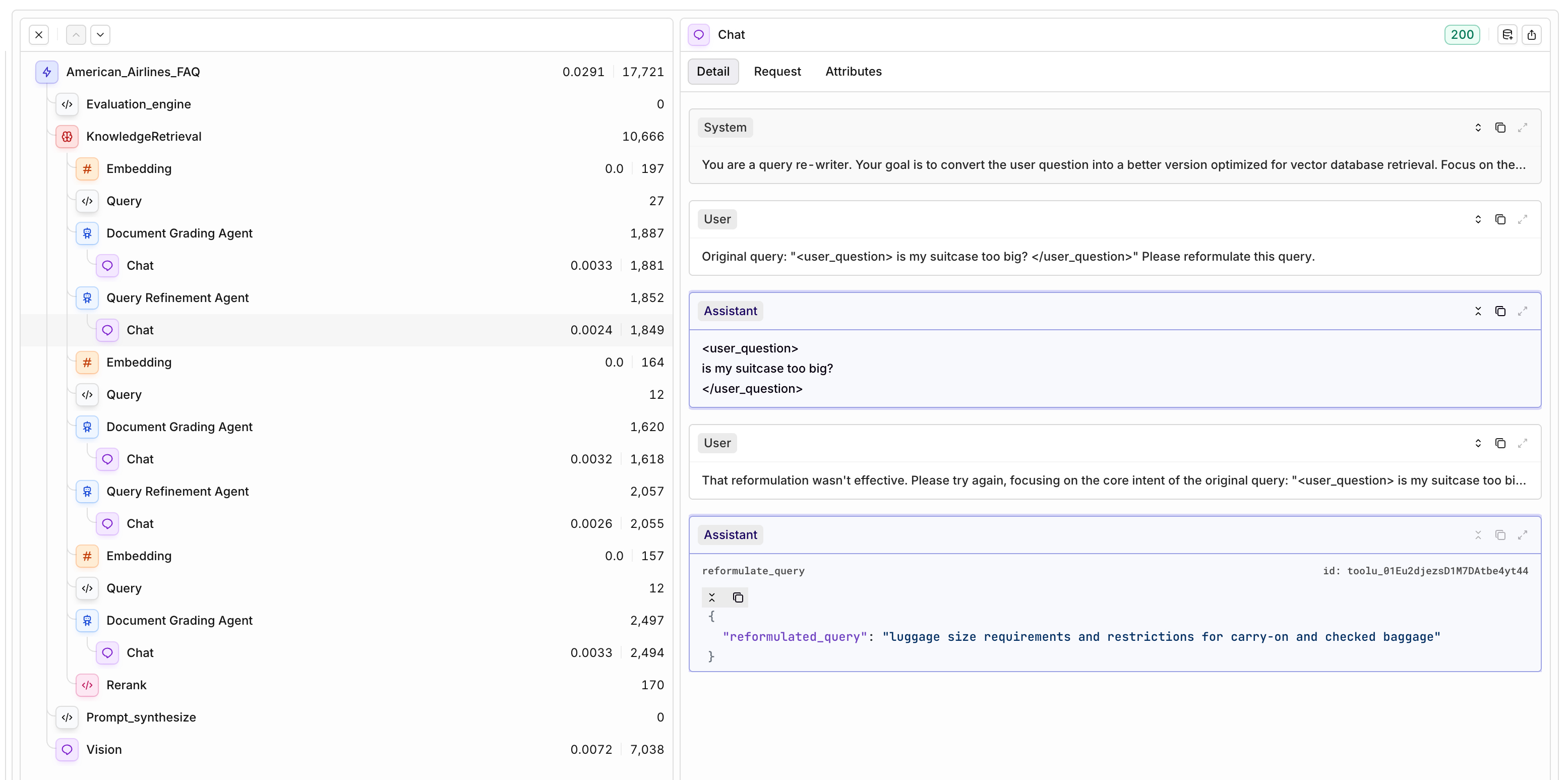
Search Modes
Different Search modes are available for Information to be found in Knowledge Bases:Vector Search
Vector Search
Keyword Search
Keyword Search
Hybrid Search
Hybrid Search
Chunk limit
Chunk limit
Threshold
Threshold
Rerank Model
Reranking invokes a model that analyzes your initial query and the results fetched by the Knowledge Base search. The model scores and ranks the chunks by similarity to the user query, ensuring the most relevant results are returned.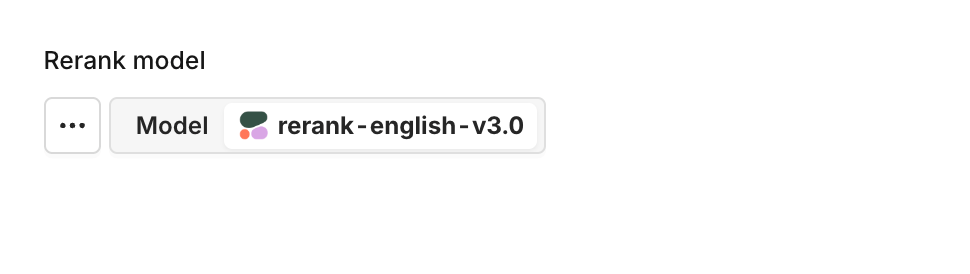
Choose a rerank model within your Knowledge Base settings by clicking on the model name.
Search a Knowledge Base
Once your Knowledge Base is populated, you can query it in several ways.- AI Studio
- API & SDK
- MCP
 MCP
MCPTest via the Studio
Test via the Studio
Open Knowledge Settings
Enter your search query
View results
- Document name (e.g., “Logistics FAQ.docx”)
- Relevance score for each chunk (e.g., 0.49, 0.48)
- Chunk content preview
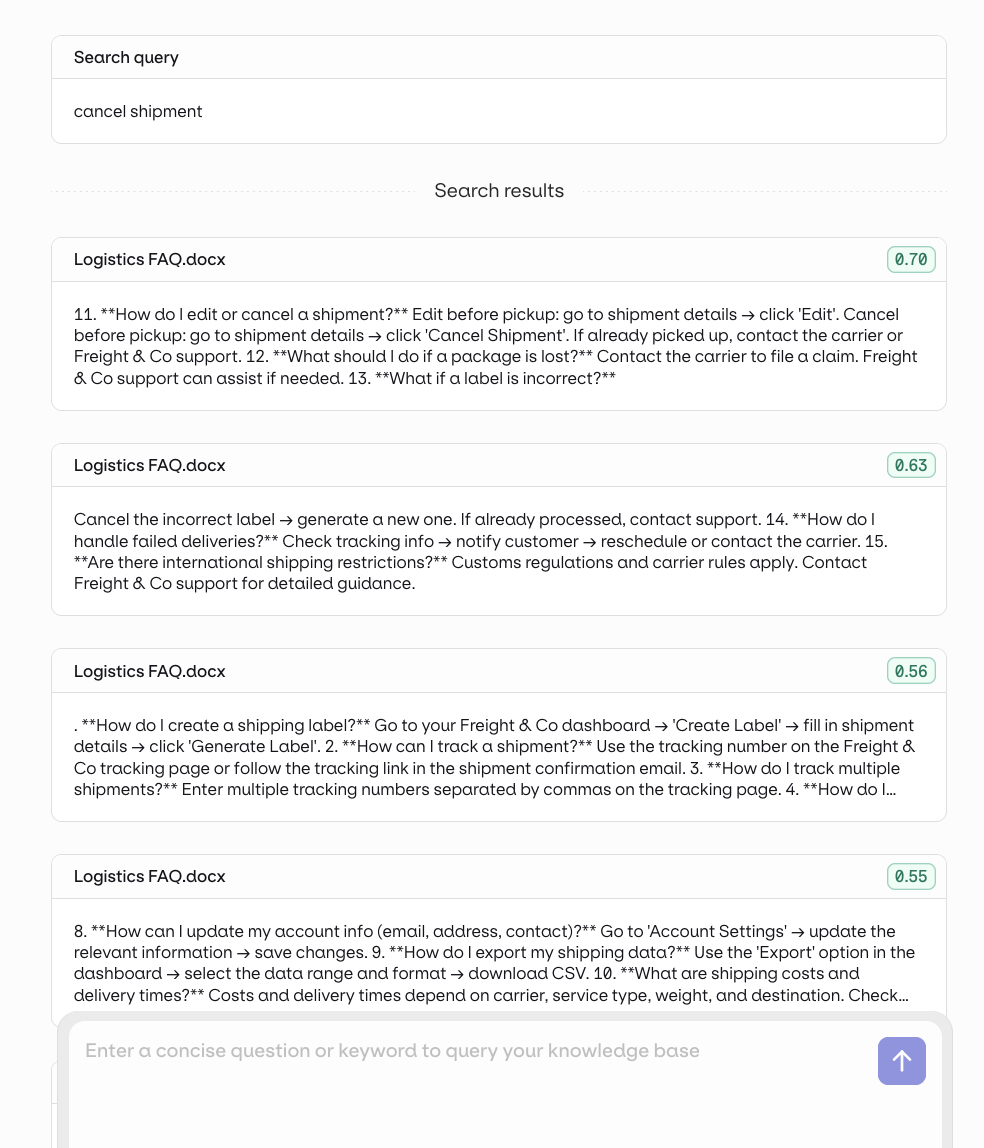
See all results and chunks at a glance
Integrate to a Deployment
Integrate to a Deployment
- Open the Deployment’s configuration and go to Knowledge Bases.
- Select Knowledge Base and choose your Knowledge Base.
- Set the query type:
- Last User Message: the user’s latest message is used as the search query automatically.
- Query: use a predefined query. You can make it dynamic with an input variable such as
{{query}}.
- Reference the retrieved chunks in your prompt with the
{{knowledge_base_key}}syntax. If not explicitly referenced, the chunks are appended to the end of the system message.
Integrate to an Agent
Integrate to an Agent
query_knowledge_base tool automatically.- In the Agent configuration, go to the Context section and click Add context.
- Select your Knowledge Base.
- In the Agent’s Instructions, explicitly tell it to use the Knowledge Base. For example:
“First useretrieve_knowledge_basesto see what knowledge sources are available, then usequery_knowledge_baseto find relevant information before answering.”
Use in Prompts
Use in Prompts
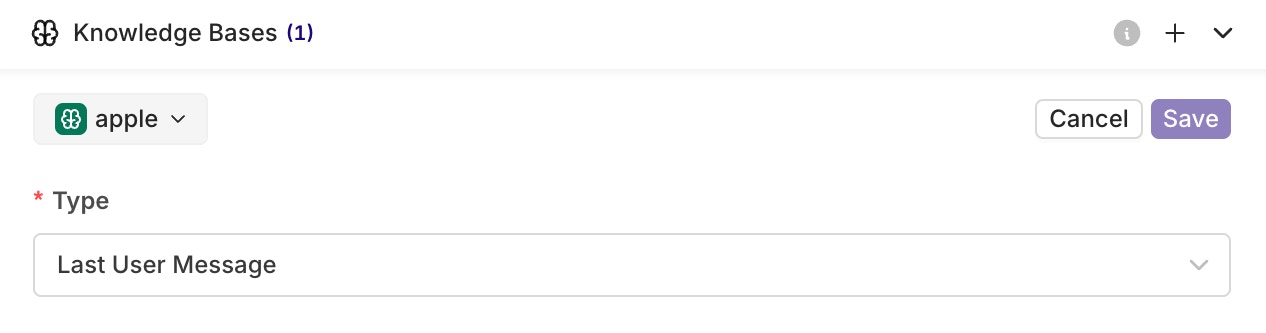
Select which Knowledge Base to include by clicking on the key. Press Save when done.
{{key}} syntax in your prompt, where key is the key of your Knowledge Base.
Your Knowledge Base is correctly referenced when its key appears in blue.
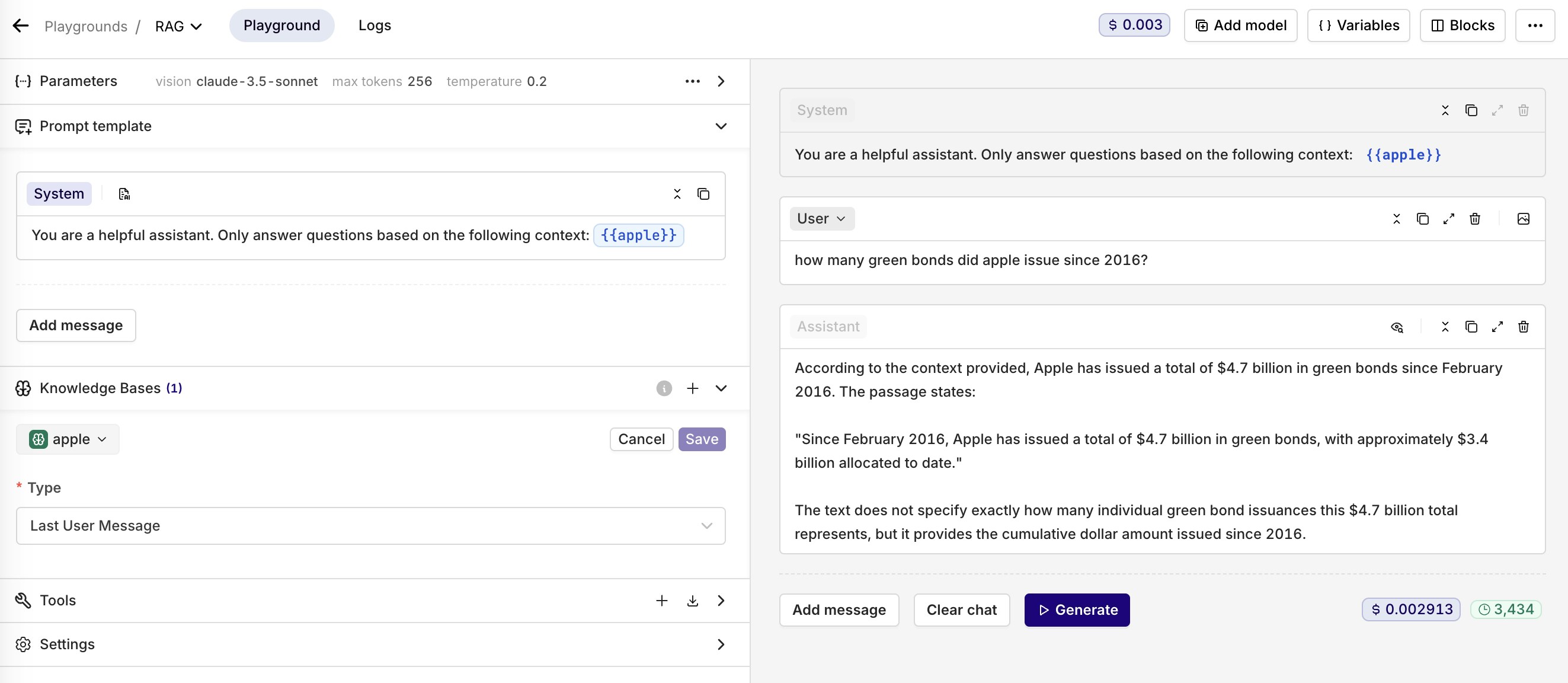
An example of using a Knowledge Base in Orq.ai
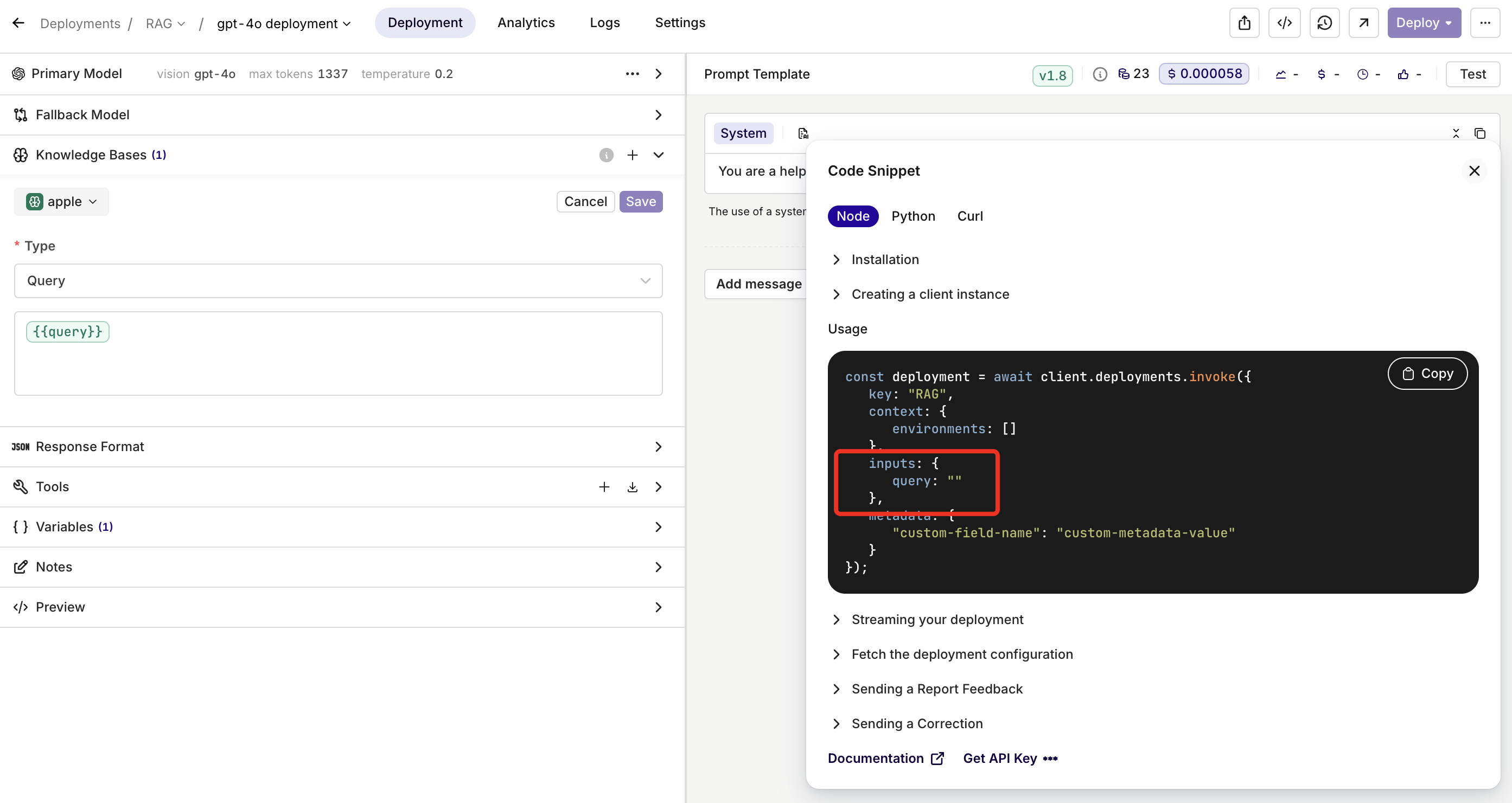
Use the input variable {{query}} reachable through the invoke call as an input, letting you dynamically define the Knowledge Base query at runtime.
Retrieval Traces and Logs
When using a Knowledge Base within Playground, Experiment, Deployment, or Agent, traces are generated containing details of how Knowledge Bases were accessed.- Traces
- Logs
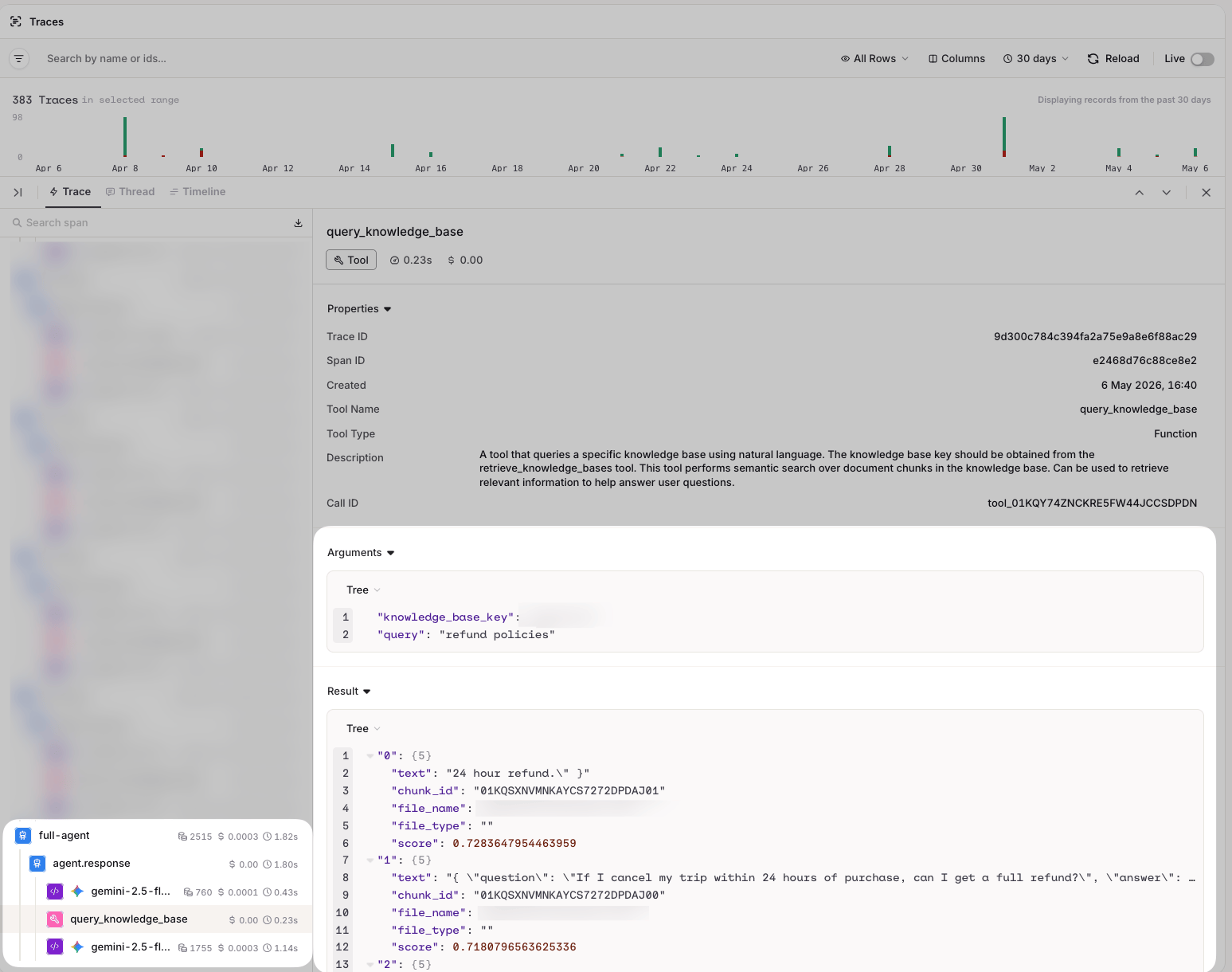
Traces show the full breakdown of queries made to the knowledge base, including results and scores
- Query: the query used to retrieve relevant chunks.
- Documents: the retrieved chunks, ordered by relevance score.
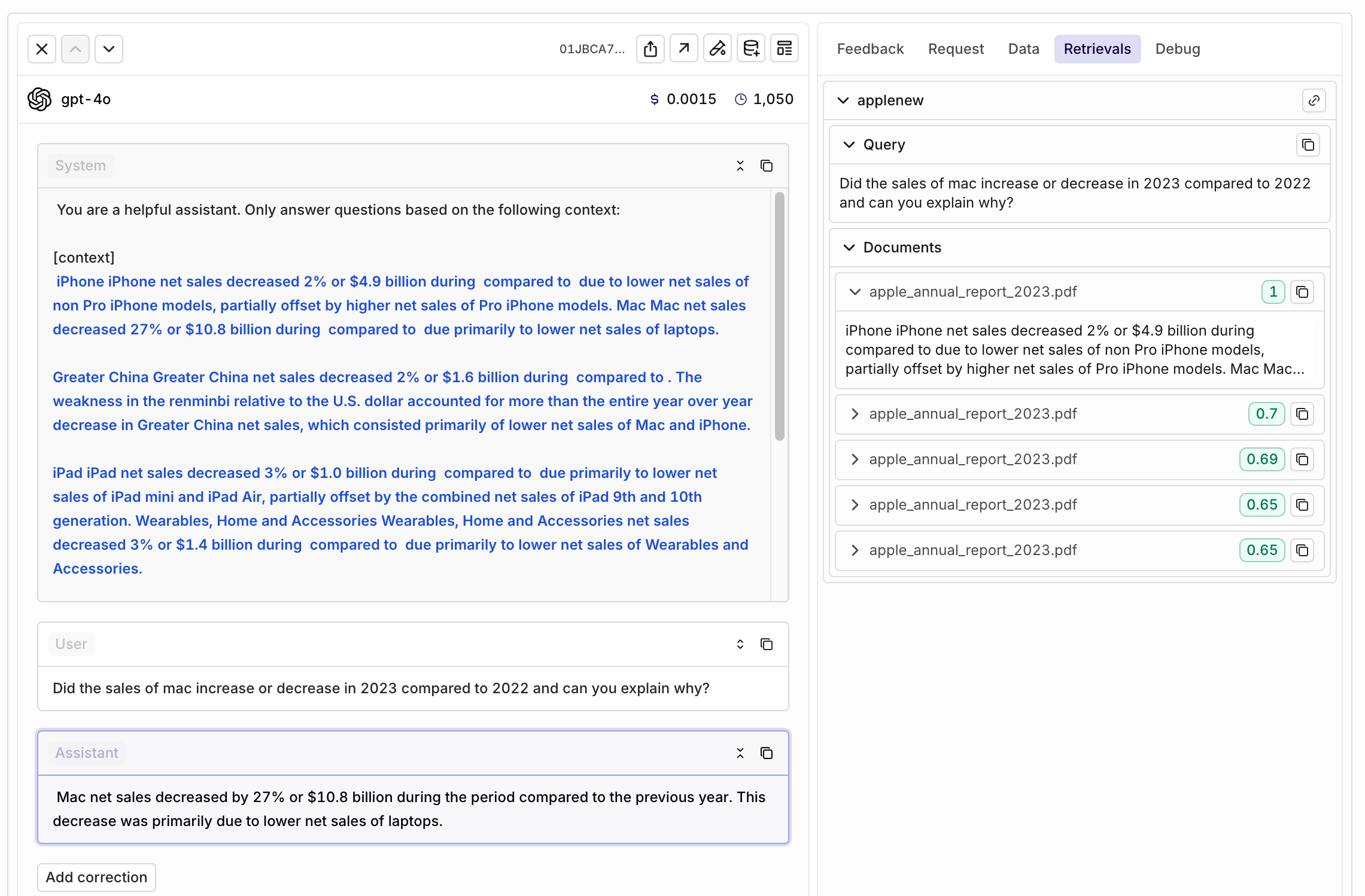
External Knowledge Bases
To connect to an external Knowledge Base, click the button on the desired Project and select Knowledge Base > External.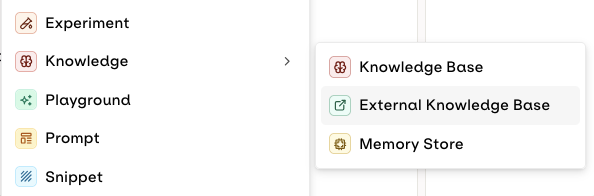
Choose External when connecting your Knowledge Base
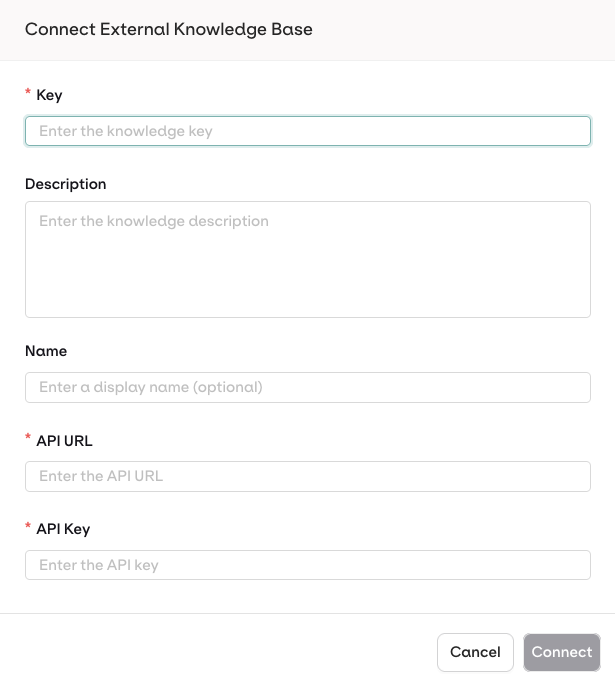
Configuration Modal
Authorization: Bearer <API_KEY> header when calling your endpoint.API Payloads
Example payloads for the request and response expected from your external API:Request Payload
Request Payload
Response Payload
Response Payload
Example Implementations
Python Implementation
An Example Python Server for External Knowledge Base
Python Implementation
An Example Python Server for External Knowledge Base
Get the Code
Install Dependencies
Run the Server
Test the API
http://localhost:8000Dynamic Documentation is available at http://localhost:8000/docsNode.js Implementation
An Example Node Server for External Knowledge Base
Node.js Implementation
An Example Node Server for External Knowledge Base
Get the Code
Install Dependencies
Run the Server
Test the API
http://localhost:8000Dynamic Documentation is available at http://localhost:8000/docIntegrate Vector Database Providers
Orq.ai supports providers like Weaviate and Pinecone, as both platforms expose REST APIs that conform to the expected payload format.Troubleshoot Common Errors
- Verify your API endpoint is publicly accessible via HTTPS.
- Check your API logs for incoming requests from orq.ai IP addresses.
- Verify your firewall/security groups allow inbound HTTPS traffic.
- Verify the API key is correct and has not expired.
- Check that your API expects Bearer authentication in the
Authorizationheader. - Confirm your API key has the necessary permissions to perform searches.
- Verify your API returns the expected response format (see Response Payload above).
- Check that
scores.search_scorevalues are between 0 and 1. - Test with different
thresholdvalues (lower threshold = more results). - If using reranking, ensure both
search_scoreandrerank_scoreare provided. - Verify your external vector database has sufficient indexed documents.
- Monitor your external API response times.
- Consider implementing caching for frequently searched queries.
- Optimize your vector database indexes.
- Check if your external API is rate limiting requests.
Configure your External Knowledge Base
- Agentic RAG
- Search retrieval parameters: Chunk Limit, Search Threshold
- Rerank Model
- Use it just like any other Knowledge Base. See Search a Knowledge Base.
- Your knowledge base can also be used with Agents. See Connect Knowledge Bases.
- Your API is called at runtime when the model needs to perform a search.
Memory Stores
Memory Stores provide persistent storage for agent memories, allowing agents to retain and retrieve information across conversations and sessions. Unlike Knowledge Bases, Memory Stores are entity-scoped: each Memory within a store is tied to a specific entity (a user, session, or any object you define), enabling personalized, per-entity recall. Only long-term memory is currently supported: stored information persists indefinitely with no automatic expiration. To use a Memory Store with an Agent, see Connect Memory Stores.Architecture
Create a Memory Store
- AI Studio
- API & SDK
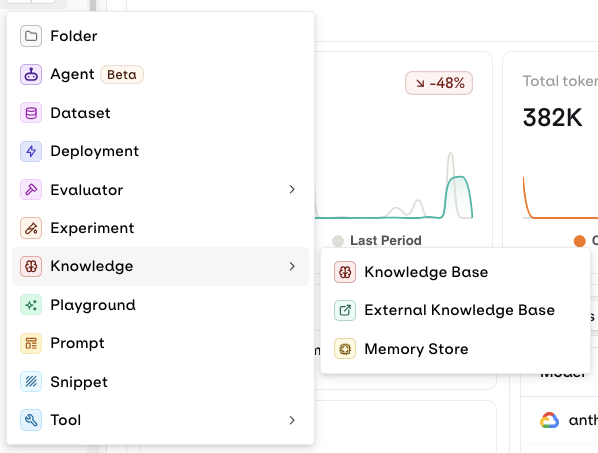
Select Knowledge > Memory Store.
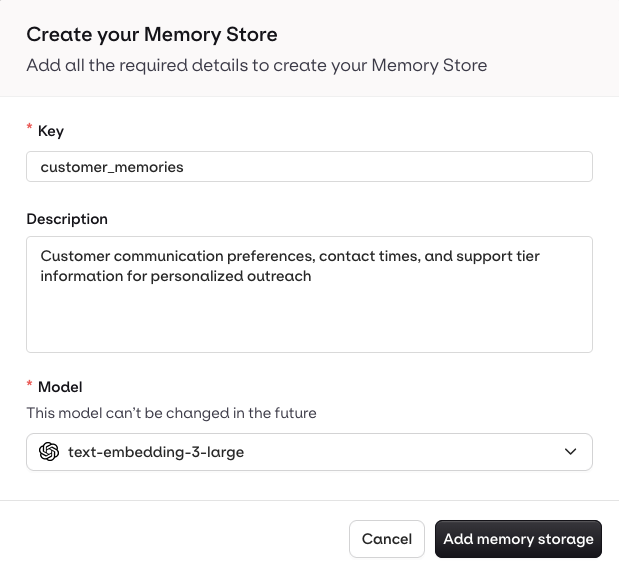
Enter the Memory Store information.
Manage Memories and Documents
A Memory represents a specific entity within a Memory Store, identified by anentity_id. Each Memory holds Documents: the actual text content embedded for semantic search.
- AI Studio
- API & SDK
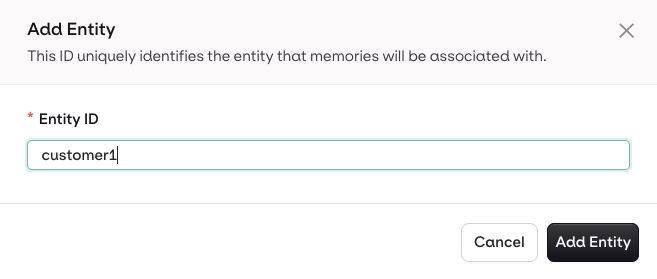
Choose a clear identifier to find entities later.
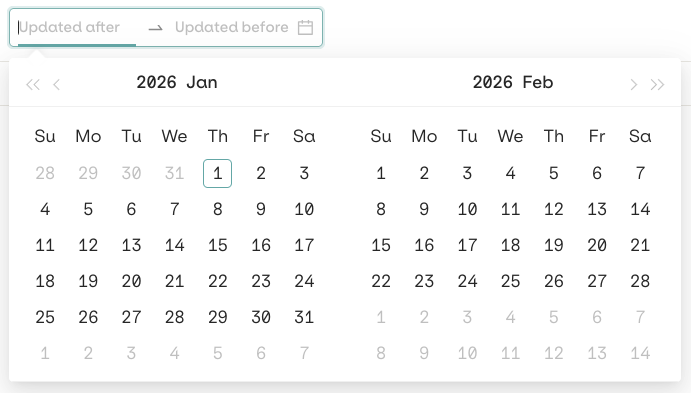
Use the date filters to find memories in an entity.
Best Practices
Entity ID strategy: Use consistent, unique identifiers. Prefix by type (e.g.,user_123, session_456) and keep IDs stable across your system.
Descriptions: Write exhaustive Memory Store descriptions. Agents use them to identify the correct store to query.
Organization: Create separate stores for different contexts (customers, products, sessions). Use descriptive keys.
Metadata: Use tags for filtering and categorization, not for storing large text content. Keep data types consistent per field.