Orq MCP is live: Use natural language to interrogate traces, spot regressions, and experiment your way to optimal AI configurations. Available in Claude Desktop, Claude Code, Cursor, and more. Start now →
Route Hermes Agent model calls through Orq.ai AI Gateway for unified observability, cost tracking, and model governance, from the desktop app or the CLI.
Hermes is OpenAI-compatible, so it routes through the AI Gateway by pointing the OpenAI provider at the router. Configure it in the desktop app or the CLI. Changes made in the desktop app apply to the CLI as well, since both share the same configuration.
Desktop app
CLI
1
Open provider settings
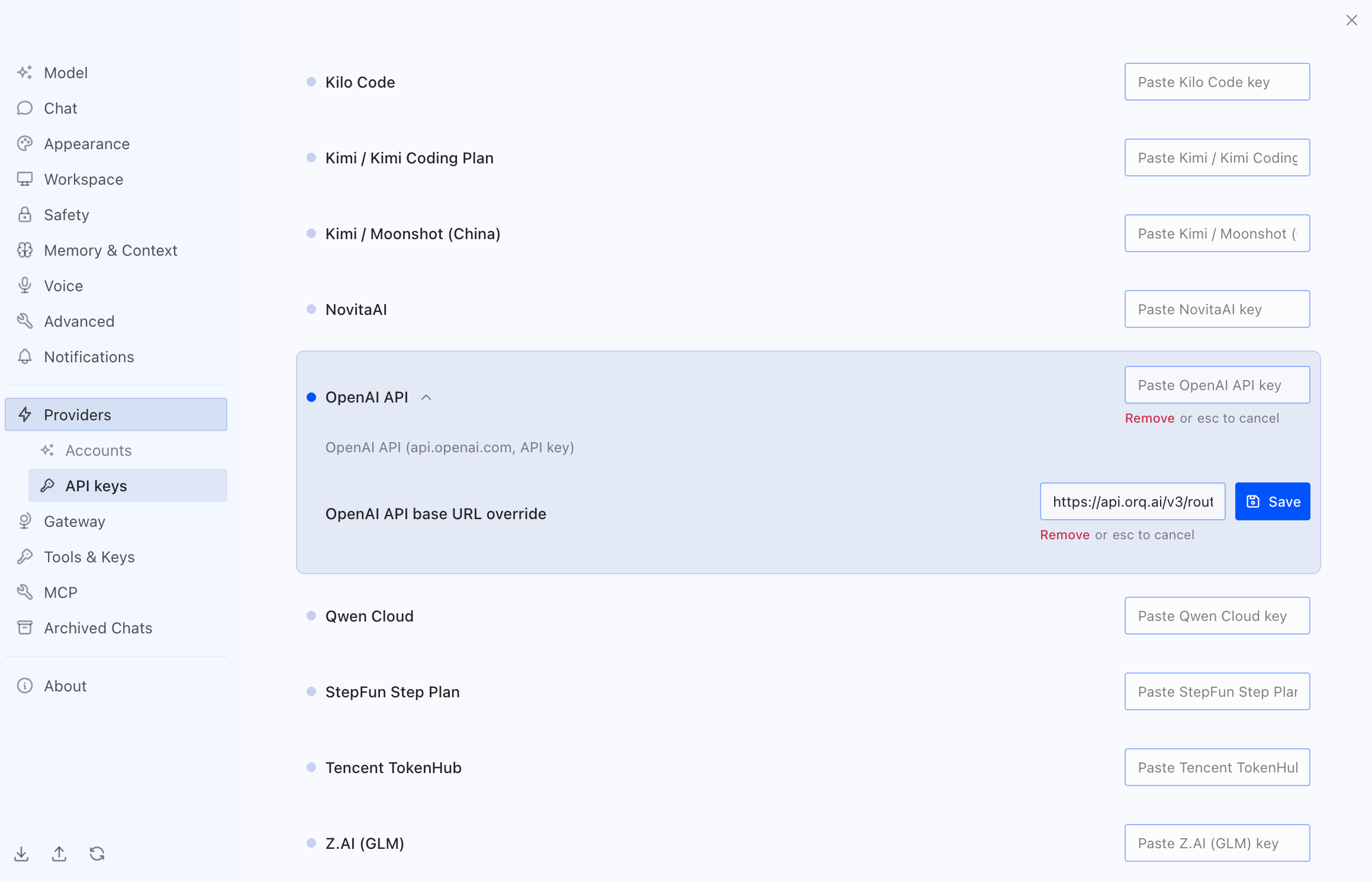
Open the Hermes desktop app. On first launch, skip provider selection to set it later. Open Settings in the top right, then go to Providers > API keys.
2
Set the OpenAI API key and base URL
Scroll to OpenAI API and expand it. Paste the AI Gateway API key into the OpenAI API key field and click Save. Then paste the router URL into the OpenAI API base URL override field and click Save:
https://api.orq.ai/v3/router
Overriding the OpenAI provider base URL with the Orq.ai router in Hermes
3
Select a model
Hermes now routes through the AI Gateway. Pick a model from the recommended list, or search by name for any other model from the AI Gateway catalog that is not shown.
Open the config with hermes config edit and set the model block to a custom provider pointed at the router, with the AI Gateway key inline:
Replace <your-orq-api-key> with an API key.Set default to any provider-prefixed model from the AI Gateway catalog. Override the model for a single session with hermes chat --model openai/gpt-5.4.
The default config already contains a model block. Edit its existing keys; the block must end up with a single provider and a single base_url.