Route every model call OpenCode Desktop makes through the Orq.ai AI Gateway by adding a custom provider in the app. Requests appear in Traces automatically.

Prerequisites

  • OpenCode Desktop installed:
Homebrew
brew install --cask opencode-desktop
Or download the installer from opencode.ai/download.

Setup

In OpenCode Desktop, open Settings > Providers > Connect custom provider and fill in:
  • ID: orq
  • Display name: Orq
  • Base URL: https://api.orq.ai/v3/router
  • API key: your Orq.ai API key
  • Model ID: any identifier from the AI Gateway catalog, for example anthropic/claude-sonnet-4-6, with a display name
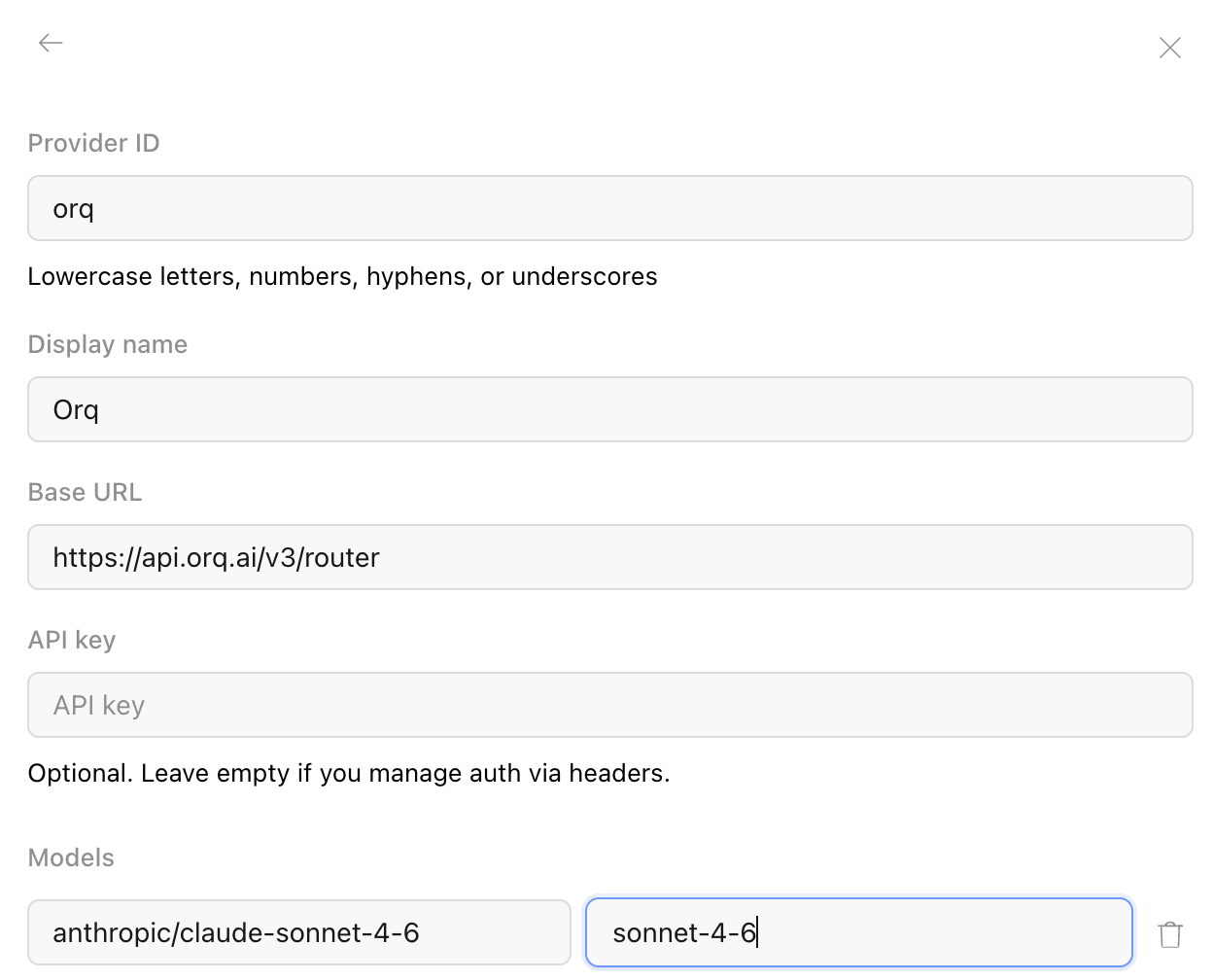
Add more models by giving each its own Model ID and display name. Pick the model from the model selector in the chat input bar.
OpenCode Desktop custom provider form filled in with the Orq ID, Orq display name, router base URL, API key, and a model ID

Verification

Send a prompt in OpenCode Desktop. The response appears in the app and the trace appears in Orq.ai Traces with the selected model identifier.