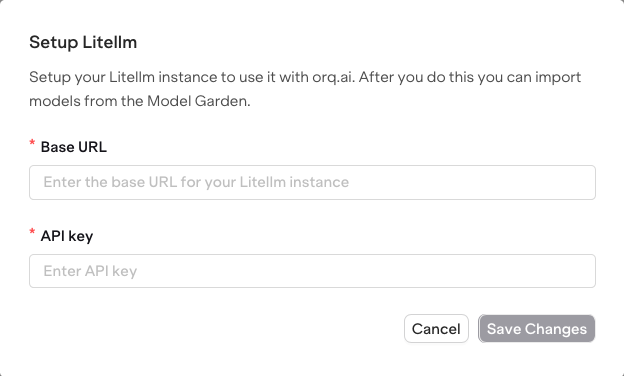
Use the following steps to add your LiteLLM integration to the AI Studio and import your existing models to the AI Gateway. To retire a LiteLLM proxy rather than connect it, see Migrate to Orq.ai.

Setup your LiteLLM Instance

  • Open the AI Gateway page within the AI Studio.
  • Find the Providers tab and select LiteLLM.
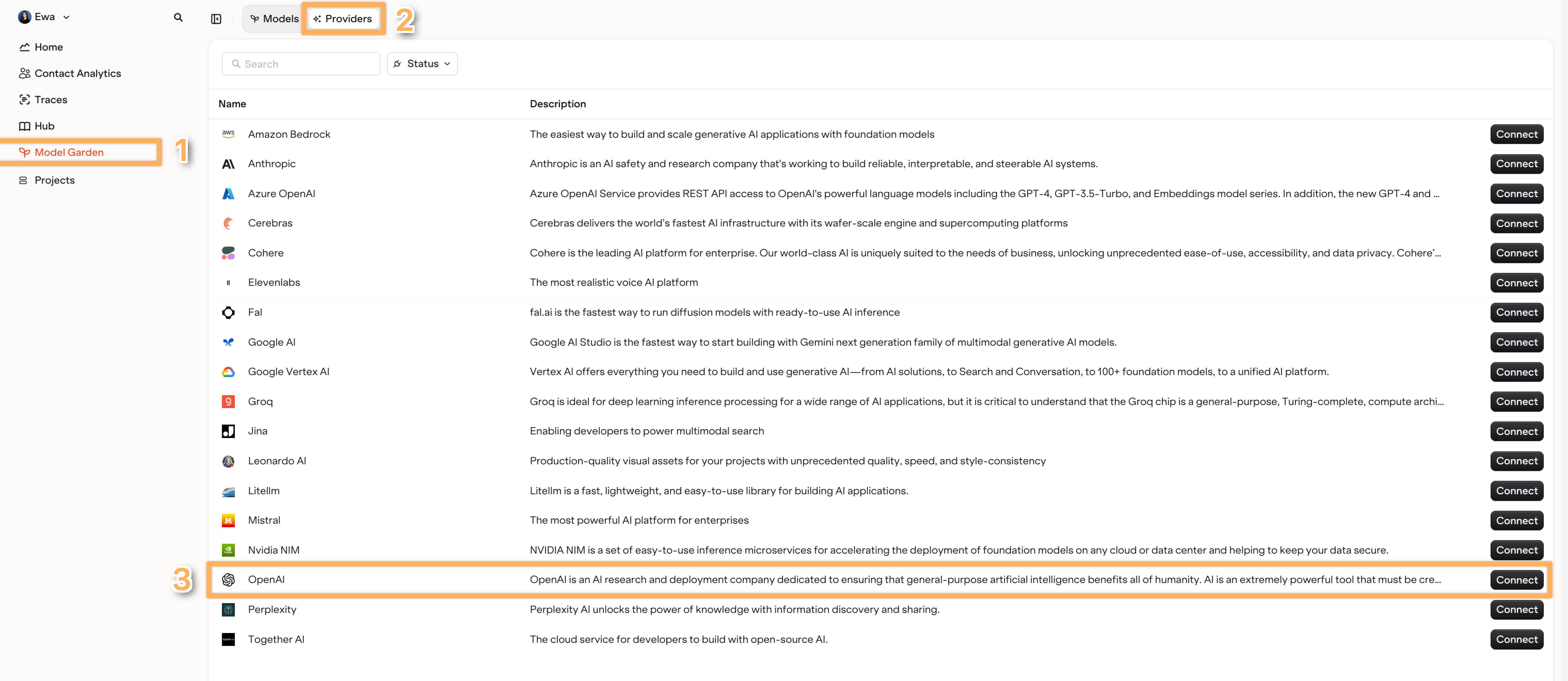
    Find the Litellm Provider within the Providers Tab.
  • Choose Setup LiteLLM instance.
    Enter the Base URL and API Key for your instance.

Import Models

  • Switch to the Models tab in the AI Gateway.
  • Select Add Models and choose Import from LiteLLM
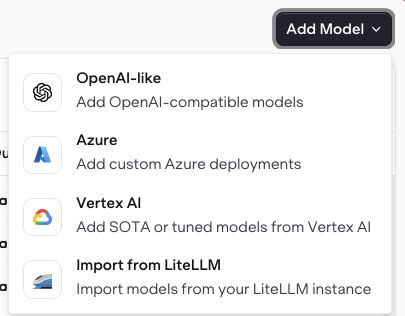
Adding Models using Import From LiteLLM.
  • Then select the models from the list of models imported from your LiteLLM provider.
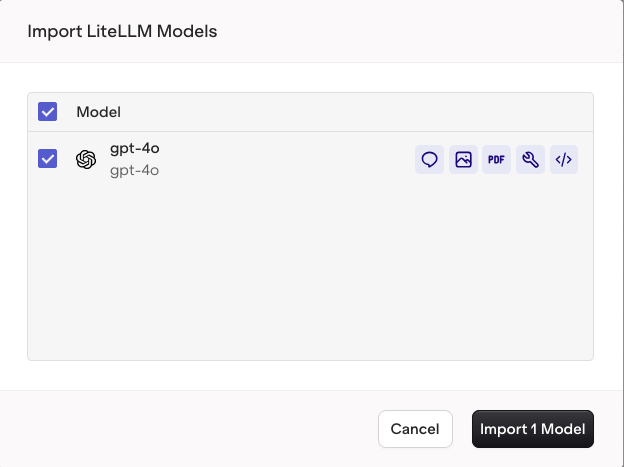
Select Import to bring your LiteLLM model into the AI Gateway.

Model Imported

Your model is now usable within the AI Studio.