

Configuring Private OpenAI-Compatible Models
Private OpenAI-compatible models allow you to connect and manage your own OpenAI-like endpoints directly from the AI Gateway.This enables full flexibility to integrate models from providers such as Groq, Together AI, Mistral, or any custom OpenAI-compatible deployment, all with workspace-level isolation and ownership. Once configured, these models are available throughout Orq.ai and can be used seamlessly within Deployments, Experiments, and the AI Gateway.
Supported Capabilities
Private OpenAI-compatible models fully support the same capabilities as standard OpenAI models, including:- Chat completion with function calling and structured outputs.
- Embedding generation for vector search and semantic retrieval.
- Image generation endpoints (DALL-E compatible).
- Completion (legacy models and instruction tuning).
- Vision capabilities when supported by the provider.
Adding a Private OpenAI-Compatible Model
To create a private model, head to the AI Gateway in the Orq.ai Studio, click Model at the top-right, and select OpenAI Compatible.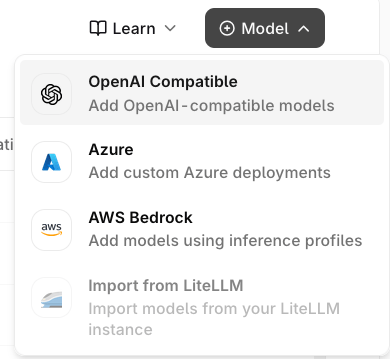
Add Model menu
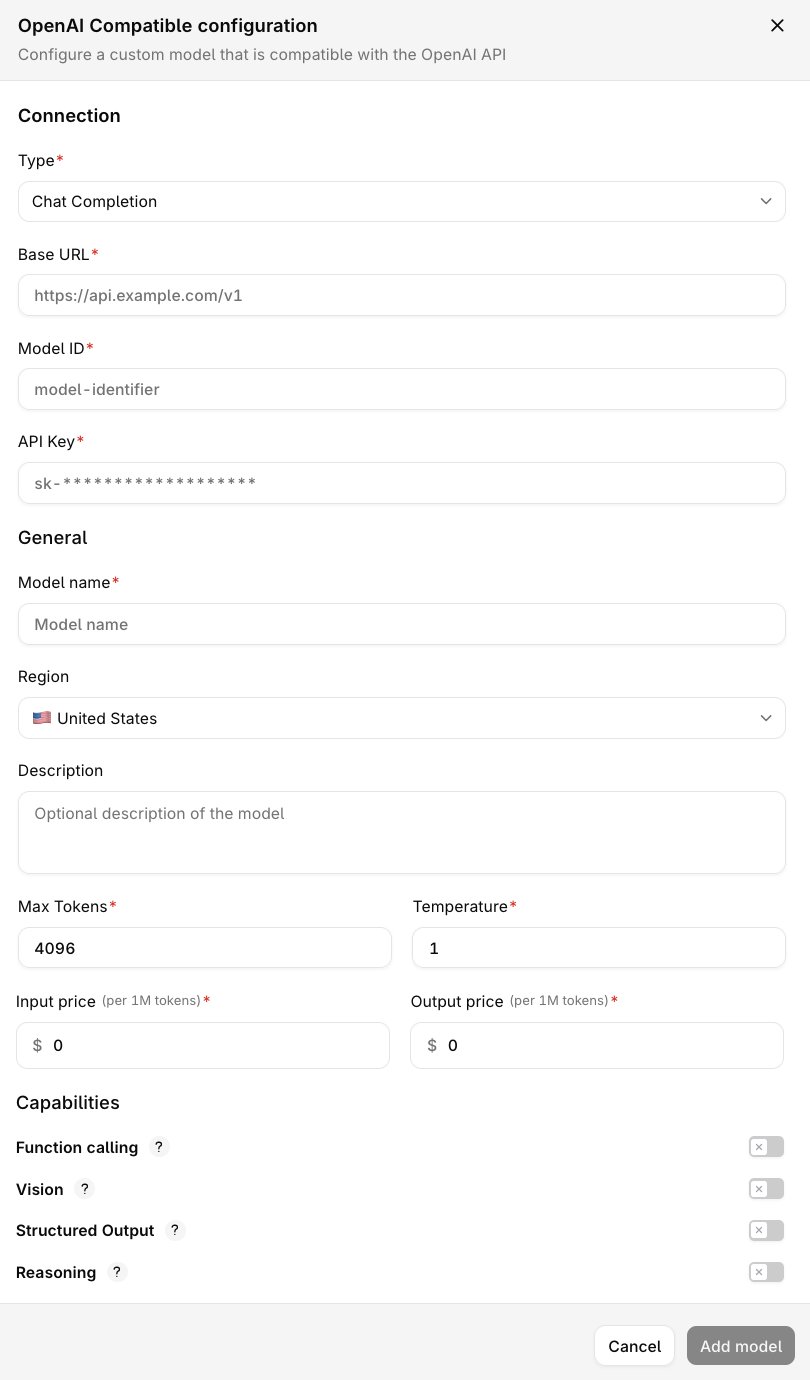
OpenAI Compatible configuration form
Connection Settings
General Settings
Advanced Configuration
Saving and Validating Your Configuration
After filling in the configuration form, click Add Model.Orq.ai automatically validates your setup by:
- Checking endpoint connectivity.
- Verifying your API key and authentication.
- Testing supported model capabilities.
- Deployments
- Experiments
- AI Gateway calls