






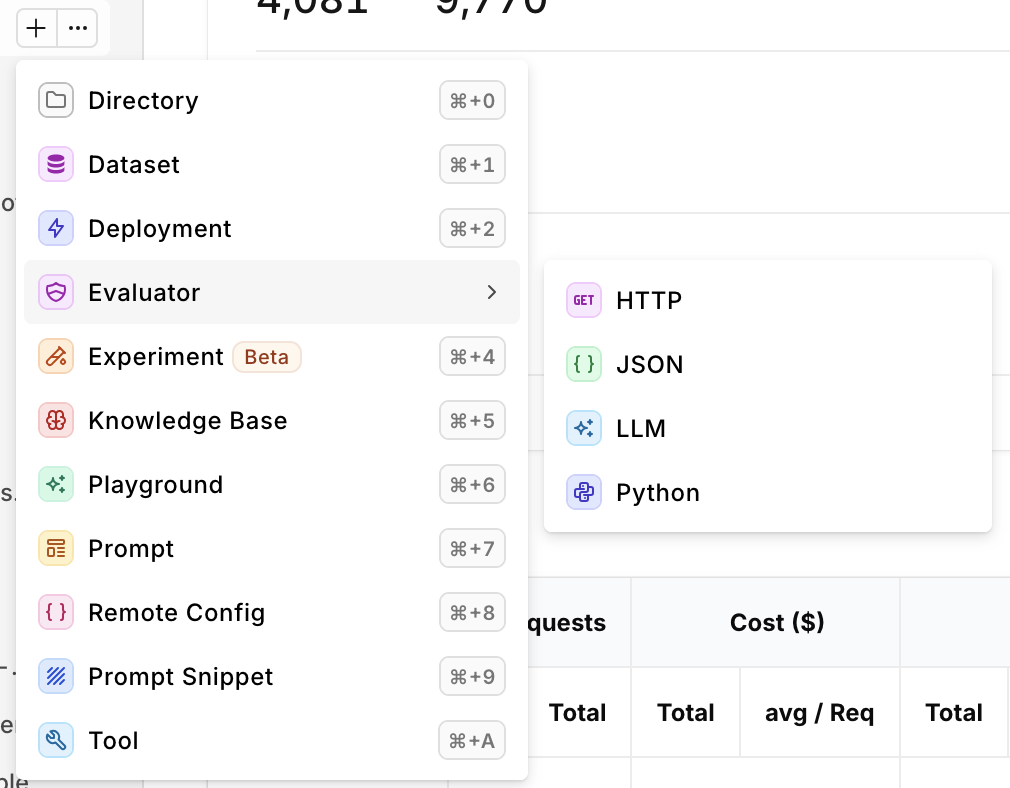
Once your evaluator is configured, click Publish to save a new version. Changes remain as a draft until published. See Versions for the full version history and available actions.
HTTP Evaluator
HTTP evaluators allow users to set up a custom evaluation by calling an external API, enabling flexible and tailored assessments of generated responses. This approach lets users leverage their own or third-party APIs to perform specific checks, such as custom quality scoring, compliance verification, or domain-specific validations that align with their unique requirements. When creating an HTTP Evaluator, define the following details of your Evaluator:| Field | Description |
|---|---|
| URL | The API Endpoint. |
| Headers | Key-value pairs for HTTP Headers sent during evaluation. |
| Payload | Key-value pairs for HTTP Body sent during evaluation. |
Payload Detail
Here are the payload variables accessible to perform evaluationExpected Response Payload
For an HTTP Evaluator to be valid, orq.ai is expecting a certain response payload returning the evaluation result.Boolean Response
You can decide to return a Boolean response to the evaluation, the following is the expected payload:Number Response
You can decide to return a Number response to the evaluation, the following is the expected payload:String Response
You can decide to return a String response to the evaluation, the following is the expected payload:Example for HTTP Evaluators
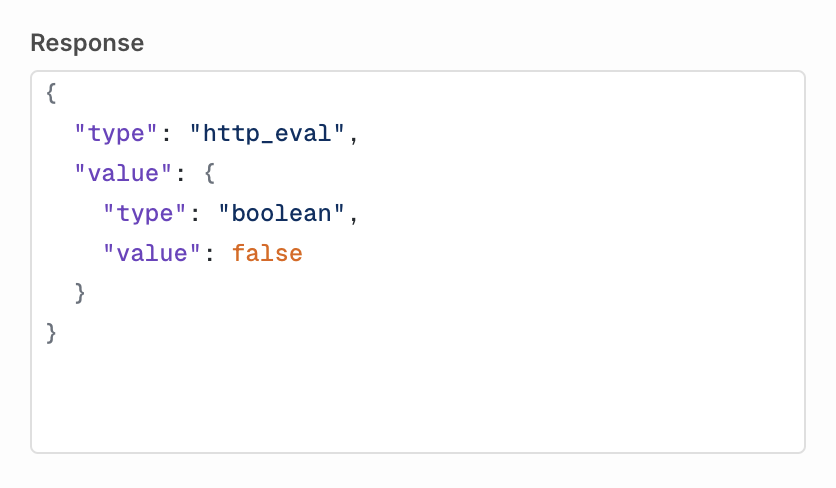
HTTP Evaluators can be useful to implement business or industry-specific checks from within your applications. You can build an Evaluator using an API on your systems that will perform a compliance check for instance. This HTTP Evaluator has agency over calls routed through orq.ai while keeping business intelligence and logic within your environments. This ensures that generated content adheres to your organization’s specific regulatory guidelines. For example, in case the content is not adhering to regulatory guidelines, the HTTP call could return the following, failing the evaluator along the way.Guardrail Configuration
Within a Deployment or Agent, you can use your HTTP Evaluator as a Guardrail, effectively preventing them from responding to a user depending on the Input or Output. Use the Pass condition to set a numeric threshold. The guardrail passes when the value returned by your endpoint is greater than or equal to the threshold. Once created the Evaluator will be available to use in Experiments, Deployments, and Agents, to learn more, see Using Evaluator in Experiment.Testing an HTTP Evaluator
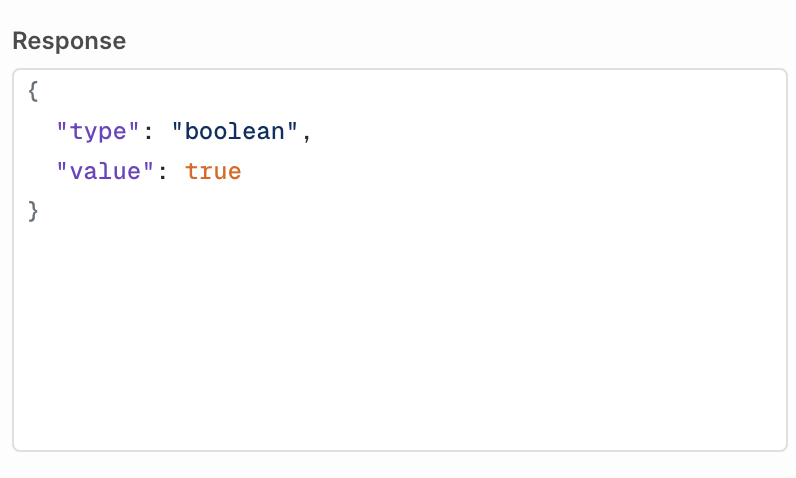
Within the Studio, a Playground is available to test an evaluator against any output. This helps validate quickly that an evaluator is behaving correctly To do so, first configure the request: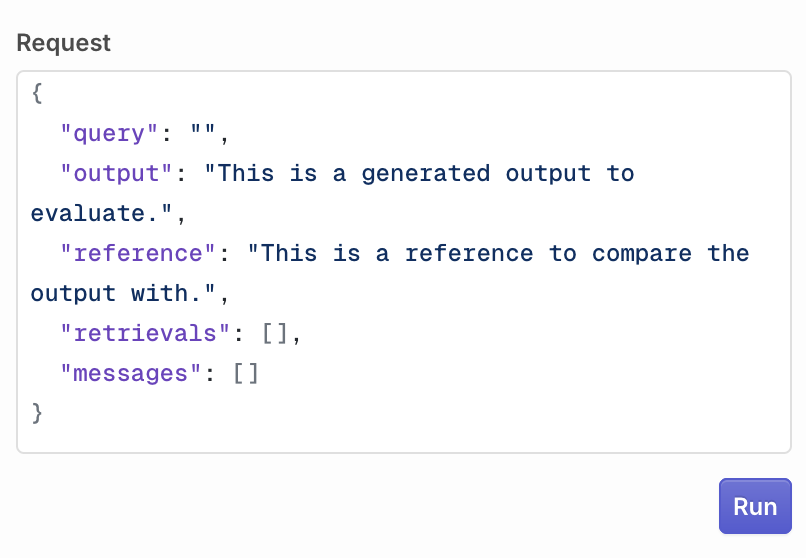
JSON Evaluator
JSON Evaluators allow users to validate JSON payloads against JSON Schemas, ensuring correct incoming or outgoing payload for your model. When creating an evaluator, you can specify a JSON Schema that will be used.A JSON Schema lets you define which fields you want to find in the evaluated payload Here is an example defining two mandatory fields: title and length
Testing a JSON Evaluator
Within the Studio, a Playground is available to test an evaluator against any output. This helps validate quickly that an evaluator is behaving correctly To do so, first configure the request: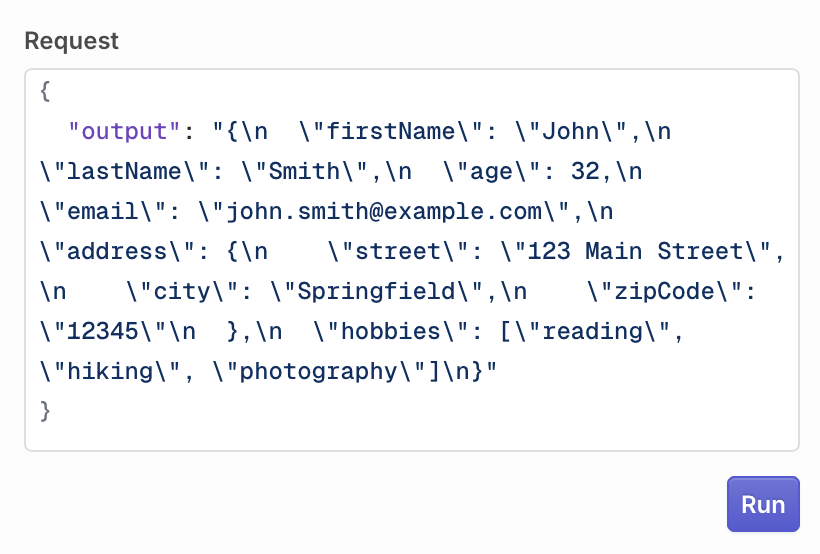
Guardrail Configuration
Within a Deployment or Agent, you can use your JSON Evaluator as a Guardrail, effectively permitting a JSON Validation on input and output. Enabling the Guardrail toggle will block payloads that don’t validate the given JSON Schema. Once created the Evaluator will be available to use in Deployments and Agents, to learn more see Evaluators & Guardrails in Deployments.LLM Evaluator
Unlike Function Evaluators, LLM Evaluators assess the context and provide human-like judgments on the quality or appropriateness of content. When creating your LLM evaluator, select the model you would like to use to evaluate the output (the model needs to be enabled in the AI Router). Choose which type of output your model evaluation will provide:- Boolean, if the evaluation generates a True/False response.
- Number, if the evaluation generates a Score.
Configure Prompt
Your prompt has access to the following string variables:{{log.input}}contains the last message sent to the model{{log.output}}contains the output response generated by the evaluated model{{log.messages}}contains the messages sent to the model, without the last message{{log.retrievals}}contains Knowledge Base retrievals.{{log.reference}}contains the reference used to compare output
Custom Rating Scales
When using a Number output type, you can define any rating scale that fits your use case. The evaluator will return whatever numeric value the LLM outputs.You are not limited to a 1-10 scale. Use any range that makes sense for your evaluation criteria (e.g., 1-5, 0-100, or custom scales).
Examples
Evaluating formality on a 1-5 scaleTesting an LLM Evaluator
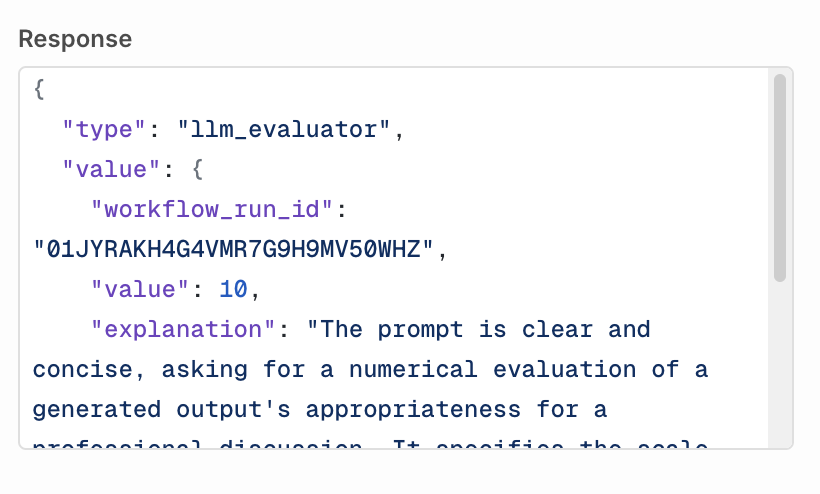
Within the Studio, a Playground is available to test an evaluator against any output. This helps validate quickly that an evaluator is behaving correctly To do so, first configure the request: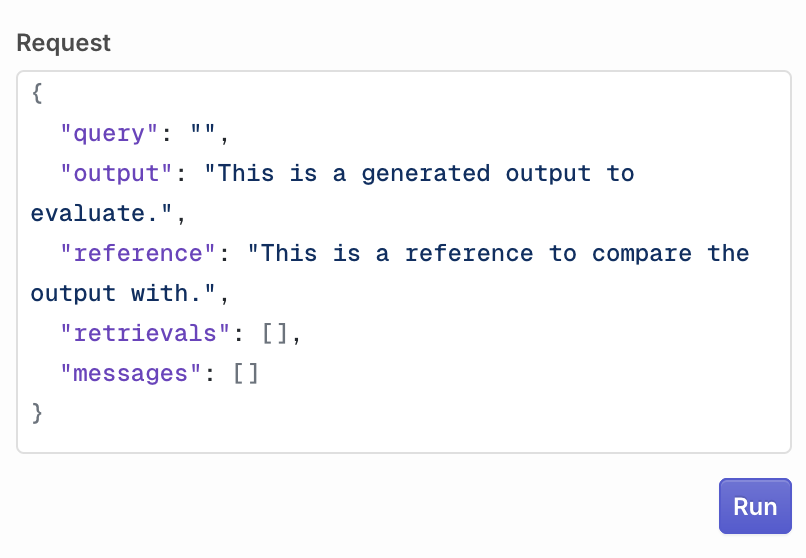
Guardrail Configuration
Within a Deployment or Agent, you can use your LLM Evaluator as a Guardrail, effectively permitting a validation on input and output. The Pass condition depends on the output type you selected when creating the evaluator:- Boolean: select True or False. The guardrail passes when the model returns the selected value.
- Number: enter a score threshold. The guardrail passes when the model’s score is greater than or equal to the threshold.
- String: guardrail mode is not available for string output types.
Python Evaluator
Python Evaluators enable users to write custom Python code to create tailored evaluations, offering maximum flexibility for assessing text or data. From simple validations (e.g. regex patterns, data formatting) to complex analyses (e.g. statistical checks, custom scoring algorithms), they execute user-defined logic to measure specific criteria. When creating a Python Evaluator, You are taken to the code editor to configure your Python evaluation. To perform an evaluation, you have access to the log of the Evaluated Model, which contains the following three fields:log["input"]<str>The last message sent to generate the output.log["output"]<str>The generated response from the model.log["reference"]<str>The reference used to compare the output.log["messages"]list<str>All previous messages sent to the model.log["retrievals"]list<str>All Knowledge Base retrievals.
- Number to return a score
- Boolean to return a true/false value
The following example compares the output size with the given reference.
You can define multiple methods within the code editor, the last method will be the entry-point for the Evaluator when run.
Environment and Libraries
The Python Evaluator runs in the following environment:python 3.12
The environment comes preloaded with the following libraries:
Testing a Python Evaluator
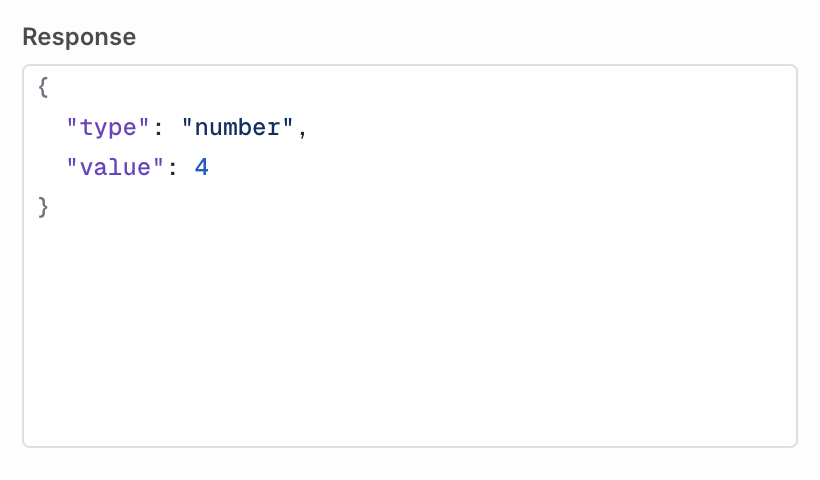
Within the Studio, a Playground is available to test an evaluator against any output. This helps validate quickly that an evaluator is behaving correctly To do so, first configure the request: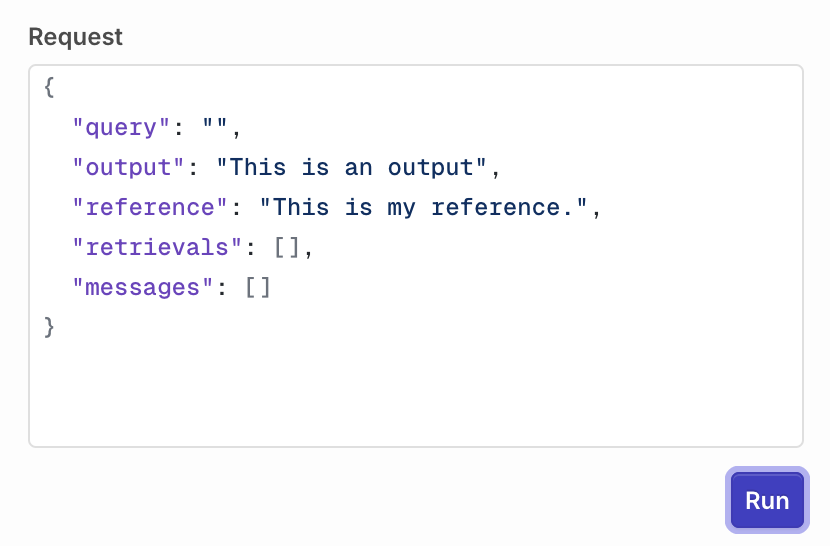
Guardrail Configuration
Within a Deployment or Agent, you can use your Python Evaluator as a Guardrail, blocking generations that don’t meet your custom evaluation logic. Use the Pass condition to define when the guardrail passes:- Boolean evaluators: select True or False. The guardrail passes when your function returns the selected value.
- Number evaluators: enter a score threshold. The guardrail passes when your function’s return value is greater than or equal to the threshold.
Guardrail Error Response
When a guardrail evaluation fails, Orq.ai returns an HTTP422 Unprocessable Entity to the caller. The response body lists every guardrail that did not pass so your application can decide how to handle or surface the failure.
- Deployments
- Agents
| Field | Type | Description |
|---|---|---|
id | string | Internal ID of the guardrail result. |
status | string | Execution status of the guardrail: "completed" or "failed". |
started_at | string | ISO 8601 timestamp when the guardrail evaluation started. |
finished_at | string | ISO 8601 timestamp when the guardrail evaluation finished. |
related_entities | array | References to the evaluator that ran as this guardrail. Each entry contains type, evaluator_id, and evaluator_metric_name. |
passed | boolean | false for every entry in this error response, as the guardrail’s condition was not met. For example: a boolean guardrail configured to pass on true returns passed: false when the evaluator returns false. |
reason | string or null | Explanation of the failure, when provided by the evaluator. |
evaluator_type | string | "input_guardrail" if the guardrail ran before the model (request rejected before generation). "output_guardrail" if the guardrail ran after generation (response withheld). |
type | string | The value type returned by the evaluator: "boolean" or "number". |
value | boolean or number | The raw value returned by the evaluator. |
When the evaluator fails to execute: If the evaluator itself fails to run (for example, a network error contacting an external HTTP evaluator or a timeout), the guardrail is silently skipped and the generation proceeds. A broken evaluator does not block your users. Monitor skipped guardrail executions through Traces in the Orq.ai Studio.When an LLM guardrail’s underlying model fails: If the model powering an LLM guardrail is unavailable, Orq.ai fails the entire request for safety. Since the guardrail could not run, there is no way to know whether it would have blocked the generation, so Orq.ai errs on the side of caution.
Versions
When you are done editing, click Publish to save your changes. You will be prompted to write a commit message and choose a version bump: major, minor, or patch.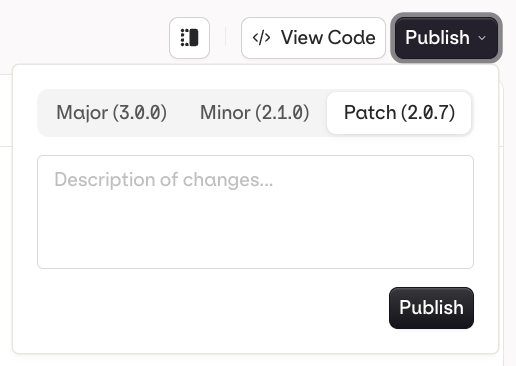
- Patch (e.g.
v1.0.0tov1.0.1): small fixes, no behavior change - Minor (e.g.
v1.0.0tov1.1.0): new functionality, backwards compatible - Major (e.g.
v1.0.0tov2.0.0): breaking change or significant rework
v1.0.0, v1.1.0) and each entry shows the author and publish timestamp.
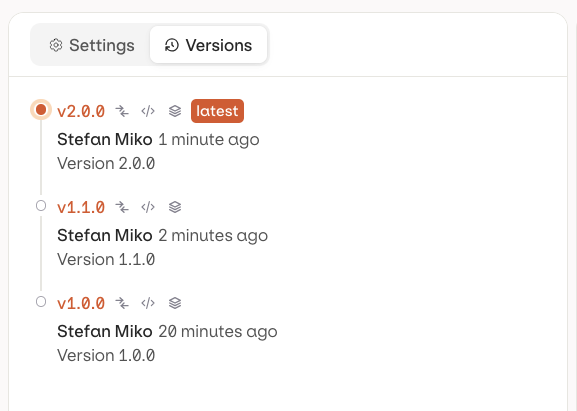
| Action | Icon | Description |
|---|---|---|
| Compare | Open a diff view to see what changed between versions | |
| Code | Load a code snippet to invoke the evaluator at this exact version | |
| Environment | Tag the version with an Environment (e.g. production, staging) |