





Annotation Queues are part of the unified Annotations system. They work seamlessly with the Annotations API for programmatic quality tracking and human-in-the-loop workflows.
Creating an Annotation Queue
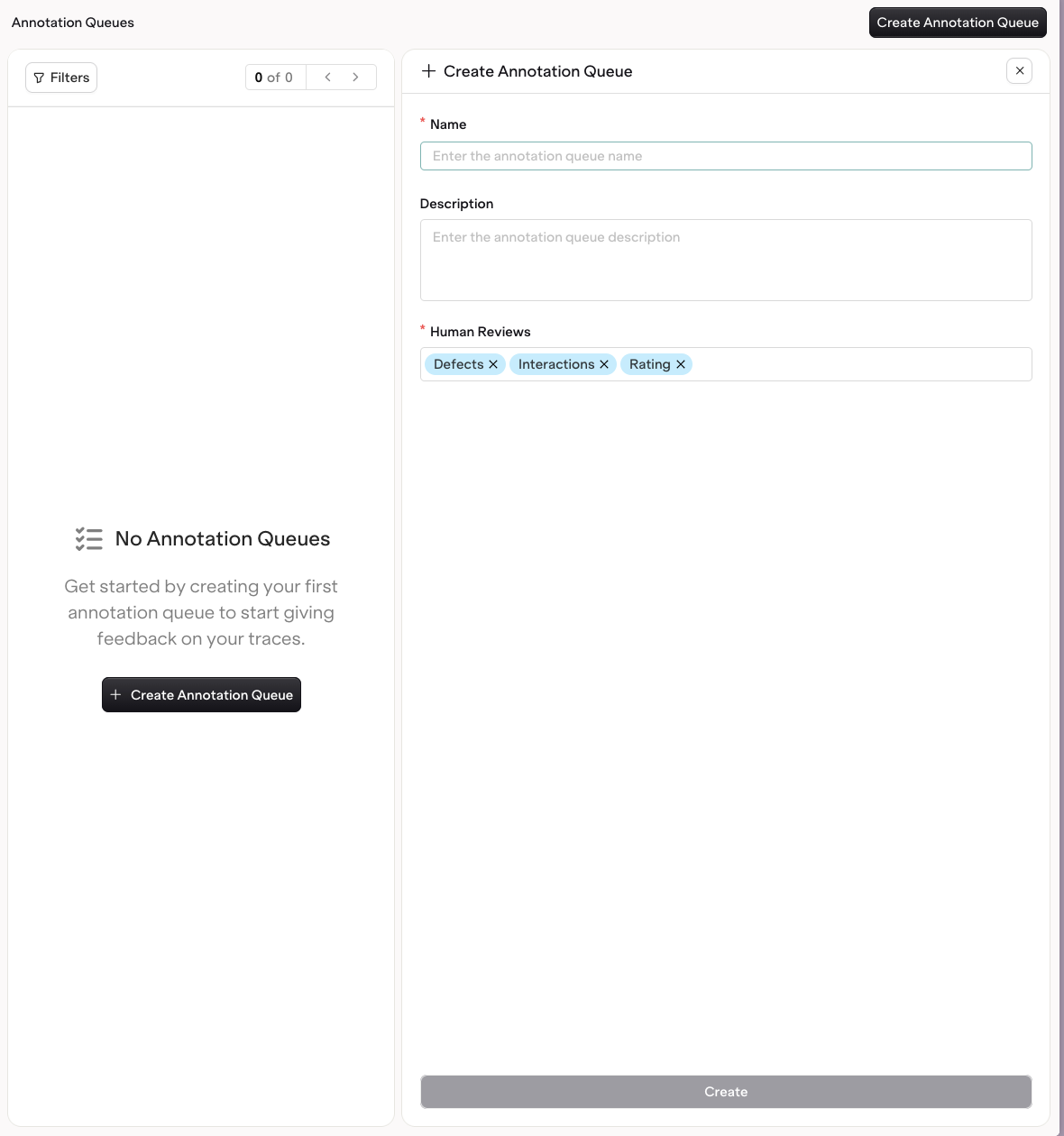
To create an Annotation Queue, head to the AI Studio > Annotation Queue. Choose Create Annotation Queue. The following fields are configurable:- The Name of the queue
- The Description of the Annotation Queue
- The Human Reviews that Traces will be reviewed by
Using Annotation Queues
When opening an Annotation Queue, you have easy access to all Traces that need feedback.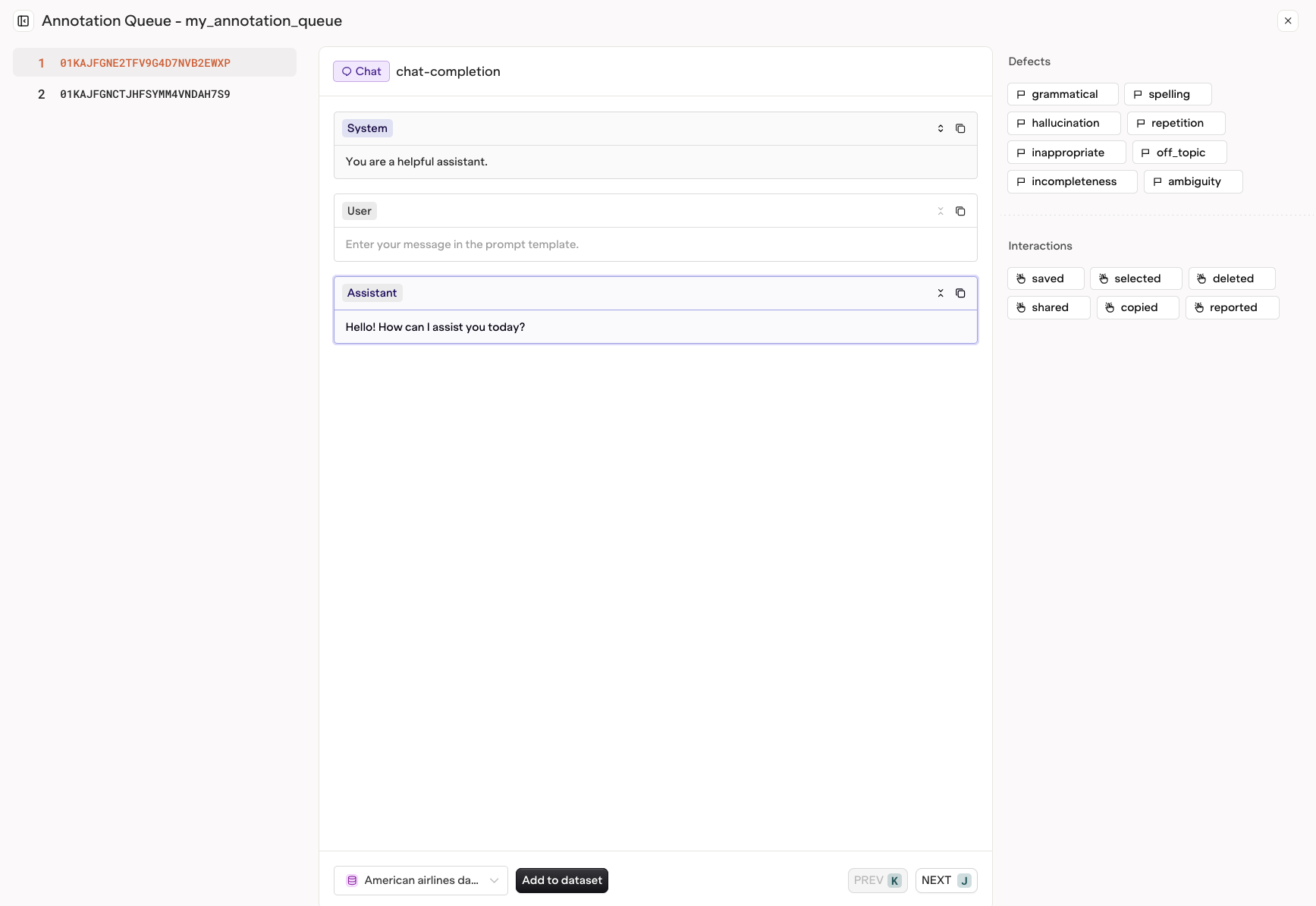
Next to access the next Trace in the queue.