

Prerequisites
- OpenCode Desktop installed:
Homebrew
- Active Orq.ai account with AI Gateway access
- Orq.ai API key
Setup
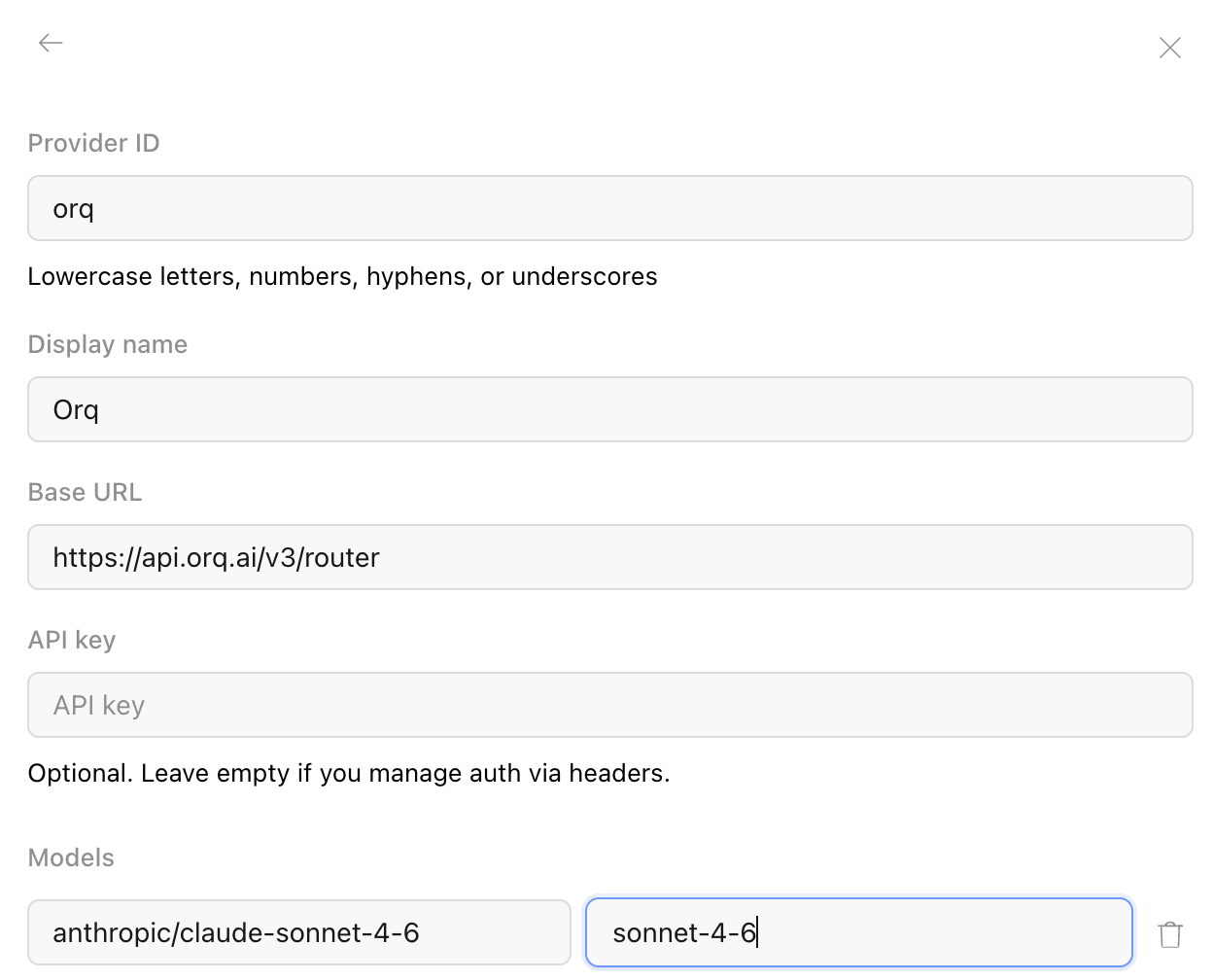
In OpenCode Desktop, open Settings > Providers > Connect custom provider and fill in:- ID:
orq - Display name:
Orq - Base URL:
https://api.orq.ai/v3/router - API key: your Orq.ai API key
- Model ID: any identifier from the AI Gateway catalog, for example
anthropic/claude-sonnet-4-6, with a display name
Verification
Send a prompt in OpenCode Desktop. The response appears in the app and the trace appears in Orq.ai Traces with the selected model identifier.Connect via MCP
OpenCode Desktop also acts as an MCP client, so the Orq MCP server can run alongside the gateway routing above. With both connected, OpenCode Desktop routes model calls through the AI Gateway and manages Agents, experiments, Datasets, and Traces through the Orq MCP tools. Add the Orq MCP server to the OpenCode config (~/.config/opencode/opencode.json):
YOUR_ORQ_API_KEY with an API key. See the MCP Quickstart for the full tool reference.
Orq.ai API keys are scoped to a single project, so the Orq MCP server only exposes the Agents, experiments, Datasets, and Traces within that project. Use a key from the project whose entities OpenCode Desktop should manage.