

v4.10.0
The AI Gateway is now its own dedicated area of the product, separate from the studio, and the Model Garden has been rebuilt from the ground up. Finding, comparing, and enabling models is faster and clearer.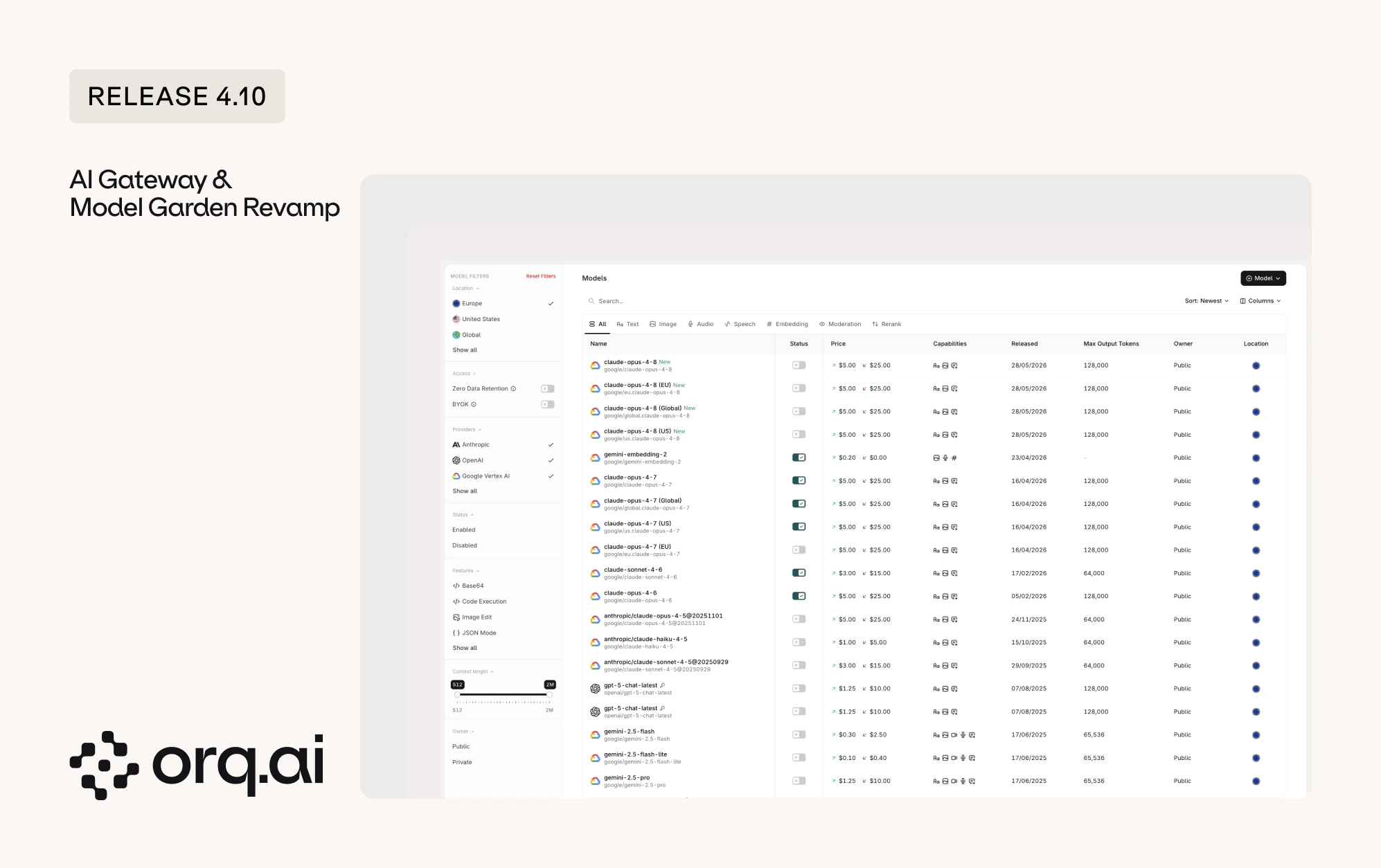
- Dedicated AI Gateway: Workspaces on the router tier now land directly in the AI Gateway, with observability and routing pages available from its sidebar.
- Rebuilt Model Overview: A rebuilt layout with repositioned filters for model owner, provider, location, features, and context length. Sort on the release date column to surface the newest models first.
- BYOK tab: The Providers tab is now the BYOK tab, where bring-your-own-key credentials are managed, with a filter to show only the models that have a custom key added.
Browse and enable models from the AI Gateway overview.
v4.10.0
API keys used to come in three separate flavors, each with its own rules: workspace keys, project keys, and AI Router keys. Release 4.10 is the first step to bring them together under one model, so every key behaves the same way and is easier to reason about.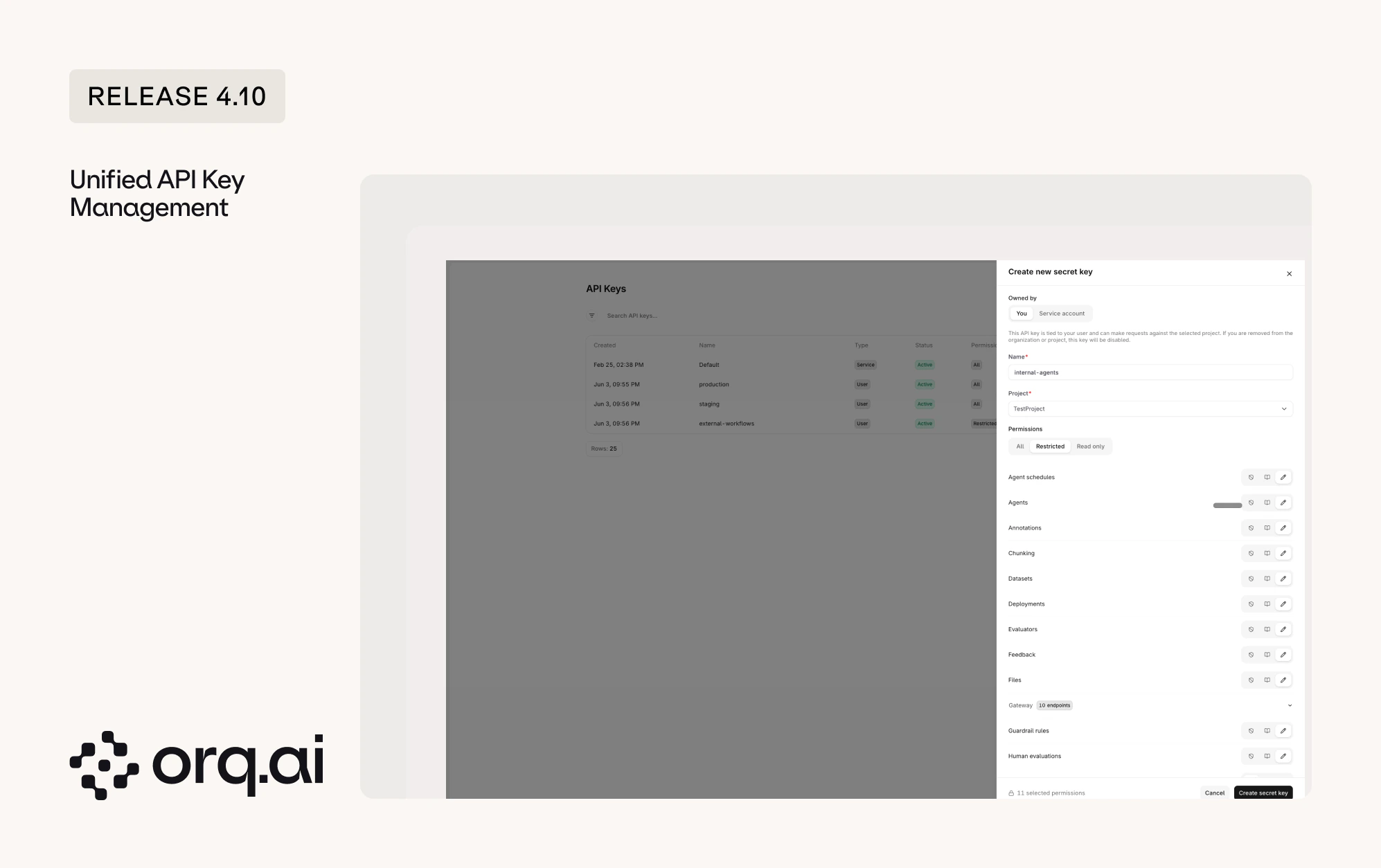
- One permission model: Every new key now uses the same access levels. Pick All for full access, Read-only to view without changing anything, or Restricted to scope a key to specific areas.
- Restricted keys: Restricted keys give granular control. Decide, per endpoint and capability, whether a key has read, write, or no access at all, so a key can do exactly what it is meant to and nothing more.
- More secure tokens: New keys are issued in a new token format, and the full key is shown only once at creation. Existing keys continue to function with no action needed.
- Service Account Keys: Only admins can create Service Account Keys, which are not tied to an individual user. Use these for production systems, since a standard user key is automatically disabled when that user no longer exists in the workspace.
- Project-scoped keys: Every new key is scoped to a single project. Workspace-wide keys are no longer created.
- When working across projects with the Orq.ai MCP, switch the API key to match the project being worked on.
Learn how to create and scope keys in the API Keys documentation.
v4.10.0
The new Reporting API gives programmatic access to AI usage, cost, latency, token, Evaluator, and guardrail analytics, broken down by any dimension. A single
POST returns time-series data sliced by model, provider, project, identity, and more, ready to power cost dashboards, per-customer billing breakdowns, latency monitoring, and Evaluator quality reports without exporting from the UI.- One endpoint: Query every metric from
POST https://my.orq.ai/v2/reporting, scoped to the workspace and project derived from the API key. - Group by any dimension: Break results down by model, provider, project, identity, API key, credential type, or product entities such as Agent, Tool, and Deployment.
- Usage, quality, and guardrails: Track cost and token usage, monitor p50, p95, and p99 latency, quantify Evaluator pass rates and scores, and measure guardrail block rates.
- Consistent, ready-to-use results: Every query returns the numbers in the same simple structure, grouped by time period and the categories requested. This makes it straightforward to feed the data into dashboards, billing reports, or spreadsheets without extra cleanup.
See the full metric catalog, dimensions, schema, and examples by use case in the Reporting API guide.
v4.10.0
Agents can now run on a recurring schedule, with no need to keep a connection open or trigger them by hand. A scheduled run is identical to a normal agent call: same execution, tracing, and billing, just fired by the scheduler.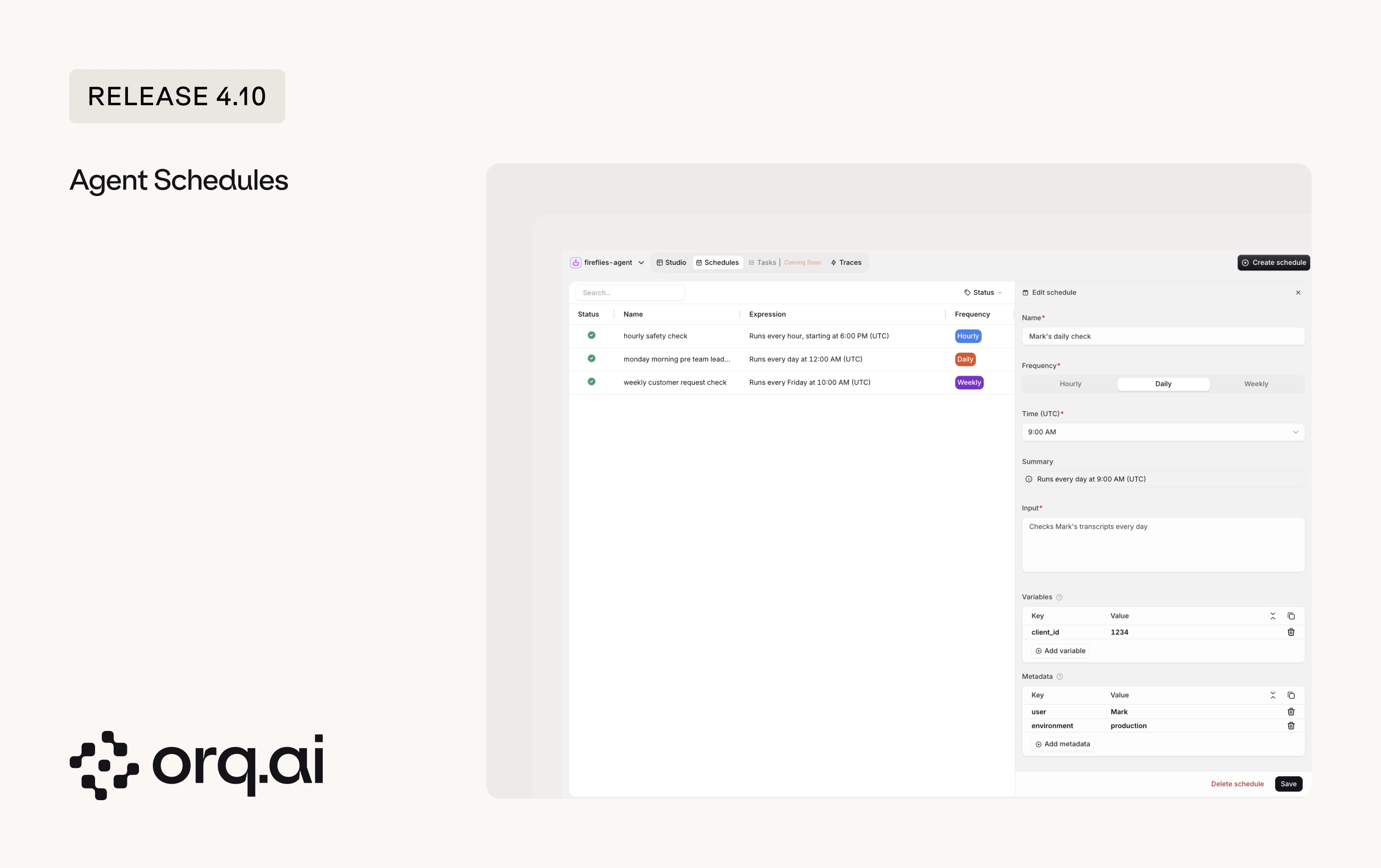
- Recurring runs: Run an agent hourly, daily, or weekly, for example a morning briefing or a daily ticket summary.
- Per-run payload: Configure each run’s input, template variables, and metadata that is attached to every response the schedule generates.
- Full control: Create, list, update, pause, resume, and delete schedules, or trigger a run on demand.
- Fully observable: Each scheduled run appears in Traces like any other agent run.
POST to the target agent’s schedules endpoint, replacing {YOUR_AGENT_KEY} with the agent’s key:See cadence rules and the full API in the Agent run guide.
v4.10.0
Reviewing model output now happens on one shared Review screen, available across Experiments and Annotation Queues. The same scoring and annotation tools work the same way wherever review happens.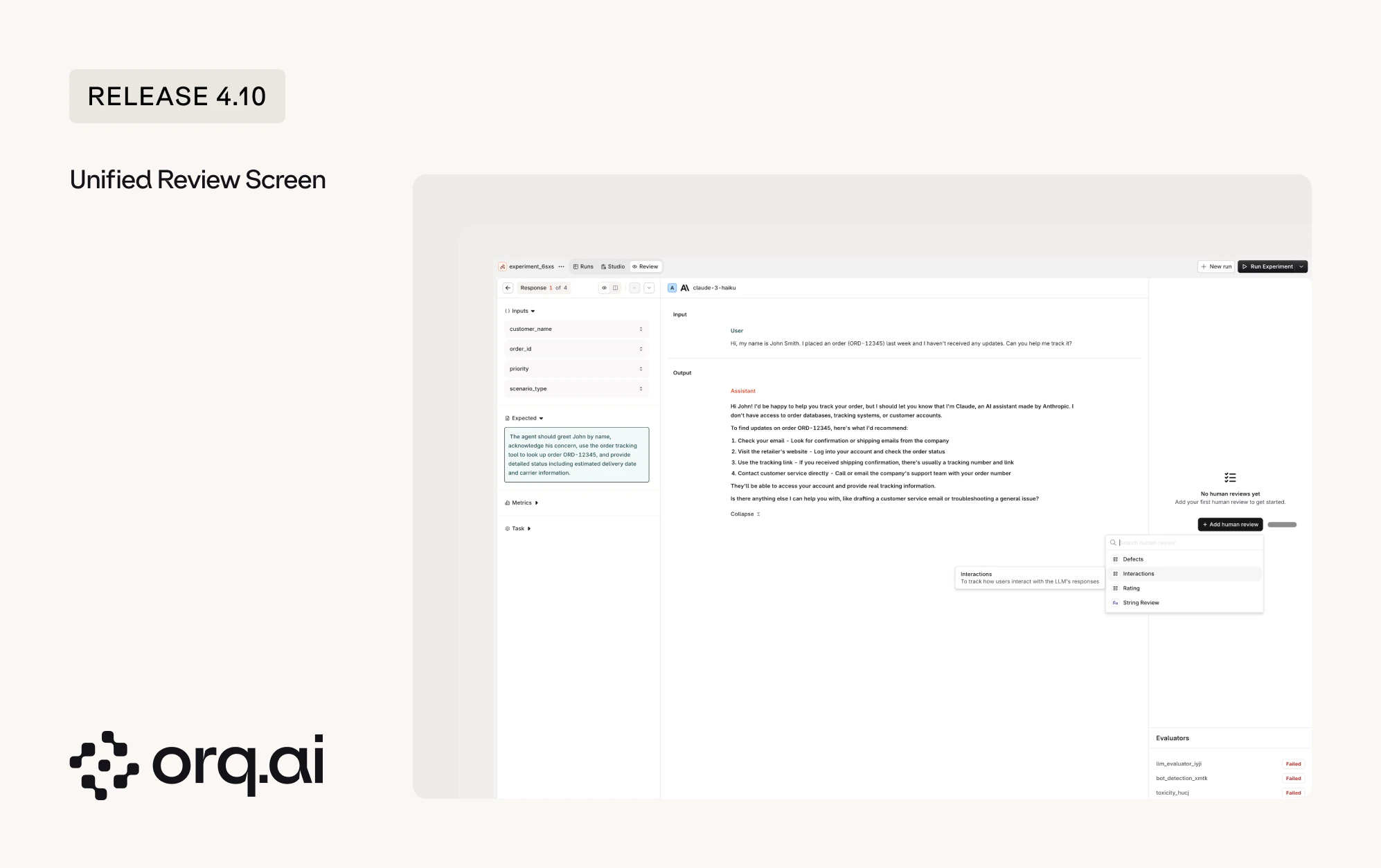
- Review in Annotation Queues: Annotations submitted in a queue are written back to the underlying trace, where they can be analyzed through the Orq.ai MCP and filtered on in the UI.
- Review in Experiments: The same screen now renders multi-turn, tool-calling runs clearly, showing each tool call and its result so reasoning across steps is easy to follow.
See how reviews and queues fit together in the Annotations guide.
v4.10.0
Building Evaluators has been redesigned into Evaluator Studio: a cleaner workspace for writing an evaluator, choosing its judge model, and testing it before it goes live.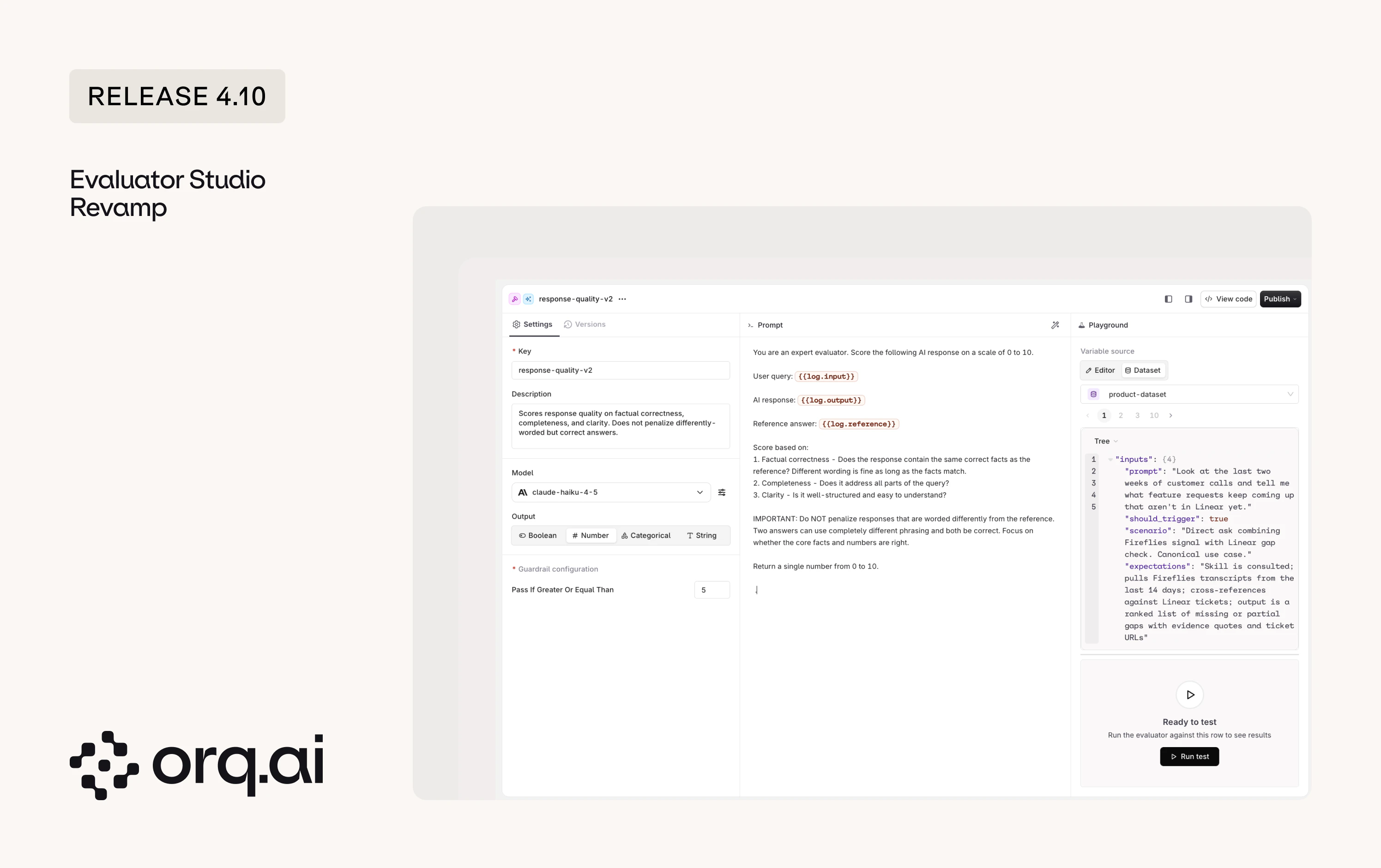
- Editor and Dataset testing for LLM-as-a-judge: Test an LLM-as-a-judge evaluator by filling in values by hand in the Editor tab, or run it against rows from a real dataset in the Dataset tab.
- HTTP and JSON evaluators replaced by Python: HTTP and JSON evaluators can no longer be created. Existing ones keep working, but new use cases move to Python Evaluators, which now include the
requestslibrary for HTTP calls andpydanticfor JSON schema validation.
Start building in the Create Evaluators guide.
v4.10.0
- Broader framework tracing: Tracing across popular agent frameworks is more accurate and complete this release. Google ADK gains broader span coverage, corrected parent-child relationships, and richer step attributes, and coverage improved for LangGraph, Vercel AI SDK, Pydantic AI, Mastra, Agno, and the Claude and Anthropic SDKs.
- invoke_model MCP tool: The
invoke_modeltool now exposesreasoningandincludeoptions, so MCP clients can use reasoning-capable models and request extra response details.
v4.10.0
- Refreshed pages: Several pages moved to the new design system for a more consistent look. In the AI Gateway, this covers Policies, Routing Rules, Guardrails, the home dashboard, and Recents. In the Studio, Identities is the first page refreshed, with the remaining pages to follow in a future release.
- Reliable JSON output for Claude: JSON schema is now enforced for a set of Claude models on Bedrock and Vertex that previously did not honor it, so structured output stays consistent across providers.
v4.10.0
- Reasoning effort on scheduled and API-created Agents: Reasoning effort set on Agents created through the Responses API was dropped when the agent ran. The setting is now kept end to end.
- Evaluator result links in Experiments: Opening a trace from an evaluator result row in an Experiment no longer hangs.
- Images in Experiment annotations: Image attachments in Experiment row annotations now display correctly instead of showing
[object Object]. - Knowledge Chunks API: Four fixes shipped together. Bulk delete now reports the real deleted count and lists any failures, list pagination reports the correct next-page state, chunks that are not yet indexed are no longer dropped from list results, and enabling or disabling a chunk no longer errors when it has no search index entry.
- Empty chunk text rejected: The Knowledge Chunks API now rejects empty text, preventing zero-length chunks from entering the index.
- Dataset ID validation: Dataset paths now reject malformed IDs instead of silently routing the request somewhere unexpected.
- Identities page loading: The Identities page now loads reliably.
- PDF attachments to Claude: PDFs sent to Claude models are now passed through correctly instead of being silently dropped on some requests.
- Project-scoped key isolation: Project-scoped API keys can no longer read entities from other projects.
v4.10.0
New additions to the Model Garden across Alibaba, Anthropic, AWS Bedrock, Google Vertex, Google AI, Minimax, TensorX, and Together AI. Browse details on the Supported Models page.
On AWS Bedrock, Claude Opus 4.8 ships as EU, US, and global region variants, so inference can stay in the EU region for workloads that require it.