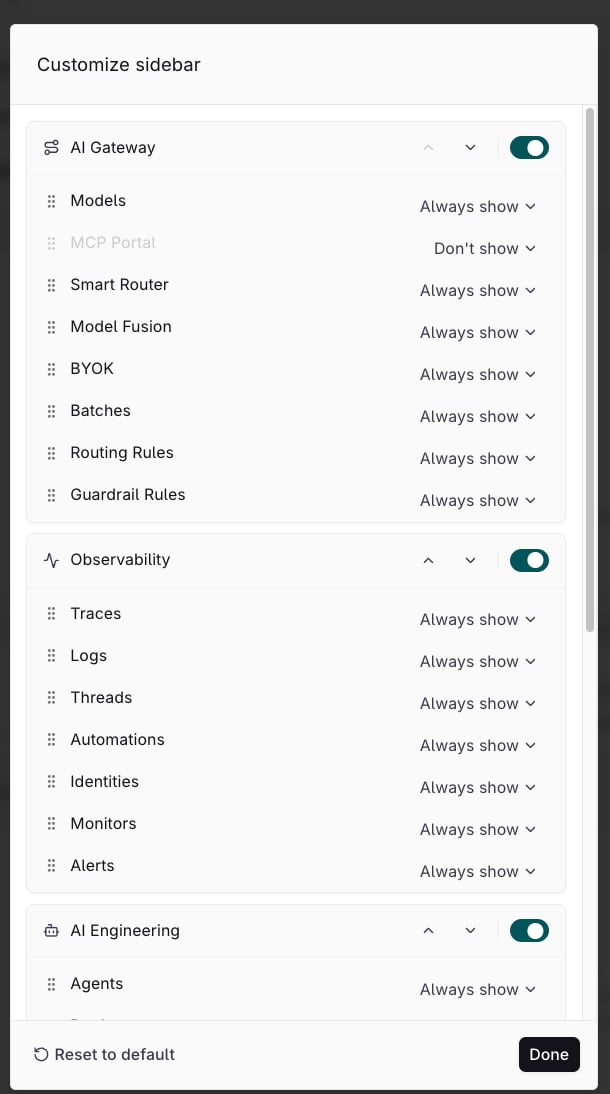
Select Customize sidebar in the sidebar to reorder its sections and entries, and to hide the ones this account does not use. The layout is personal: changing it leaves teammates’ sidebars untouched.
Customize sidebar dialog listing the AI Gateway, Observability, and AI Engineering sections, each with a switch and entry rows whose visibility selects read Always show, with MCP Portal set to Don't show, and the Reset to default and Done buttons at the bottom

The Customize sidebar dialog: section switches and move buttons, an entry list with drag handles, and a visibility select per entry.

Done closes the dialog.

Example layout

A team that sends every request through the gateway, runs agents, and reviews what happened uses six entries. Setting every other entry to Don’t show leaves four sections:
  • AI Gateway: Models and Smart Router
  • Observability: Traces and Alerts
  • AI Engineering: Agents
  • Optimizations: Evaluators
A section left with nothing visible drops out of the sidebar.