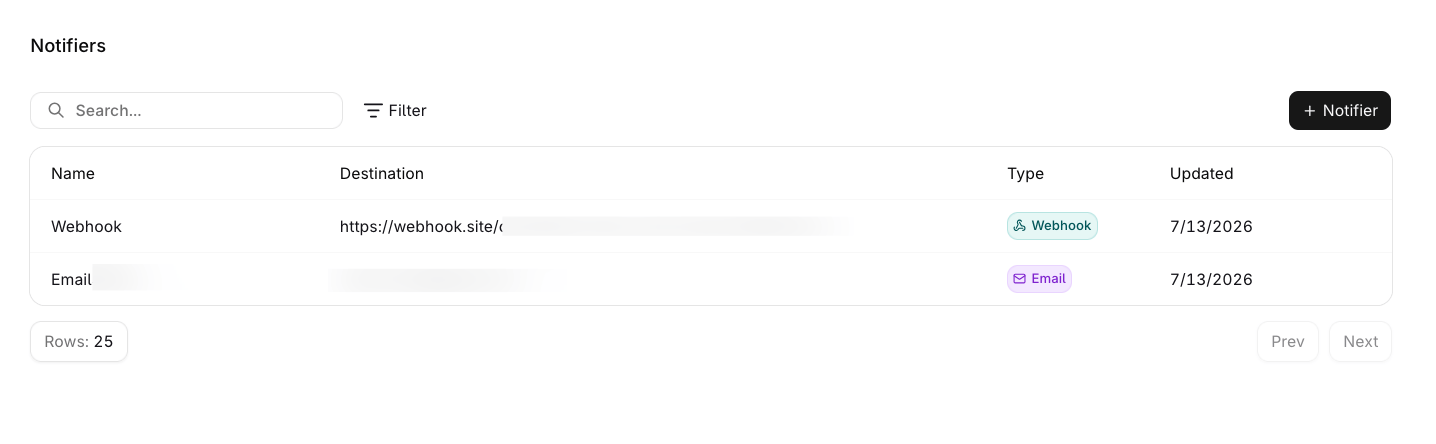
A Notifier is a reusable destination that Alerts deliver to. One Notifier carries one channel and any number of Alerts can select it, so a destination is configured once and shared.Three channels are available: Email, Slack through an incoming webhook, and a generic Webhook.
One or more addresses. Duplicates and surrounding whitespace are removed, and each address is validated.
Slack
NOTIFIER_TYPE_SLACK_WEBHOOK
incoming_webhook_url
A Slack incoming webhook URL.
Webhook
NOTIFIER_TYPE_WEBHOOK
webhook_url
Any absolute HTTPS URL, with optional request headers.
Both webhook URLs must be absolute HTTPS URLs. A plain http:// URL is rejected with the offending field named, either webhook_url must be an absolute HTTPS URL or incoming_webhook_url must be an absolute HTTPS URL.
Open Settings > Notifiers and select Notifier to open the sheet. A new one can also be created from the Alert form without leaving it.
1
Name the notifier
Enter a Name of up to 255 characters.
2
Choose a channel
Select Send via, then fill the destination the channel asks for: recipient addresses, a Slack incoming webhook URL, or a webhook URL with optional headers.
3
Save
Choose Create. The button stays disabled until the name and a valid destination are present.
The Notifiers list shows each one with its Name, Destination, Type, and last update, and supports search by name, a type filter, and page sizes of 25, 50, or 100.
Notifiers configured in the workspace, available for selection in an Alert.
Open the row menu to edit or delete one. A Notifier that an Alert or a budget alert still selects cannot be deleted: the API refuses with Notifier is in use and cannot be deleted. Remove it from those alerts first.
GET /v2/notifiers accepts search for a case-insensitive match on the name, type to restrict the result to one or more channels, and project_id, and pages with starting_after and ending_before.
Selected under Notify via in the Alert form, which allows several and can create one inline. That page covers the cap and what happens to an Alert with none.
The provider manages notifiers with the orq_notifier resource, and notifier_ids attaches them to a budget alert or an alert rule. See Terraform quickstart and Importing resources.
A header marked {"secret": true} comes back empty on read and stays readable nowhere, unlike a plain header. For the full list of what each storage class protects, see Secrets.
Route alert notifications to a Microsoft Teams channel with a generic webhook Notifier. Teams renders messages in its own card format while Orq.ai sends a JSON envelope, so the webhook points at a small relay that converts the payload before forwarding it. The Microsoft Teams example covers the Teams workflow, the relay, and attaching the notifier to an alert.


 AI Studio