

v4.1.0
Run experiments programmatically and measure AI performance directly from your Python code. Test Orq deployments, Orq agents, or any third-party framework, execute them over datasets, and evaluate results without leaving your IDE. The real power? Every experiment you kick off renders directly in Orq’s AI Studio, giving your team full visibility into what’s working and what isn’t.Key Features:
- Run experiments from code to compare any AI system against your evaluation criteria. Test an Orq deployment against a third-party LangGraph agent. Run your CrewAI setup over the same dataset as your Orq agent. Execute against local datasets or pull directly from datasets stored in Orq. The SDK handles the orchestration while you focus on what matters: understanding how your systems actually perform.
- Results rendered in Orq’s AI Studio so when experiments complete, the full picture is waiting for you in the platform. When a version underperforms, hand it off to whoever owns the prompt engineering. They can drill into the exact failure points and answer the real questions: Are the tool descriptions unclear? Do agent instructions need adjustment? Does the prompt need refinement? No more “it failed in CI, good luck figuring out why.”
- Framework-agnostic testing because production AI systems rarely live in one ecosystem. Evaluate Orq-native agents alongside external implementations with the same evaluators, getting consistent and comparable metrics in one place. Your evaluation logic shouldn’t care where the agent was built.
Learn more about running experiments from code at Evaluatorq Documentation.
v4.1.0
Navigate and create faster with universal search in the new Command Bar. We’ve all been there: you know the deployment exists, you just can’t remember which project it’s in. Or you need to create an experiment but you’re three levels deep in the folder structure. The Command Bar eliminates that friction entirely.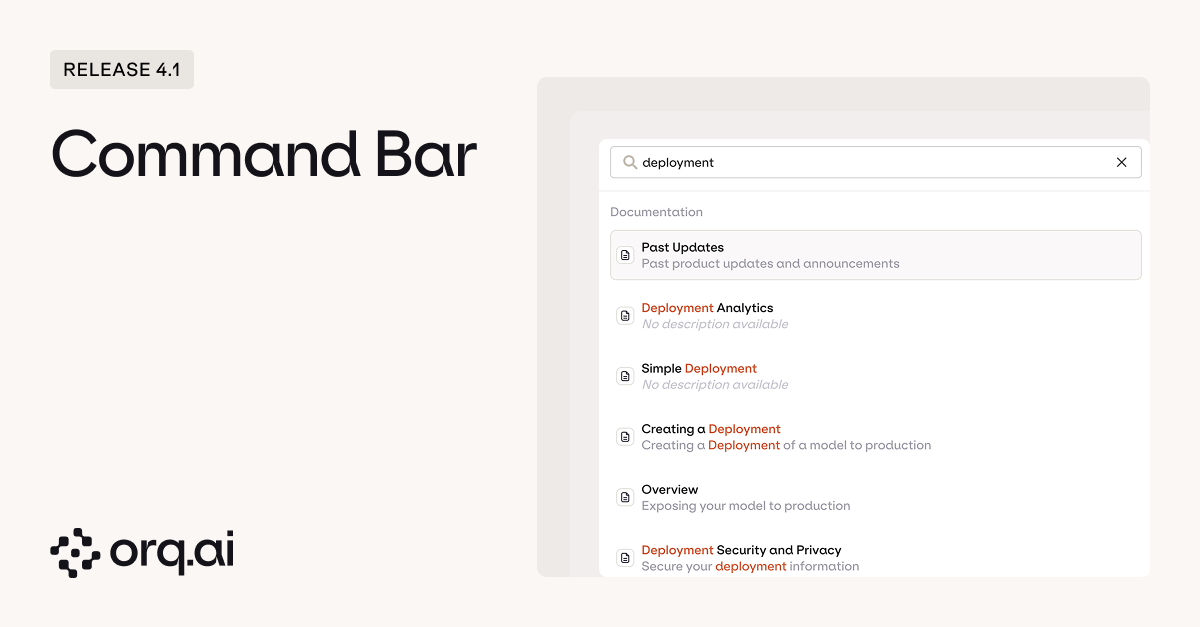
- Quick access with Command+K (Mac) or Ctrl+K (Windows/Linux) to open the Command Bar from anywhere.
- Universal search across files, documentation, and resources to find what you need instantly. Type a few characters and get fuzzy-matched results across deployments, experiments, agents, datasets, knowledge bases, and even internal documentation.
- Rapid entity creation to create deployments, experiments, agents, and other resources without leaving your current view. Start typing “new deployment” or “create experiment” and you’re immediately in the creation flow.
Discover keyboard shortcuts and navigation features in the Command Bar Documentation.
v4.1.0
Greater flexibility to iterate and refine experiments after they run. We’ve removed one of the most frustrating bottlenecks in the experimentation workflow: having to rerun entire experiments just to add one more evaluator or get human feedback on existing results.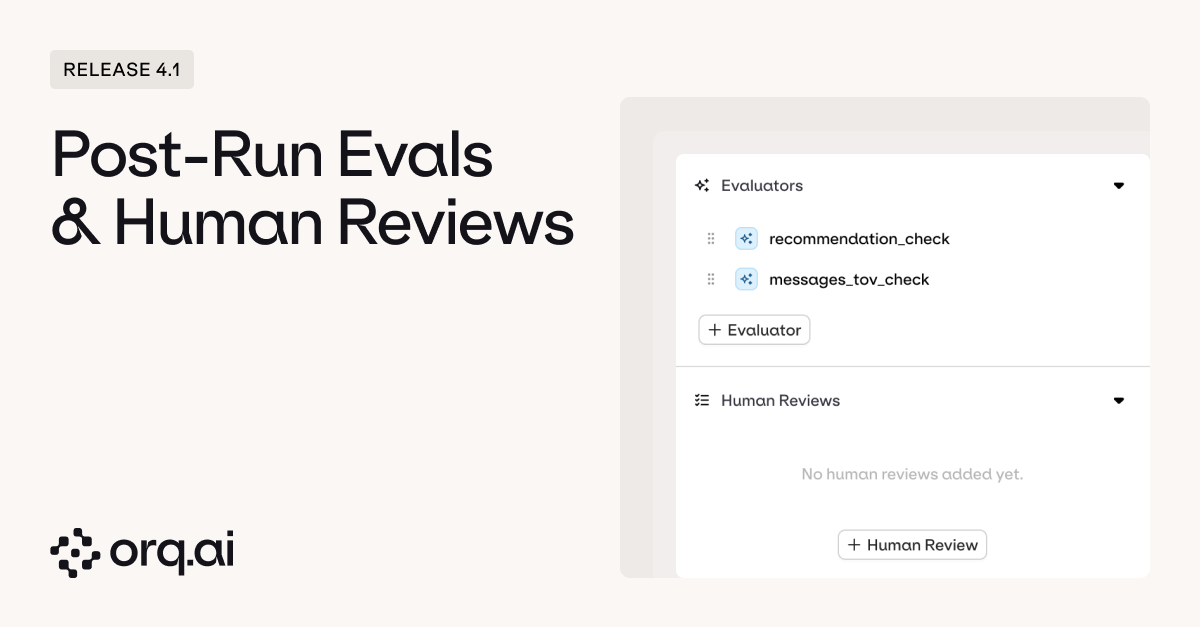
- Add evaluators dynamically to experiments that have already completed without rerunning the entire experiment. Realized you need to check for hallucinations after the fact? Just add a new evaluator and run it against your existing results. No need to burn through tokens and time rerunning all your prompts. The evaluator processes the cached outputs you already generated.
- Enable human review on completed experiments to gather qualitative feedback on existing results. Sometimes the metrics look great but something feels off. Now you can retroactively add human review to experiments, and get team feedback without disrupting the results you’ve already collected.
- Rerun error cells to retry failed executions without discarding successful results. Network timeouts, rate limits, temporary API issues… they happen. Instead of throwing away an entire experiment run because 3 out of 100 calls failed, just retry those specific cells and preserve everything else.
Discover how to use these experiment capabilities at Experiments Documentation.
v4.1.0
Test how agents handle tool calls in realistic scenarios, including error recovery and self-correction. Most tools test if agents call the right function. With Orq.ai you can now test what happens when agents must recover from their own mistakes. Essential for production agents that must handle real-world conditions where tools fail and multi-turn corrections are necessary.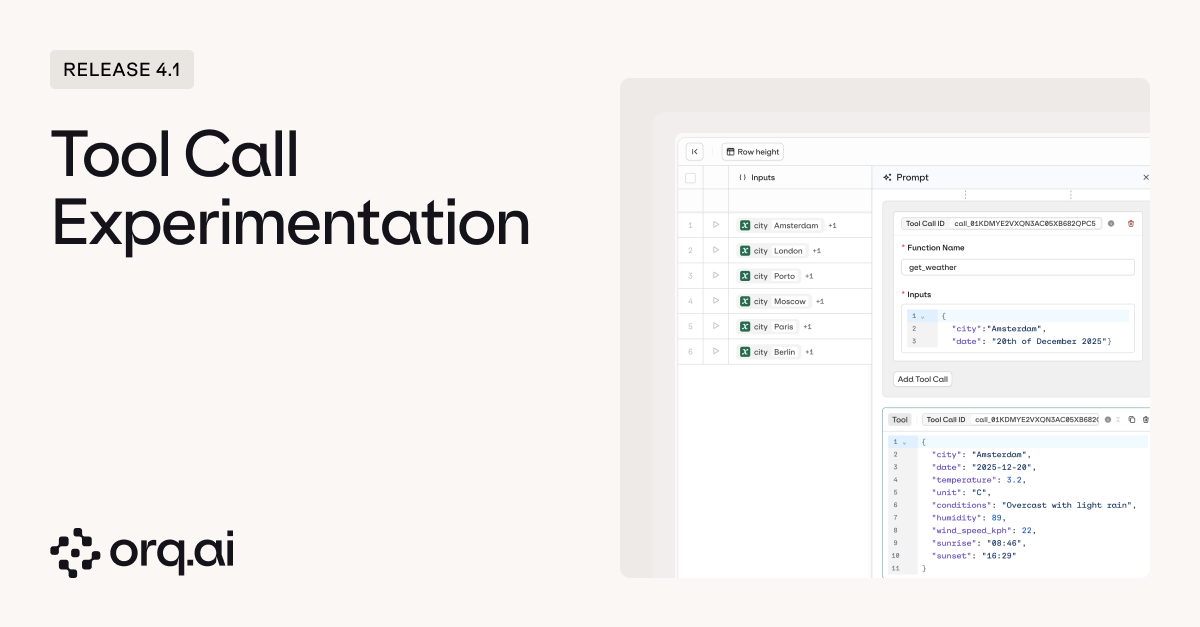
- Historical tool call testing to evaluate how agents behave when confronted with previous tool call failures. Include incorrect tool calls from conversation history to test whether agents can recognize errors, self-correct, and maintain consistent reasoning during recovery.
- Side-by-side context comparison by running identical prompts with and without historical tool calls. See if past failures improve decision-making or degrade performance, and validate whether your system prompts effectively guide error recovery.
- Full tool call inspection showing trigger conditions, parameters, and responses. Identify patterns like redundant calls (“web_search called twice unnecessarily”) or systematic failures (“30% fail with malformed JSON”).
Learn more about tool call experimentation at Experiments Documentation.
v4.1.0
Create and manage agent memory stores directly in the UI. Previously, setting up memory stores required writing code, now you can configure everything visually and actually see what your agents are remembering.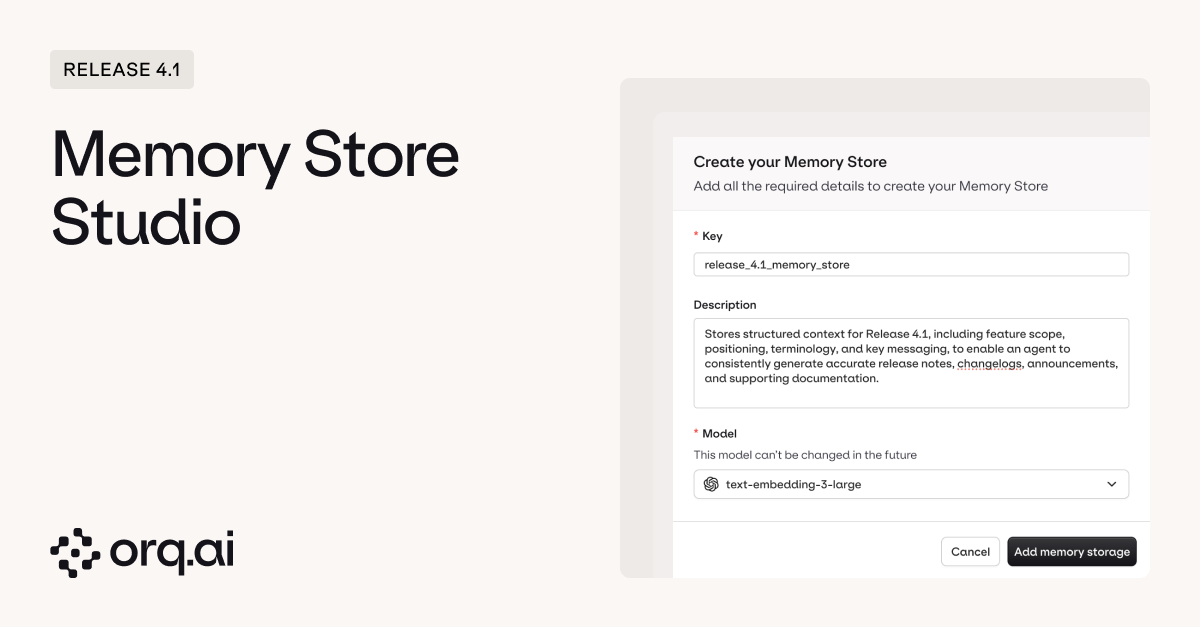
- Visual memory store creation to configure memory stores without writing code: define keys, descriptions, and select embedding models through an intuitive interface. Spin up a new memory store in seconds.
- Memory inspection and editing to view all chunks that agents have created and stored, with the ability to manually adjust or overwrite memory content for greater control. See everything your agent has decided to memorize, identify when it’s storing irrelevant information or missing important context, and directly edit the memory chunks to correct issues. Think of it as “view source” for your agent’s memory. No more black box wondering what it actually remembers.
Explore memory store configuration at Memory Stores Documentation.
v4.1.0
Fine-grained access control and configuration at the project level. Workspaces are great for high-level organization, but real teams need project-level isolation: different API keys for different projects, annotation workflows that don’t bleed across teams, and the ability to lock down sensitive projects without affecting everything else.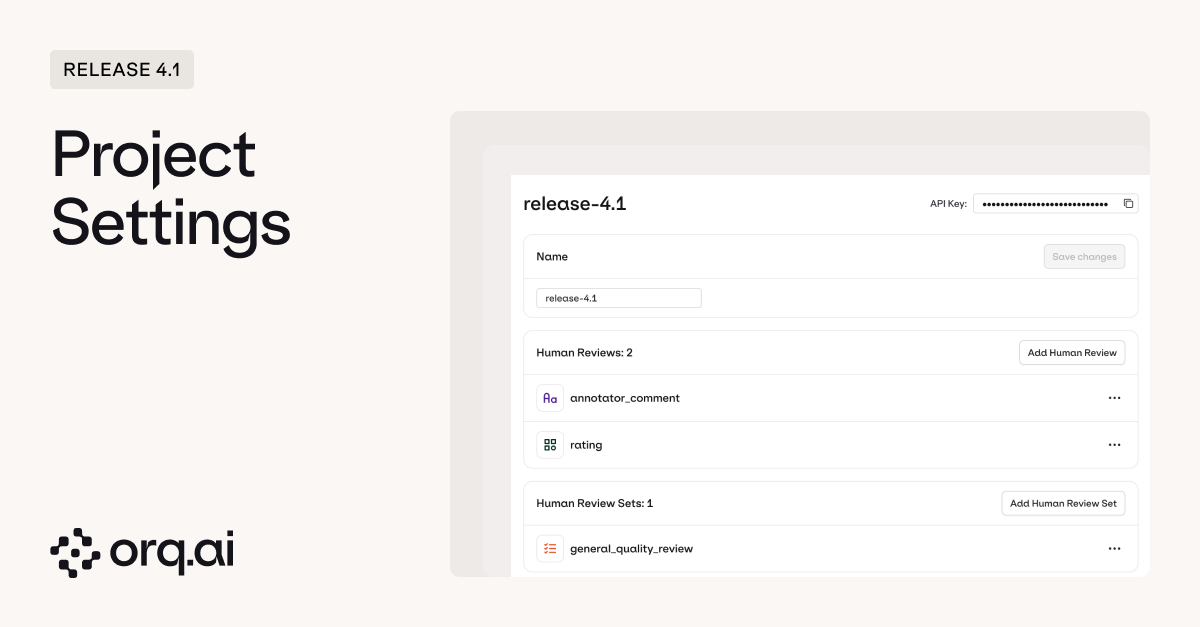
- Project-specific API keys to manage access credentials directly from the project settings page. Generate API keys scoped to individual projects, rotate them independently when team members leave, and avoid the nightmare scenario where one compromised key exposes your entire workspace.
- Project-scoped human reviews and review sets to create and manage custom annotation workflows tailored to each project’s specific evaluation needs. Your customer support team needs different review criteria than your content generation team. Now each project can define its own annotation labels, review queues, and quality rubrics without cluttering up everyone else’s workflows.
Learn how to configure projects and set up review workflows in our Projects and Human Reviews documentation.
v4.1.0
We’ve added Moonshot AI as a new model provider, bringing their Kimi K2 model series with extended 256K context windows for handling lengthy documents and complex multi-turn conversations, featuring specialized thinking modes with dedicated reasoning capabilities for multi-step problem solving and tool usage, and high-speed turbo variants generating 60-100 tokens/sec for responsive interactions.New Models:
- kimi-k2-thinking - Long-term thinking model with 256K context, supporting multi-step tool usage and deep reasoning for complex problems
- kimi-k2-thinking-turbo - High-speed thinking model with 256K context, delivering 60-100 tokens/sec while maintaining deep reasoning capabilities
- kimi-k2-turbo-preview - Performance-optimized model with 256K context and 60-100 tokens/sec output speed
- Standard models: $0.60 per 1M input tokens, $2.50 per 1M output tokens
- Turbo models: $1.15 per 1M input tokens, $8.00 per 1M output tokens
Explore Moonshot AI Kimi K2 models and their reasoning capabilities in the AI Router or via Supported Models.
v4.1.0
We’ve added Z.ai as a new model provider, bringing their GLM (General Language Model) series and CogView image generation with multimodal capabilities including vision, image, video, and file understanding in glm-4.5v, extended context windows up to 200K tokens with 128K maximum output for handling lengthy conversations, and hybrid Thinking/Non-Thinking modes that balance speed and depth across tasks.New Models:
- glm-4.5 - 355B parameter MoE model with 32B active parameters, 128K context, and hybrid Thinking/Non-Thinking modes generating 100+ tokens/sec
- glm-4.5v - 106B parameter multimodal model with vision, image, video, and file inputs, featuring Thinking Mode for balanced speed and reasoning
- glm-4.6 - Advanced model with 200K context and 128K output tokens, comparable to Claude Sonnet 4/4.6 with 30% better token efficiency
- cogView-4-250304 - Efficient image generation model for creating visual content from text descriptions
- Chat models: $0.60 per 1M input tokens, $1.80-$2.20 per 1M output tokens
- Image generation: $0.01 per image
Explore Z.ai models and their multimodal capabilities in the AI Router or via Supported Models.
v4.1.0
We’ve added DeepSeek as a new model provider, bringing their advanced reasoning models with step-by-step chain-of-thought capabilities for mathematical proofs and multi-step problem solving, superior coding capabilities for code generation, debugging, and algorithm optimization, delivering frontier-model performance at highly competitive pricing.New Models:
- deepseek-chat - DeepSeek-V3 with 671B parameters, a Mixture-of-Experts model excelling at general chat, coding, and complex reasoning
- deepseek-reasoner - DeepSeek-R1 with chain-of-thought capabilities for step-by-step problem solving in mathematics and complex reasoning tasks
- Input tokens: $0.28 per 1M tokens
- Output tokens: $0.42 per 1M tokens
Explore DeepSeek models and compare reasoning performance in the AI Router or via Supported Models.
v4.1.0
We’ve added Contextual AI as a new model provider, bringing their reranking models with context-aware ranking to reorder search results based on semantic relevance and query understanding, RAG optimization to enhance retrieval-augmented generation pipelines by surfacing the most relevant documents, and full compatibility across Deployments, Experiments, and the AI Gateway.New Models:
- ctxl-rerank-v1-instruct - High-performance reranking model for improving search result ordering
- ctxl-rerank-v2-instruct-multilingual - Multilingual reranking with support for diverse languages and cross-lingual search
- ctxl-rerank-v2-instruct-multilingual-mini - Efficient multilingual reranking optimized for speed and cost
- $0.02 - $0.05 per 1M tokens depending on model variant
Explore Contextual AI rerankers and integrate them into your RAG workflows at AI Router or via Supported Models.
v4.1.0
Control which models are enabled across your workspace to ensure compliance with organizational requirements. Not all models are created equal when it comes to cost, compliance, or performance characteristics. Workspace admins can now create guardrails that prevent teams from accidentally deploying expensive or non-compliant models.
Configure model enforcement in your Workspace Settings.