

AI Gateway
Route your LLM calls through the AI Gateway with a single base URL change. Zero vendor lock-in: always run on the best model at the lowest cost for your use case.
Observability
Instrument your code with OpenTelemetry to capture traces, logs, and metrics for every LLM call, agent step, and tool use.
AI Gateway
Overview
CrewAI is a framework for orchestrating multi-agent teams with role-based agents, hierarchical task management, and collaborative AI workflows. By connecting CrewAI to Orq.ai’s AI Gateway, you get access to 500+ models for your agent crews with a single configuration change.Key Benefits
Orq.ai’s AI Gateway enhances your CrewAI applications with:Complete Observability
Track every agent task, tool use, and crew interaction with detailed traces
Built-in Reliability
Automatic fallbacks, retries, and load balancing for production resilience
Cost Optimization
Real-time cost tracking and spend management across all your AI operations
Multi-Provider Access
Access 500+ LLMs and 30+ providers through a single, unified integration
Prerequisites
Before integrating CrewAI with Orq.ai, ensure you have:- An Orq.ai account and API Key
- Python 3.10 to 3.12
To setup your API key, see API keys & Endpoints.
Installation
Configuration
Configure CrewAI to use Orq.ai’s AI Gateway via theLLM class with a custom base_url:
Python
base_url: https://my.orq.ai/v3/router
Basic Agent Example
Python
Multi-Agent Crew
Orchestrate multiple agents with specialized roles:Python
Model Selection
With Orq.ai, you can use any supported model from 30+ providers:Always prefix model IDs with
openai/ when using CrewAI with the AI Gateway. Without it, CrewAI may route the request through a matching native provider client (notably its built-in Google client) that ignores base_url, producing misleading errors like “API key not valid”. The openai/ prefix forces the OpenAI-compatible code path, which respects base_url for every provider.Python
Observability
Getting Started
CrewAI enables powerful multi-agent coordination for complex AI workflows. Tracing CrewAI with Orq.ai provides comprehensive insights into agent interactions, task execution, tool usage, and crew performance to optimize your multi-agent systems.Prerequisites
Before you begin, ensure you have:- An Orq.ai account and API Key
- CrewAI installed in your project
- Python 3.10 to 3.12
- OpenAI API key (or other LLM provider credentials)
Install Dependencies
Configure Orq.ai
Set up your environment variables to connect to Orq.ai’s OpenTelemetry collector: Unix/Linux/macOS:Integrations Example
We’ll be using OpenInference as TracerProvider with CrewAI
View Traces
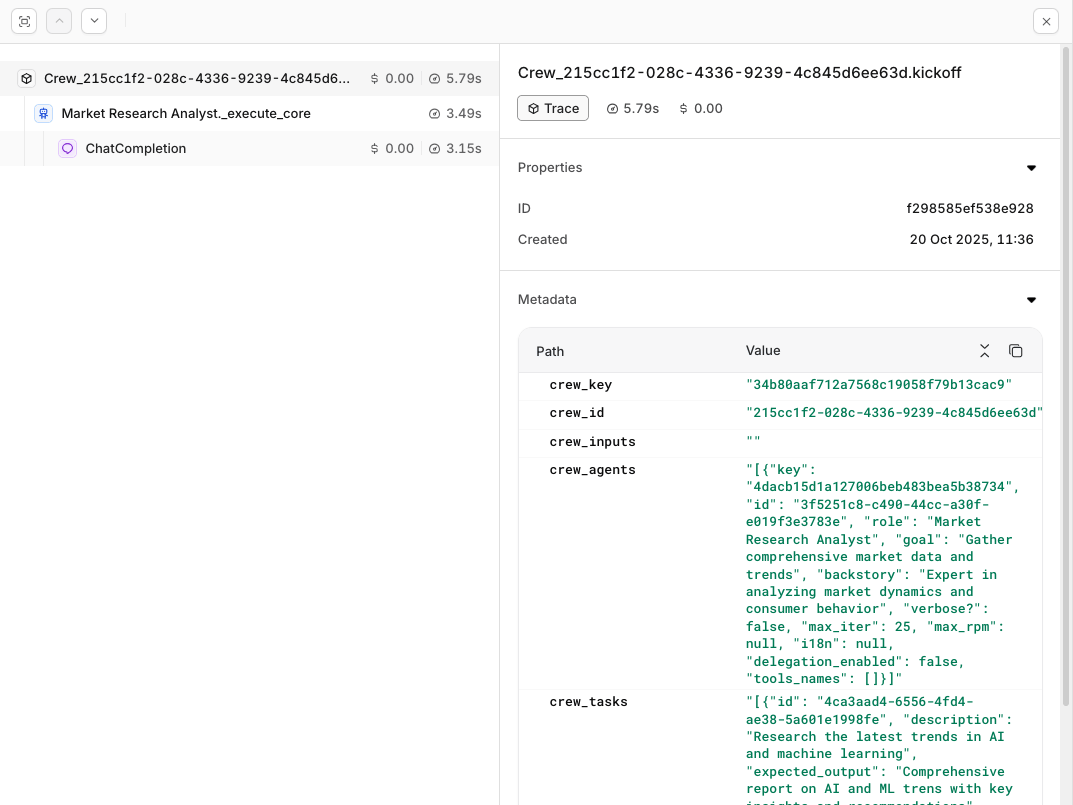
Traces from your CrewAI execution will be visible within the Traces menu in your Orq.ai studio.
Evaluations & Experiments
Once your agents are running, use Evaluatorq to score outputs across a dataset and Experiments to compare configurations side-by-side.Run Evaluations with Evaluatorq
Run parallel evaluations across your agents and compare results.
Run Experiments via the API
Compare agent configurations and view results in the AI Studio.