

AI Gateway
Route your LLM calls through the AI Gateway with a single base URL change. Zero vendor lock-in: always run on the best model at the lowest cost for your use case.
Observability
Instrument your code with OpenTelemetry to capture traces, logs, and metrics for every LLM call, agent step, and tool use.
AI Gateway
Overview
The OpenAI SDK provides powerful tools for building AI applications with GPT models. By connecting the SDK to Orq.ai’s AI Gateway, you transform your OpenAI integration into a production-ready system with enterprise-grade capabilities, complete observability, and access to 500+ models across 30+ providers.Key Benefits
Orq.ai’s AI Gateway enhances your OpenAI SDK with:Complete Observability
Track every API call, token usage, and model interaction with detailed traces and analytics
Built-in Reliability
Automatic fallbacks, retries, and load balancing for production resilience
Cost Optimization
Real-time cost tracking and spend management across all your AI operations
Multi-Provider Access
Access 500+ LLMs and 30+ providers through a single, unified integration
Prerequisites
Before integrating OpenAI SDK with Orq.ai, ensure you have:- An Orq.ai account and API Key
- Python 3.8+ or Node.js 18+ with TypeScript support
- OpenAI SDK installed
To setup your API key, see API keys & Endpoints.
To use libraries with private models, see Onboarding Private Models.
Installation
Configuration
While using the OpenAI SDK, set the Base URL to the AI Gateway to feed calls through our API without changing any other part of your code. Using the Orq.ai AI Gateway, you benefit from Platform Traces and Cost and Usage Monitoring, keeping full compatibility and a unified API with all models while using the OpenAI SDK.
base_url: https://my.orq.ai/v3/router
Text Generation
Basic text generation with the OpenAI SDK through Orq.ai:Streaming Responses
Stream responses for real-time output:Model Selection
With Orq.ai, you can use any supported model from 30+ providers:Observability
Getting Started
Integrate OpenAI SDK with Orq.ai’s observability to gain complete insights into model performance, token usage, API latency, and conversation flows using OpenTelemetry.Prerequisites
Before you begin, ensure you have:- An Orq.ai account and API Key
- Python 3.8+ or Node.js 18+
- OpenAI SDK installed
Install Dependencies
Configure Orq.ai
Set up your environment variables to connect to Orq.ai’s OpenTelemetry collector: Unix/Linux/macOS:Setup
Configure OpenTelemetry once at application startup:Examples
The examples below use the Chat Completions endpoint. OpenTelemetry instrumentation works identically with the Responses API: replace
client.chat.completions.create(...) with client.responses.create(...).Basic Example
Streaming Example
Custom Spans Example
Advanced Workflows Example
View Traces
View your traces in the AI Studio in the Traces tab.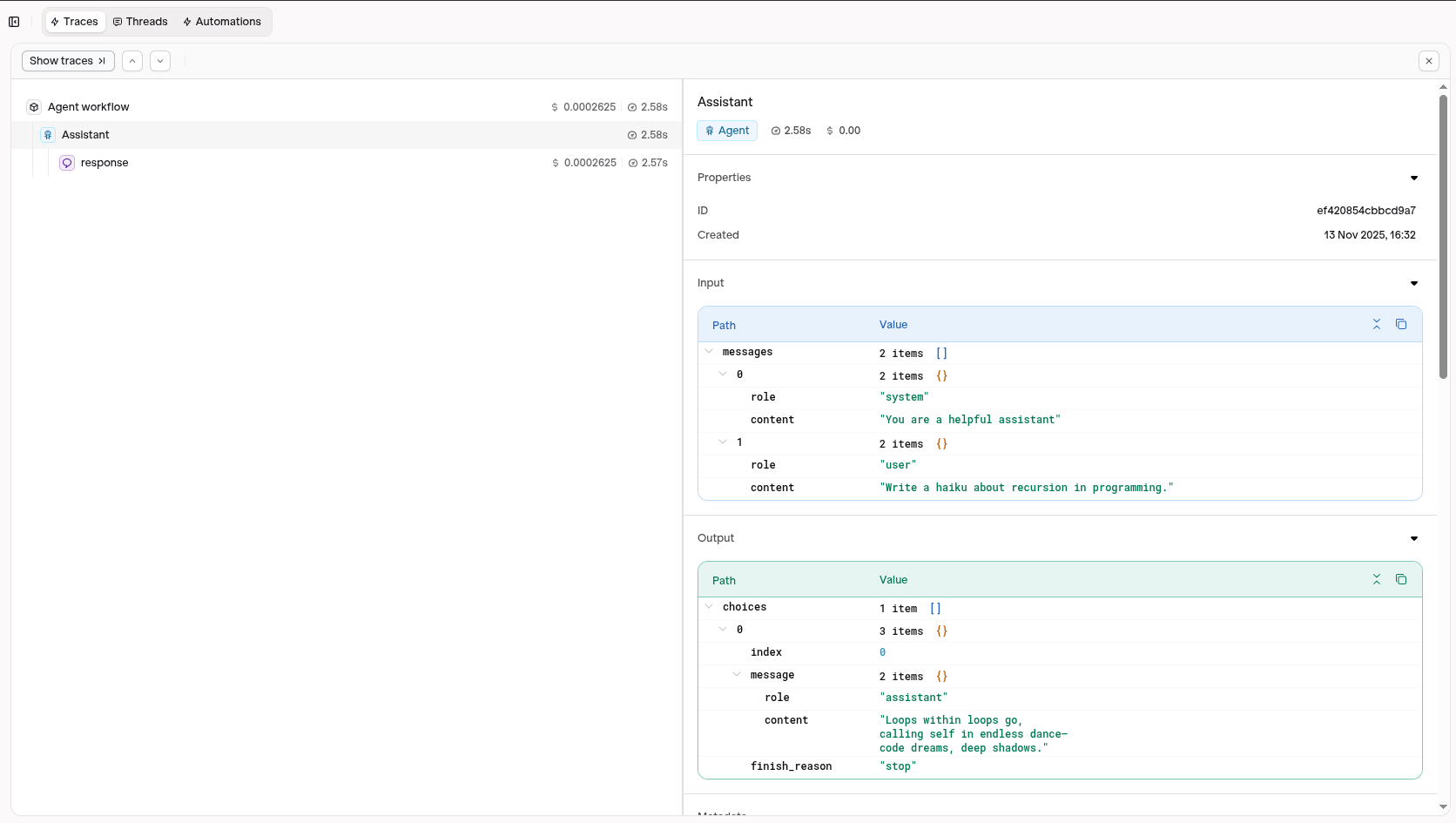
Traces will display detailed information about your OpenAI SDK calls
Visit your AI Studio to view real-time analytics and traces.
Evaluations & Experiments
Once your agents are running, use Evaluatorq to score outputs across a dataset and Experiments to compare configurations side-by-side.Run Evaluations with Evaluatorq
Run parallel evaluations across your agents and compare results.
Run Experiments via the API
Compare agent configurations and view results in the AI Studio.