

Observability
Instrument your code with OpenTelemetry to capture traces, logs, and metrics for every LLM call, agent step, and tool use.
Observability
Getting Started
Google Agent Development Kit (ADK) is a flexible, model-agnostic framework for developing and deploying AI agents. ADK simplifies building complex agent architectures with workflow orchestration, tool integration, and multi-agent collaboration. Integrate with Orq.ai to monitor agent behavior, track tool usage, analyze workflows, and optimize your agent systems.Prerequisites
Before you begin, ensure you have:- An Orq.ai account and API Key
- Google API key (for model access)
- Python 3.8+
- Google ADK installed in your project
Install Dependencies
Python:Configure Orq.ai
Set up your environment variables to connect to Orq.ai’s OpenTelemetry collector: Unix/Linux/macOS:Integrations
Choose your preferred OpenTelemetry framework for collecting traces:OpenInference
Best for: Comprehensive ADK instrumentation with automatic tool and model trackingTo view more examples of ADK implementation, browse the Google ADK Samples repository
Next Steps
Verify your Traces in the Orq.ai Studio.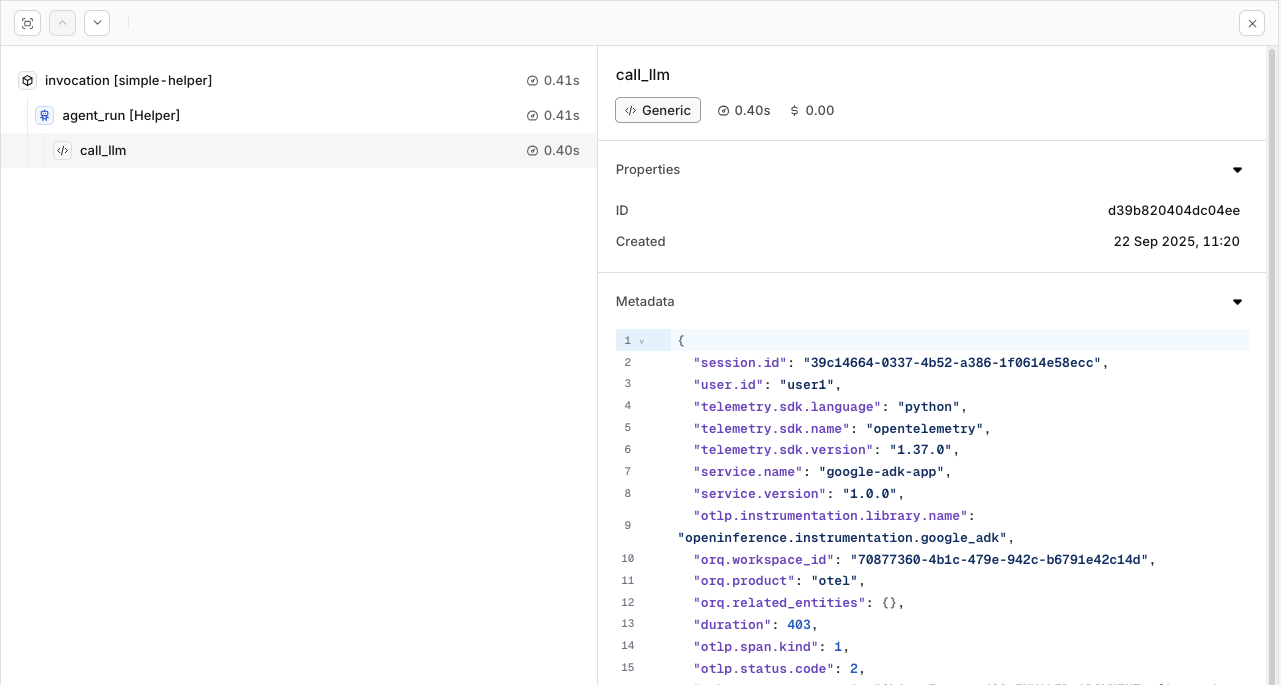
Traces will be shown for the session and calls made within the ADK implementation.
To learn more about the capabilities of Traces in Orq.ai, see Traces
Evaluations & Experiments
Once your agents are running, use Evaluatorq to score outputs across a dataset and Experiments to compare configurations side-by-side.Run Evaluations with Evaluatorq
Run parallel evaluations across your agents and compare results.
Run Experiments via the API
Compare agent configurations and view results in the AI Studio.