

v4.8.0 Beta
Bundle model selection, guardrails, evaluators, budget, token, and request limits into one admin-approved configuration, enforced across your organization. Invoke a policy just like you would any model.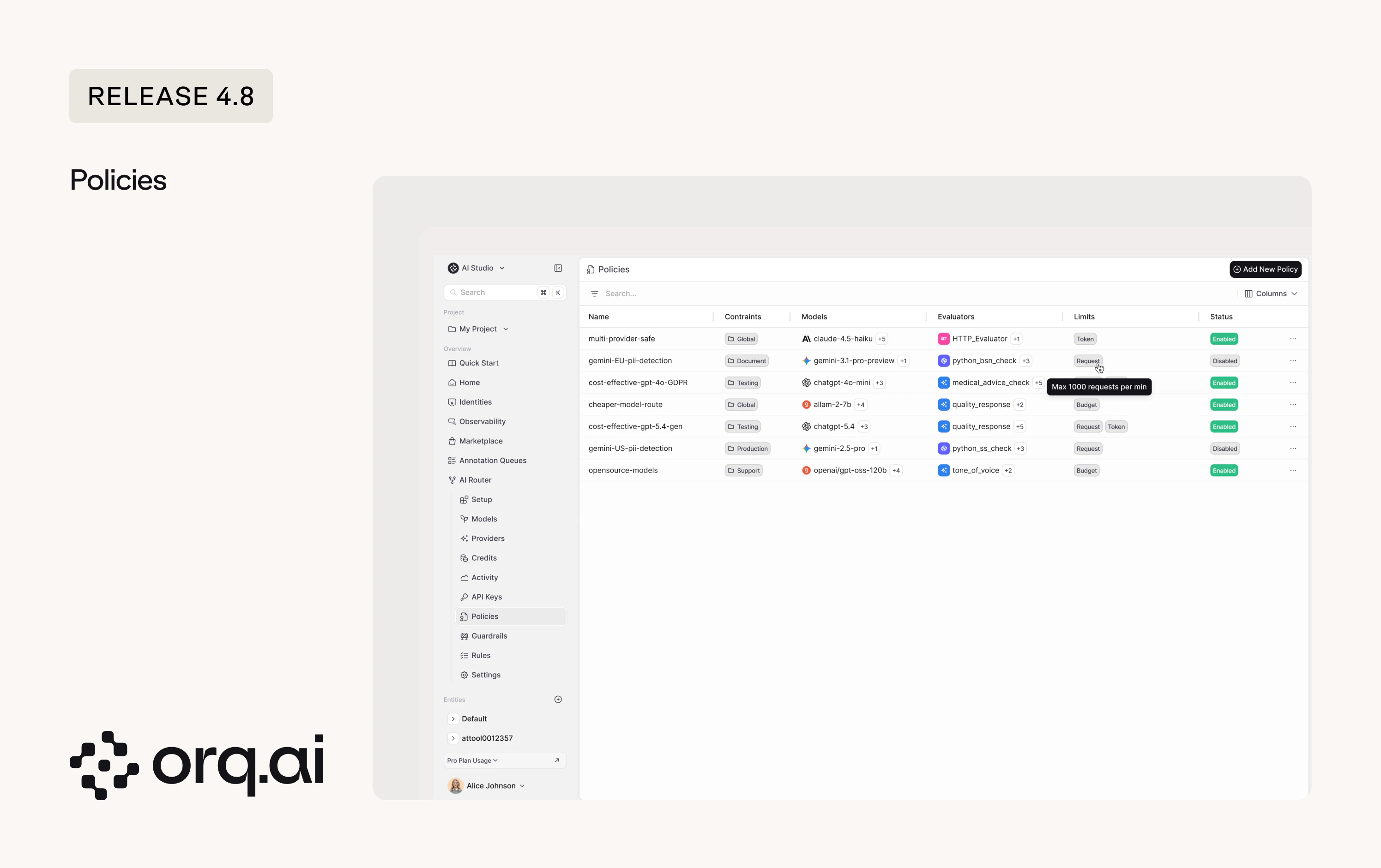
- All-in-one configuration - bundle model selection, evaluators, guardrails, and limits (budget, token, request) into a single enforceable unit. Set it to Global for the entire workspace or scope it to a specific project. Two examples of what you could configure:
- A
cost-effective-gpt-GDPRpolicy that locks a testing environment togpt-4o-miniwith several GDPR evaluators and a max-50-requests-per-minute cap. - A
gemini-EU-pii-detectionpolicy that routes document workloads togemini-3.1-pro-previewwith PII detection enforced on every request.
- A
- Evaluators and guardrails per policy - attach evaluators with configurable sample rates and guardrails on the policy.
- Budget, token, and request limits - cap spend, token usage, or request volume per policy so teams can’t exceed allocated resources.
- Project-scoped or global - target a specific project or apply a policy workspace-wide as an admin-approved default.
Set up your first policy in AI Studio > AI Router > Policies.
v4.8.0 Beta
Guardrails have always been available on agents and deployments. Now you can define the same safety and compliance checks at the router level, so they apply across all traffic in a project or workspace without re-attaching them to every entity individually.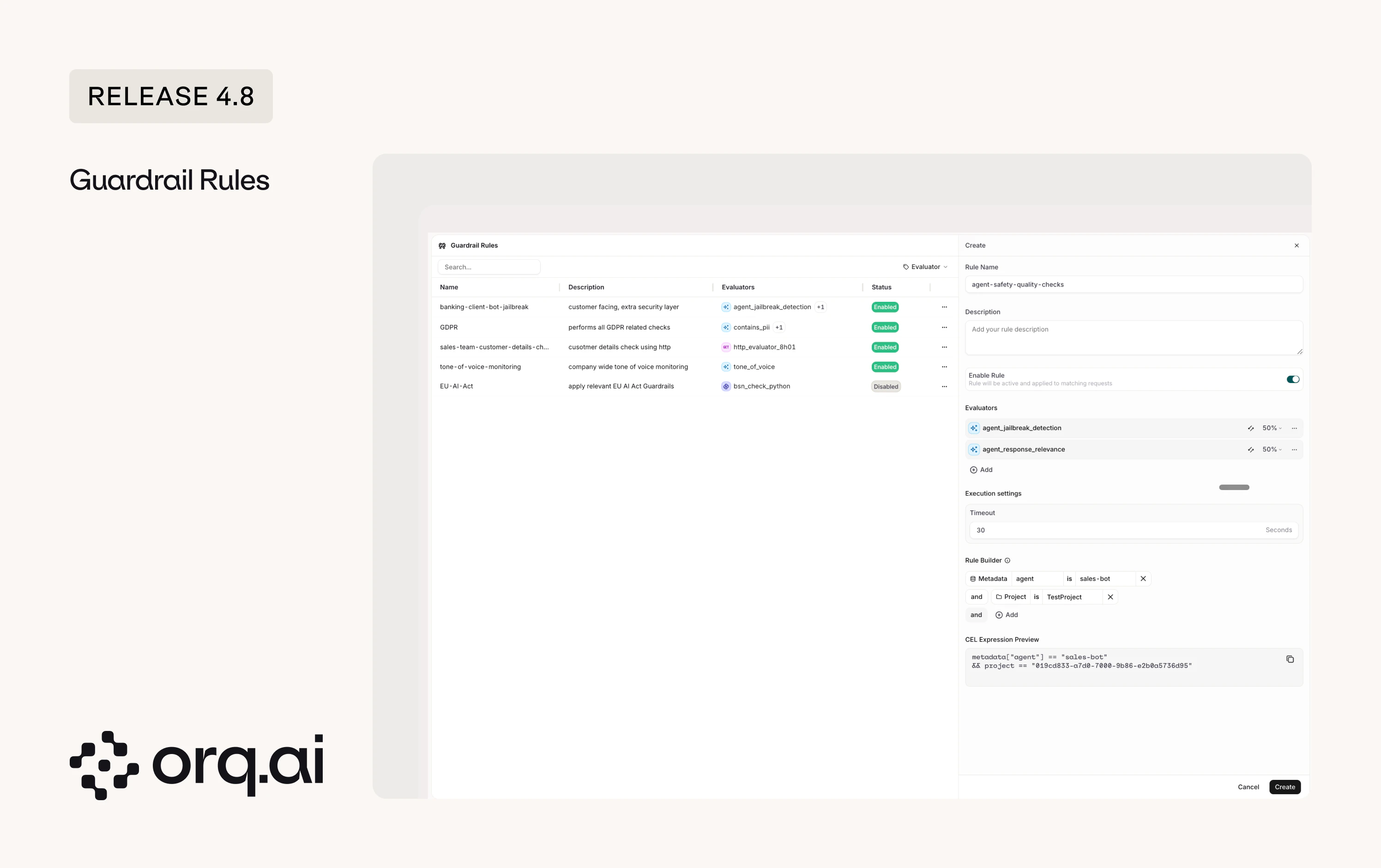
- Router-level scope - configure a guardrail once on the router and it applies to all matching traffic, not just individual agents or deployments. Here are a few examples:
client-facing-bot-jailbreakrunsagent_jailbreak_detectionon all customer-facing traffic.GDPRenforcescontacts_piichecks across the workspace.EU-AI-Actapplies relevant compliance evaluators to all EU-routed requests.
- Execute-on control - choose whether a guardrail runs on input, output, or both.
- Sample rate - run expensive checks on a percentage of traffic (1-100%) instead of every request.
- Custom validators - use built-in evaluators, Python evaluators, or plug in your own HTTP endpoints.
Configure guardrail rules in AI Studio > AI Router > Guardrails.
v4.8.0 Beta
Route requests dynamically based on header, route, identity, metadata, or project, with priority ordering and automatic fallbacks. Apply routing rules globally or scope them per project.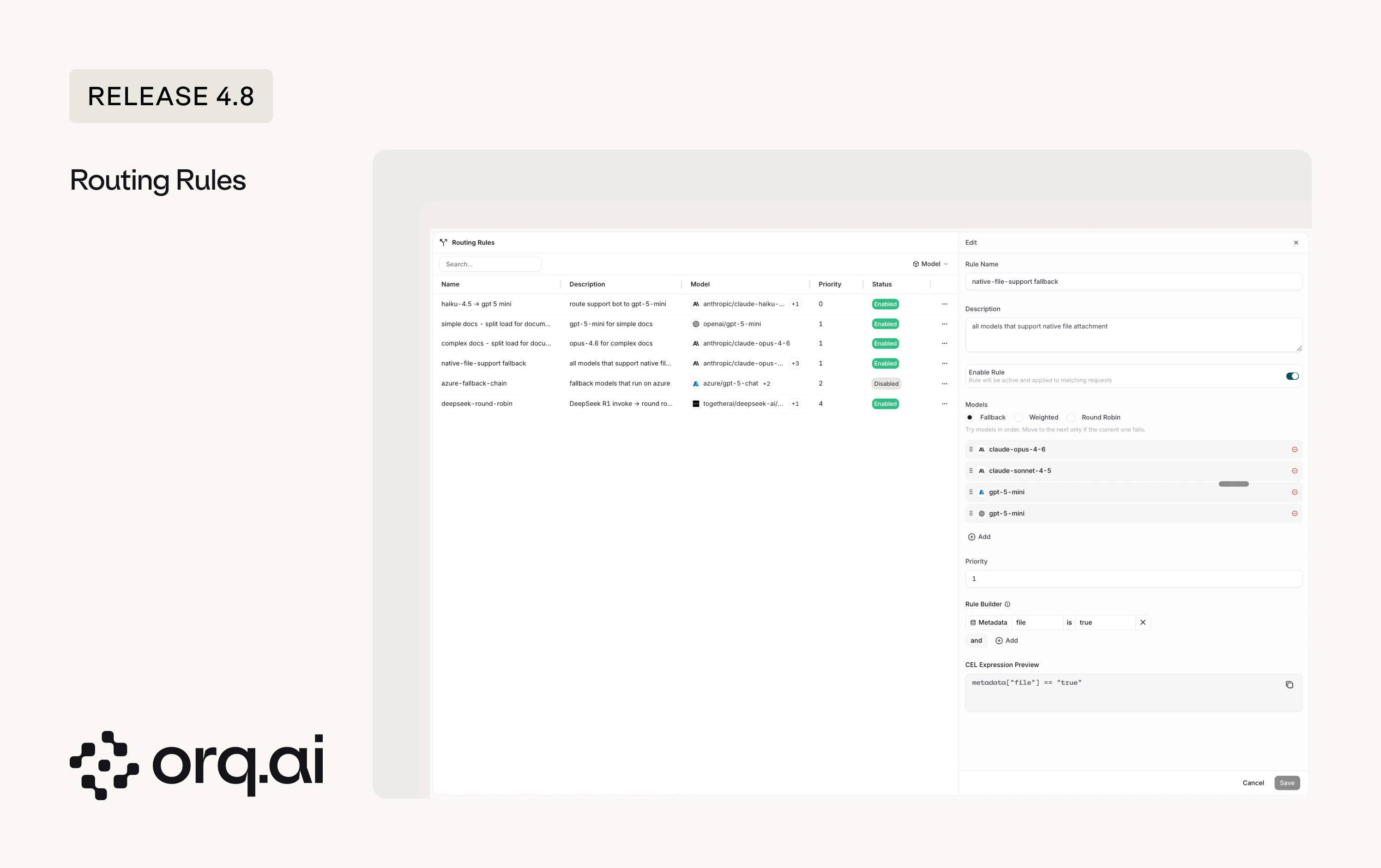
- Dynamic routing - match requests by headers, metadata, identity, or project and route them to a specific model or model chain. Two examples:
- Enforce that all complex document extraction work across the workspace uses
claude-opus-4-6. - Configure a provider-specific fallback chain (e.g.
azure/gpt-5-chatwith 3 fallback models) so traffic reroutes automatically when a provider goes down.
- Enforce that all complex document extraction work across the workspace uses
- Round-robin and load splitting - distribute requests across providers for the same model, like round-robining DeepSeek R1 across multiple endpoints.
- Priority ordering - assign priority levels to rules. Higher-priority rules match first, lower-priority rules act as catch-alls.
Add your first routing rule in AI Studio > AI Router > Rules.
v4.8.0
Add MCP tools to your agents without manually configuring server URLs or auth. Select from predefined providers like Airtable, Asana, Canva, Clay, HubSpot, Slack, and more directly in the setup flow.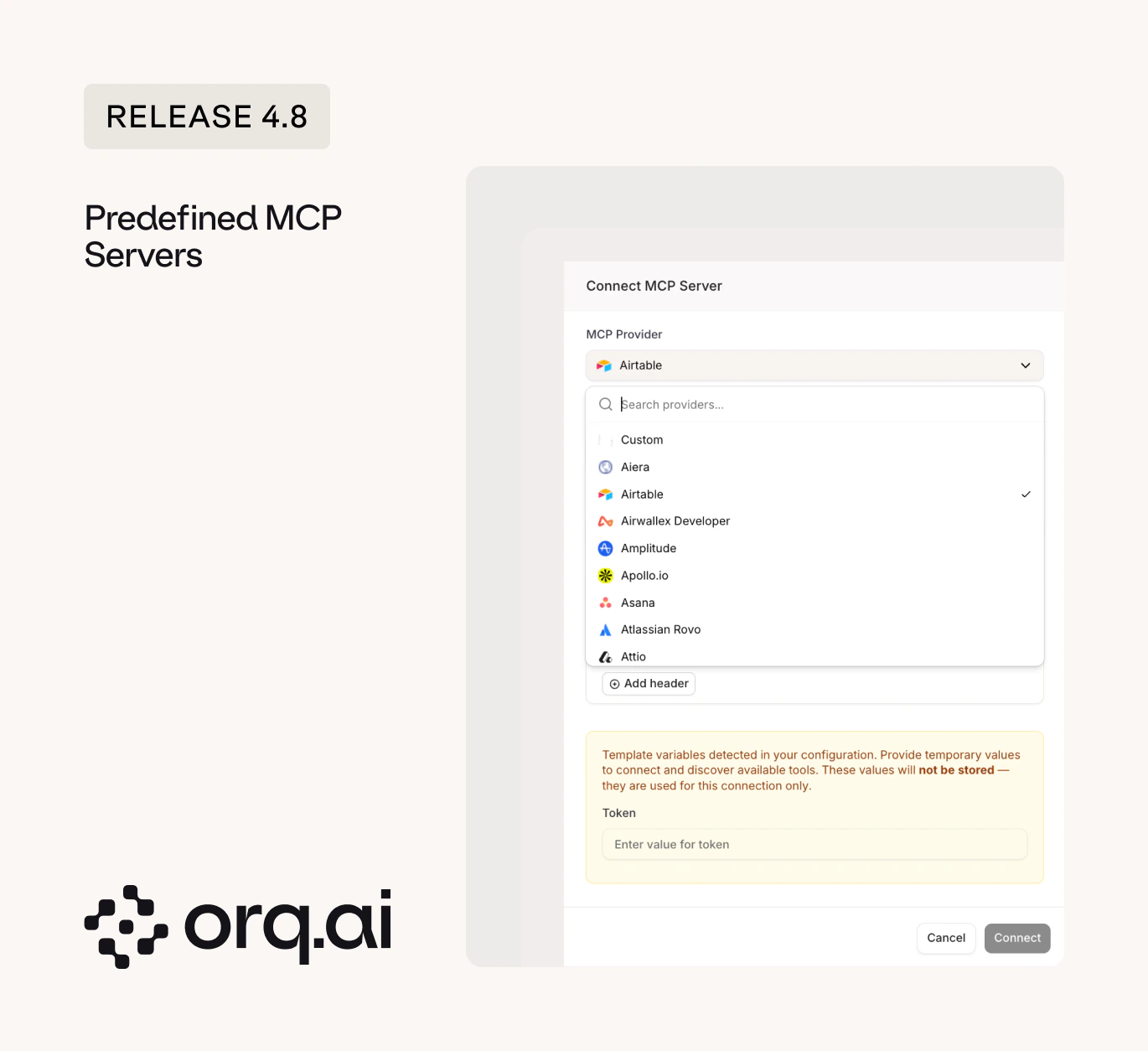
Browse all supported MCP providers in the MCP Servers documentation.
v4.8.0
Boolean evaluators give you pass/fail. But sometimes you need more than two buckets: a response can be “correct”, “partially correct”, “hallucinated”, or “refused”. Categorical evaluators let you define custom label sets and score agent outputs into the categories that match your quality framework.What’s New:
- Custom category labels - define your own set of output categories (e.g. “correct”, “partially correct”, “hallucinated”, “refused”) instead of being limited to true/false.
- Guardrail integration - trigger different guardrail actions based on which category a response falls into.
See Evaluator Output Types for setup instructions.
v4.8.0
A new look for the homepage with quick access to Route, Observe, and Connect via MCP. The homescreen now serves as your starting point for the three core workflows instead of a static landing page.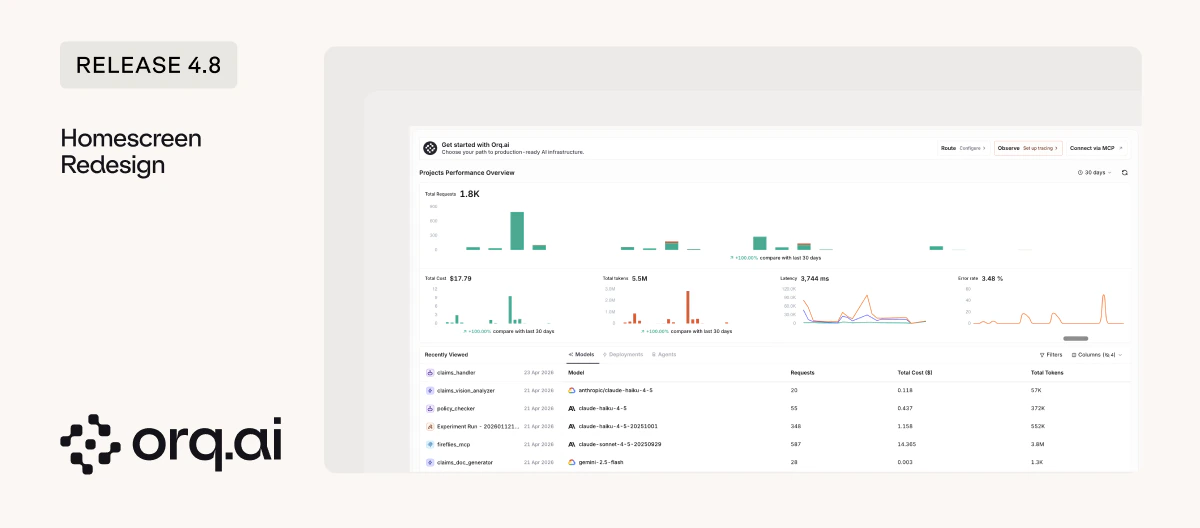
The homescreen is your new landing page at my.orq.ai. See the Dashboards documentation for details.
v4.8.0
The AI Router now lives in the AI Studio sidebar, keeping routing, agents, and prompts in one workspace. No more switching between separate top-level sections to configure how requests flow through your stack.
Get started with the AI Router and its capabilities.
v4.8.0
Deployments are one of our original and most-used features. As the platform grows, we’re consolidating entities to keep things clean.What’s Changing:
- Your existing Deployments keep working - no action needed today.
- For new builds - we recommend using Agents without tools, or Prompts with direct calls to the AI Router. This gives you a cleaner split between routing/governance and execution logic.
- Full migration guidance will follow ahead of any changes.
For new builds, see Agents or Prompts with the AI Router. Migration guidance will be published before any deprecation takes effect.
v4.8.0
The sidebar will support leading with a single project, alongside access to global entities through the Hub.What’s Coming:
- Single project view - choose a project as your default sidebar view to cut clutter and focus on what you’re working on.
- The Hub - access global entities (prompt snippets, evaluators, prompts, agents) through a shared space. Use the Hub to share important entities across the team.
Rolling out soon. No action needed today.
v4.8.0
Knowledge Bases will become a paid add-on on monthly contracts in a future release.What’s Changing:
- Monthly contracts only - annual contracts are not impacted.
- Applies to workspaces with more than 2 knowledge bases or over 10MB of stored content.
- You’ll have the option to keep using Orq Knowledge Bases or migrate to an external knowledge base.
- We’ll reach out directly to affected customers. No action needed today, full details and timing will follow ahead of the change.
See the Knowledge Bases documentation for current usage.
v4.8.0
Inceptron is now available as a new AI provider in the model garden, hosted in Europe for EU data residency. Inceptron aggregates models from multiple providers and serves them from EU infrastructure.New Models:
- inceptron/minimax-m2.5 - MiniMax’s latest chat model (0.90 per 1M tokens).
- inceptron/kimi-k2.5 - Moonshot AI’s K2.5 with image input support (2.20 per 1M tokens).
- inceptron/llama-3.3-70b-instruct-fp8 - Meta’s Llama 3.3 70B served from EU infrastructure (0.38 per 1M tokens).
- inceptron/glm-5.1-fp8 - Z.ai’s latest model (4.40 per 1M tokens).
Set up the provider in the Inceptron integration guide or browse models on the Supported Models page.
v4.8.0
Scaleway is now available as a new OpenAI-compatible provider, also European-hosted. 13 new EU-hosted models added.New Models:
- gpt-oss-120b - OpenAI’s open-weight 120B model (0.60 per 1M tokens).
- devstral-2-123b-instruct-2512 - Mistral’s coding-focused 123B model (2.00 per 1M tokens).
- qwen3-coder-30b-a3b-instruct - Qwen’s specialized coding model (0.80 per 1M tokens).
Set up the provider in the Scaleway integration guide or browse all 13 models via Supported Models.
v4.8.0
Fresh additions to the Model Garden across existing providers.New Models:
- Claude Opus 4.7 - Anthropic’s latest Opus model, also available on AWS Bedrock and Vertex AI.
- GPT-5.5 and GPT-5.5 Pro - OpenAI’s newest generation chat models.
- Gemini 3.1 Pro - Google’s latest pro-tier model with thinking level support.
- Gemini Embedding 2 - Google’s new embedding model, available on both Google AI and Vertex AI.
- Kimi K2.6 - Moonshot AI’s newest model on the moonshotai provider.
- DeepSeek V4 Flash and V4 Pro - DeepSeek’s latest reasoning and general-purpose models.
- GPT Image 2 - OpenAI’s latest image generation model with updated pricing.
- Flux 2 family - Fal’s next-generation image models.
- GLM 5.1 - Z.ai’s latest model, available on Vertex AI.
- AWS Titan Embeddings and Amazon Rerank v1 - new embedding and reranking models on AWS Bedrock.
See all available models on the Supported Models page.