

Use Cases
- Security: Track API key creation/deletion and user access patterns.
- Compliance: Maintain records of who changed what and when.
- Troubleshooting: Understand what changed and identify who made specific modifications.
- Team Management: Monitor member activities and permission changes.
Accessing Audit Logs
Go to Settings > Organization > Audit Logs to view activity history.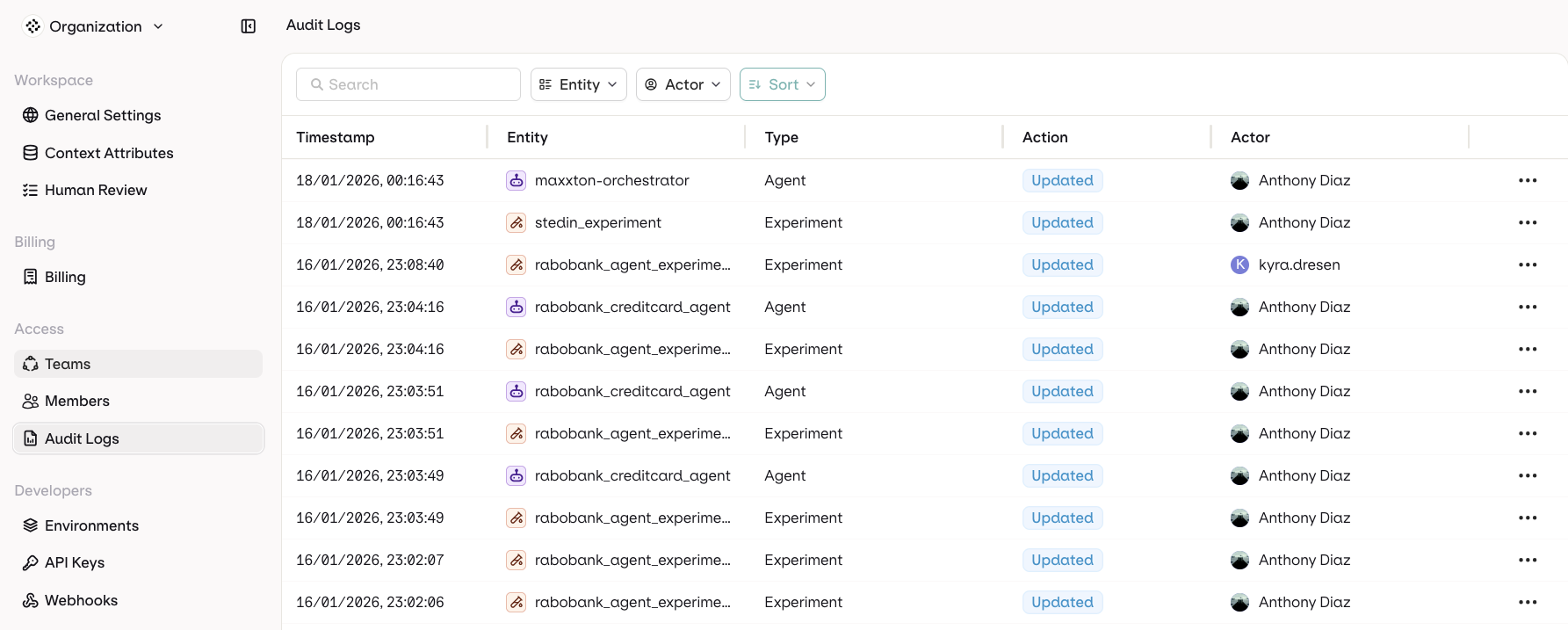
Audit Logs table with timestamps, entities, actions, and actors
Log Columns
- Timestamp: When the action occurred
- Entity: What was affected. See Tracked Entities for the full list
- Type: Category of the resource
- Action: What happened. See Tracked Actions for the full list
- Source: Where the action came from. See Sources for the full list
- Actor: Who performed the action
Sources
The Source column records how the action reached orq.ai. The Key column is the internal identifier.
Records written before this column existed have no source.
Tracked Entities
The Key column is the internal identifier for each entity type.Tracked Actions
The Key column is the internal identifier for each action.Filter Options
Use the following filters to find audit logs:- Entity Type
- Actor who performed the action
- Source the action came from
Immutability
Audit log entries are append-only: Orq.ai records each action automatically, and no interface, API, or role can edit or delete an entry. This includes organization admins. The guarantee is enforced at the application level:- The public audit log surface is read-only: query, filter, sort, and export, with no write capability.
- Entries are written only by internal Orq.ai services through insert-only paths.
- The only automated deletion is retention-based: entries are removed when the workspace retention window expires. See Data Retention.