

POST request to your server whenever those events occur, with no polling required.
Setting Up a Webhook
Navigate to Settings → Organization and select Webhooks. Click Create and configure the following:- Name: a unique name to identify this webhook
- URL: the endpoint on your server that will receive the HTTP POST requests
- Event types: choose which events should trigger this webhook
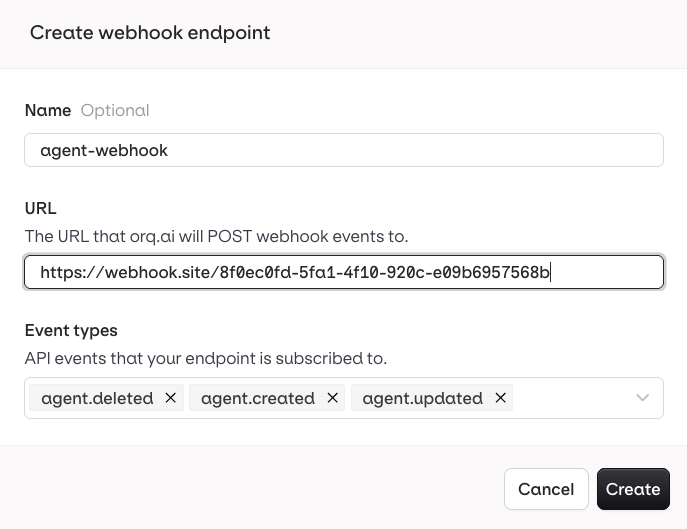
Create a new webhook endpoint with a name, URL, and event types.
- Send me everything to receive events from all deployments
- Let me select individual deployments to scope the webhook to specific ones.
Event Types
Orq.ai sends webhooks for the following events, grouped by resource:Delivery Metrics
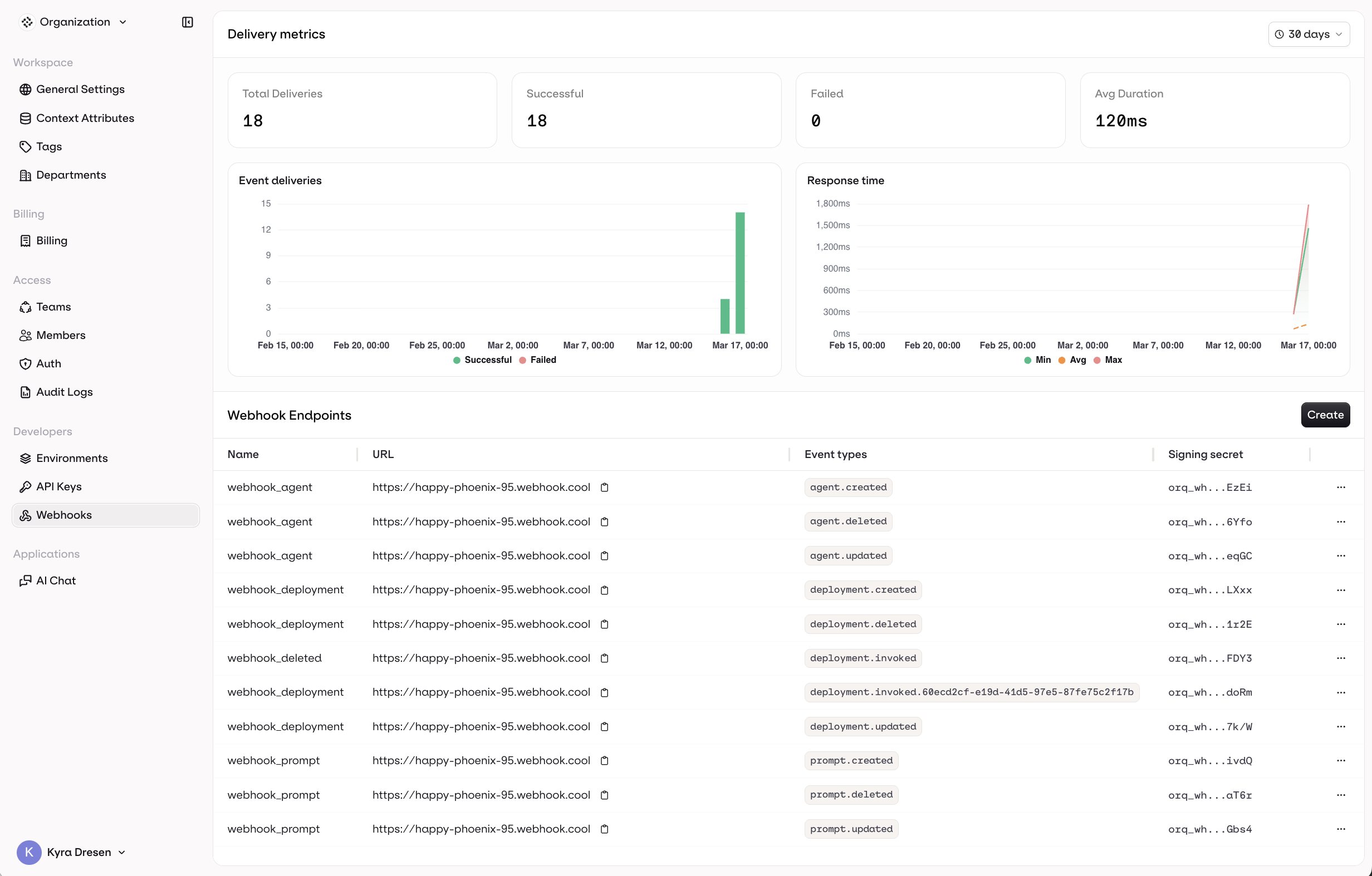
The Webhooks page showing delivery metrics and endpoint list.
- Total Deliveries, Successful, Failed, and Avg Duration over a configurable time range
- An Event deliveries chart showing successful vs. failed deliveries over time
- A Response time chart showing min, avg, and max response times
Payload Structure
All CRUD events share the same envelope.request_id is an optional string that identifies the originating API request. It is present when the event was triggered by a traceable API call, and absent for system-initiated events.
Agent
agent.created
agent.created
agent.updated
agent.updated
agent.deleted
agent.deleted
Deployment
deployment.created
deployment.created
deployment.updated
deployment.updated
deployment.deleted
deployment.deleted
deployment.invoked
deployment.invoked
Unlike CRUD events,
deployment.invoked does not include workspace, project, api_version, or correlation_id. Deployment metadata is provided in a top-level metadata block instead of a nested object.status is always present. It contains the HTTP status code returned by the upstream model provider (e.g. 200, 429, 500), useful for detecting partial failures without inspecting the full response.Several other fields are conditional and may be absent depending on the invocation:contact_id: present when an Identity is linked to the requestbilling: omitted when the response was served from cachecache_status,cache_key,cache_config: present on cached responsesevals: present when Evaluators are configured on the deploymentthread: present when the invocation is part of a thread
Prompt
prompt.created
prompt.created
prompt.updated
prompt.updated
prompt.deleted
prompt.deleted
LLM
LLM events fire after the gateway processes a chat completion, response, embedding, or rerank call. Thedata block carries the OpenTelemetry GenAI semantic-convention span attributes so subscribers receive the full request and response payload inline. For the full list of orq.* attributes in the payload, see Span Attributes.
The wire shape of gen_ai.input and gen_ai.output depends on which producer emitted the span:
- For Responses API spans (
llm.response), the canonical input/output is onopenresponses.input/openresponses.outputand is delivered as a JSON-encoded string. - For chat completion / embedding / rerank spans, the canonical fields follow OTEL GenAI semconv:
gen_ai.input.messages/gen_ai.output.messages(chat),gen_ai.rerank.query/gen_ai.rerank.results(rerank). - The envelope’s top-level
projectfield is omitted when the span has no associated project.
llm.chat_completion
llm.chat_completion
llm.response
llm.response
llm.embedding
llm.embedding
llm.rerank
llm.rerank
Best Practices
- Use HTTPS: always use HTTPS for your webhook URL to ensure payloads are transmitted securely.
- Verify signatures: validate the
X-Orq-Signatureheader on every request before processing the payload. - Respond quickly: acknowledge receipt immediately with a
200response. Offload any heavy processing to a background job. - Handle retries: if your endpoint is temporarily unavailable, Orq.ai may retry delivery. Make your handler idempotent using the event
idto avoid processing the same event twice. - Monitor delivery: use the Delivery Metrics dashboard to track failures and response times.