 AI Studio
 Control Tower
 AI Router







































Setup your LiteLLM Instance
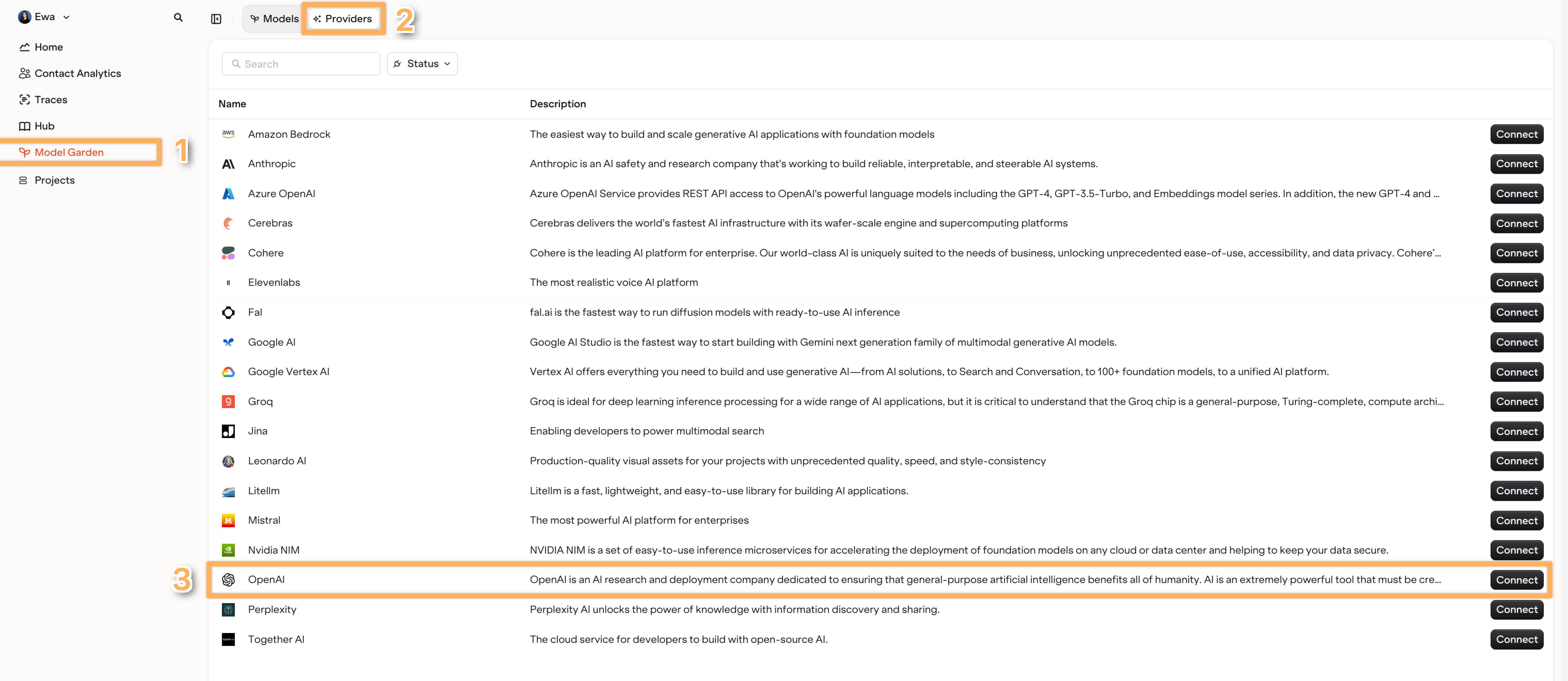
- Open the Model Garden page or AI Router page within the Orq.ai Studio.
-
Find the Providers tab and select LiteLLM.
-
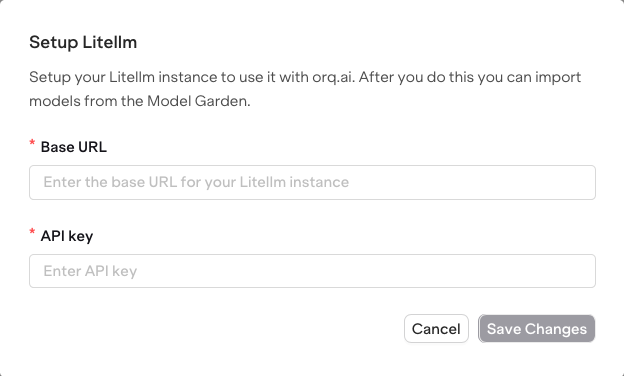
Choose Setup LiteLLM instance.
Import Models
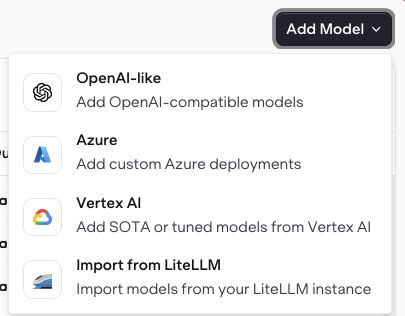
- Switch to the Models tab in the Model Garden or AI Router.
- Select Add Models and choose Import from LiteLLM
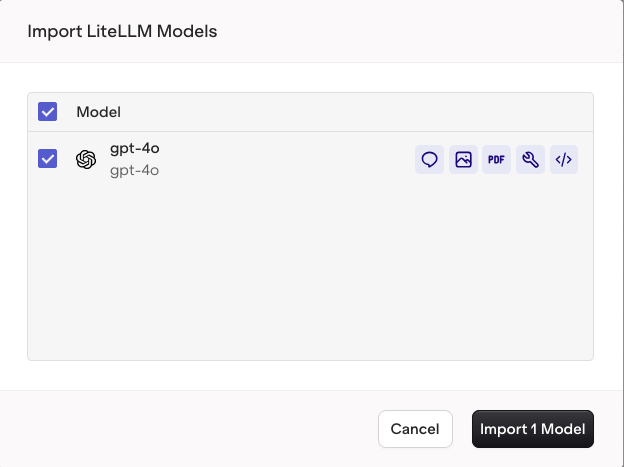
- Then select the models from the list of models imported from your LiteLLM provider.