AI Router
Overview
LlamaIndex is a powerful framework for building RAG (Retrieval-Augmented Generation) applications with LLMs. By connecting LlamaIndex to Orq.ai’s AI Router, you transform experimental RAG applications into production-ready systems with enterprise-grade capabilities.
Key Benefits
Orq.ai’s AI Router enhances your LlamaIndex applications with:
Complete Observability Track document indexing, retrieval performance, and query processing with detailed traces
Built-in Reliability Automatic fallbacks, retries, and load balancing for production resilience
Cost Optimization Real-time cost tracking and spend management across all your AI operations
Multi-Provider Access Access 300+ LLMs and 20+ providers through a single, unified integration
Prerequisites
Before integrating LlamaIndex with Orq.ai, ensure you have:
An Orq.ai account and API Key
Python 3.8 or higher
LlamaIndex installed in your project
Installation
Install LlamaIndex and required dependencies:
pip install llama-index llama-index-llms-openai-like
Configuration
Configure LlamaIndex to use Orq.ai’s AI Router with the OpenAILike class:
from llama_index.llms.openai_like import OpenAILike
import os
# Configure OpenAI-compatible LLM with Orq.ai AI Router
llm = OpenAILike(
model = "gpt-4o" ,
api_key = os.getenv( "ORQ_API_KEY" ),
api_base = "https://api.orq.ai/v2/router" ,
is_chat_model = True ,
)
api_base : https://api.orq.ai/v2/router
Basic RAG Example
Here’s a complete example of building a RAG application with LlamaIndex through Orq.ai:
from llama_index.core import VectorStoreIndex, SimpleDirectoryReader, Settings
from llama_index.llms.openai_like import OpenAILike
from llama_index.embeddings.openai import OpenAIEmbedding
import os
# Configure LLM with Orq.ai AI Router
llm = OpenAILike(
model = "gpt-4o" ,
api_key = os.getenv( "ORQ_API_KEY" ),
api_base = "https://api.orq.ai/v2/router" ,
is_chat_model = True ,
)
# Configure embeddings through Orq.ai (required - LlamaIndex defaults to OpenAI)
embed_model = OpenAIEmbedding(
model = "text-embedding-3-small" ,
api_key = os.getenv( "ORQ_API_KEY" ),
api_base = "https://api.orq.ai/v2/router" ,
)
# Set as global defaults
Settings.llm = llm
Settings.embed_model = embed_model
# Load documents and create index
documents = SimpleDirectoryReader( "./data" ).load_data()
index = VectorStoreIndex.from_documents(documents)
# Query the index
query_engine = index.as_query_engine()
response = query_engine.query( "What is the main topic of these documents?" )
print (response)
Model Selection
With Orq.ai, you can use any supported model from 20+ providers:
from llama_index.llms.openai_like import OpenAILike
import os
# Use Claude
claude_llm = OpenAILike(
model = "claude-sonnet-4-5-20250929" ,
api_key = os.getenv( "ORQ_API_KEY" ),
api_base = "https://api.orq.ai/v2/router" ,
is_chat_model = True ,
)
# Use Gemini
gemini_llm = OpenAILike(
model = "gemini-2.5-flash" ,
api_key = os.getenv( "ORQ_API_KEY" ),
api_base = "https://api.orq.ai/v2/router" ,
is_chat_model = True ,
)
# Use any other model
groq_llm = OpenAILike(
model = "llama-3.3-70b-versatile" ,
api_key = os.getenv( "ORQ_API_KEY" ),
api_base = "https://api.orq.ai/v2/router" ,
is_chat_model = True ,
)
Streaming Responses
LlamaIndex supports streaming with Orq.ai:
from llama_index.core import VectorStoreIndex, SimpleDirectoryReader, Settings
from llama_index.llms.openai_like import OpenAILike
from llama_index.embeddings.openai import OpenAIEmbedding
import os
# Configure LLM
llm = OpenAILike(
model = "gpt-4o" ,
api_key = os.getenv( "ORQ_API_KEY" ),
api_base = "https://api.orq.ai/v2/router" ,
is_chat_model = True ,
)
# Configure embeddings
embed_model = OpenAIEmbedding(
model = "text-embedding-3-small" ,
api_key = os.getenv( "ORQ_API_KEY" ),
api_base = "https://api.orq.ai/v2/router" ,
)
Settings.llm = llm
Settings.embed_model = embed_model
# Create index and query engine
documents = SimpleDirectoryReader( "./data" ).load_data()
index = VectorStoreIndex.from_documents(documents)
query_engine = index.as_query_engine( streaming = True )
# Stream response
streaming_response = query_engine.query( "Explain the main concepts" )
for text in streaming_response.response_gen:
print (text, end = "" , flush = True )
print ()
Observability
Getting Started
Integrate LlamaIndex with Orq.ai’s observability to gain comprehensive insights into document indexing, retrieval performance, query processing, and LLM interactions using OpenTelemetry.
Prerequisites
Before you begin, ensure you have:
An Orq.ai account and API Key
LlamaIndex installed in your project
Python 3.8+
OpenAI API key (or other LLM provider credentials)
Install Dependencies
# Core LlamaIndex and OpenInference packages
pip install llama-index openinference-instrumentation-llama-index
# OpenTelemetry packages
pip install opentelemetry-sdk opentelemetry-exporter-otlp-proto-http
# LLM providers
pip install openai anthropic
# Optional: For advanced vector stores and embeddings
pip install llama-index-vector-stores-chroma llama-index-embeddings-openai
Set up your environment variables to connect to Orq.ai’s OpenTelemetry collector:
Unix/Linux/macOS:
export OTEL_EXPORTER_OTLP_ENDPOINT = "https://api.orq.ai/v2/otel"
export OTEL_EXPORTER_OTLP_HEADERS = "Authorization=Bearer <ORQ_API_KEY>"
export OTEL_RESOURCE_ATTRIBUTES = "service.name=llamaindex-app,service.version=1.0.0"
export OPENAI_API_KEY = "<YOUR_OPENAI_API_KEY>"
Windows (PowerShell):
$env:OTEL_EXPORTER_OTLP_ENDPOINT = "https://api.orq.ai/v2/otel"
$env:OTEL_EXPORTER_OTLP_HEADERS = "Authorization=Bearer <ORQ_API_KEY>"
$env:OTEL_RESOURCE_ATTRIBUTES = "service.name=llamaindex-app,service.version=1.0.0"
$env:OPENAI_API_KEY = "<YOUR_OPENAI_API_KEY>"
Using .env file:
OTEL_EXPORTER_OTLP_ENDPOINT = https://api.orq.ai/v2/otel
OTEL_EXPORTER_OTLP_HEADERS = Authorization = Bearer <ORQ_API_KEY>
OTEL_RESOURCE_ATTRIBUTES=service.name=llamaindex-app,service.version=1.0.0
OPENAI_API_KEY =< YOUR_OPENAI_API_KEY >
Integration Example
We’ll be using OpenInference as TracerProvider with LlamaIndex
from openinference.instrumentation.llama_index import LlamaIndexInstrumentor
from opentelemetry import trace
from opentelemetry.exporter.otlp.proto.http.trace_exporter import OTLPSpanExporter
from opentelemetry.sdk import trace as trace_sdk
from opentelemetry.sdk.trace.export import BatchSpanProcessor
from llama_index.core import VectorStoreIndex, SimpleDirectoryReader
# Initialize OpenTelemetry
tracer_provider = trace_sdk.TracerProvider()
tracer_provider.add_span_processor(BatchSpanProcessor(OTLPSpanExporter(
endpoint = "https://api.orq.ai/v2/otel/v1/traces" ,
headers = { "Authorization" : "Bearer <ORQ_API_KEY>" }
)))
trace.set_tracer_provider(tracer_provider)
# Instrument LlamaIndex
LlamaIndexInstrumentor().instrument( tracer_provider = tracer_provider)
# Your LlamaIndex code is automatically traced
documents = SimpleDirectoryReader( "./data" ).load_data()
index = VectorStoreIndex.from_documents(documents)
query_engine = index.as_query_engine()
response = query_engine.query( "What is the main topic of these documents?" )
View Traces
View your traces in the AI Studio in the Traces tab.
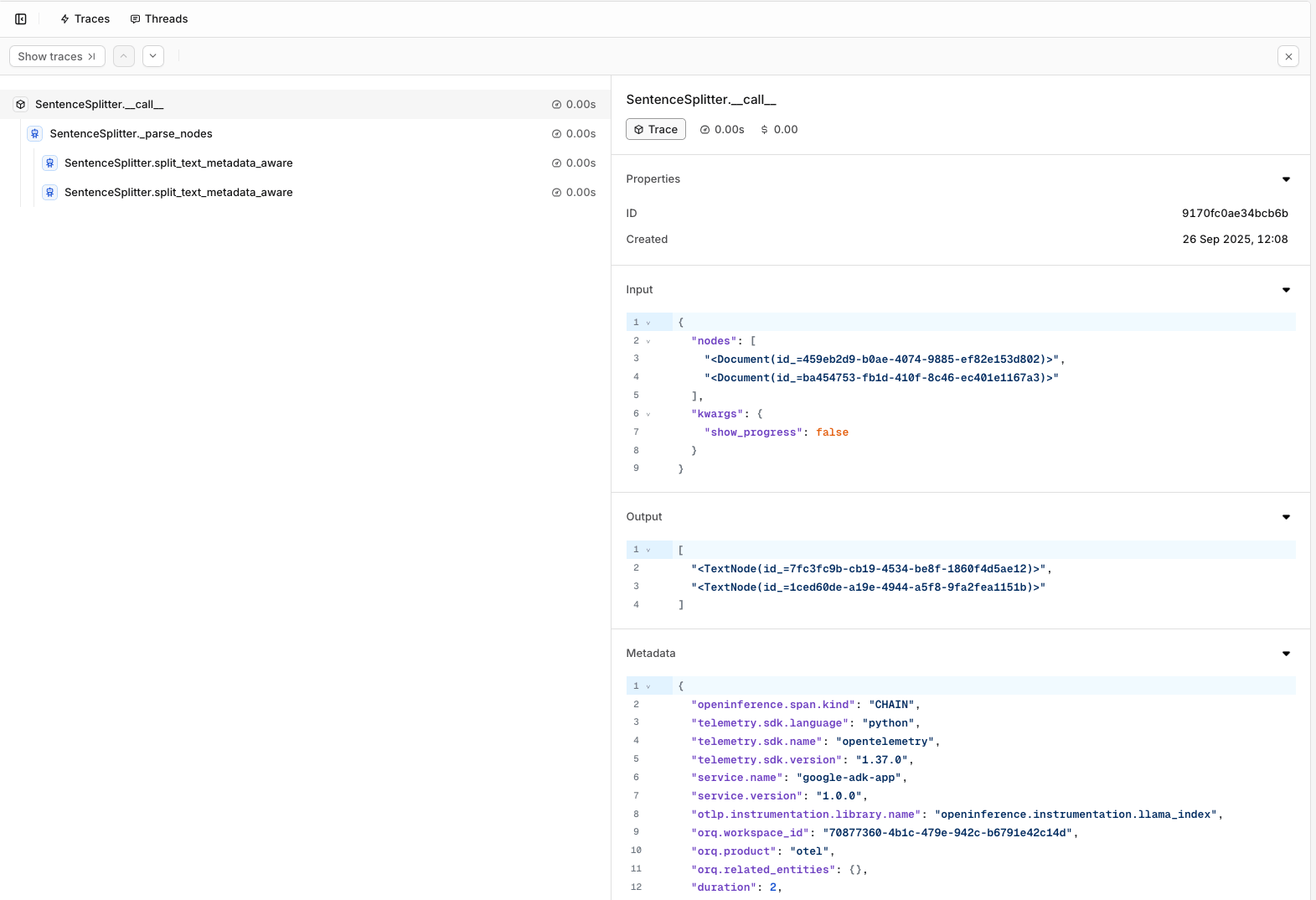
Visit your AI Studio to view real-time analytics and traces.