

TL;DR
- Measure self-consistency: re-run the Evaluator on the same inputs and count how often it contradicts itself
- Collect human verdicts: record ground truth on Traces with Annotations
- Compare and rewrite: turn the disagreements into a revised Evaluator prompt
What you’ll build
A revised Evaluator prompt whose Pass/Fail verdicts match human judgement on real Traces, produced by measuring the original Evaluator’s self-consistency and comparing its verdicts against recorded human labels.What you’ll learn
- Measure an Evaluator’s self-consistency by re-running it on the same inputs
- Record human verdicts on Traces as Annotations
- Compare Evaluator and human verdicts, then rewrite the prompt to close the gaps
Prerequisites
- The Orq.ai MCP connected to a coding assistant. See Orq MCP
- A boolean Pass/Fail Evaluator attached to an Agent, with at least 10 scored Traces. See Evaluators
- Access to create an Annotation in the project, under Optimization in the sidebar. See Annotations
Install the skill
The workflow is packaged as a skill. Save the file below as.claude/skills/align-evaluator/SKILL.md in the project where the coding assistant runs. The assistant then drives all five steps, pausing for approval before the expensive run in Step 2 and before anything is created or changed.
The steps that follow show what the skill does on a real dataset. The prompts in each step also work without the skill installed.
SKILL.md
SKILL.md
Step 1: Confirm the Evaluator
Ask the assistant to fetch the Evaluator and the Traces it has scored. Refer to the Evaluator by name; the assistant resolves it to an id. Pass the id directly (01ABC...) only if the name is ambiguous.
get_llm_eval and list_traces. Every trace carries an evaluations[] array, and each entry records who produced it:
annotator.kind field distinguishes llm, code, and human verdicts, so Evaluator scores and human labels arrive together.
Step 2: Measure self-consistency
A trustworthy Evaluator returns the same verdict every time it grades the same input. This step tests that by grading each trace several times and watching for flips. A trace flips when the repeats disagree with each other: some come back Pass and others Fail. A flip means the Evaluator cannot make up its mind on that case.Step 3: Record human verdicts
Create an Annotation so reviewers can record their own verdict next to the Evaluator’s. In the sidebar, go to Optimization Annotations and click + Annotation:- Key: for example
human_verdict - Title: for example
human_verdict - Type: Categorical
- Options:
PassandFail, matching the Evaluator’s verdict space
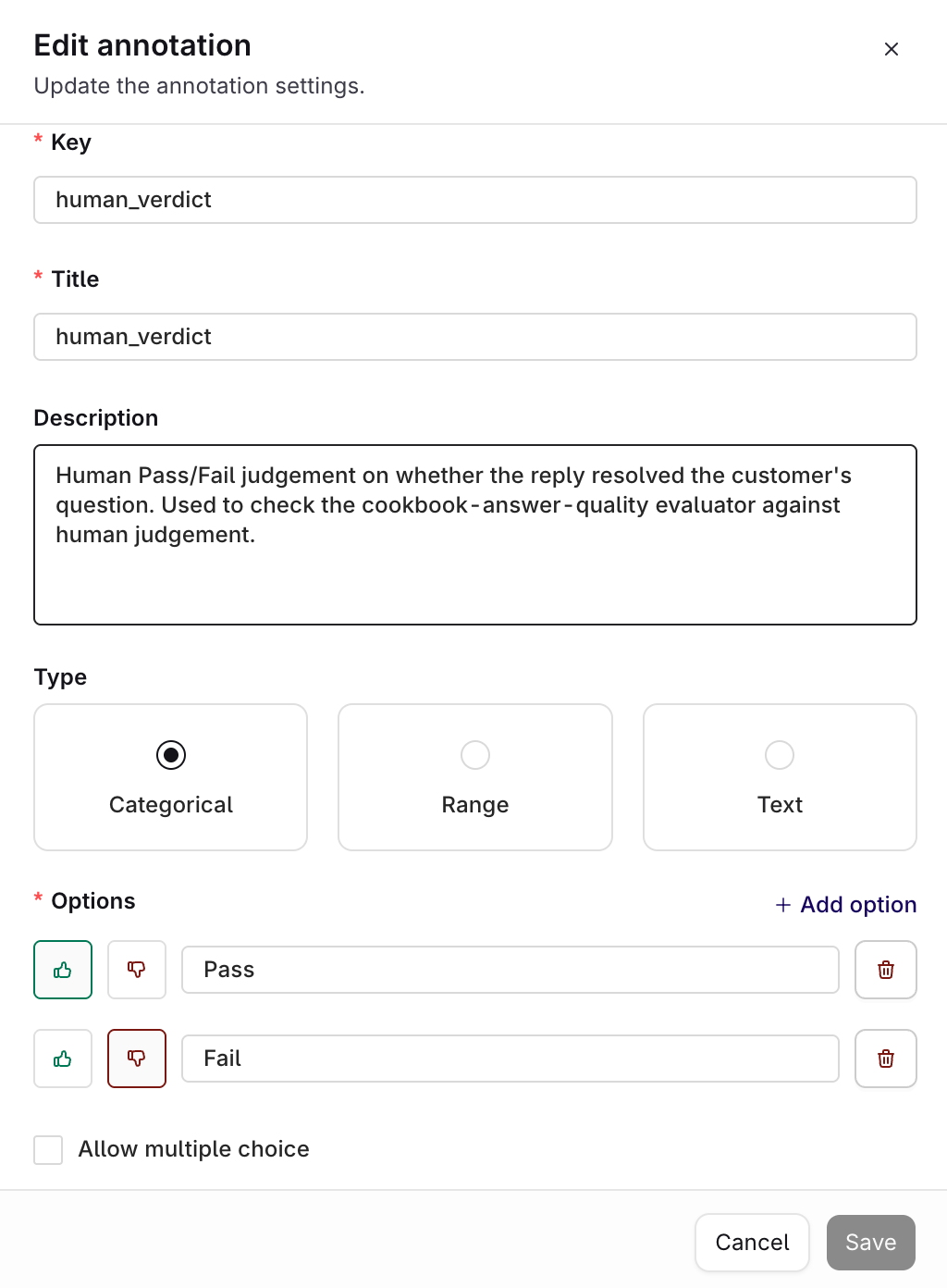
The Annotation settings: a Categorical type with Pass and Fail options.
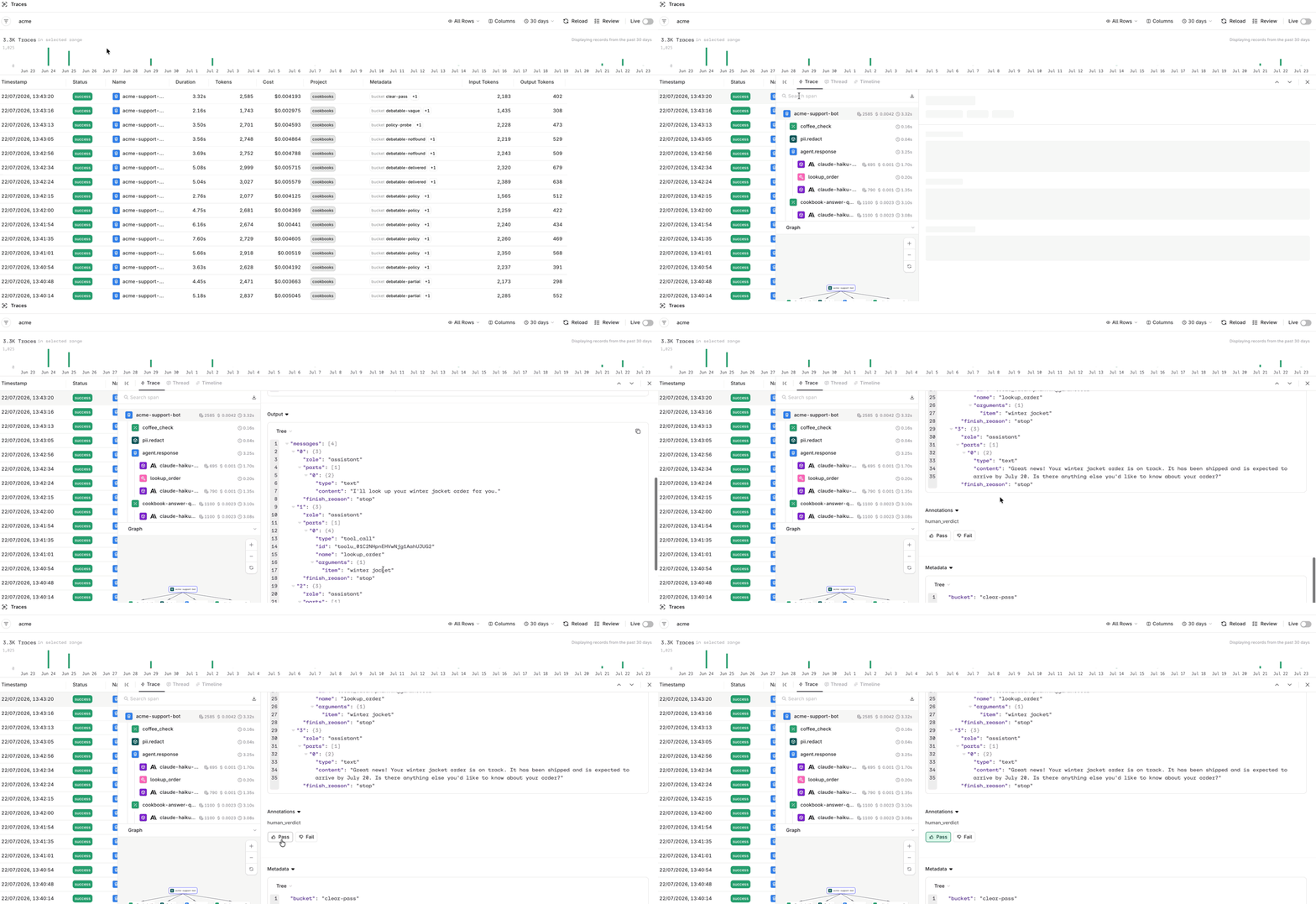
Labeling a Trace Pass from the Review panel in the filtered Traces view.
Label a spread of traces, not only the ones that looked suspicious. The clearest disagreements often appear on traces the Evaluator was completely consistent about. A stable verdict is not a correct one.
Step 4: Compare against human verdicts
Ask the assistant to read the human labels back and line them up against the Evaluator’s own verdicts.evaluations[] array, marked "annotator": { "kind": "human" }, so one call returns both sides. Laid out as a table, a result might look like this:
Two things stand out, and both point to the prompt rather than to instability:
- The Evaluator is wrong in both directions. It fails a reply that was correct and complete, and passes one that resolved nothing. An Evaluator that was merely too strict could be fixed by loosening it; one that errs both ways is applying a vague criterion.
- The repeats missed both cases. Every verdict above was unanimous across all five repeats, so Step 2 never flagged them. These cases are not ambiguous to the Evaluator, they are simply graded against the wrong standard. This is why self-consistency alone is never enough.
Step 5: Rewrite the prompt
Ask for a revision grounded in the disagreements.Limits
This method has a blind spot that follows from its construction.- A consistently wrong Evaluator never flips. Self-consistency measures stability, not correctness. An Evaluator that applies the wrong standard every single time is perfectly stable and completely wrong, and no number of repeats will reveal it.
- Flip count is not an ambiguity ranking. How often an item flipped does not track how contested it is. Treat flipping as binary and do not sort by it.
- Many contested items never flip. This finds some problems and misses others. A low flip rate means the Evaluator is consistent, nothing more.
- Human labels are not fixed either. The same reviewer can label the same reply differently on different days. When that happens, the criterion itself is ambiguous, and the rewrite should resolve it rather than treating one label as an error.
Next steps
Evaluators
Configure LLM-as-a-judge and Python Evaluators.
Annotation Queues
Route Traces to reviewers at scale.