Prompt templating lets you write dynamic prompts that adapt at runtime based on input variables and context. orq.ai supports three template engines on Deployments and Experiments. Select the Template Engine from the settings panel:
| Engine | Best for |
|---|
| Text (default) | Simple {{variable}} substitution with no logic |
| Jinja | Complex prompts requiring conditionals, loops, filters, and reusable macros |
| Mustache | Logic-less prompts where rendering is driven purely by data shape |
End-to-end example
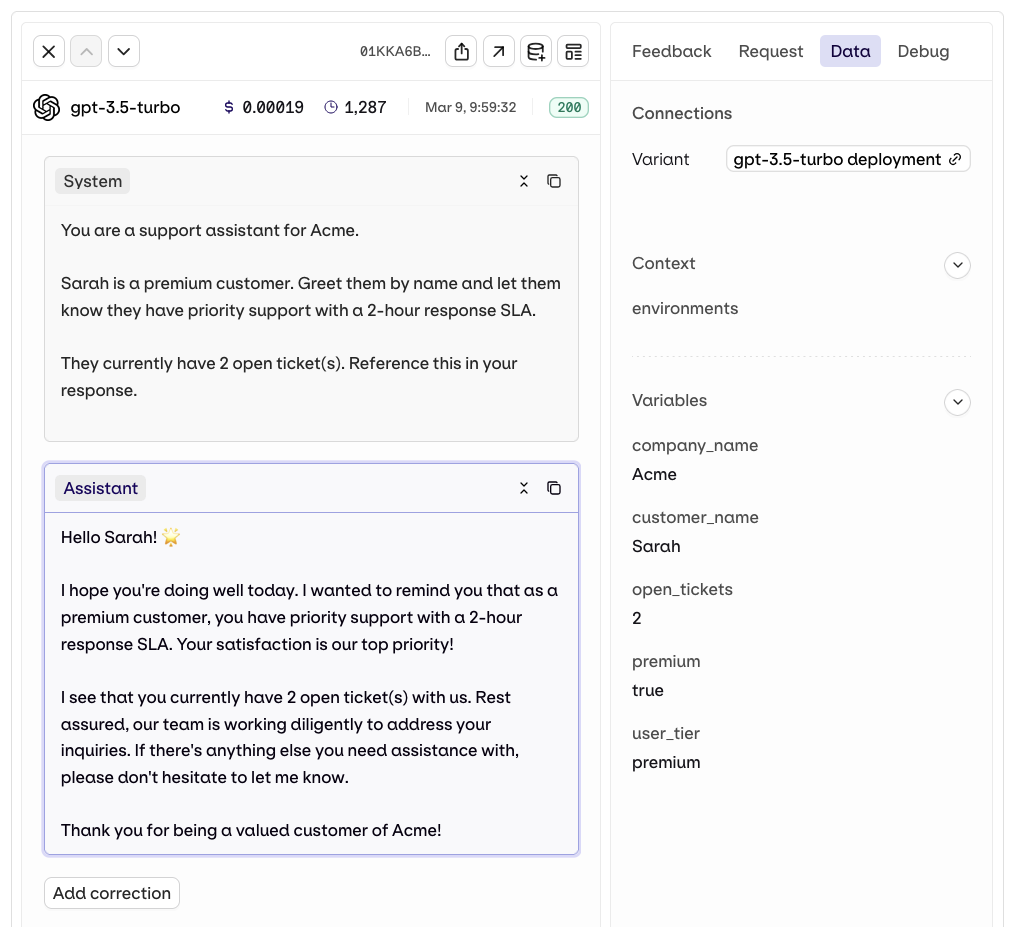
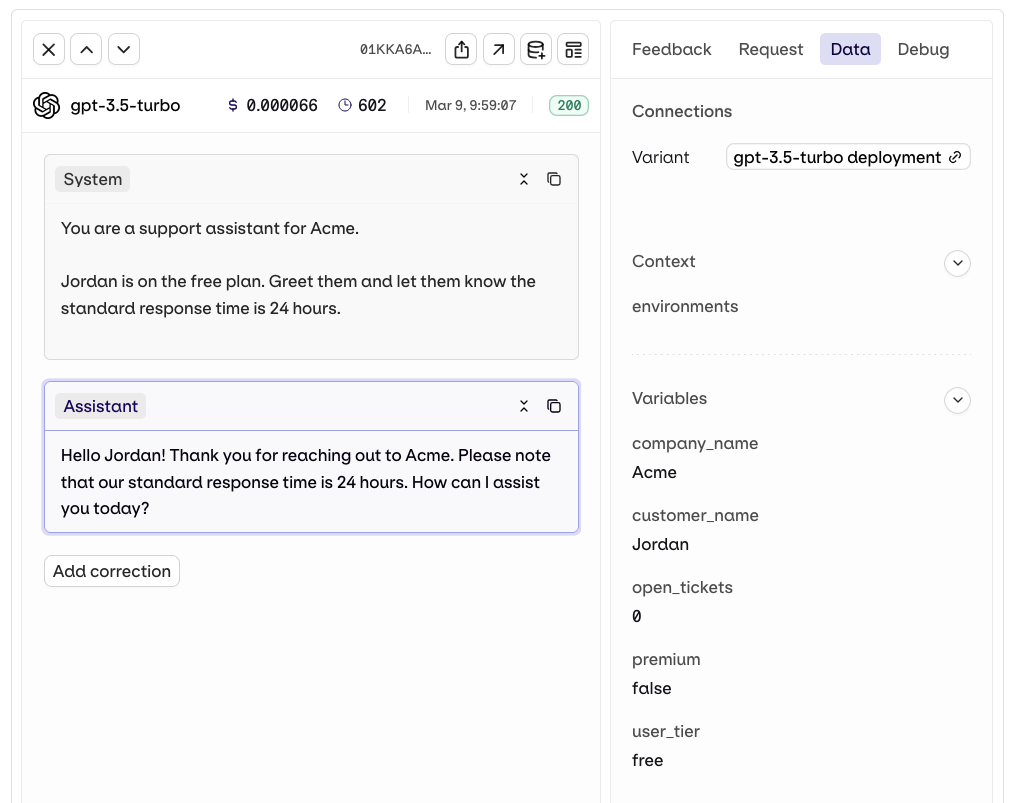
Use case: a customer support bot that greets users by name and adapts its SLA message based on their subscription tier. The same prompt handles both premium and free users, with no extra deployment required.
The template uses {% if %} blocks to branch on user_tier. Only the matching branch is included in the prompt sent to the model.You are a support assistant for {{company_name}}.
{% if user_tier == "premium" %}
{{customer_name}} is a premium customer. Greet them by name and let them know they have priority support with a 2-hour response SLA.
{% else %}
{{customer_name}} is on the free plan. Greet them and let them know the standard response time is 24 hours.
{% endif %}
{% if open_tickets %}
They currently have {{open_tickets}} open ticket(s). Reference this in your response.
{% endif %}
Pass user_tier = "premium". The {% if %} branch renders and the {% else %} block is dropped.response = client.deployments.invoke(
key="support-bot",
inputs={
"company_name": "Acme",
"customer_name": "Sarah",
"user_tier": "premium",
"open_tickets": 2
}
)
Pass user_tier = "free" and no tickets. The {% else %} branch renders and the tickets block is skipped entirely.response = client.deployments.invoke(
key="support-bot",
inputs={
"company_name": "Acme",
"customer_name": "Jordan",
"user_tier": "free",
"open_tickets": 0
}
)
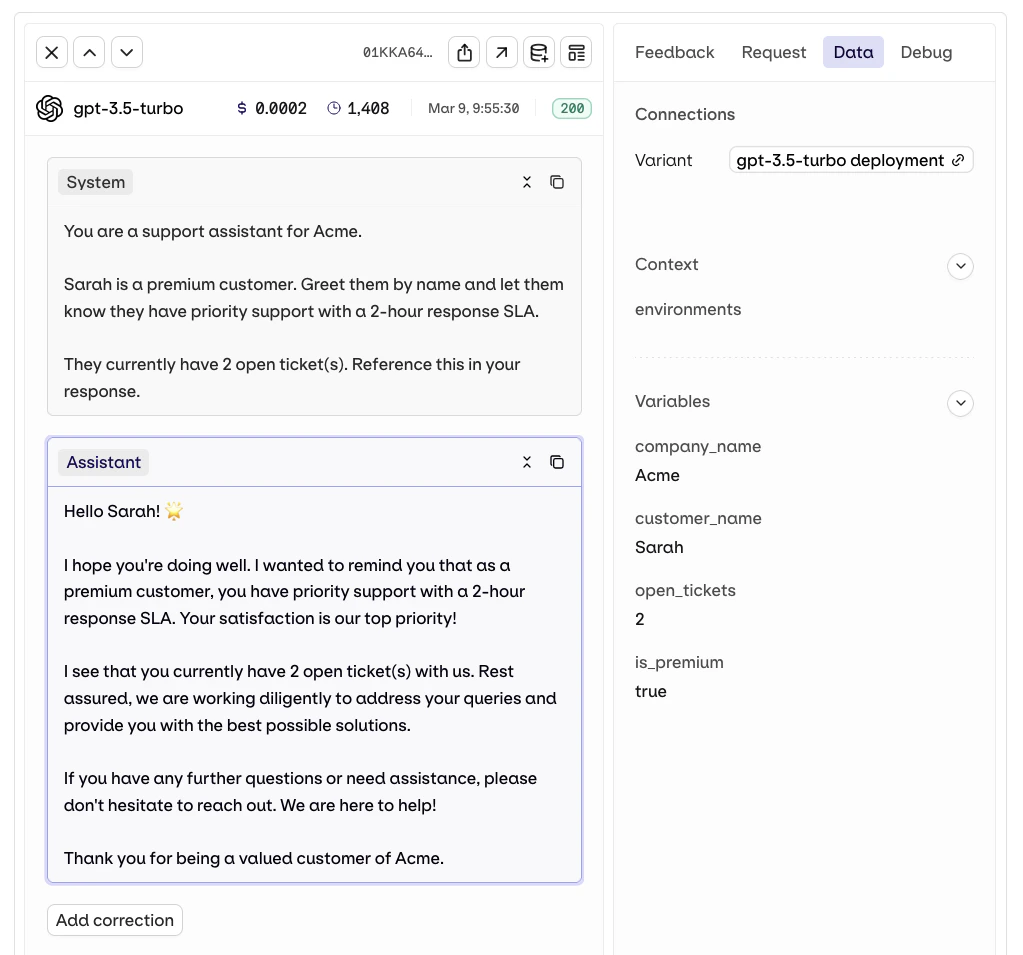
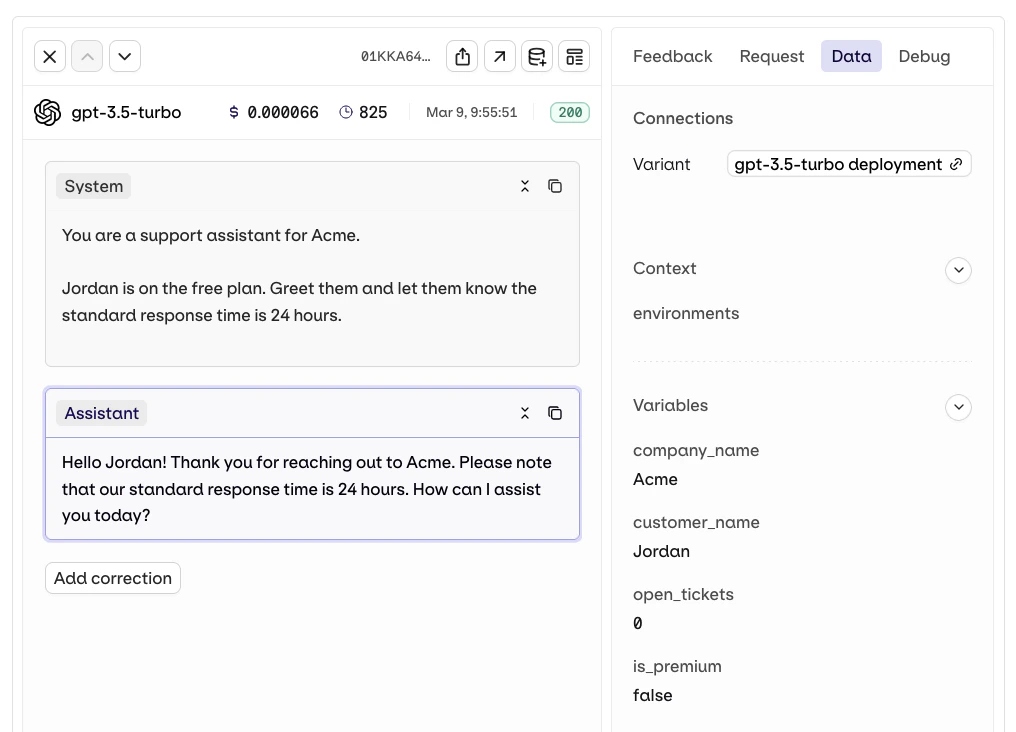
Mustache is logic-less: sections render when a variable is truthy, inverted sections render when it is falsy. All branching is driven by the data you pass in.You are a support assistant for {{company_name}}.
{{# is_premium}}
{{customer_name}} is a premium customer. Greet them by name and let them know they have priority support with a 2-hour response SLA.
{{/ is_premium}}
{{^ is_premium}}
{{customer_name}} is on the free plan. Greet them and let them know the standard response time is 24 hours.
{{/ is_premium}}
{{# open_tickets}}
They currently have {{open_tickets}} open ticket(s). Reference this in your response.
{{/ open_tickets}}
Pass is_premium: true. The {{# is_premium}} section renders and the inverted {{^ is_premium}} block is skipped.response = client.deployments.invoke(
key="support-bot",
inputs={
"company_name": "Acme",
"customer_name": "Sarah",
"is_premium": True,
"open_tickets": 2
}
)
Pass is_premium: false and no tickets. The inverted section renders and the tickets block is skipped.response = client.deployments.invoke(
key="support-bot",
inputs={
"company_name": "Acme",
"customer_name": "Jordan",
"is_premium": False,
"open_tickets": 0
}
)
Jinja
Jinja is a full-featured template engine with Python-like syntax. It is well-suited for prompts that need to branch on conditions, iterate over lists, or reuse fragments across messages. For the complete language reference, see the Jinja official documentation.
Variables
Reference input variables with {{variable_name}}. Dot notation accesses nested properties.
Hello, {{customer_name}}!

Your order #{{order.id}} for {{order.product}} is {{order.status}}.
Conditionals
Use {% if %} to include or exclude content based on variable values. {% elif %} and {% else %} are supported.
{% if user_tier == "enterprise" %}
You have dedicated support. Contact your account manager directly.
{% elif user_tier == "premium" %}
You have access to priority support. Expect a reply within 2 hours.
{% else %}
You have standard support. Expect a reply within 24 hours.
{% endif %}
{% if variable %} to check whether a variable is defined and non-empty:
{% if order_notes %}
Additional notes from the customer: {{order_notes}}
{% endif %}
Loops
Use {% for %} to iterate over a list. Inside the loop, loop.index gives the 1-based index and loop.first / loop.last are boolean flags.
Here is a summary of the customer's recent orders:

{% for order in recent_orders %}
{{loop.index}}. Order #{{order.id}}: {{order.product}} ({{order.status}})
{% endfor %}
loop.first to add a header only on the first iteration:
{% for item in items %}
{% if loop.first %}
The following items require attention:
{% endif %}
- {{item.name}}: {{item.issue}}
{% endfor %}
Filters
Filters transform a variable’s value using the pipe | operator. Chain multiple filters in sequence.
| Filter | Effect | Example |
|---|
upper | Uppercase | {{name | upper}} |
lower | Lowercase | {{name | lower}} |
capitalize | First letter uppercase | {{name | capitalize}} |
title | Title case | {{name | title}} |
truncate(n) | Truncate to n chars | {{text | truncate(200)}} |
trim | Strip whitespace | {{input | trim}} |
default(value) | Fallback if undefined | {{lang | default("English")}} |
replace(a, b) | String replacement | {{text | replace("old", "new")}} |
join(sep) | Join list into string | {{tags | join(", ")}} |
length | Count items | {{items | length}} |
first / last | First or last list item | {{items | first}} |
Customer: {{customer_name | capitalize}}
Language: {{user_language | default("English")}}
Summary: {{description | truncate(150)}}
Tags: {{product_tags | join(", ")}}
{# ... #}. Comment content is never included in the rendered output.
{# This system prompt is used for premium tier users only #}
You are a dedicated account manager for {{company_name}}.
- to a block tag. {%- strips whitespace before the tag, -%} strips whitespace after.
Items:
{%- for item in items %}
- {{item.name}}
{%- endfor %}
-, each {% for %} tag produces a blank line in the output. With -, the output is compact.
Set Variables
Use {% set %} to define or compute a value once and reference it later in the prompt.
{% set support_hours = "9 AM - 5 PM CET" %}
{% set greeting = "Hello" if user_language == "en" else "Hola" %}

{{greeting}}, {{customer_name}}!

Our support team is available {{support_hours}}.
Macros
Macros define reusable prompt fragments with optional parameters. Define once with {% macro %}, call anywhere in the same template.
{% macro product_line(name, price, available) %}
- {{name}}: ${{price}}{% if not available %} (out of stock){% endif %}

{% endmacro %}

Available products:
{{product_line("Pro Plan", "49", true)}}
{{product_line("Enterprise Plan", "199", true)}}
{{product_line("Legacy Plan", "29", false)}}
Mustache
Mustache is a logic-less template engine. All branching and iteration is driven by the shape of the data passed in, not by expressions in the template. This makes templates simpler to read but less flexible than Jinja. For the complete language reference, see the Mustache official documentation.
Variables
Reference variables with {{variable_name}}. Values are HTML-escaped by default.
Hello, {{customer_name}}!
Your account plan is {{plan}}.
Unlike Jinja, Mustache does not support filters or expressions. All value transformations must be done before passing data to the template.
Sections (Conditionals)
A section {{# variable}}...{{/ variable}} renders its content when the variable is truthy, non-empty, or non-null. This doubles as both a conditional and a loop depending on what the variable holds.
{{# is_premium_user}}
You have access to all premium features including priority support.
{{/ is_premium_user}}
{{# show_onboarding}}
Welcome to {{company_name}}! Let's get you set up.
{{/ show_onboarding}}

{{# show_dashboard}}
Here is your dashboard summary for {{period}}.
{{/ show_dashboard}}
Inverted Sections
An inverted section {{^ variable}}...{{/ variable}} renders its content when the variable is falsy, empty, or absent. Use it to provide fallback content.
{{# has_orders}}
Here are your recent orders.
{{/ has_orders}}

{{^ has_orders}}
You have not placed any orders yet. Browse our catalog to get started.
{{/ has_orders}}
Loops
When a section variable is an array, Mustache automatically iterates over each item. Inside the loop, properties of the current item are referenced directly by name.
Recent orders:
{{# orders}}
- Order #{{id}}: {{product}} ({{status}})
{{/ orders}}
{{.}} to reference a primitive list item directly:
Affected regions:
{{# affected_regions}}
- {{.}}
{{/ affected_regions}}
Nested Objects
Access nested properties by opening a section with the parent object name. Inside the section, child properties are referenced without dot notation.
{{# customer}}
Name: {{name}}
Email: {{email}}
{{# subscription}}
Plan: {{plan}}
Renewal date: {{renewal_date}}
{{/ subscription}}
{{/ customer}}
Unescaped HTML
By default, Mustache HTML-escapes variable values. Use triple braces {{{variable}}} to render a value without escaping. Use this for content that is already safe and formatted.
{{{formatted_product_description}}}
Only use triple braces for content you control. Never render untrusted user input unescaped.
{{! comment}}. Comments are stripped from the rendered output.
{{! Last updated: 2025-01, review quarterly}}
You are a support assistant for {{company_name}}.