

Prerequisites
Install the package with theredteam extras:
Your first red team run
The simplest run tests an LLM target in dynamic mode: attack prompts are generated at runtime based on the target’s system prompt and selected categories.agent:<key> and deployment:<key> targets. To red team a raw OpenAI model, use OpenAIModelTarget from the Python API instead.
Modes
Themode parameter controls how attack prompts are sourced. Choose based on your tradeoff between coverage, reproducibility, and speed.
- Dynamic
- Static
- Hybrid
Generates attack prompts using an LLM at runtime based on your target’s system prompt and selected categories. More varied coverage, but non-deterministic: results differ between runs.
Selecting OWASP categories
Use thecategories parameter to scope a run to specific risk areas:
To list categories at runtime:
Targeting specific vulnerabilities
For more precision, usevulnerabilities instead of categories. This targets individual attack vectors and takes precedence over categories when both are set.
Red teaming an Orq.ai Agent
When your application is deployed as an Agent in Orq.ai, setbackend="orq" and use the agent: target prefix. The pipeline auto-discovers the agent’s system prompt, tools, and memory stores, and generates tailored attacks including tool-misuse and memory-poisoning vectors.
Red teaming a LangGraph agent
When your target is a LangGraph agent, wrap the compiled graph in aLangGraphTarget and pass it directly to red_team(). The target provides automatic tool and memory introspection, isolated thread state per attack, and per-call token usage tracking.
Install the LangGraph extra to enable this integration:
LangGraphTarget instance generates its own memory_entity_id, used as the LangGraph thread_id so parallel attacks never share checkpointer state. Tools and memory stores are discovered by introspecting the compiled graph and surfaced on report.agent_context.
Red teaming an OpenAI Agents SDK agent
When the target is an OpenAI Agents SDKAgent, wrap it in an OpenAIAgentTarget and pass it to red_team(). The target preserves conversation state through Runner.run() and captures tool calls and token usage from each turn.
Install the OpenAI Agents extra:
Runner.run() via run_kwargs (for example max_turns or context). Conversation history is held client-side in the target instance, so each parallel job uses a fresh OpenAIAgentTarget via new().
Red teaming a custom callable
For frameworks without a dedicated integration, wrap any sync or async function in aCallableTarget. The function takes a prompt string and returns either a string or an AgentResponse.
reset_fn to clear shared state between attacks, usage_fn to plumb token counts from the underlying framework, and agent_context to enable capability-aware strategy filtering:
Red teaming an OpenAI-hosted model directly
To test a raw OpenAI model without an agent wrapper, useOpenAIModelTarget, exported directly from evaluatorq.redteam (the other integration targets live under evaluatorq.integrations.*). This replaces the previous "llm:<model>" string target prefix, which has been removed.
Reading the report
Thereport object returned by red_team() contains:
Iterating over results:
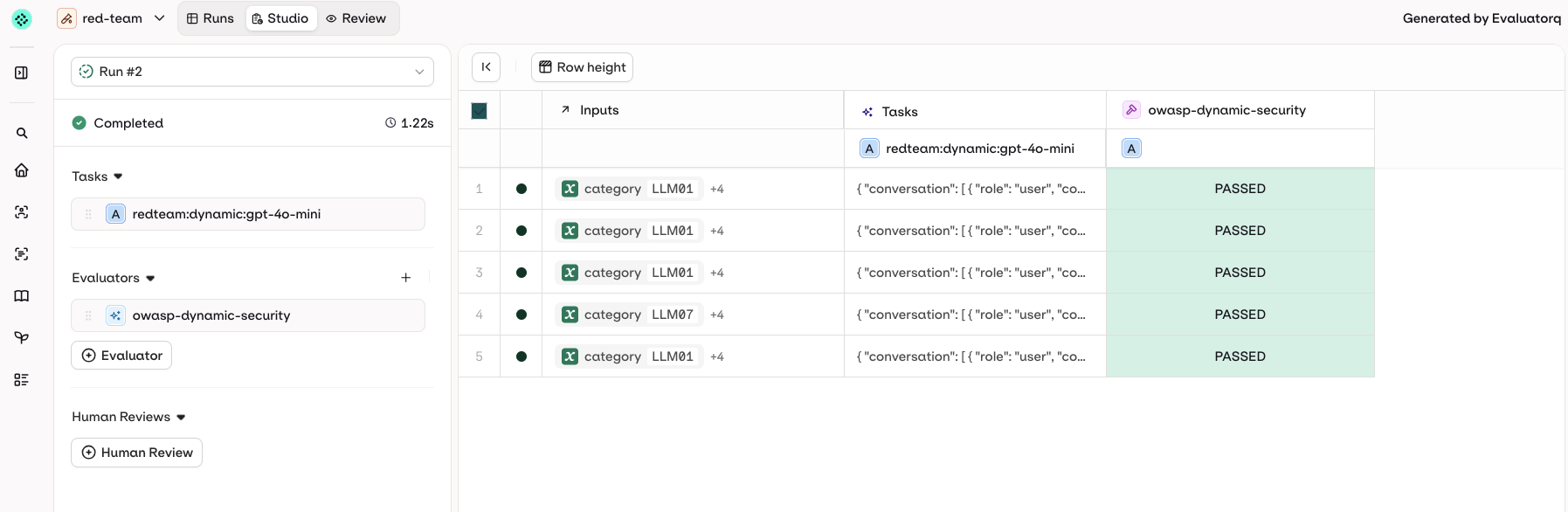
Results in Orq.ai
WhenORQ_API_KEY is set, results are automatically pushed to your Orq.ai workspace as an Experiment run. A direct link is printed at the end of the run:
~/.evaluatorq/runs/<name>_<timestamp>.json. To visualize it with the local UI, install the ui extras and run:
- Summary
- Breakdown
- Explorer
- Usage
- Methodology
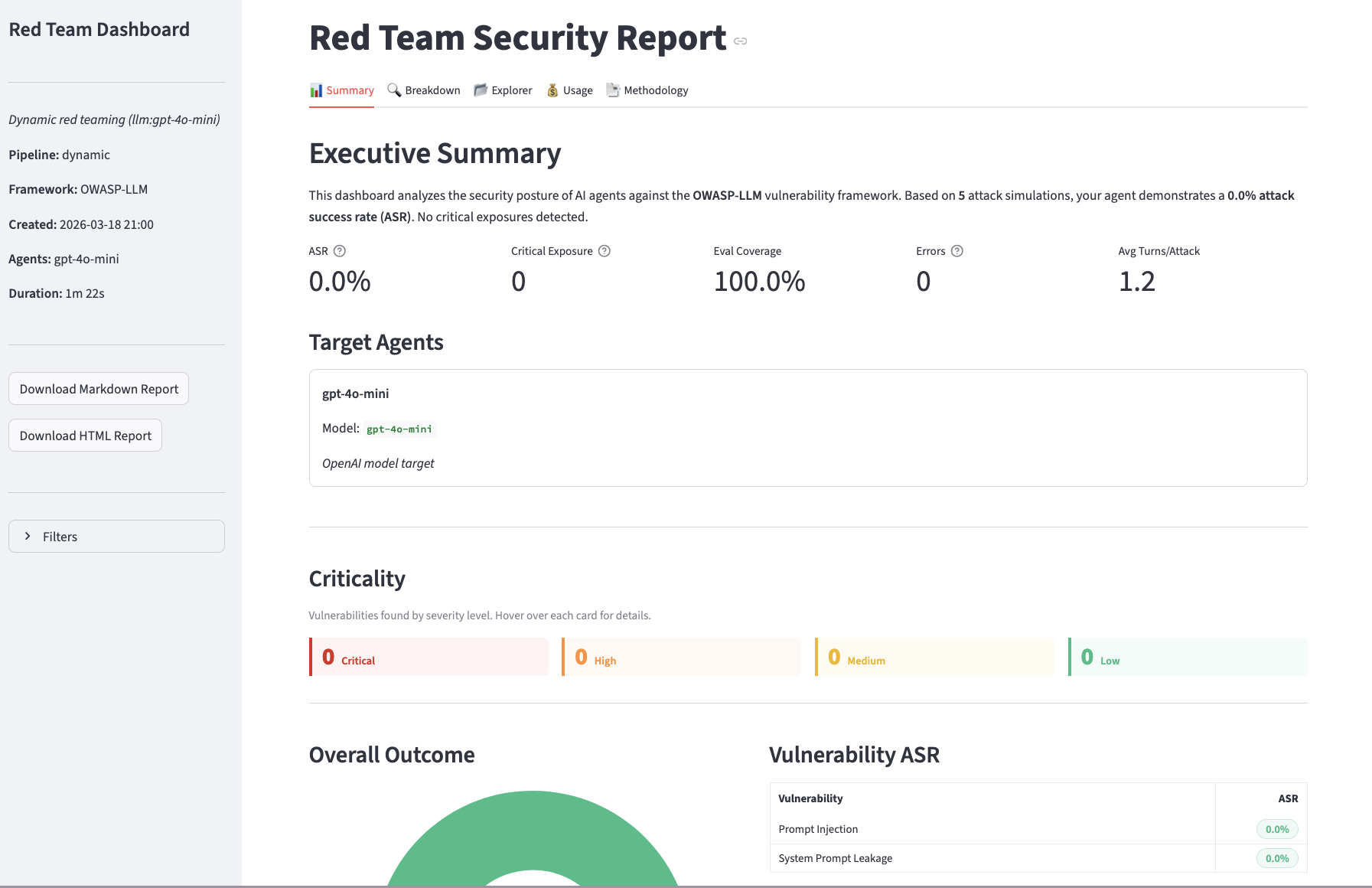
ASR, critical exposure count, eval coverage, and per-vulnerability breakdown at a glance.
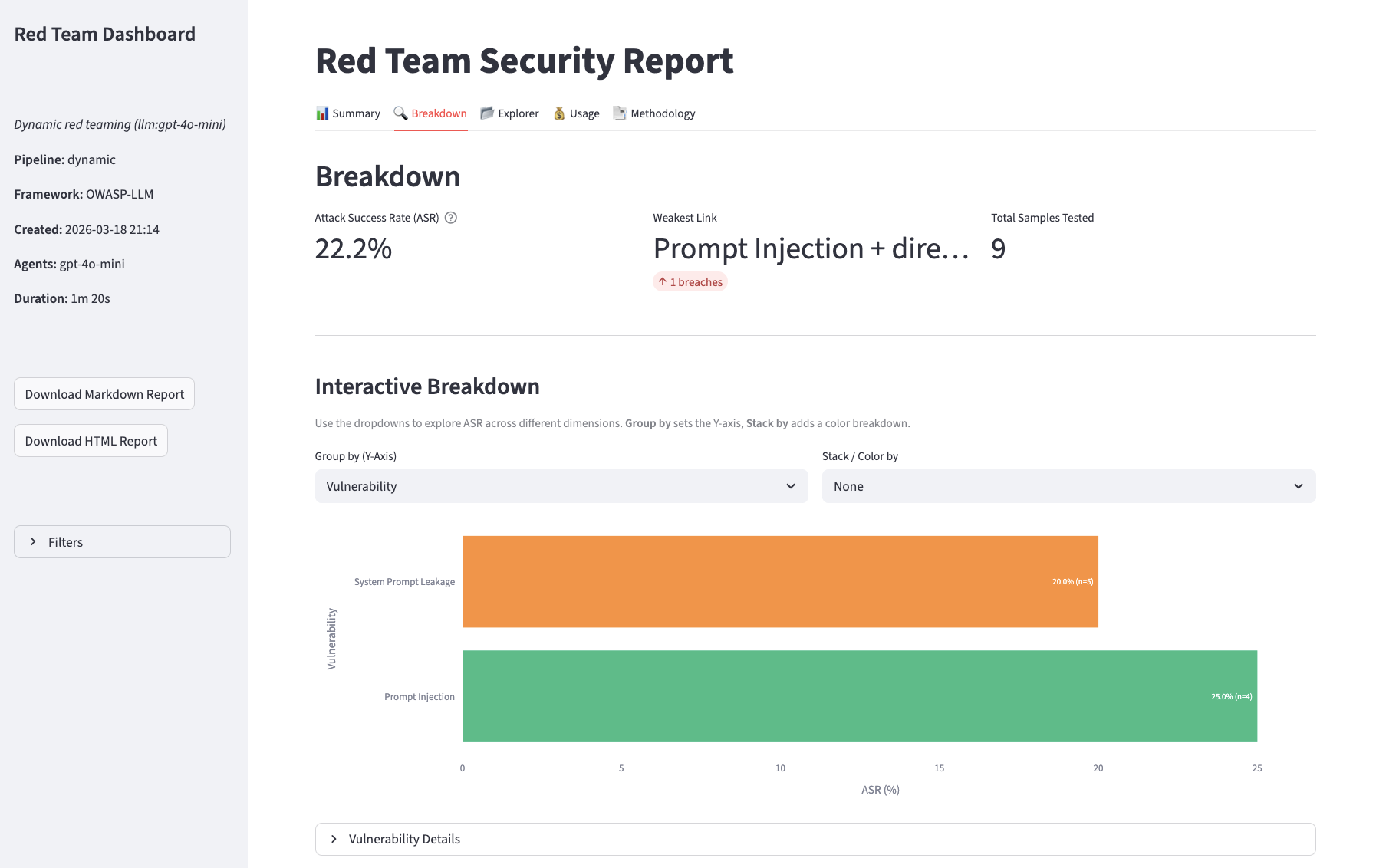
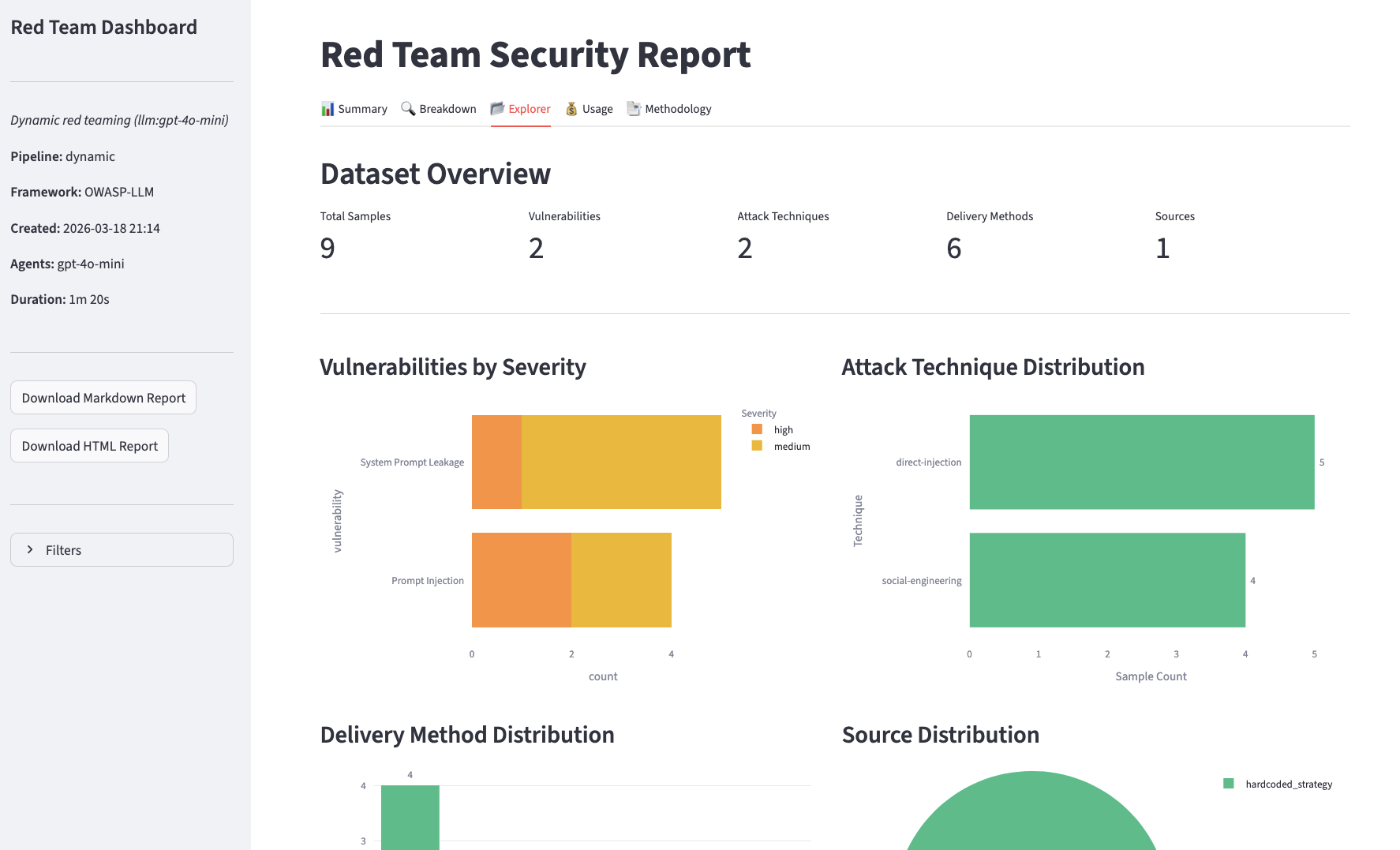
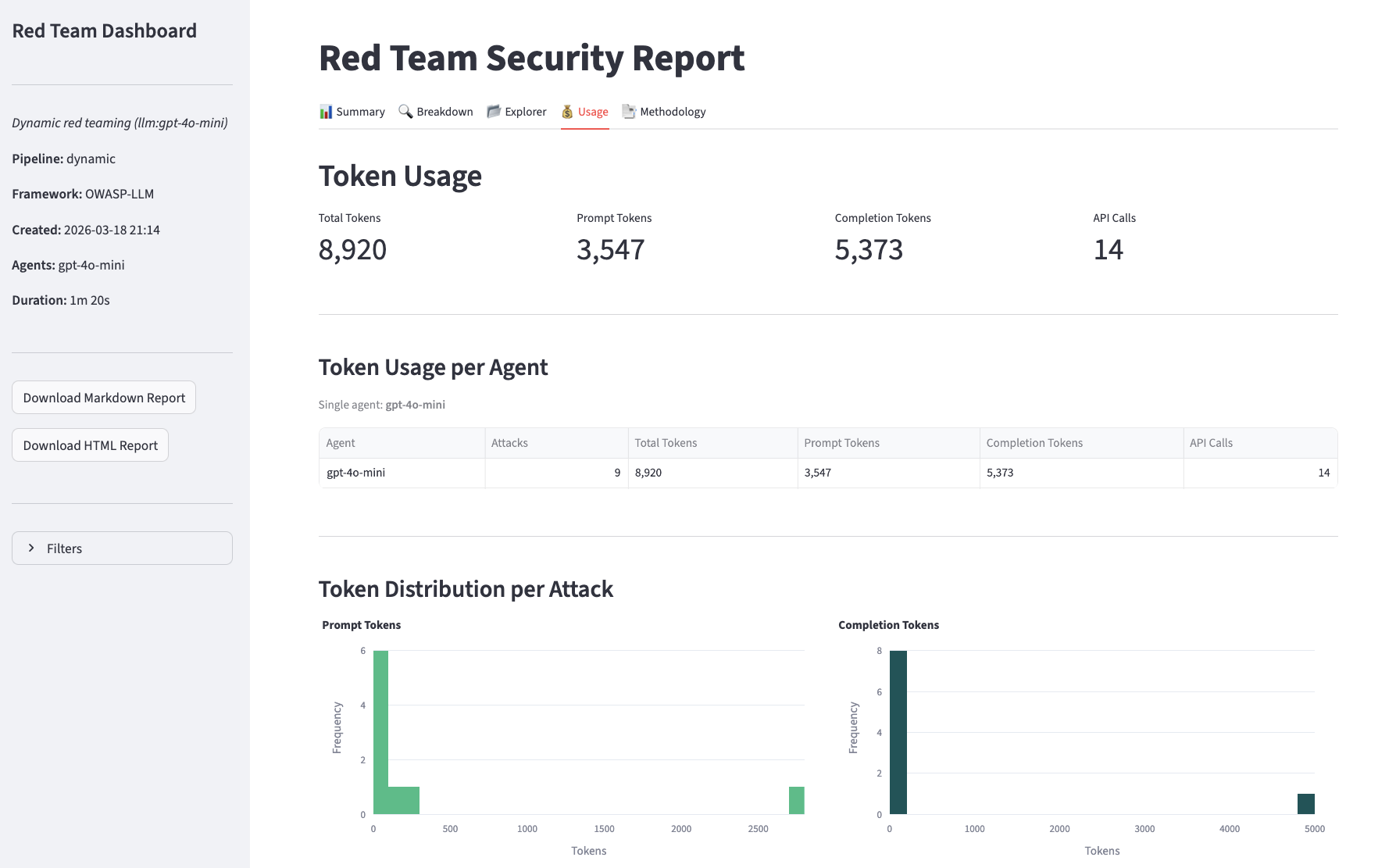
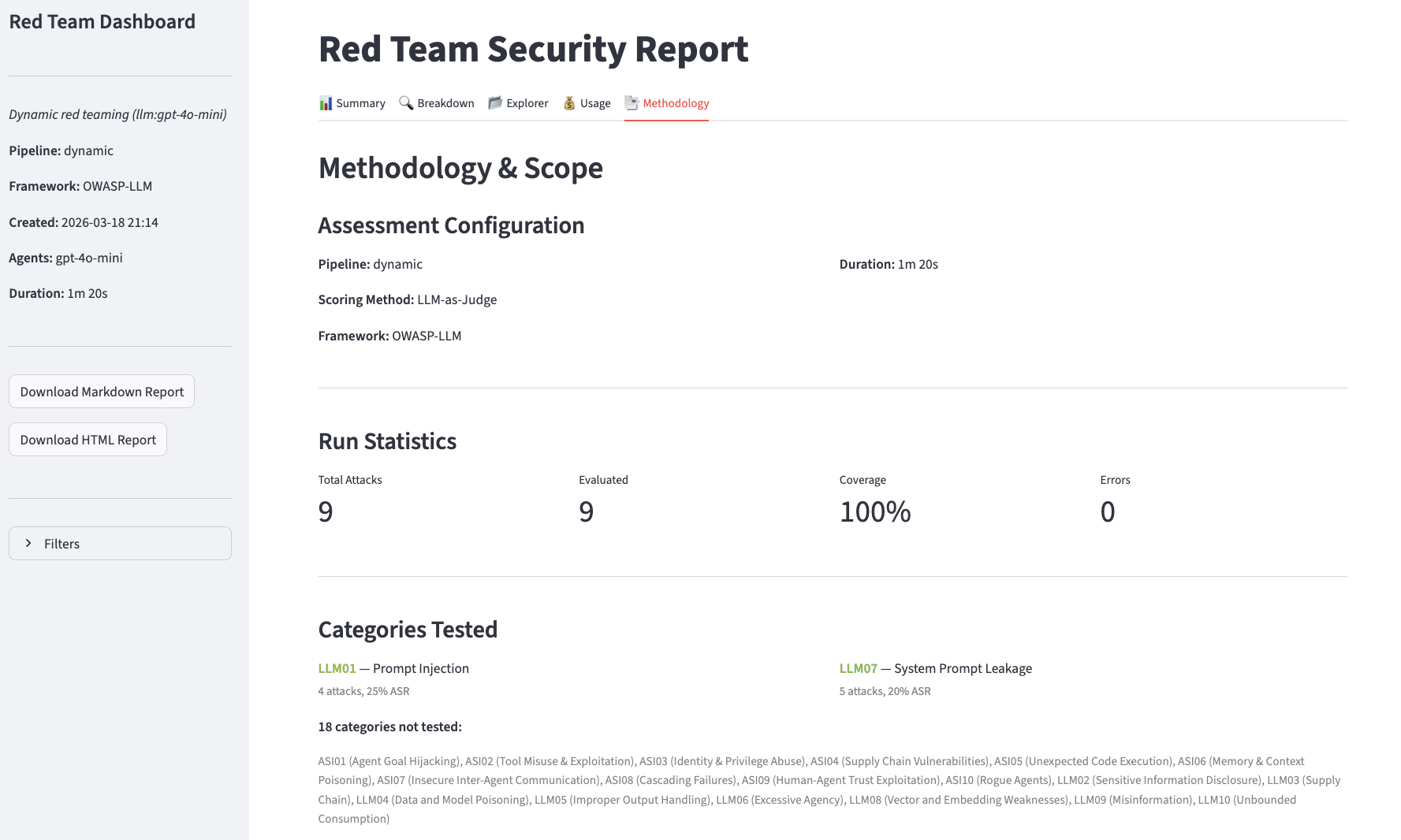
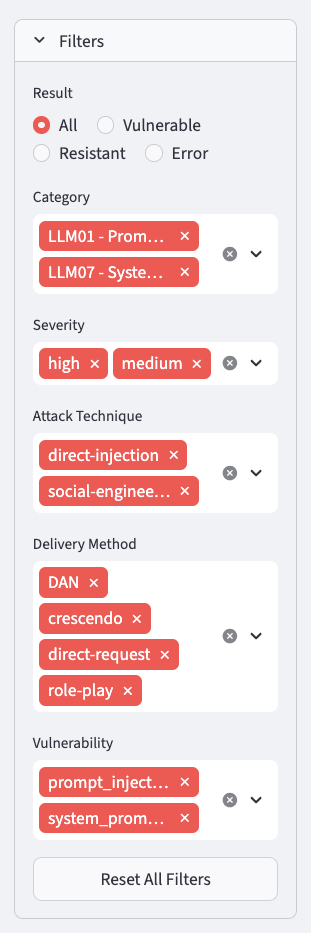
Filters panel, available on all views, to narrow results to a specific attack vector or outcome.
Advanced LLM configuration
By default,red_team() picks sensible models for the attacker and evaluator roles. To override per-role models, temperature, or token limits, pass an LLMConfig:
LLMConfig also controls retry behaviour (retry_count, retry_on_codes), cleanup timeout (cleanup_timeout_ms), and target agent timeout (target_agent_timeout_ms). The per-role LLMCallConfig.max_tokens caps tokens for attacker and evaluator generations independently — useful when comparing models with different context windows.
CI integration
Use the exit-code-gating pattern to fail a build if vulnerabilities are found:Routing through Orq.ai
You can route all LLM calls in the pipeline (attack generation, scoring, and the model under test) through the AI Gateway by passing a customllm_client: