





To create a Prompt Snippet, head to the AI Studio:Documentation Index
Fetch the complete documentation index at: https://docs.orq.ai/llms.txt
Use this file to discover all available pages before exploring further.
- Choose a Project and Folder and select the
+button. - Choose Prompt Snippet
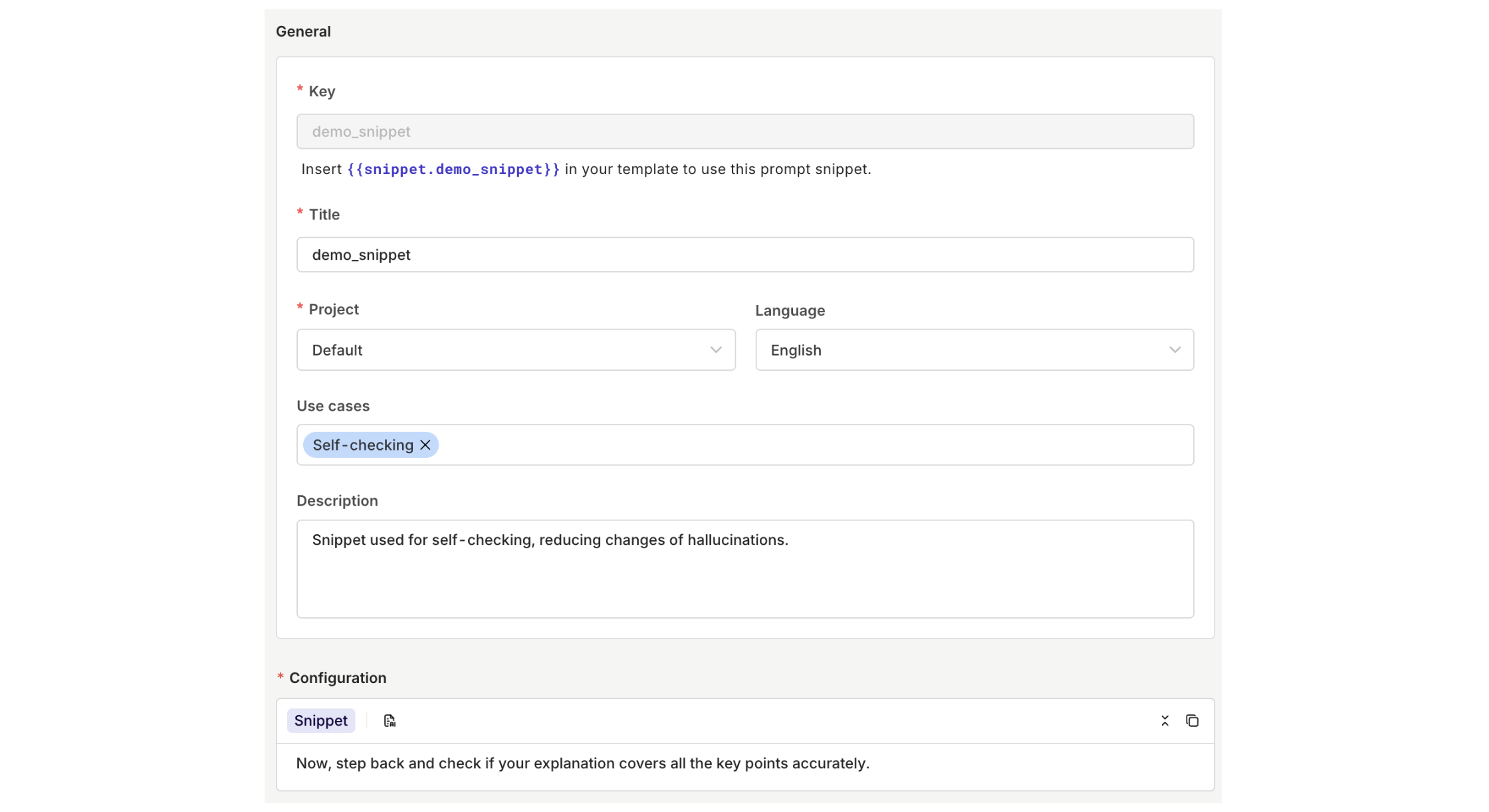
Using Prompt Snippets in Prompts
To use a Prompt Snippet in a prompt, reference it with the{{snippet.key}} syntax where key is the key of your snippet.
This allows you to inject reusable templates into prompts for modular LLM configuration and DRY prompt engineering. Any updates you make to the snippet will automatically be reflected in all prompts that use it.
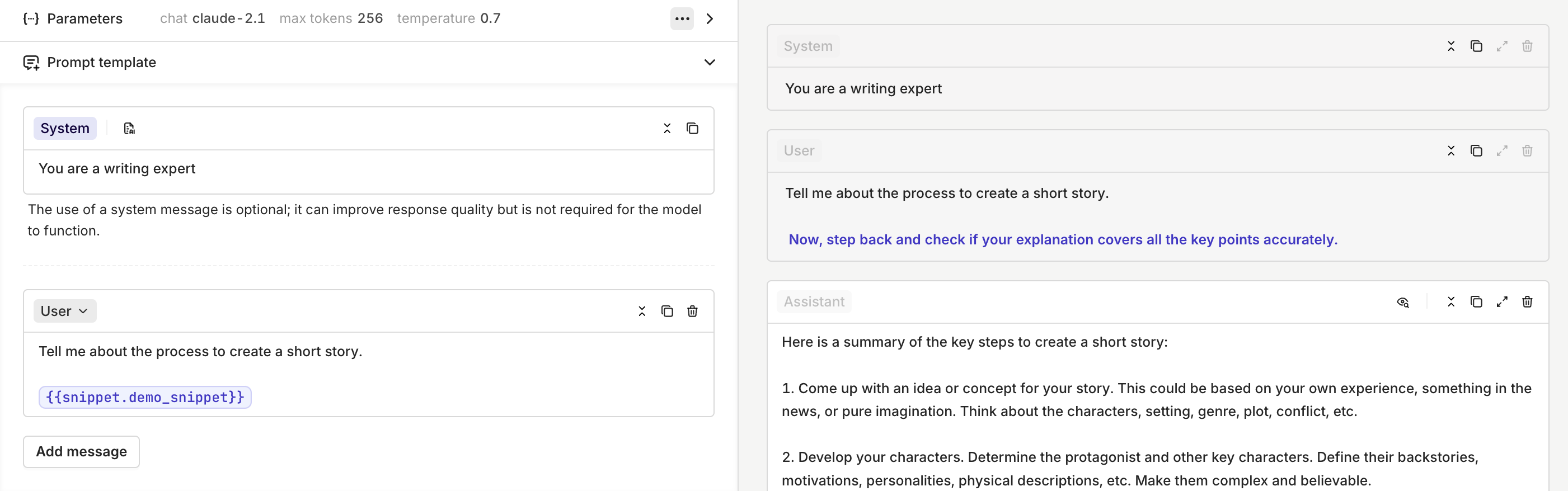
Prompt Snippets are useful for maintaining consistent instructions across multiple prompts and reducing duplication in your prompt templates.
Using Prompt Snippets in Agent Instructions
Prompt Snippets can also be referenced directly in agent instructions using the same{{snippet.key}} syntax.
This lets you share reusable content blocks across both prompts and agents. For example, a company policy snippet or a standard output format can be defined once and used consistently across all agents that need it. Any update to the snippet is automatically reflected in every agent instruction that references it.
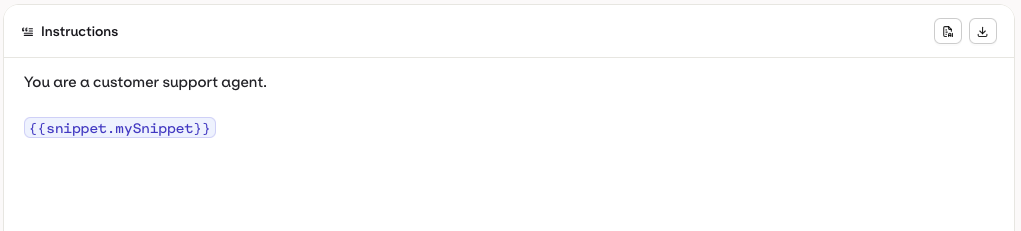
To learn more about writing agent instructions, see Agent Studio.