Orq MCP is live: Use natural language to interrogate traces, spot regressions, and experiment your way to optimal AI configurations. Available in Claude Desktop, Claude Code, Cursor, and more. Start now →
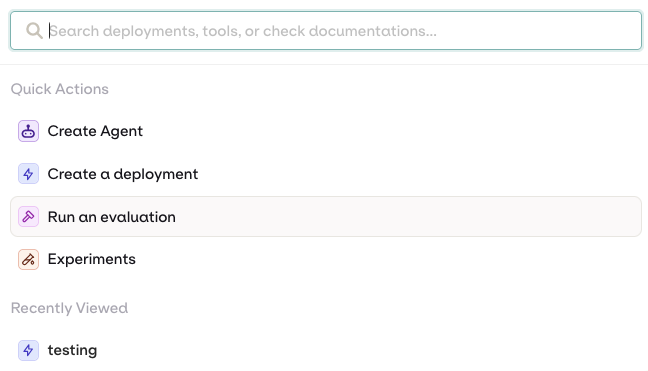
Navigate AI Studio using keyboard shortcuts, the App Switcher, and the Command Bar. Access quick actions, search docs, and jump to recent entities instantly.
The Command Bar is accessible anytime using the AI Studio using +K or Ctrl+K.
Use Arrow Keys to navigate through the options, Enter to execute the command, Esc to close the command bar.
Quick ActionsRun quick actions directly from the bar:
Create Agent
Create a Deployment
Run an evaluation
Search DocumentationWhen looking for guidance or information on features of the AI Studio, use the command bar to search documentation, use-cases, tutorials and references. Selecting documentation opens it in a new tab.Open Recently Viewed EntitiesFind easily the recently opened projects and entities to navigate back to the important stuff, quickly.