

LLM Evaluator
Python Evaluator
requests package is now available for HTTP calls, and pydantic is available for JSON schema validation.passed, value, and type visible. See Trace scrubbing and evaluator data.Use Cases
Automated quality scoring
Automated quality scoring
Output compliance checks
Output compliance checks
Guardrails in Deployments and Agents
Guardrails in Deployments and Agents
Regression testing in Experiments
Regression testing in Experiments
Pre-built Evaluators
Before building one from scratch, browse the Marketplace for ready-to-use evaluators. Add any of them to a Project with the Add to project button, then use them in Experiments, Deployments, and Agents. The Marketplace groups its evaluators into three categories:- Function Evaluators: deterministic checks such as Contains, Valid JSON, Length Between, and BLEU Score.
- LLM Evaluators: model-judged checks such as Tone of Voice, Grammar, PII, and Sentiment Classification.
- Ragas Evaluators: retrieval-augmented generation metrics such as Faithfulness, Context Precision, and Response Relevancy.
LLM Evaluator
LLM Evaluators use a model to judge outputs against any criteria you define in a prompt.- AI Studio
- API & SDK
- CLI
- MCP
 AI Studio
 MCP
MCP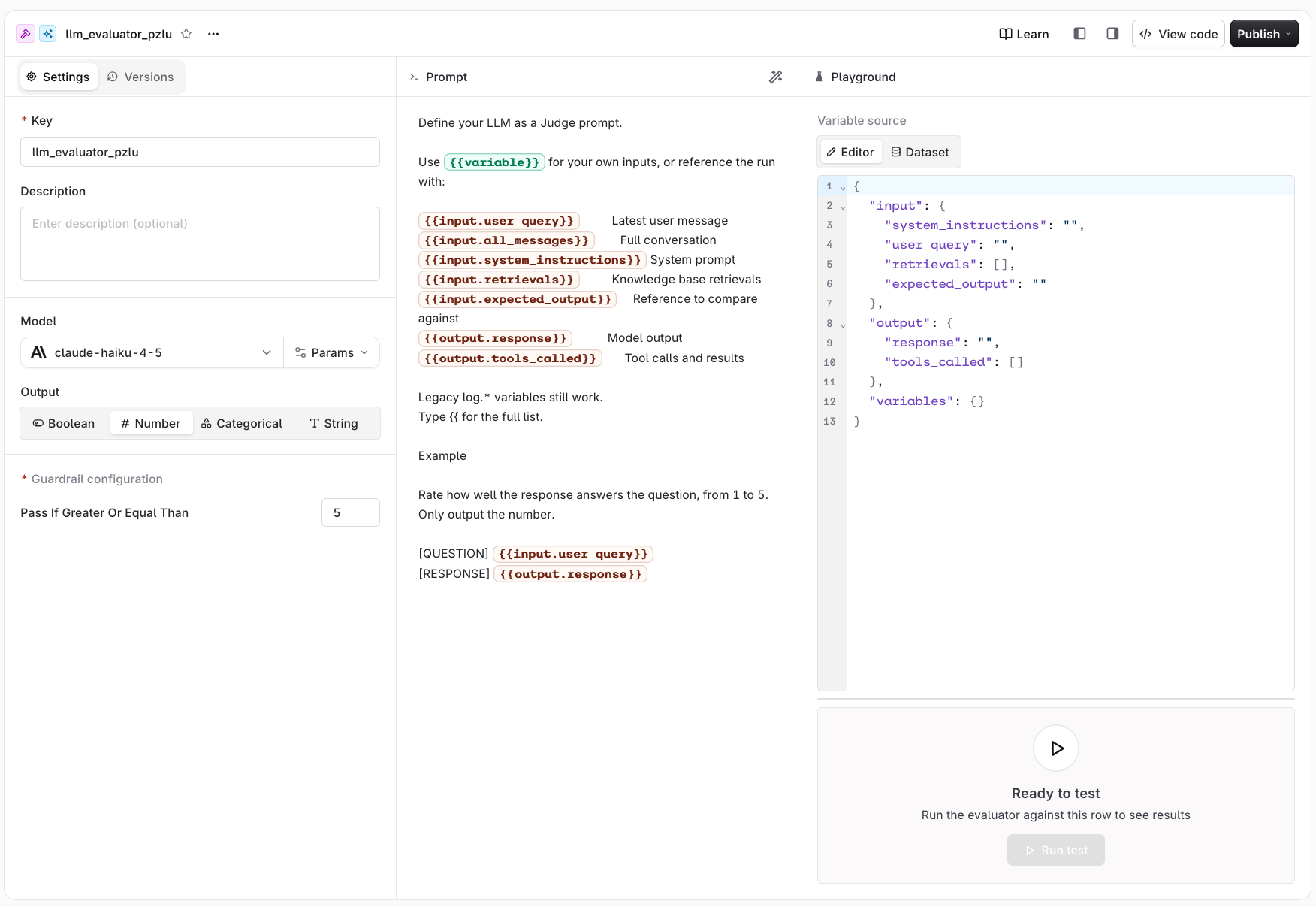
The LLM Evaluator settings panel showing the prompt editor with input and output variables, model selector, output types, guardrail configuration, and playground.
Configure Prompt
- AI Studio
{{ in the prompt editor to pick one from the full list.{{variable_name}}.{{variable_name}} token. The call succeeds and still returns a verdict, so a missing variable degrades the result silently instead of raising an error. Supply every variable the prompt references.Legacy log variables
Legacy log variables
log.* variables remain supported, so existing Evaluators keep working. Prefer the variables above for new Evaluators.log.* equivalent for {{input.system_instructions}}.Structured variable shapes
Indexed paths walk the underlying arrays and objects.output.tools_called contains:
input.all_messages and log.messages contain these message variants:
status means the source did not provide one. An assistant message can omit content when it only requests tools. Tool arguments are JSON-encoded strings, and output is omitted when a tool call has no result. For example:
input.all_messages includes the graded turn. log.messages has the same message shape but excludes that final graded user or assistant turn.
Model Parameters
- AI Studio
Output and Guardrail Configuration
- AI Studio
- Boolean
- Number
- Categorical
- String
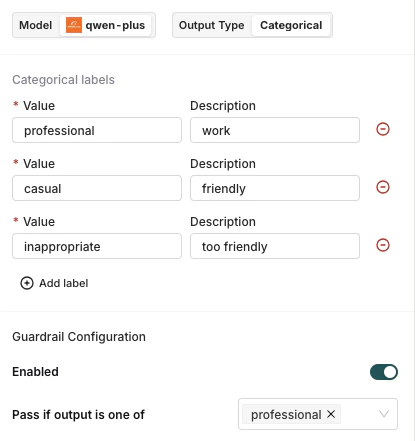
Examples
- AI Studio
Evaluating formality on a 1-5 scale
Evaluating formality on a 1-5 scale
Evaluating accuracy on a 0-100 scale
Evaluating accuracy on a 0-100 scale
Binary pass/fail with numeric output
Binary pass/fail with numeric output
Consistency with the prior conversation
Consistency with the prior conversation
{{log.messages}} on purpose: it is the only variable that excludes the graded turn, so the response is not shown twice. {{input.all_messages}} includes it.Comparing output against a reference
Comparing output against a reference
Validating tool usage
Validating tool usage
Testing
- AI Studio
- Editor
- Dataset
output.tools_called takes the tool name, the arguments it was called with, and the output it returned.{{input.all_messages}} and {{log.messages}} resolve against the conversation assembled from these fields.To grade a multi-turn conversation, add a messages array alongside input and output instead of filling input.user_query and output.response. A conversation takes precedence: when messages is present, input.user_query is ignored, and output.response is appended only when the conversation carries no assistant answer.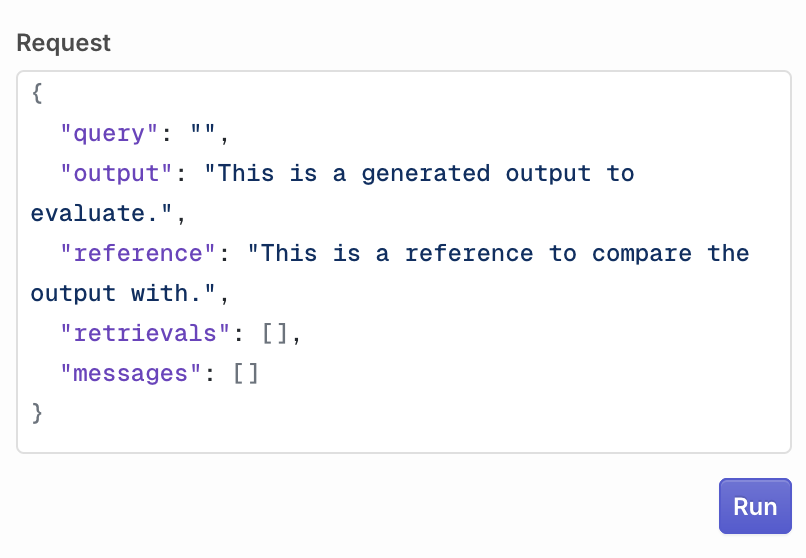
Configure the LLM payload that will be sent to the evaluator.
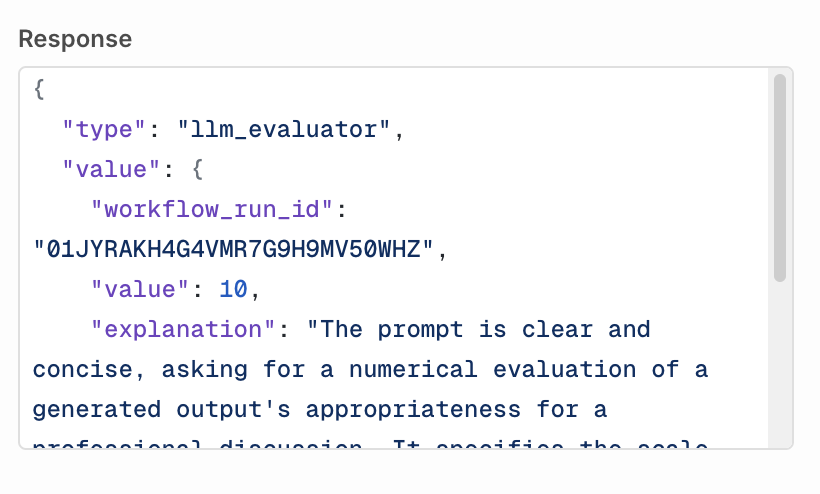
An LLM Evaluator test response.
Python Evaluator
Python Evaluators let you write custom Python code for maximum flexibility: from simple validations (regex, length checks) to complex analyses (statistical scoring, custom algorithms).Code exceeds maximum size error and does not run.- AI Studio
- API & SDK
- CLI
- MCP
log["input"]<str>: the last message sent to generate the outputlog["output"]<str>: the generated response from the modellog["reference"]<str | None>: the reference used to compare the outputlog["expected_output"]<str | None>: the same value aslog["reference"]log["retrievals"]list[str]: all Knowledge Base retrievalslog["messages"]list[dict]: the conversation before the graded turn, each entry withroleandcontentlog["tool_calls"]list[dict]: each entry withtool_name,tool_arguments,tool_id,tool_run_id,tool_type, andresponse["raw_response"]
None. See Evaluator variables for how these map onto the LLM Evaluator prompt variables.The evaluator can return two response types:- Number: return a numeric score
- Boolean: return a true/false value
{"value": <score or verdict>, "explanation": <str>}. explanation is optional, must be a string, and appears as reason in the Output panel of the evaluator span in Traces. It does not change the score or the guardrail outcome. A dict carrying any other key is returned as-is, with no explanation.Example: compare output size with the reference:Environment and Libraries
- AI Studio
Guardrail Configuration
- AI Studio
- Boolean evaluators: select True or False. The guardrail passes when your function returns the selected value.
- Number evaluators: enter a score threshold. The guardrail passes when your function’s return value is greater than or equal to the threshold.
Examples
- AI Studio
Checking an output survives an external API round-trip
Checking an output survives an external API round-trip
requests package to send the output to an external endpoint and confirm it comes back unchanged. Return True only when the call succeeds and the echoed text matches the output.Validating an insurance damage assessment report against a schema
Validating an insurance damage assessment report against a schema
pydantic to validate that the output is JSON matching the expected damage report schema, including a confidence score between 0 and 1. Return True when it parses and validates, otherwise return False with the validation error as the explanation.Testing
- AI Studio
input, output, reference, messages, and retrievals. All log fields resolve against what you enter.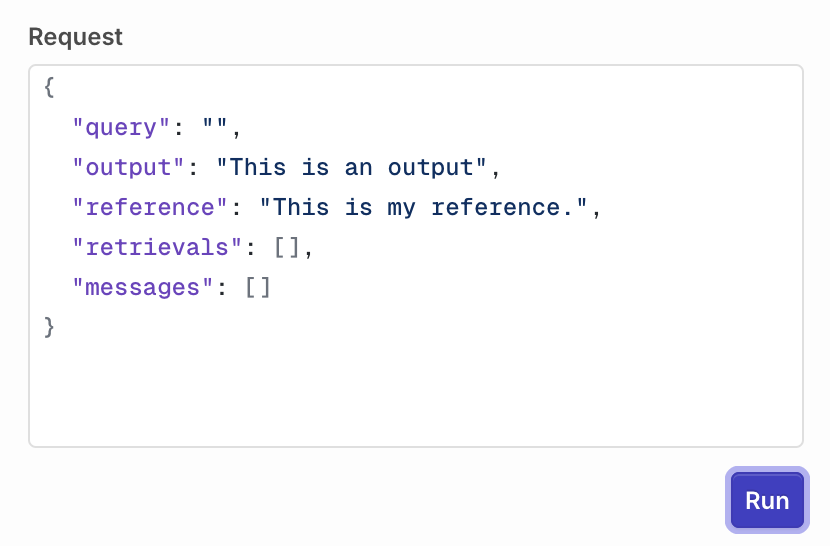
Configure the payload that will be sent to the Python evaluator.
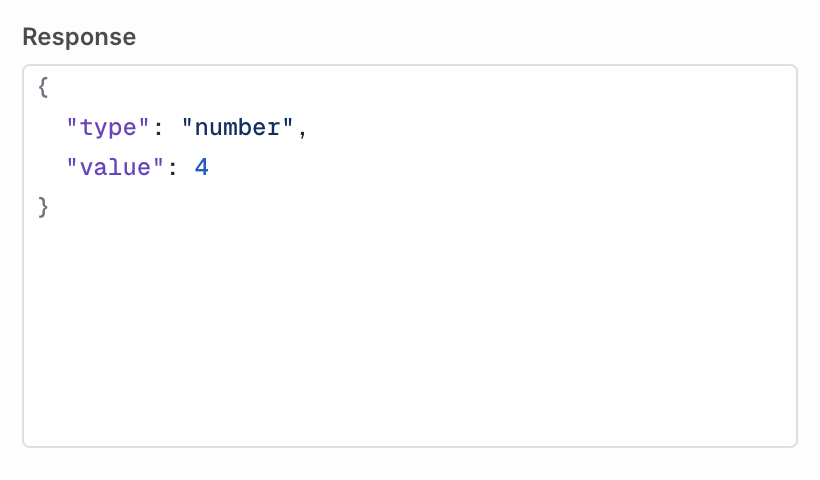
A Python test response.
Evaluator variables
LLM Evaluators and Python Evaluators read the same run through different mechanisms. An LLM Evaluator renders template variables into the judge prompt. A Python Evaluator receives onelog dictionary as the argument to evaluate(). Nothing substitutes {{...}} inside Python code.
Equivalent values
Distinctions
Tool call entries use different field names. A prompt reads{{output.tools_called[0].name}}, .arguments, .status, and .output. Python reads log["tool_calls"][0]["tool_name"], ["tool_arguments"], and ["response"]["raw_response"].
Three variables have no Python equivalent:
{{input.all_messages}}includes the graded turn.log["messages"]always excludes it, so it matches{{log.messages}}instead.{{input.system_instructions}}is a prompt variable only. Python code reads the system prompt as thesystementry insidelog["messages"].- Custom variables, written
{{variable}}in a prompt, are not passed to Python code.
{{input.retrievals}} and {{output.tools_called}} render as a readable block, while indexed forms such as {{input.retrievals[0]}} walk the underlying structure. Python always receives the raw list.
Legacy log.* prompt variables still work. {{log.input}}, {{log.output}}, {{log.reference}}, {{log.retrievals}}, {{log.messages}}, and {{log.tool_calls}} remain supported in LLM Evaluator prompts. Prefer the input.* and output.* names in new evaluators.
input, output, and log are reserved names. A custom variable that uses one of them is dropped before the evaluator runs, because it would shadow the namespace the prompt already resolves against.Versions
- AI Studio
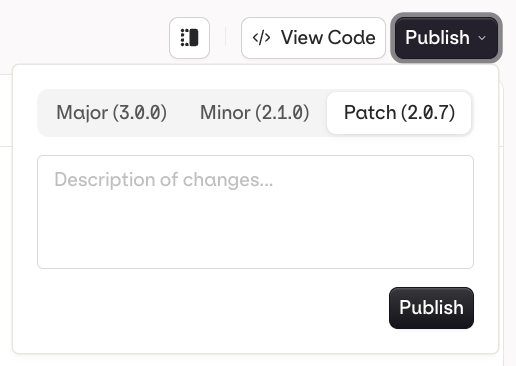
Publish a new version of your Evaluator.
- Patch (e.g.
v1.0.0tov1.0.1): small fixes, no behaviour change - Minor (e.g.
v1.0.0tov1.1.0): new functionality, backwards compatible - Major (e.g.
v1.0.0tov2.0.0): breaking change or significant rework
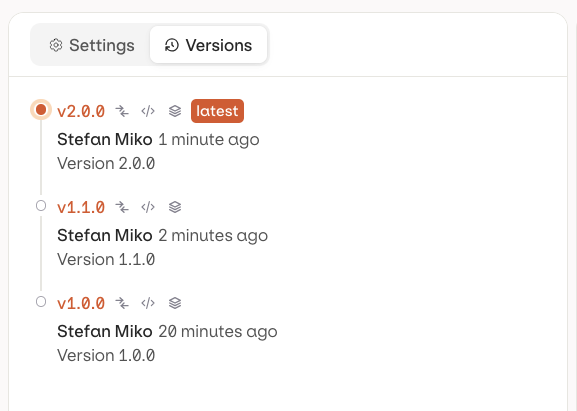
Evaluator versions.
Restoring a Version
In Compare (see above), click Restore next to an older version to load it into the current working draft. Restore does not publish automatically: the evaluator is loaded into the draft as unpublished changes on the Settings tab, and Publish still needs to be clicked for it to become a real version. Earlier versions are never deleted, so restoring is always reversible.List Evaluators
Install the SDK before using the Node.js or Python examples below:- API & SDK
Invoke an Evaluator
- API & SDK
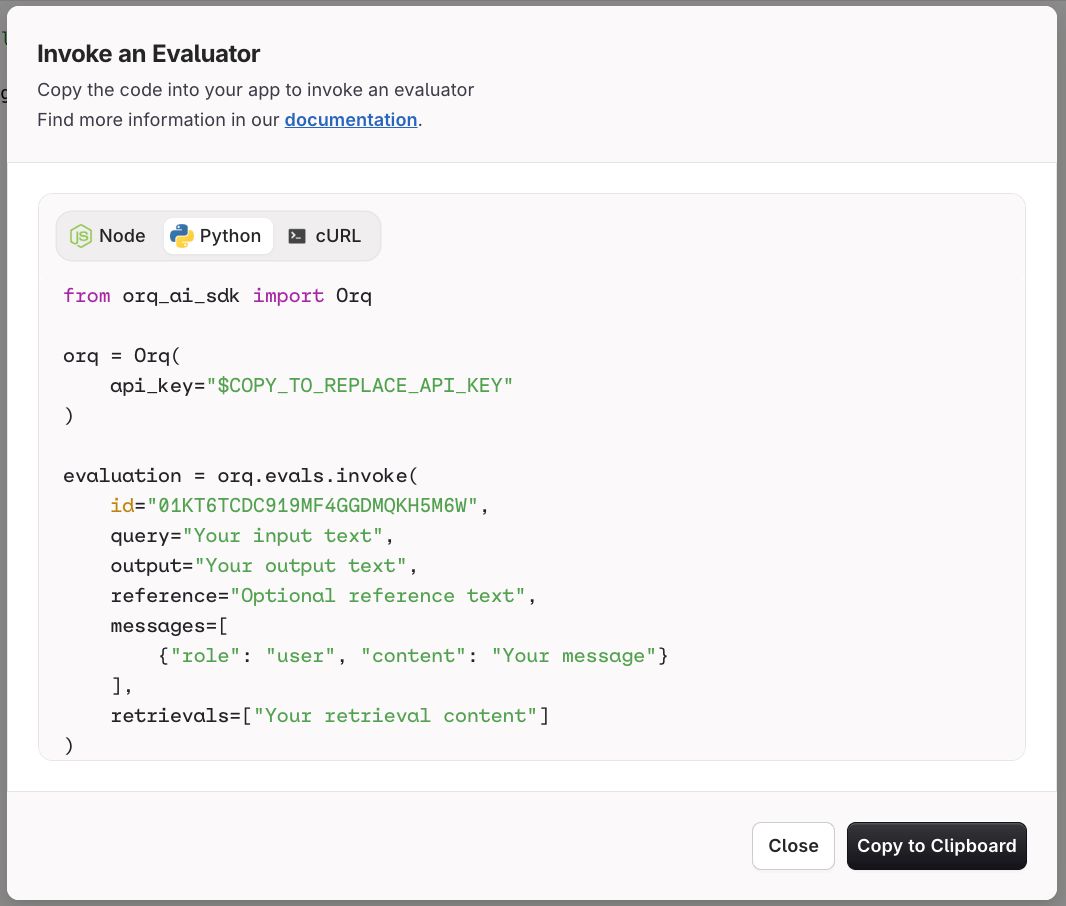
The Invoke an Evaluator dialog provides ready-to-copy Node, Python, and cURL snippets.
context. The field names match the prompt variables they fill, so input.user_query in the body is {{input.user_query}} in the prompt.<evaluator_id>@<version> or <evaluator_id>@<environment> to grade against a published version instead of the current one. A version is a semantic version string, such as 01JN5J8W4J5JP8ZSD0TADK11GJ@1.0.0. An environment is the name a version is published to, such as 01JN5J8W4J5JP8ZSD0TADK11GJ@production.query, output, reference, messages and retrievals are still accepted at the top level and map onto context: query fills context.input.user_query, output fills context.output.response, and reference fills context.input.expected_output. messages and retrievals keep their names. New integrations use context.Pass custom variables
Add avariables object to an evaluator invocation to provide template values. Variable names must be non-empty. Values can be any JSON value, including nested arrays and objects. Request values override evaluator defaults for matching keys.
A custom variable the request omits is left as the literal {{variable_name}} token, and the evaluator still returns a verdict. Supply every variable the prompt references.
Guardrail Error Response
When a guardrail evaluation fails, the status depends on the surface:400 on the Responses endpoint and on the OpenAI-compatible chat completions endpoint, and 422 on the Anthropic- and Google-compatible endpoints and on the Agents and Deployments surfaces. The response body lists every guardrail that did not pass.
On the Responses endpoint, the OpenAI-compatible chat completions endpoint, and Deployments, a guardrail that exceeds its per-guardrail timeout returns HTTP 408 with error.code guardrail_timeout. See Guardrail timeout.
- Deployments
- Agents
timeout, the generation proceeds without it. A Guardrail that cannot run, or that exceeds its timeout, blocks the request instead. Monitor skipped and failed executions through Traces.When an LLM guardrail’s underlying model fails: If the model powering an LLM guardrail is unavailable, Orq.ai fails the entire request for safety. Since the guardrail could not run, there is no way to know whether it would have blocked the generation.Evaluatorq
Evaluatorq is a dedicated SDK for running evaluations programmatically. It supports parallel job execution, flexible data sources (inline, CSV, Orq datasets), and syncs results to the Orq.ai AI Studio.- API & SDK