

- a User
- a Team
- a Project
- a Client
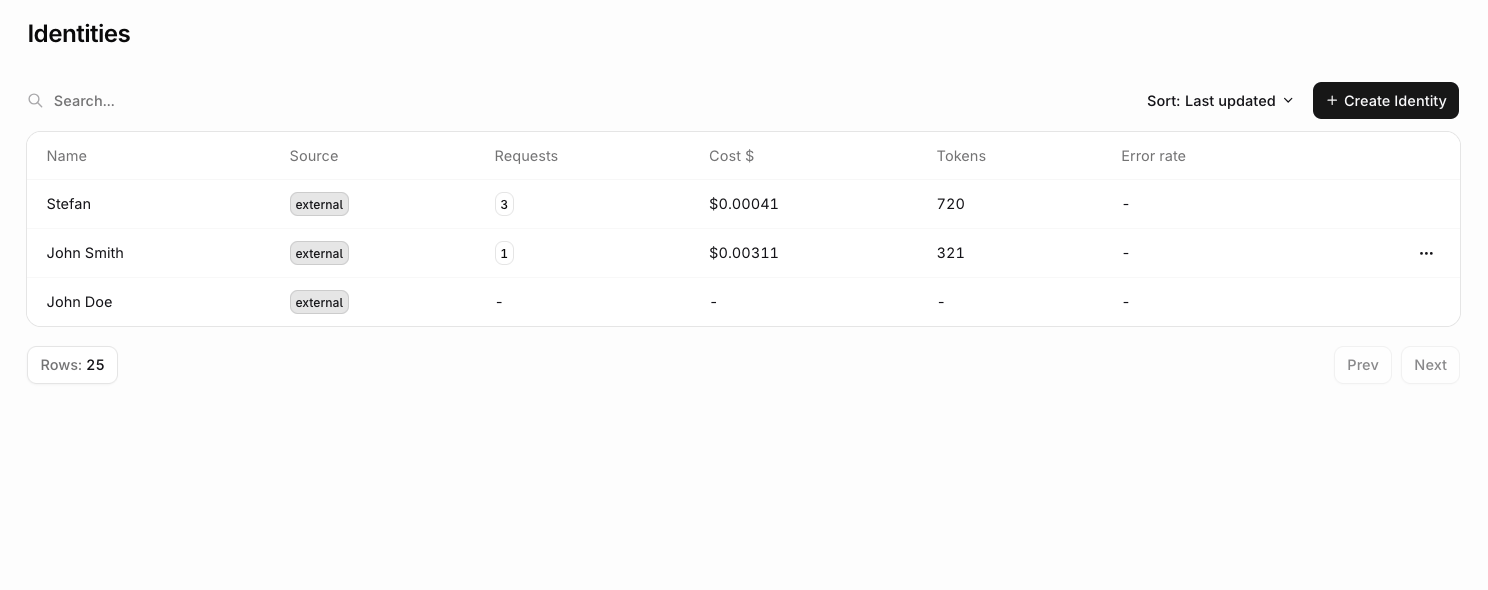
Creating an identity
- AI Studio
- API / SDK
- CLI
 AI Studio
Head to the Identities section and choose Create an Identity.The following panel opens: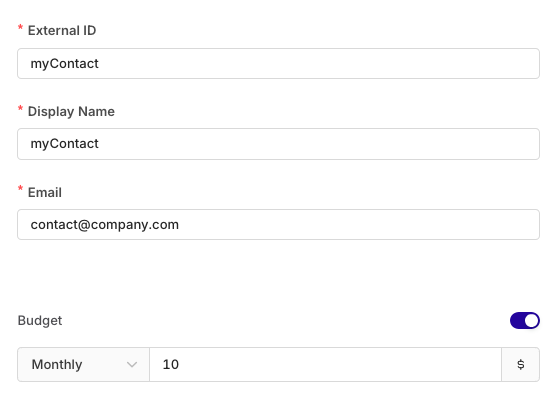
Attaching an identity to a request
Every request can be attributed to a specific user, team, or client. The gateway checks each of the following sources in order and uses the first match found:- Body
- X-ORQ-IDENTITY-ID Header
- API Key Owner
Pass an AgentsDeployments
identity object on each Agent response or Deployment invocation to attribute the request to an Identity.The
identityId / identity_id constructor option was removed in SDK v4.10.0. Pass identity on each request instead.Retrieving an identity via the API
Once an identity is in use, you can fetch its full record at any time using its_id (ULID) or external_id.
See the API Reference for the full parameter and response specification.
Listing identities with metrics
Passinclude_metrics=true to the list endpoint to include 30-day usage metrics for each identity in the response. This is useful for auditing spend, spotting high error rates, or building identity-level dashboards.
metrics object with usage data for the last 30 days:
See the API Reference for the full list of query parameters including pagination, search, and tag filtering.
Budget control
Attach a spending limit to an identity to cap cost, token usage, or request rate for a specific customer or tenant. Navigate to Settings > Budgets, click Create, set Scope > Applies to to Identity, then select the target identity by external ID. See Budgets for the full list of configurable limits, reset periods, and alerts.Identity field reference
Fields accepted on theidentity object for any request:
Best practices
- Consistent IDs: Use predictable identity ID patterns (e.g.
user-{userId},tenant-{orgId}-{userId}) across the application. - Essential metadata only: Include only relevant metadata fields to minimize payload size.
- Tag strategy: Use tags for filtering and segmentation rather than storing detailed data.
- Privacy compliance: Ensure identity data handling meets applicable privacy requirements.
- Validation: Validate
idformat and length before sending requests.