Use Cases
Standardize AI Behavior Across Teams
Turn AI Use Cases into Reusable Assets
Control Model Output Without Code Changes
Scale AI Features Safely
Connect AI to Business Context
Create a Prompt
AI Studio
- API & SDK
Navigate to a Project
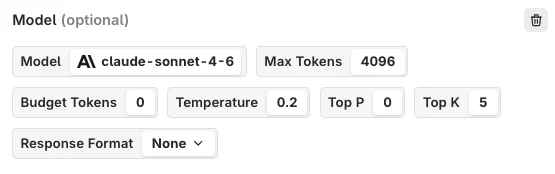
+ button at the top.Choose a Model
AI Studio

Model Parameters
Temperature
Temperature
Max Tokens
Max Tokens
Top K
Top K
Top P
Top P
Frequency Penalty
Frequency Penalty
Presence Penalty
Presence Penalty
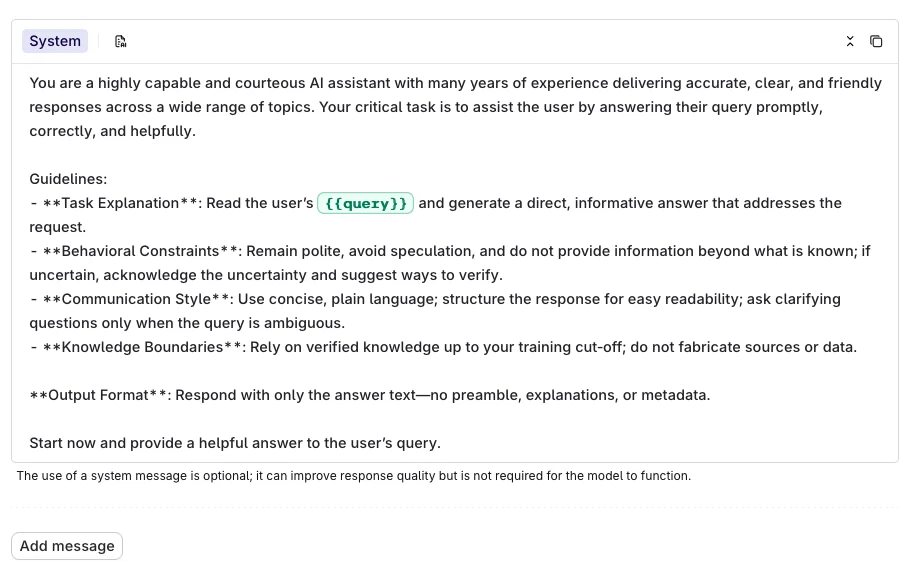
Messages
AI Studio

Roles
When adding a message, choose a role to define how the model interprets it:| Role | Description | Example |
|---|---|---|
| System | A guideline or context for the language model, directing how it should interpret and respond to requests. | ”You are an expert botanist. Respond briefly to questions with one-line answers.” |
| User | An actual query posed by the user. | ”Which plants thrive in shady environments?” |
| Assistant | Responses to user queries by the language model. | ”Ferns, Hostas, and Hydrangeas are some plants that thrive in shady environments.” |
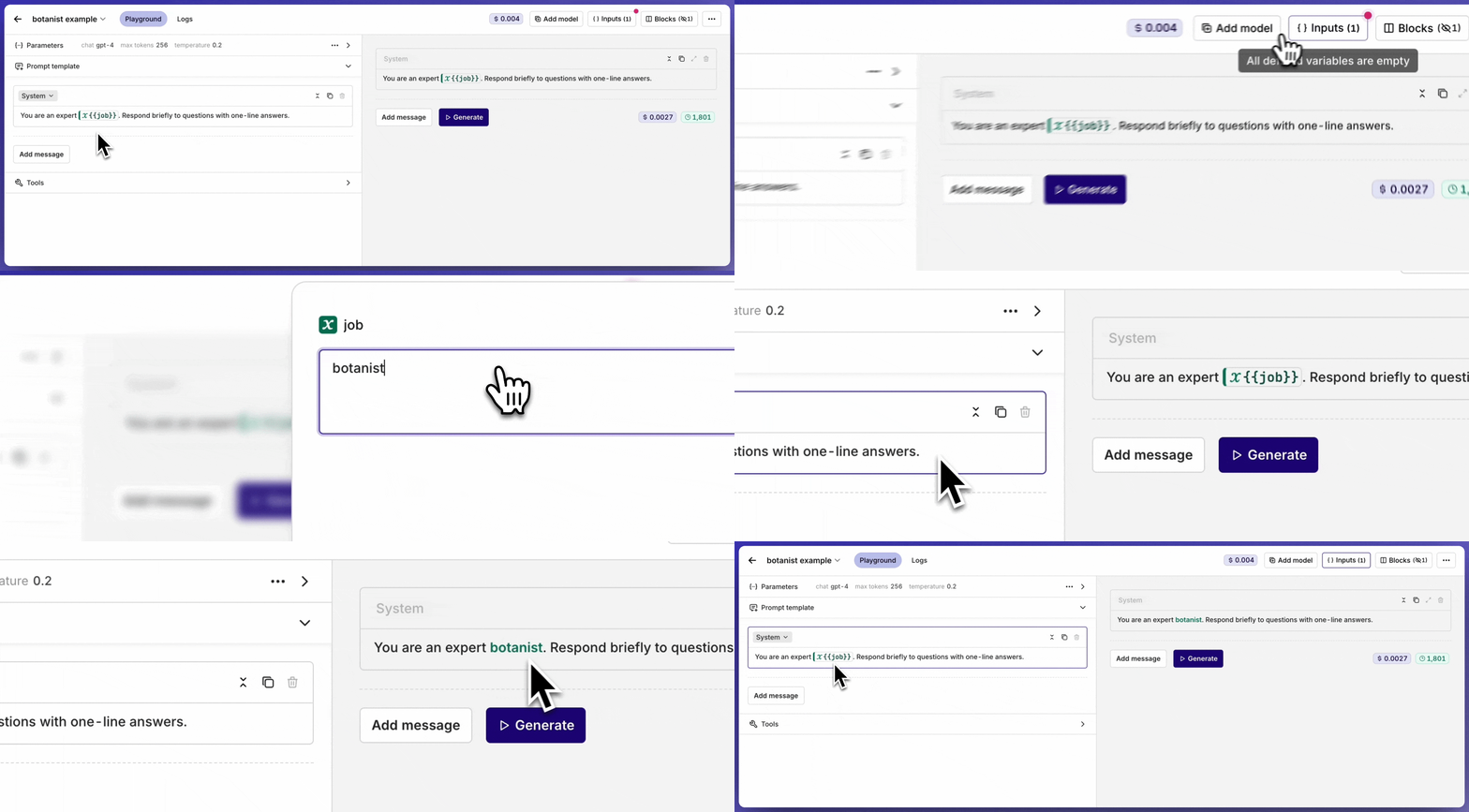
Variables
AI Studio
{{variable_name}} syntax inside a message to declare a dynamic input. All declared inputs appear in the Inputs block at the top-right of the page, where default values can be set for testing.
inputs field when invoking.
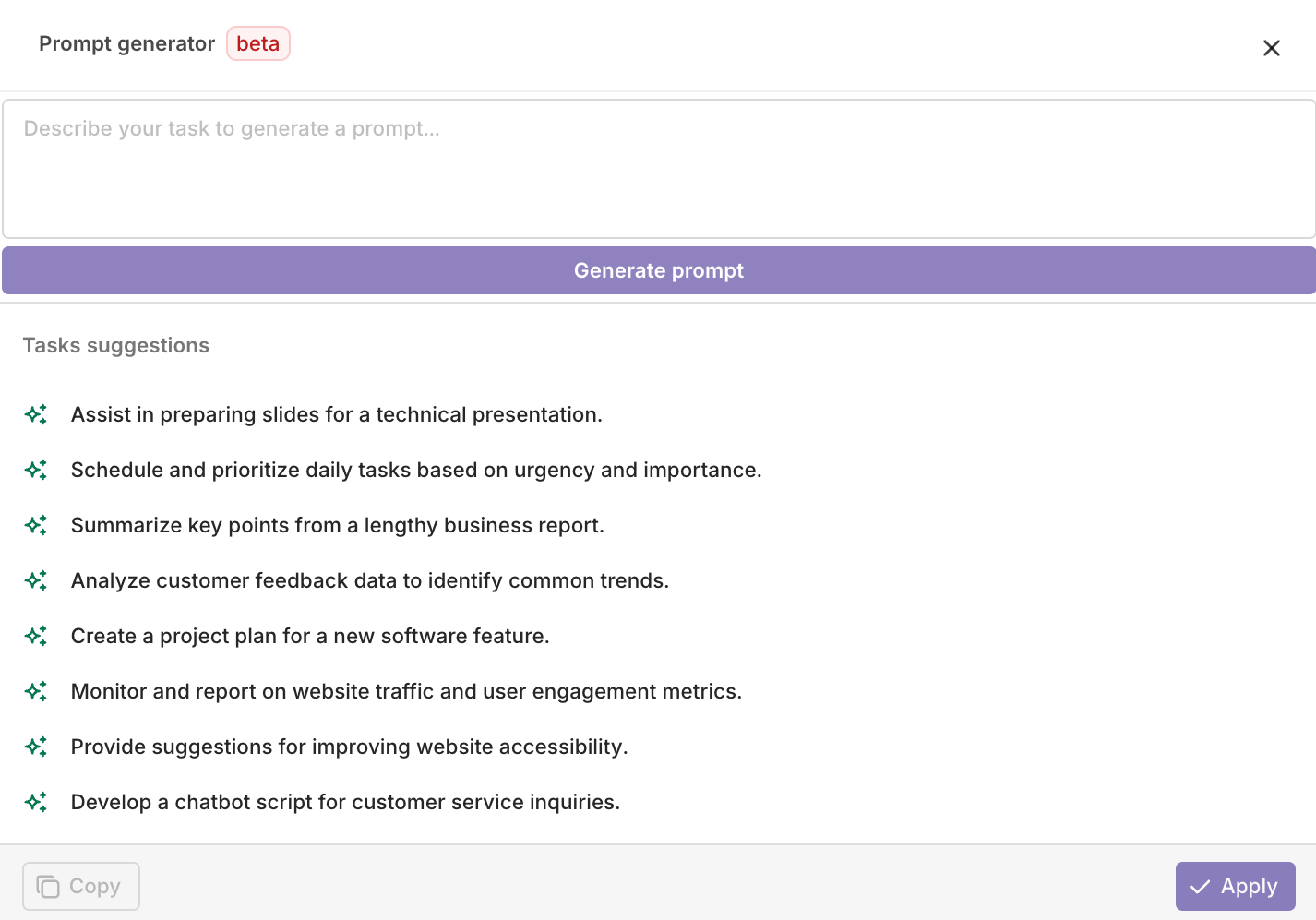
Prompt Generator
AI Studio

- Select Copy to copy the generated prompt to the clipboard.
-
Select Apply to overwrite the current prompt with the generated one.

Image Generation
AI Studio
image tag in the model picker.Selecting an Image Generation Model


- Creative Content: Generate artwork, illustrations, and visual content for marketing materials
- Product Design: Create mockups and visual prototypes based on descriptions
- Content Creation: Generate images for blogs, social media, and presentations
- Concept Visualization: Turn abstract ideas into visual representations
- Be Specific: Provide detailed descriptions for better results
- Style Guidelines: Include artistic style, mood, and visual elements in your prompts
- Parameter Tuning: Experiment with model-specific parameters to achieve desired output quality
- Iterative Refinement: Use generated images as starting points for further refinement
Vision
AI Studio
- API & SDK
vision tag in the model picker.

- Document Processing: Extract text and information from scanned documents and forms
- Visual Quality Control: Analyze product images for defects or compliance
- Content Moderation: Automatically review images for inappropriate content
- Medical Imaging: Analyze medical scans and diagnostic images (with appropriate models)
- Insurance Claims: Process damage assessment photos and documentation
- Image Quality: Ensure images are clear and well-lit for best analysis results
- Specific Questions: Ask focused questions about what you want to extract or understand
- Context Provision: Provide context about what the image represents for better interpretation
- Multiple Angles: For complex analysis, consider providing multiple views of the same subject
Fetch a Prompt
- API & SDK
Using Skills
Reference Skills with{{skill.key}} syntax. Inject reusable templates into prompts for modular LLM configuration and DRY prompt engineering.